This is the full developer documentation for WireMock
# WireMock Java - API Mocking for Java and JVM
> WireMock is a popular open-source tool for API mock testing with over 5 million downloads per month.
# Welcome to WireMock Java
[Section titled “Welcome to WireMock Java”](#welcome-to-wiremock-java)
WireMock is a popular open-source tool for API mock testing, with over 5 million downloads per month. It can help you to create stable test and development environments, isolate yourself from flakey 3rd parties and simulate APIs that don't exist yet.
## Getting Started
[ Overview ](overview/)[ Quick Start ](getting-started/)[ Download ](download-and-installation/)[ Get Help](support)
## Distributions
WireMock provides the following generic distributions that allow running it as a [standalone server](standalone/) in a container or within a Java Virtual Machine.
[ Standalone JAR ](standalone/)[ Docker ](standalone/docker/)[ Helm (Experimental) ](solutions/kubernetes/)[ WireMock Cloud (commercial SaaS) ](https://www.wiremock.io/cloud-overview?utm_medium=referral\&utm_sourcewiremock.org\&utm_content=docs_nav)[ NPM](https://www.npmjs.com/package/wiremock)
## By use-case
Below you can find links to the documentation for WireMock key use-cases. You can find more documentation pages on the sidebar.
[ Advanced request matching ](request-matching/)[ Dynamic response templating ](response-templating/)
[ Use API Mocking in your unit tests ](junit-jupiter/)[ Fault and latency injection ](simulating-faults/)[ Record / Playback ](record-playback/)
[ Use pre-defined Mock API templates ](mock-api-templates/)[ Extending WireMock](extending-wiremock/)
## By protocol
WireMock can serve all HTTP-based protocols and REST API. Through built-in features and extensions, it provides additional capabilities for widely used protocols.
[BETA  WebSockets ](websockets/)[ Webhooks and Callbacks ](webhooks-and-callbacks/)[ HTTPs ](https/)[ gRPC ](grpc/)[ GraphQL](solutions/graphql/)
## By technology
There are also solutions and guides for particular technologies and frameworks, provided by the WireMock community and external contributors.
[ Java and JVM ](solutions/jvm/)[ Python ](solutions/python/)[ Spring Boot ](solutions/spring-boot-integration/)[ Node.js ](solutions/nodejs/)[ Android ](solutions/android/)[ .NET ](/dotnet/)[ Golang ](solutions/golang/)[ Rust ](solutions/rust/)[ Groovy ](solutions/groovy/)[ Kotlin ](solutions/kotlin/)[ Kubernetes ](solutions/kubernetes/)[ Testcontainers ](solutions/testcontainers/)[ Quarkus ](solutions/quarkus/)[ C/C++](solutions/c_cpp/)
# Deploying into a servlet container
WireMock can be packaged up as a WAR and deployed into a servlet container, with some caveats: fault injection and browser proxying won’t work, `\_\_`files won’t be treated as a docroot as with standalone, the server cannot be remotely shutdown, and the container must be configured to explode the WAR on deployment. This has only really been tested in Tomcat 6 and Jetty, so YMMV. Running standalone is definitely the preferred option.
The easiest way to create a WireMock WAR project is to clone the [sample app](https://github.com/wiremock/wiremock/tree/master/sample-war).
### Deploying under a sub-path of the context root
[Section titled “Deploying under a sub-path of the context root”](#deploying-under-a-sub-path-of-the-context-root)
If you want WireMock’s servlet to have a non-root path, the additional init param `mappedUnder` must be set with the sub-path web.xml (in addition to configuring the servlet mapping appropriately).
See [the custom mapped WAR example](https://github.com/wiremock/wiremock/blob/master/sample-war/src/main/webappCustomMapping/WEB-INF/web.xml) for details.
# WireMock on Java 1.7
> **WARNING:** Recent WireMock versions do not support Java 1.7, but you can run older versions to achieve that. The Java 7 version was deprecated in the 2.x line and version 2.27.2 is the last release available. There will be no bugfixes and security patches provided. Make sure to update as soon as possible to Java 11 or above.
The Java 7 distribution is aimed primarily at Android developers and enterprise Java teams still using Java Runtime Environment (JRE) 1.7. Some of its dependencies are not set to the latest versions e.g. Jetty 9.2.x is used, as this is the last minor version to retain Java 7 compatibility.
## Maven dependencies
[Section titled “Maven dependencies”](#maven-dependencies)
JUnit:
```xml
com.github.tomakehurst
wiremock
2.27.2
test
```
Standalone JAR:
```xml
com.github.tomakehurst
wiremock-standalone
2.27.2
test
```
## Gradle dependencies
[Section titled “Gradle dependencies”](#gradle-dependencies)
JUnit:
```groovy
testImplementation "com.github.tomakehurst:wiremock:2.27.2"
```
Standalone JAR:
```groovy
testImplementation "com.github.tomakehurst:wiremock-standalone:2.27.2"
```
# Commercial Support
WireMock is an open source project. In accordance with the [Apache License 2.0](https://github.com/wiremock/wiremock/blob/master/LICENSE.txt), in general there is no support or guarantees provided for it. You can get some assistance through WireMock community channels, and contribute to helping other users too. At the same time, there are vendors that provide commercial support for WireMock.
## Products with commercial support
[Section titled “Products with commercial support”](#products-with-commercial-support)
### WireMock Cloud - Priority Support
[Section titled “WireMock Cloud - Priority Support”](#wiremock-cloud---priority-support)
Built on WireMock, [WireMock Cloud](https://www.wiremock.io/) offers a hosted experience including a self-service UI, enterprise support, and unlimited scale. Key features, in addition to all WireMock capabilities, include support for manual and automated testing, importing APIs from OpenAPI and Swagger, and Chaos Engineering.
For users of the [WireMock Cloud](https://www.wiremock.io/) service, WireMock Inc offers priority support with a guaranteed SLA as part the Enterprise subscription plan. You can find more info about WireMock Cloud support plans [here](https://www.wiremock.io/pricing).
[Get in touch with our team](https://share-eu1.hsforms.com/1YSKnSP93Tsig1JoO3lXSawfbdiq) to discuss options or get a demo.
### WireMocha - Integration for JetBrains IDEs
[Section titled “WireMocha - Integration for JetBrains IDEs”](#wiremocha---integration-for-jetbrains-ides)
WireMocha is a plugin for IntelliJ based IDEs, and has tools for WireMock specific static code analysis (in the Java and JSON DSLs), code generation, stubbing, and many others to overall simplify the work with WireMock.
Two prominent code generation features, beside a handful of smaller ones, can help you:
* generate a scenario’s Java and JSON stub implementations by simply modeling its states and transitions in a dedicated tool window,
* generate and preview the Java version of JSON stub mappings on-the-fly during editing JSON mapping files. It can speed up migration from JSON to Java implementation.
JSON schemas are also associated to JSON mapping files, and are joined with various language injections. They provide additional syntax highlighting (e.g. Handlebars, XPath, …) and validation, as well as code completion that can greatly speed up the implementation and maintenance of JSON mapping files.
The plugin is available on the [JetBrains Marketplace](https://plugins.jetbrains.com/plugin/18860-wiremocha) for a 30-day trial and for purchase. You can raise your questions, feature requests or bug reports on [GitHub](https://github.com/picimako/wiremocha), and browse its documentation [here](https://www.picimako.com/wiremocha/).
## Trainings and Workshops
[Section titled “Trainings and Workshops”](#trainings-and-workshops)
### Trainings and Workshops by Bas Dijkstra
[Section titled “Trainings and Workshops by Bas Dijkstra”](#trainings-and-workshops-by-bas-dijkstra)
[Bas Dijkstra](https://www.linkedin.com/in/basdijkstra/) is an independent consultant providing in-company training and workshops in WireMock, both on-site and online. You can find more information about his services and get in touch with him [on his website](https://www.ontestautomation.com).\
If you’re looking for material to help you practice using WireMock on your own machine, in your own time, [Bas Dijkstra](https://www.linkedin.com/in/basdijkstra/) also maintains an open source workshop on WireMock that is free for all to use:
## Other commercial options / Add yours
[Section titled “Other commercial options / Add yours”](#other-commercial-options--add-yours)
Any other company or individual consultant are welcome to submit a pull request and to extend information on this page.
# Java configuration
> Configure WireMock server options including ports, HTTPS, proxying, file locations, logging, and advanced settings for Java applications and standalone mode.
Both `WireMockServer` and the `WireMockRule` take a configuration builder as the parameter to their constructor e.g.
```java
import static com.github.tomakehurst.wiremock.core.WireMockConfiguration.options;
WireMockServer wm = new WireMockServer(options().port(2345));
@Rule
WireMockRule wm = new WireMockRule(options().port(2345));
```
Every option has a sensible default, so only options that you require an override for should be specified.
## Network ports and binding
[Section titled “Network ports and binding”](#network-ports-and-binding)
```java
// Statically set the HTTP port number. Defaults to 8080.
.port(8000)
// Statically set the HTTPS port number. Defaults to 8443.
.httpsPort(8001)
// Randomly assign the HTTP port on startup
.dynamicPort()
// Randomly asssign the HTTPS port on startup
.dynamicHttpsPort()
// Bind the WireMock server to this IP address locally. Defaults to the loopback adaptor.
.bindAddress("192.168.1.111")
```
## Jetty configuration
[Section titled “Jetty configuration”](#jetty-configuration)
Typically it is only necessary to tweak these settings if you are doing performance testing under significant loads.
```java
// Set the number of request handling threads in Jetty. Defaults to 10.
.containerThreads(5)
// Set the number of connection acceptor threads in Jetty. Defaults to 2.
.jettyAcceptors(4)
// Set the Jetty accept queue size. Defaults to Jetty's default of unbounded.
.jettyAcceptQueueSize(100)
// Set the size of Jetty's header buffer (to avoid exceptions when very large request headers are sent). Defaults to 8192.
.jettyHeaderBufferSize(16834)
// Enable asynchronous request processing in Jetty. Recommended when using WireMock for performance testing with delays, as it allows much more efficient use of container threads and therefore higher throughput. Defaults to false.
.asynchronousResponseEnabled(true)
// Set the number of asynchronous response threads. Effective only with asynchronousResponseEnabled=true. Defaults to 10.
.asynchronousResponseThreads(10)
```
## HTTPS configuration
[Section titled “HTTPS configuration”](#https-configuration)
WireMock can accept HTTPS connections from clients, require a client to present a certificate for authentication, and pass a client certificate on to another service when proxying.
```java
// Set the keystore containing the HTTPS certificate
.keystorePath("/path/to/https-certs-keystore.jks")
// Set the password to the keystore. Note: the behaviour of this changed in version 2.27.0.
// Previously this set Jetty's key manager password, whereas now it sets the keystore password value.
.keystorePassword("verysecret!")
// Set the password to the Jetty's key manager. Note: added in version 2.27.0.
.keyManagerPassword("donttell")
// Set the keystore type
.keystoreType("BKS")
// Require a client calling WireMock to present a client certificate
.needClientAuth(true)
// Path to the trust store containing the client certificate required in by the previous parameter
.trustStorePath("/path/to/trust-store.jks")
// The password to the trust store
.trustStorePassword("trustme")
```
WireMock uses the trust store for three purposes:
1. As a server, when requiring client auth, WireMock will trust the client if it presents a public certificate in this trust store
2. As a proxy, WireMock will use the private key & certificate in this key store to authenticate its http client with target servers that require client auth
3. As a proxy, WireMock will trust a target server if it presents a public certificate in this trust store
## HTTP/2 configuration
[Section titled “HTTP/2 configuration”](#http2-configuration)
HTTP/2 can be disabled separately for plain text (HTTP) and TLS (HTTPS):
```java
// Disable HTTP/2 over HTTP
.http2PlainDisabled(true);
// Disable HTTP/2 over HTTPS
.http2TlsDisabled(true);
```
## Proxy settings
[Section titled “Proxy settings”](#proxy-settings)
```java
// Set the timeout for requests to the proxy in milliseconds
.proxyTimeout(5000)
// Make WireMock behave as a forward proxy e.g. via browser proxy settings
.enableBrowserProxying(true)
// Send the Host header in the original request onwards to the system being proxied to
.preserveHostHeader(false)
// As of WireMock `3.7.0`, when in proxy mode, this option will transfer the original `User-Agent` header from the client to the proxied service.
.preserveUserAgentProxyHeader(true)
// Override the Host header sent when reverse proxying to another system (this and the previous parameter are mutually exclusive)
.proxyHostHeader("my.otherdomain.com")
// When reverse proxying, also route via the specified forward proxy (useful inside corporate firewalls)
.proxyVia("my.corporate.proxy", 8080)
// When proxying, path to a security store containing client private keys and trusted public certificates for communicating with a target server
.trustStorePath("/path/to/trust-store.jks")
// The password to the trust store
.trustStorePassword("trustme")
// When proxying, a key store containing a root Certificate Authority private key and certificate that can be used to sign generated certificates
.caKeystorePath("/path/to/ca-key-store.jks")
// The password to the CA key store
.caKeystorePassword("trustme")
// The type of the CA key store
.caKeystoreType("JKS")
// Which proxy encodings to proxy through to the target if the request contains an Accept-Encoding header
// By default this is null, which means the header is sent to the target unchanged
// If there is an Accept-Encoding header on the request, and it does not contain any of the supported proxy encodings, the header is not sent to the target.
.withSupportedProxyEncodings("gzip", "deflate")
```
## File locations
[Section titled “File locations”](#file-locations)
WireMock, when started programmatically, will default to `src/test/resources` as a filesystem root if not configured otherwise.
```java
// Set the root of the filesystem WireMock will look under for files and mappings
.usingFilesUnderDirectory("/path/to/files-and-mappings-root")
// Set a path within the classpath as the filesystem root
.usingFilesUnderClasspath("root/path/under/classpath")
```
## Request journal
[Section titled “Request journal”](#request-journal)
The request journal records requests received by WireMock. It is required by the verification features, so these will throw errors if it is disabled.
```java
// Do not record received requests. Typically needed during load testing to avoid JVM heap exhaustion.
.disableRequestJournal()
// Limit the size of the request log (for the same reason as above).
.maxRequestJournalEntries(Optional.of(100))
```
## Template Cache
[Section titled “Template Cache”](#template-cache)
When response templating is enabled, compiled template fragments are cached to improve performance. This setting allows you to configure the maximum number of entries to allow in the cache. As of WireMock `3.7.0`, this defaults to 1000 cache entries. Before WireMock `3.7.0` the default was unlimited
```java
.withMaxTemplateCacheEntries(100)
```
## Notification (logging)
[Section titled “Notification (logging)”](#notification-logging)
WireMock wraps all logging in its own `Notifier` interface. It ships with no-op, Slf4j and console (stdout) implementations.
```java
// Provide an alternative notifier. The default logs to slf4j.
.notifier(new ConsoleNotifier(true))
```
## Gzip
[Section titled “Gzip”](#gzip)
Gzipping of responses can be disabled.
```java
.gzipDisabled(true)
```
## Extensions
[Section titled “Extensions”](#extensions)
For details see [Extending WireMock](../extending-wiremock/).
```java
// Add extensions
.extensions("com.mycorp.ExtensionOne", "com.mycorp.ExtensionTwo")
```
## Transfer encoding
[Section titled “Transfer encoding”](#transfer-encoding)
By default WireMock will send all responses chunk encoded, meaning with a `Transfer-Encoding: chunked` header present and no `Content-Length` header.
This behaviour can be modified by setting a chunked encoding policy e.g.
```java
.useChunkedTransferEncoding(Options.ChunkedEncodingPolicy.BODY_FILE)
```
Valid values are:
* `NEVER` - Never use chunked encoding. Warning: this will buffer all response bodies in order to calculate the size. This might put a lot of strain on the garbage collector if you’re using large response bodies.
* `BODY_FILE` - Use chunked encoding for body files but calculate a `Content-Length` for directly configured bodies.
* `ALWAYS` - Always use chunk encoding - the default.
## Cross-origin response headers (CORS)
[Section titled “Cross-origin response headers (CORS)”](#cross-origin-response-headers-cors)
WireMock always sends CORS headers with admin API responses, but not by default with stub responses. To enable automatic sending of CORS headers on stub responses, do the following:
```java
.stubCorsEnabled(true)
```
## Limiting logged response body size
[Section titled “Limiting logged response body size”](#limiting-logged-response-body-size)
By default, response bodies will be recorded in the journal in their entirety. This can result in out of memory errors when very large bodies are served so WireMock provides an option to limit the number of bytes of response bodies retained (truncating any that are larger).
```java
.maxLoggedResponseSize(100000) // bytes
```
## Preventing proxying to and recording from specific target addresses
[Section titled “Preventing proxying to and recording from specific target addresses”](#preventing-proxying-to-and-recording-from-specific-target-addresses)
As a security measure WireMock can be configured to only permit proxying (and therefore recording) to certain addresses. This is achieved via a list of allowed address rules and a list of denied address rules, where the allowed list is evaluated first.
Each rule can be one of the following:
* A single IP address
* An IP address range in the e.g. `10.1.1.1-10.2.2.2`
* A hostname wildcard e.g. `dev-*.example.com`
The ruleset is built and applied as follows:
```java
.limitProxyTargets(NetworkAddressRules.builder()
.allow("192.168.56.42")
.allow("192.0.1.1-192.168.254.1")
.deny("*.acme.com")
.build()
)
```
## Filename template
[Section titled “Filename template”](#filename-template)
WireMock can set up specific filename template format based on stub information. The main rule for set up specify stub metadata information in handlebar format. For instance for endpoint `PUT /hosts/{id}` and format `{{{method}}}-{{{request.url}}}.json` will be generated: `put-hosts-id.json` filename. Default template: `{{{method}}}-{{{path}}}-{{{id}}}.json`.
```java
.filenameTemplate("{{{request.url}}}-{{{request.url}}}.json")
```
Note: starting from [3.0.0-beta-8](https://github.com/wiremock/wiremock/releases/tag/3.0.0-beta-8)
:::
## Listening for raw traffic
[Section titled “Listening for raw traffic”](#listening-for-raw-traffic)
If you would like to observe raw HTTP traffic to and from Jetty for debugging purposes you can use a `WiremockNetworkTrafficListener`.
One scenario where it can be useful is where Jetty alters the response from Wiremock before sending it to the client. (An example of that is where Jetty appends a —gzip postfix to the ETag response header if the response is gzipped.) Using WireMock’s request listener extension points in this case would not show those alterations.
To output all raw traffic to console use `ConsoleNotifyingWiremockNetworkTrafficListener`, for example:
```java
.networkTrafficListener(new ConsoleNotifyingWiremockNetworkTrafficListener()));
```
If you would like to collect the traffic and for example add it to your acceptance test’s output, you can use the `CollectingNetworkTrafficListener`.
## HTTP Client
[Section titled “HTTP Client”](#http-client)
If you want to increase the proxying performance of WireMock you can enable connection reuse and increase the maximum number of connections:
```java
// Maximum connections for Http Client
.maxHttpClientConnections(1000);
//Disable http connection reuse, `false` to enable
.disableConnectionReuse(true)
```
## Webhook configuration
[Section titled “Webhook configuration”](#webhook-configuration)
The default webhook thread pool size is 10. This is more than enough for normal mocking with callbacks but if you are running performance tests using WireMock with callbacks, you might need to tweak the size of the threadpool used to process webhook requests. This option is available as of WireMock version `3.13.0`
```java
// The number of threads created for processing webhook requests. Defaults to 10
.withWebhookThreadPoolSize(100)
```
## WebSocket configuration
[Section titled “WebSocket configuration”](#websocket-configuration)
WireMock supports WebSocket connections for message-based mocking. The following options allow you to tune WebSocket behavior:
```java
// Set the idle timeout in milliseconds for WebSocket connections. Defaults to 300000 (5 minutes).
// Connections that are idle for longer than this period will be closed.
.webSocketIdleTimeout(600000)
// Set the maximum size in bytes for WebSocket text messages. Defaults to 10485760 (10MB).
.webSocketMaxTextMessageSize(1048576)
// Set the maximum size in bytes for WebSocket binary messages. Defaults to 10485760 (10MB).
.webSocketMaxBinaryMessageSize(1048576)
```
Example configuration:
```java
WireMockServer wm = new WireMockServer(
wireMockConfig()
.port(8080)
.webSocketIdleTimeout(600000) // 10 minute idle timeout
.webSocketMaxTextMessageSize(2097152) // 2MB max text message
.webSocketMaxBinaryMessageSize(5242880)); // 5MB max binary message
```
For details on using WebSocket mocking, see [WebSockets](./websockets/) and [Message-Based Mocking](./messaging/overview/).
# Download and Installation
Try WireMock Cloud
Create publicly hosted mock APIs without anything to install.\
[**Explore mocking in the Cloud >**](https://www.wiremock.io?utm_source=oss-docs\&utm_medium=oss-docs\&utm_campaign=cloud-callouts-install\&utm_id=cloud-callouts\&utm_term=cloud-callouts-install)
WireMock Java is distributed in two flavours - a standard JAR containing just WireMock, and a standalone uber JAR containing WireMock plus all its dependencies.
Most of the standalone JAR’s dependencies are shaded i.e. they are hidden in alternative packages. This allows WireMock to be used in projects with conflicting versions of its dependencies. The standalone JAR is also runnable (see [Running as a Standalone Process](../standalone/)).
WireMock currently has two releases available. The `3.x` release (below) and the new `4.x` beta releases.
## 3.x Release Downloads
[Section titled “3.x Release Downloads”](#3x-release-downloads)
### Test dependencies
[Section titled “Test dependencies”](#test-dependencies)
* Maven
Add the following to your project’s pom.xml dependencies:
```xml
org.wiremock
wiremock
3.13.2
test
```
Then follow the next steps for [JUnit 5+](../junit-jupiter/) or [plain Java](../java-usage//).
* Gradle Groovy
Add the following to your project’s build.gradle:
```groovy
testImplementation "org.wiremock:wiremock:3.13.2"
```
Then follow the next steps for [JUnit 5+](../junit-jupiter/) or [plain Java](../java-usage//).
* Gradle Kotlin
Add the following to your project’s build.gradle:
```kotlin
testImplementation("org.wiremock:wiremock:3.13.2")
```
Then follow the next steps for [JUnit 5+](../junit-jupiter/) or [plain Java](../java-usage//).
* Scala SBT
Add the following to your project’s build.gradle:
```scala
libraryDependencies +=
"org.wiremock" % "wiremock" % "3.13.2" % Test
```
Then follow the next steps for [JUnit 5+](../junit-jupiter/) or [plain Java](../java-usage//).
### Standalone Service
[Section titled “Standalone Service”](#standalone-service)
Run the following in a terminal:
* Docker
```bash
docker run -it --rm -p 8080:8080 --name wiremock wiremock/wiremock:3.13.2
```
* Maven
```xml
org.wiremock
wiremock-standalone
3.13.2
test
```
* Gradle
```groovy
testImplementation "org.wiremock:wiremock-standalone:3.13.2"
```
* Gradle Kotlin
```kotlin
testImplementation("org.wiremock:wiremock-standalone:3.13.2")
```
Learn more in the [Docker guide](../../docs/standalone/docker/).
### Direct download
[Section titled “Direct download”](#direct-download)
If you want to run WireMock as a standalone process you can [download the standalone JAR from here](https://repo1.maven.org/maven2/org/wiremock/wiremock-standalone/3.13.2/wiremock-standalone-3.13.2.jar)
## 4.x Beta Release Downloads
[Section titled “4.x Beta Release Downloads”](#4x-beta-release-downloads)
The `4.x` release of WireMock is currently in beta. These releases are under active development and we recommend you try it out. We would love to hear your feedback over on the community slack -
We have given these releases a beta label due to the fact that as we move forwards with the `4.x` release there **will be breaking changes**. See the [version 4](/docs/v4) page for details on the current updates to the `4.x` release.
The version 4 codebase has been refactored to break out the core of WireMock from the various dependencies on external libraries. This means that you can now choose which dependencies you want to include in your project.
### Test dependencies
[Section titled “Test dependencies”](#test-dependencies-1)
* Maven
Add the following to your project’s pom.xml dependencies. If JUnit 4 is used instead of JUnit 5 then replace `wiremock-junit5` with `wiremock-junit4`.
```xml
org.wiremock
wiremock-core
4.0.0-beta.29
test
org.wiremock
wiremock-jetty
4.0.0-beta.29
test
org.wiremock
wiremock-junit5
4.0.0-beta.29
test
org.wiremock
wiremock-httpclient-apache5
4.0.0-beta.29
test
```
* Gradle Groovy
Add the following to your project’s build.gradle. If JUnit 4 is used instead of JUnit 5 then replace `wiremock-junit5` with `wiremock-junit4`.
```groovy
testImplementation "org.wiremock:wiremock-core:4.0.0-beta.29"
testImplementation "org.wiremock:wiremock-jetty:4.0.0-beta.29"
testImplementation "org.wiremock:wiremock-junit5:4.0.0-beta.29"
testImplementation "org.wiremock:wiremock-httpclient-apache5:4.0.0-beta.29"
```
* Gradle Kotlin
Add the following to your project’s build.gradle.kts. If JUnit 4 is used instead of JUnit 5 then replace `wiremock-junit5` with `wiremock-junit4`.
```kotlin
testImplementation("org.wiremock:wiremock-core:4.0.0-beta.29")
testImplementation("org.wiremock:wiremock-jetty:4.0.0-beta.29")
testImplementation("org.wiremock:wiremock-junit5:4.0.0-beta.29")
testImplementation("org.wiremock:wiremock-httpclient-apache5:4.0.0-beta.29")
```
* Scala SBT
Add the following to your project’s build.sbt. If JUnit 4 is used instead of JUnit 5 then replace `wiremock-junit5` with `wiremock-junit4`.
```scala
libraryDependencies +=
"org.wiremock" % "wiremock-core" % "4.0.0-beta.29" % Test
libraryDependencies +=
"org.wiremock" % "wiremock-jetty" % "4.0.0-beta.29" % Test
libraryDependencies +=
"org.wiremock" % "wiremock-junit5" % "4.0.0-beta.29" % Test
libraryDependencies +=
"org.wiremock" % "wiremock-httpclient-apache5" % "4.0.0-beta.29" % Test
```
Then follow the next steps for [JUnit 5+](../junit-jupiter/) or [plain Java](../java-usage//).
### Standalone Service
[Section titled “Standalone Service”](#standalone-service-1)
Run the following in a terminal:
* Maven
```xml
org.wiremock
wiremock-standalone
4.0.0-beta.29
test
```
* Gradle
```groovy
testImplementation "org.wiremock:wiremock-standalone:4.0.0-beta.29"
```
* Gradle Kotlin
```kotlin
testImplementation("org.wiremock:wiremock-standalone:4.0.0-beta.29")
```
### Direct download
[Section titled “Direct download”](#direct-download-1)
If you want to run WireMock as a standalone process you can [download the standalone JAR from here](https://repo1.maven.org/maven2/org/wiremock/wiremock-standalone/4.0.0-beta.29/wiremock-standalone-4.0.0-beta.29.jar)
# Extending WireMock
WireMock Cloud
Chaos testing, RBAC, dynamic state and more. [**Try WireMock Cloud >**](https://www.wiremock.io?utm_source=oss-docs\&utm_medium=oss-docs\&utm_campaign=cloud-callouts-extending\&utm_id=cloud-callouts\&utm_term=cloud-callouts-extending)
WireMock can be customised via a variety of extension points.
Each extension point is defined by an interface that extends from `Extension` and extension implementations are loaded at startup time.
At present, the following extension interfaces are available:
* `RequestFilterV2`/`AdminRequestFilterV2`/`StubRequestFilterV2`: Intercept requests, modifying them or taking alternative actions based on their content.
* `ResponseDefinitionTransformerV2`: Modify the response definition used to generate a response. See [Transforming responses](../extensibility/transforming-responses/).
* `ResponseTransformerV2`: Modify the response served to the client. See [Transforming responses](../extensibility/transforming-responses/).
* `ServeEventListener`: Listen for events at various points in the request processing lifecycle. See [Listening for Serve Events](../extensibility/listening-for-serve-events/).
* `AdminApiExtension`: Add admin API functions. See [Admin API Extensions](../extensibility/admin-api-extensions/).
* `RequestMatcherExtension`: Implement custom request matching logic. See [Custom matching](../extensibility/custom-matching/).
* `GlobalSettingsListener`: Listen for changes to the settings object. See [Listening for Settings Changes](../extensibility/listening-for-settings-changes/).
* `StubLifecycleListener`: Listen for changes to the stub mappings. See [Listening for Stub Changes](../extensibility/listening-for-stub-changes/).
* `TemplateHelperProviderExtension`: Provide custom Handlebars helpers to the template engine. See [Adding Template Helpers](../extensibility/adding-template-helpers/).
* `TemplateModelDataProviderExtension`: Provide additional data to the model passed to response templates. See [Adding Template Model Data](../extensibility/adding-template-model-data/).
* `MappingsLoaderExtension`: Provide additional source to load the stub mappings. See [Adding Mappings Loader](../extensibility/adding-mappings-loader/).
The interfaces in this list ending with `V2` supercede deprecated equivalents with an older, more restrictive interface. Additionally `ServeEventListener` deprecates `PostServeAction`.
As of WireMock version `3.6.0`, the `Extension` interface has two new lifecycle methods called `start()` and `stop()`. The `start()` method is called on each extension when the WireMock server first starts (just before the stub mappings are loaded) and the `stop()` method is called when the server is stopped. This allows extensions to perform any initialisation or cleanup tasks.
## Registering Extensions
[Section titled “Registering Extensions”](#registering-extensions)
You can directly register the extension programmatically via its class name, class or an instance:
```java
new WireMockServer(wireMockConfig()
.extensions("com.mycorp.BodyContentTransformer", "com.mycorp.HeaderMangler"));
new WireMockServer(wireMockConfig()
.extensions(BodyContentTransformer.class, HeaderMangler.class));
new WireMockServer(wireMockConfig()
.extensions(new BodyContentTransformer(), new HeaderMangler()));
```
See [Running as a Standalone Process](../standalone/) for details on running with extensions from the command line.
### Factories
[Section titled “Factories”](#factories)
You can also register an extension factory, which allows an extension to be created with various core WireMock services passed to the constructor:
```java
new WireMockServer(wireMockConfig()
.extensions(services ->
List.of(
new MiscInfoApi(
services.getAdmin(),
services.getOptions(),
services.getStores(),
services.getFiles(),
services.getExtensions()
))));
```
Services currently available to extension factories are:
* `Admin`: the main WireMock functional interface for stubbing, verification and configuration tasks.
* `Options`: the configuration object built at startup.
* `Stores`: the root interface for gaining access to the various stores of WireMock’s state and creating/using custom stores.
* `FileSource`: the `__files` directory where larger response body files are often kept.
* `Extensions`: the service for creating and providing extension implementations.
* `TemplateEngine`: the Handlebars template engine.
## Extension registration via service loading
[Section titled “Extension registration via service loading”](#extension-registration-via-service-loading)
Extensions that are packaged with the relevant [Java service loader framework](https://docs.oracle.com/javase/8/docs/api/java/util/ServiceLoader.html) metadata will be loaded automatically if they are placed on the classpath.
See for an example of such an extension.
## Attaching sub-events during request processing
[Section titled “Attaching sub-events during request processing”](#attaching-sub-events-during-request-processing)
Sub-events are a used to report interesting/useful information during request processing. WireMock attaches the diff report generated when a request is not matched as a sub-event, and custom extension can exploit this approach to surface e.g. diagnostic and validation data in the serve event log, where it can be retrieved later via the API or exported to monitoring/observability tools via listeners.
Several types of extension act on WireMock’s request processing: `RequestFilterV2` (and its stub/admin sub-interfaces), `ResponseDefinitionTransformer`, `ResponseTransformer` and `ServeEventListener`.
The primary method in each of these takes the current `ServeEvent` as a parameter and sub-events can be attached to this:
```java
serveEvent.appendSubEvent(
"JSON_PARSE_WARNING",
Map.of("message", "Single quotes are not permitted")
);
```
The second parameter to `appendSubEvent()` can be a Map or object containing any data required.
# Mappings Loader Extensions
Additional source to load the stub mappings can be configured by implementing `MappingsLoaderExtension`.
```java
public class DummyMappingsLoaderExtension extends MappingsLoaderExtension {
@Override
public String getName() {
return "dummy-mappings-loader"; // Return the name of extension
}
@Override
public void loadMappingsInto(StubMappings stubMappings) {
// implementation to load the mappings
// mappings can be loaded from any source like git repo, database, file storage, stc
}
}
```
Registering the extension with wiremock.
```java
WireMockServer wireMockServer = new WireMockServer(wireMockConfig()
.extensions(new DummyMappingsLoaderExtension())
); // Register your extension here
```
# Adding Template Helpers
Extensions that implement the `TemplateHelperProviderExtension` interface provide additional Handlebars helpers to the templating system:
```java
new WireMockServer(wireMockConfig().extensions(
new TemplateHelperProviderExtension() {
@Override
public String getName() {
return "custom-helpers";
}
@Override
public Map> provideTemplateHelpers() {
Helper helper = (context, options) -> context.length();
return Map.of("string-length", helper);
}
}
));
```
This custom `string-length` helper will return the string length of the supplied parameter and is used like this:
```plaintext
{{string-length 'abcde'}}
{{string-length request.body}}
```
# Adding Template Model Data
Extensions that implement the `TemplateModelDataProviderExtension` interface provide additional model elements to the templating system:
```java
new WireMockServer(.extensions(
new TemplateModelDataProviderExtension() {
@Override
public Map provideTemplateModelData(ServeEvent serveEvent) {
return Map.of(
"mydata", Map.of("path", serveEvent.getRequest().getUrl()));
}
@Override
public String getName() {
return "custom-model-data";
}
}
));
```
This can then be accessed via the templating system e.g.:
```handlebars
{{mydata.path}}
```
# Admin API Extensions
Additional API routes under WireMock’s `/__admin` endpoint can be configured by implementing `AdminApiExtension`.
# Custom Matching
If WireMock’s standard set of request matching strategies isn’t sufficient, you can register one or more request matcher classes containing your own logic.
Custom matchers can be attached directly to stubs via the Java API when using the local admin interface (by calling `stubFor(...)` on `WireMockServer` or `WireMockRule`). They can also be added via the extension mechanism and used with individual stubs by referring to them by name as described above for response transformers.
As with response transformers, per stub mapping parameters can be passed to matchers.
To add a matcher directly to a stub mapping:
```java
wireMockServer.stubFor(requestMatching(new RequestMatcherExtension() {
@Override
public MatchResult match(Request request, Parameters parameters) {
return MatchResult.of(request.getBody().length > 2048);
}
}).willReturn(aResponse().withStatus(422)));
```
To use it in a verification :
```java
verify(2, requestMadeFor(new ValueMatcher() {
@Override
public MatchResult match(Request request) {
return MatchResult.of(request.getBody().length > 2048);
}
}));
```
In Java 8 and above this can be achieved using a lambda:
```java
wireMockServer.stubFor(requestMatching(request ->
MatchResult.of(request.getBody().length > 2048)
).willReturn(aResponse().withStatus(422)));
```
To create a matcher to be referred to by name, create a class extending `RequestMatcher` and register it as an extension as per the instructions at the top of this page e.g.
```java
public class BodyLengthMatcher extends RequestMatcherExtension {
@Override
public String getName() {
return "body-too-long";
}
@Override
public MatchResult match(Request request, Parameters parameters) {
int maxLength = parameters.getInt("maxLength");
return MatchResult.of(request.getBody().length > maxLength);
}
}
```
Then define a stub with it:
* Java
```java
stubFor(requestMatching("body-too-long", Parameters.one("maxLength", 2048))
.willReturn(aResponse().withStatus(422)));
```
* JSON
```json
{
"request": {
"customMatcher": {
"name": "body-too-long",
"parameters": {
"maxLength": 2048
}
}
},
"response": {
"status": 422
}
}
```
### Combining standard and custom request matchers
[Section titled “Combining standard and custom request matchers”](#combining-standard-and-custom-request-matchers)
An inline custom matcher can be used in combination with standard matchers in the following way:
```java
stubFor(get(urlPathMatching("/the/.*/one"))
.andMatching(new MyRequestMatcher()) // Will also accept a Java 8+ lambda
.willReturn(ok()));
```
Note that inline matchers of this form can only be used from Java, and only when `stubFor` is being called against a local WireMock server. An exception will be thrown if attempting to use an inline custom matcher against a remote instance.
Custom matchers defined as extensions can also be combined with standard matchers.
* Java
```java
stubFor(get(urlPathMatching("/the/.*/one"))
.andMatching("path-contains-param", Parameters.one("path", "correct"))
.willReturn(ok()));
```
* JSON
```json
{
"request": {
"urlPathPattern": "/the/.*/one",
"method": "GET",
"customMatcher": {
"name": "path-contains-param",
"parameters": {
"path": "correct"
}
}
},
"response": {
"status": 200
}
}
```
# Filtering and Modifying Requests
WireMock Cloud
Protect your mock APIs with enterprise-grade security options. [**Learn more about WireMock Cloud >**](https://www.wiremock.io?utm_source=oss-docs\&utm_medium=oss-docs\&utm_campaign=cloud-callouts-filtering\&utm_id=cloud-callouts\&utm_term=cloud-callouts-filtering)
Requests to both stubs and the admin API can be intercepted and either modified or halted with an immediate response. This supports a number of use cases including: authentication, URL rewriting and request header injection.
To intercept stub requests, create a class that extends `StubRequestFilter`. For instance, to perform simple authentication:
```java
public class SimpleAuthRequestFilter implements StubRequestFilterV2 {
@Override
public RequestFilterAction filter(Request request, ServeEvent serveEvent) {
if (request.header("Authorization").firstValue().equals("Basic abc123")) {
return RequestFilterAction.continueWith(request);
}
return RequestFilterAction.stopWith(ResponseDefinition.notAuthorised());
}
@Override
public String getName() {
return "simple-auth";
}
}
```
Then add it as an extension as usual e.g.
```java
new WireMockRule(wireMockConfig().extensions(new SimpleAuthRequestFilter()));
```
To intercept admin API follow the same process, but extend `AdminRequestFilter`.
### Modifying the request during interception
[Section titled “Modifying the request during interception”](#modifying-the-request-during-interception)
To modify the HTTP request, the simplest approach is to wrap the original request with a `RequestWrapper` then continue e.g.
```java
public static class UrlAndHeadersModifyingFilter extends StubRequestFilterV2 {
@Override
public RequestFilterAction filter(Request request, ServeEvent serveEvent) {
Request wrappedRequest = RequestWrapper.create()
.transformAbsoluteUrl(url -> url + "?extraQueryParam=123")
.addHeader("X-Custom-Header", "headerval")
.wrap(request);
return RequestFilterAction.continueWith(wrappedRequest);
}
@Override
public String getName() {
return "url-and-header-modifier";
}
}
```
`RequestWrapper` is a builder pattern and allows any number of changes to the request. It supports the following changes:
* Transformation of the URL. `transformAbsoluteUrl` takes a `FieldTransformer` as a parameter (or equivalent lambda) which maps from the old to the new URL. Note that the URL passed in is absolute, and the returned URL must also be.
* Addition, removal and transformation (via `FieldTransformer`) of headers.
* Addition, removal and transformation of cookies.
* Changing the HTTP method.
* Transformation of the request body.
* Transformation of body parts (if a multipart encoded request).
# Listening for Serve Events
Serve event listeners are intended for use when you wish to take an action at a specific point in the request processing flow, without affecting processing in any way. For instance a serve event listener would be the most suitable extension point to use for exporting telemetry data to a monitoring/observability tool.
The `ServeEventListener` interface (which deprecates `PostServeAction`) supports two different modes of operation - you can either override specific methods if the listener should only fire at a specific point in the request processing flow, or you can override a generic method then configure which lifecycle points it’s fired at when binding the listener to specific stubs. Or it can simply be made to fire at all lifecycle points.
## Listening for specific lifecycle events
[Section titled “Listening for specific lifecycle events”](#listening-for-specific-lifecycle-events)
The `ServeEventListener` interface has a set of callback methods that can be implemented for specific points in the request lifecycle. These have no-op defaults, so you can override just the ones that are relevant:
```java
public class MyServeEventListener implements ServeEventListener {
@Override
public void beforeMatch(ServeEvent serveEvent, Parameters parameters) {
// Do something before request matching
}
@Override
public void afterMatch(ServeEvent serveEvent, Parameters parameters) {
// Do something after request matching
}
@Override
public void beforeResponseSent(ServeEvent serveEvent, Parameters parameters) {
// Do something before the response is sent to the client
}
@Override
public void afterComplete(ServeEvent serveEvent, Parameters parameters) {
// Do something after the response has been sent to the client
}
@Override
public String getName() {
return "my-listener";
}
}
```
## Listening for all lifecycle events
[Section titled “Listening for all lifecycle events”](#listening-for-all-lifecycle-events)
The alternative approach you can take is to listen for all events along with a request phase value indicating when the event fired:
```java
public class MyServeEventListener implements ServeEventListener {
@Override
public void onEvent(
RequestPhase requestPhase,
ServeEvent serveEvent,
Parameters parameters) {
log.debug("Received serve event in phase " + requestPhase);
}
@Override
public String getName() {
return "my-listener";
}
}
```
# Listening for Settings Changes
You can listen for changes to the global settings object.
This is most useful when combined with other extension points, allowing extensions to define and make use of extended settings values rather than rolling their own configuration strategy.
A common pattern is to listen for changes and capture the value locally, using this to affect the main extension’s behaviour e.g.:
```java
public class MyConfigurableServeEventListener
implements ServeEventListener, GlobalSettingsListener {
private volatile String mySetting = "";
@Override
public void afterGlobalSettingsUpdated(
GlobalSettings oldSettings,
GlobalSettings newSettings) {
mySetting = newSettings.getExtended().getString("my-setting");
}
@Override
public void onEvent(
RequestPhase requestPhase,
ServeEvent serveEvent,
Parameters parameters) {
log.debug("My setting is " + mySetting);
}
@Override
public String getName() {
return "my-listener";
}
}
```
# Listening for Stub Changes
You can subscribe to changes in the state of WireMock’s stubs via the `StubLifecycleListener` extension point.
For instance, to respond after a new stub has been created you would do the following:
```java
public class MyStubEventListener implements StubLifecycleListener {
@Override
public void afterStubCreated(StubMapping stub) {
log.debug("Stub named " + stub.getName() + " was created");
}
@Override
public String getName() {
return "my-listener";
}
}
```
The following methods can be overridden to subscribe to various stub lifecycle events:
```java
void beforeStubCreated(StubMapping stub)
void afterStubCreated(StubMapping stub)
void beforeStubEdited(StubMapping oldStub, StubMapping newStub)
void afterStubEdited(StubMapping oldStub, StubMapping newStub)
void beforeStubRemoved(StubMapping stub)
void afterStubRemoved(StubMapping stub)
void beforeStubsReset()
void afterStubsReset()
```
# Stub Metadata
It is possible to attach arbitrary metadata to stub mappings, which can be later used to search or deletion, or simply retrieval.
## Adding metadata to stubs
[Section titled “Adding metadata to stubs”](#adding-metadata-to-stubs)
Data under the `metadata` key is a JSON object (represented in Java by a `Map`). It can be added to a stub mapping on creation.
* Java
```java
stubFor(get("/with-metadata")
.withMetadata(metadata()
.attr("singleItem", 1234)
.list("listItem", 1, 2, 3, 4)
.attr("nestedObject", metadata()
.attr("innerItem", "Hello")
)
));
```
* JSON
```json
{
"request": {
"url": "/with-metadata"
},
"response": {
"status": 200
},
"metadata": {
"singleItem": 1234,
"listItem": [1, 2, 3, 4],
"nestedObject": {
"innerItem": "Hello"
}
}
}
```
## Search for stubs by metadata
[Section titled “Search for stubs by metadata”](#search-for-stubs-by-metadata)
Stubs can be found by matching against their metadata using the same matching strategies as when [matching HTTP requests](../../request-matching/). The most useful matcher for this is `matchesJsonPath`:
* Java
```java
List stubs =
findStubsByMetadata(matchingJsonPath("$.singleItem", containing("123")));
```
* JSON
```json
POST /__admin/mappings/find-by-metadata
{
"matchesJsonPath" : {
"expression" : "$.singleItem",
"contains" : "123"
}
}
```
## Remove stubs by metadata
[Section titled “Remove stubs by metadata”](#remove-stubs-by-metadata)
Similarly, stubs with matching metadata can be removed:
* Java
```java
removeStubsByMetadata(matchingJsonPath("$.singleItem", containing("123")));
```
* JSON
POST /\_\_admin/mappings/remove-by-metadata
```json
{
"matchesJsonPath" : {
"expression" : "$.singleItem",
"contains" : "123"
}
}
```
## Remove request journal events by metadata
[Section titled “Remove request journal events by metadata”](#remove-request-journal-events-by-metadata)
See [Removing items from the journal](../../verifying/#by-criteria)
# Transforming Responses
Sometimes, returning wholly static responses to stub requests isn’t practical e.g. when there are transaction IDs being passed between request/responses, dates that must be current. Via WireMock’s extension mechanism it is possible to dynamically modify responses, allowing header re-writing and templated responses amongst other things.
There are two ways to dynamically transform output from WireMock. WireMock stub mappings consist in part of a `ResponseDefinition`. This is essentially a description that WireMock (sometimes) combines with other information when producing the final response. A basic `ResponseDefinition` closely resembles an actual response in that it has status, headers and body fields, but it can also indicate to WireMock that the actual response should be the result of a proxy request to another system or a fault of some kind.
`ResponseDefinition` objects are “rendered” by WireMock into a `Response`, and it is possible to interject either before or after this process when writing an extension, meaning you can either transform the `ResponseDefinition` prior to rendering, or the rendered `Response` afterwards.
## Parameters
[Section titled “Parameters”](#parameters)
Transformer extensions can have parameters passed to them on a per-stub basis via a `Parameters` fetched by calling `serveEvent.getTransformerParameters()`. `Parameters` derives from Java’s `Map` and can be therefore arbitrarily deeply nested. Only types compatible with JSON (strings, numbers, booleans, maps and lists) can be used.
## Response definition transformation
[Section titled “Response definition transformation”](#response-definition-transformation)
To transform `ResponseDefinition` implement the `ResponseDefinitionTransformerV2` interface:
```java
public static class ExampleTransformer implements ResponseDefinitionTransformerV2 {
@Override
public ResponseDefinition transform(ServeEvent serveEvent) {
return new ResponseDefinitionBuilder()
.withHeader("MyHeader", "Transformed")
.withStatus(200)
.withBody("Transformed body")
.build();
}
@Override
public String getName() {
return "example";
}
}
```
Transformer classes must have a no-args constructor unless you only intend to register them via an instance as described below.
### Supplying parameters
[Section titled “Supplying parameters”](#supplying-parameters)
Parameters are supplied on a per stub mapping basis:
* Java
```java
stubFor(get(urlEqualTo("/transform")).willReturn(
aResponse()
.withTransformerParameter("newValue", 66)
.withTransformerParameter("inner", ImmutableMap.of("thing", "value")))); // ImmutableMap is from Guava, but any Map will do
```
* JSON
```json
{
"request": {
"url": "/transform",
"method": "GET"
},
"response": {
"status": 200,
"transformerParameters": {
"newValue": 66,
"inner": {
"thing": "value"
}
}
}
}
```
### Non-global transformations
[Section titled “Non-global transformations”](#non-global-transformations)
By default transformations will be applied globally. If you only want them to apply in certain cases you can refer to make them non-global by adding this to your transformer class:
```java
@Override
public boolean applyGlobally() {
return false;
}
```
Then you add the transformation to specific stubs via its name:
* Java
```java
stubFor(get(urlEqualTo("/local-transform")).willReturn(aResponse()
.withStatus(200)
.withBody("Original body")
.withTransformers("my-transformer", "other-transformer")));
```
* JSON
```json
{
"request": {
"method": "GET",
"url": "/local-transform"
},
"response": {
"status": 200,
"body": "Original body",
"transformers": ["my-transformer", "other-transformer"]
}
}
```
The Java API also has a convenience method for adding transformers and parameters in one call:
```java
stubFor(get(urlEqualTo("/transform")).willReturn(
aResponse()
.withTransformer("body-transformer", "newValue", 66)));
```
### Response transformation
[Section titled “Response transformation”](#response-transformation)
A response transformer extension class is identical to `ResponseDefinitionTransformerV2` with the exception that it takes a `Response` in its transform method’s parameter list and returns a `Response`.
This transformer is the best option if you want to transform the response from a proxy call.
```java
public static class StubResponseTransformerWithParams implements ResponseTransformerV2 {
@Override
public Response transform(Response response, ServeEvent serveEvent) {
Parameters parameters = serveEvent.getTransformerParameters();
return Response.Builder.like(response)
.but().body(parameters.getString("name") + ", "
+ parameters.getInt("number") + ", "
+ parameters.getBoolean("flag"))
.build();
}
@Override
public String getName() {
return "stub-transformer-with-params";
}
}
```
# External Resources
# Community Resources
[Section titled “Community Resources”](#community-resources)
Code, articles and videos related to WireMock from around the web.
## Configuration / Clients
[Section titled “Configuration / Clients”](#configuration--clients)
### Automate configuration of stubs from JAX-RS annotated resources
[Section titled “Automate configuration of stubs from JAX-RS annotated resources”](#automate-configuration-of-stubs-from-jax-rs-annotated-resources)
Wiremock with JAX-RS support. Enables creation of stubs from JAX-RS annotated resources
### Monitor JVM metrics and WireMock response times
[Section titled “Monitor JVM metrics and WireMock response times”](#monitor-jvm-metrics-and-wiremock-response-times)
Wiremock extension that expose jvm and wiremock requests metrics in prometheus format.
### PHP client for WireMock
[Section titled “PHP client for WireMock”](#php-client-for-wiremock)
Stub and mock web services with the power of WireMock from PHP.
### NodeJS client for WireMock
[Section titled “NodeJS client for WireMock”](#nodejs-client-for-wiremock)
This is Wiremock Standalone wrapped inside an NPM package. It relies only on dependencies found in NPM.
### NodeJS + TypeScript client WireMock
[Section titled “NodeJS + TypeScript client WireMock”](#nodejs--typescript-client-wiremock)
WireMock Captain provides an easy interface for testing HTTP-based APIs.
### Espresso test using WireMock as the backend for Android apps
[Section titled “Espresso test using WireMock as the backend for Android apps”](#espresso-test-using-wiremock-as-the-backend-for-android-apps)
Running WireMock on Android
### Make the creation of WireMock stubs for Spring REST controllers safe and effortless
[Section titled “Make the creation of WireMock stubs for Spring REST controllers safe and effortless”](#make-the-creation-of-wiremock-stubs-for-spring-rest-controllers-safe-and-effortless)
Adds a @GenerateWireMockStub annotation for Spring REST controllers makes the creation of WireMock stubs for tests safe and effortless.
## Integrations
[Section titled “Integrations”](#integrations)
### WireMocha is a WireMock plugin for IntelliJ
[Section titled “WireMocha is a WireMock plugin for IntelliJ”](#wiremocha-is-a-wiremock-plugin-for-intellij)
WireMocha is an IntelliJ-based plugin that provides framework integration for the WireMock library. It offers various tools to generate and validate WireMock related test code, and to provide additional contextual information
### Spring Contract Verifier (previously called Accurest)
[Section titled “Spring Contract Verifier (previously called Accurest)”](#spring-contract-verifier-previously-called-accurest)
Spring Contract Verifier (previously called Accurest) is a consumer driven contracts tool that generates WireMock stub mappings as examples for client testing
[https://spring.io/projects/spring-cloud-contract](https://spring.io/projects/spring-cloud-contract#learn)
### Spring REST Docs WireMock Integration
[Section titled “Spring REST Docs WireMock Integration”](#spring-rest-docs-wiremock-integration)
A Spring REST Docs integration for WireMock that generates WireMock stub mappings from your test cases.
### WireMock Micronaut
[Section titled “WireMock Micronaut”](#wiremock-micronaut)
WireMock Micronaut drastically simplifies testing HTTP clients in Micronaut & jUnit 5 based integration tests.
### A WireMock plugin for Maven
[Section titled “A WireMock plugin for Maven”](#a-wiremock-plugin-for-maven)
Run WireMock as part of Maven lifecycle.
### Zero-config, fully declarative Spring Boot integration with WireMock
[Section titled “Zero-config, fully declarative Spring Boot integration with WireMock”](#zero-config-fully-declarative-spring-boot-integration-with-wiremock)
WireMock Spring Boot drastically simplifies testing HTTP clients in Spring Boot & Junit 5 based integration tests.
### JSON Web Token Request Matching
[Section titled “JSON Web Token Request Matching”](#json-web-token-request-matching)
An extension for matching requests based on the contents of JSON web tokens
### Create a mock server with WireMock and Postman - Practical implementation
[Section titled “Create a mock server with WireMock and Postman - Practical implementation”](#create-a-mock-server-with-wiremock-and-postman---practical-implementation)
In this video you will see how to configure Wiremock server in Postman.
### Create a mock server with WireMock and Postman - Configuration theory
[Section titled “Create a mock server with WireMock and Postman - Configuration theory”](#create-a-mock-server-with-wiremock-and-postman---configuration-theory)
This video discusses Wiremock and its configuration theory while creating mock server in postman.
### Transparent http client testing with http4K and WireMock
[Section titled “Transparent http client testing with http4K and WireMock”](#transparent-http-client-testing-with-http4k-and-wiremock)
Hear WireMock engineer, Robert Elliot as he gives a talk on transparent http client testing with http4K and WireMock
## Tutorial
[Section titled “Tutorial”](#tutorial)
### Docker Guide - Mocking API services in development and testing with WireMock
[Section titled “Docker Guide - Mocking API services in development and testing with WireMock”](#docker-guide---mocking-api-services-in-development-and-testing-with-wiremock)
During local development and testing, it’s quite common to encounter situations where your app is dependent on the remote APIs. Network issues, rate limits, or even downtime of the API provider can halt your progress. This can significantly hinder your productivity and make testing more challenging. This is where WireMock comes into play.
### WireMock, Cucumber, and Spring Boot
[Section titled “WireMock, Cucumber, and Spring Boot”](#wiremock-cucumber-and-spring-boot)
How you can use WireMock, Cucumber, and Spring Boot to develop APIs using Test Driven Development, Behavior Driven Development, and Consumer Contract Driven Development principles and practices
### A workshop introduction to service virtualization with WireMock
[Section titled “A workshop introduction to service virtualization with WireMock”](#a-workshop-introduction-to-service-virtualization-with-wiremock)
Open source workshop teaching you the basics of WireMock
### Service Virtualization with Wiremock
[Section titled “Service Virtualization with Wiremock”](#service-virtualization-with-wiremock)
You will learn how to extend the testing coverage and have confidence in delivering the best software by introducing a new testing approach.
### A step-by-step guide to running your acceptance tests in Kubernetes using WireMock
[Section titled “A step-by-step guide to running your acceptance tests in Kubernetes using WireMock”](#a-step-by-step-guide-to-running-your-acceptance-tests-in-kubernetes-using-wiremock)
A video showing how to mock external systems in acceptance tests using WireMock and Kubernetes.
### Testing microservices with WireMock at Norway’s top online marketplace
[Section titled “Testing microservices with WireMock at Norway’s top online marketplace”](#testing-microservices-with-wiremock-at-norways-top-online-marketplace)
Norway’s number one online marketplace, used to be a monolith but has migrated to Microservices during the last 4 years. The daily life of developers has become a lot better with Microservices, instead of everyone working on the same monolith. However, a problem arises when testing services thoroughly, as each service is dependent on other Microservices. This has been a big challenge, and has led to a lot of manual testing. However, lately we have started using a tool called WireMock which helps us stubbing out other Microservices. We will explain how this tool has helped us. Hopefully, the talk will help other developers with similar problems to get better testing when using Microservices.
### AWS:Reinvent talk from Intuit on isolating services for testing with WireMock
[Section titled “AWS:Reinvent talk from Intuit on isolating services for testing with WireMock”](#awsreinvent-talk-from-intuit-on-isolating-services-for-testing-with-wiremock)
One of the challenges of implementing CI/CD with service-oriented architectures (SOA) is reliable execution of test automation. Because every service evolves on its own schedule, having a single integrated test environment is virtually impossible. One way to handle this complexity is dependency mocking. We use the Wiremock tool, which allows users to stub for service dependencies and do resiliency testing that was hard to automate before.
### Using WireMock for HTTP stubbing and mocking
[Section titled “Using WireMock for HTTP stubbing and mocking”](#using-wiremock-for-http-stubbing-and-mocking)
WireMock is a powerful tool for testing and simulating HTTP interactions in your application. By following this guide, you can effectively integrate WireMock into your development and testing workflows, ensuring robust and reliable tests for your HTTP-dependent components.
### Request filtering (interception) and modification with WireMock
[Section titled “Request filtering (interception) and modification with WireMock”](#request-filtering-interception-and-modification-with-wiremock)
Wiremock is a powerful tool and it is used for mocking APIs. It has a ton of features and configurations. This tutorial is about one of those features called request filtering. By using this feature we can easily intercept any request and modify it.
### Mastering API Performance Testing with k6, Grafana and WireMock
[Section titled “Mastering API Performance Testing with k6, Grafana and WireMock”](#mastering-api-performance-testing-with-k6-grafana-and-wiremock)
A Comprehensive Guide to Load Testing APIs with k6, Grafana, and WireMock.
### Standalone stub server using Spring Cloud Contract and WireMock
[Section titled “Standalone stub server using Spring Cloud Contract and WireMock”](#standalone-stub-server-using-spring-cloud-contract-and-wiremock)
This article explains how to build a standalone stub server for stubbing REST APIs using Spring Cloud Contract WireMock.
### Mock servers in the era of microservices
[Section titled “Mock servers in the era of microservices”](#mock-servers-in-the-era-of-microservices)
We are in the era of microservices. One of the advantages of microservices architecture is faster time to market. Development can be split into smaller parts, hence can be developed in parallel. Most of the time microservices communication is done by REST API. With that being said, a question arises as to how to efficiently develop a part of the system that requires communication with another part that is not ready. And the answer is by using mock. This tutorial will show how to easily set up a local mock server.
### Understanding proxying with WireMock and .NET
[Section titled “Understanding proxying with WireMock and .NET”](#understanding-proxying-with-wiremock-and-net)
In this lecture we will understand proxing of WireMock.NET and how to enable proxying within WireMock Server.
### Running WireMock as a .NET Tool in CommandLine
[Section titled “Running WireMock as a .NET Tool in CommandLine”](#running-wiremock-as-a-net-tool-in-commandline)
In this lecture we will discuss how we can run WireMock as a .NET tool in the command line interface and map the existing Static mapping file and run the WireMock.NET as a full blown server instead of you running WireMock on the code.
### Generating Static Mappings for Stubs in WireMock and .NET
[Section titled “Generating Static Mappings for Stubs in WireMock and .NET”](#generating-static-mappings-for-stubs-in-wiremock-and-net)
In this lecture we will discuss how we can generate static mappings for all the registered stubs in WireMockServer in WireMock.NET
### Using admin interfaces to debug tests efficiently with WireMock and .NET
[Section titled “Using admin interfaces to debug tests efficiently with WireMock and .NET”](#using-admin-interfaces-to-debug-tests-efficiently-with-wiremock-and-net)
In this lecture we will discuss how Admin Interface provided by WireMock.NET
### Getting JSON body responses from WireMock and .NET
[Section titled “Getting JSON body responses from WireMock and .NET”](#getting-json-body-responses-from-wiremock-and-net)
In this lecture we will work with Getting JSON body response from WireMock.NET
### Mocking Bearer Token Authentication using WireMock and .NET
[Section titled “Mocking Bearer Token Authentication using WireMock and .NET”](#mocking-bearer-token-authentication-using-wiremock-and-net)
In this lecture we will work with Mocking Bearer Token Authentication using WireMock.NET
### Custom database Logging with WireMock
[Section titled “Custom database Logging with WireMock”](#custom-database-logging-with-wiremock)
This video empowers you to extend WireMock’s functionalities by implementing a custom database notifier. Store detailed request and response data directly in your MySQL database for powerful logging capabilities.
### Understanding request matchers in WireMock and .NET
[Section titled “Understanding request matchers in WireMock and .NET”](#understanding-request-matchers-in-wiremock-and-net)
In this lecture we will understand and work with different types of Request Matchers in WireMock.NET
### Advanced API mocking Strategies with WireMock Cloud
[Section titled “Advanced API mocking Strategies with WireMock Cloud”](#advanced-api-mocking-strategies-with-wiremock-cloud)
This video dives deep into the advanced capabilities of WireMock Cloud, the industry-leading platform for streamlined and powerful API mocking.
### Introduction to WireMock and .NET
[Section titled “Introduction to WireMock and .NET”](#introduction-to-wiremock-and-net)
WireMock.NET is a flexible and powerful tool for stubbing and mocking HTTP services for testing purposes. It allows you to simulate HTTP responses from real servers
### Dev Services for Gradle Projects with Quarkus, Gradle and WireMock
[Section titled “Dev Services for Gradle Projects with Quarkus, Gradle and WireMock”](#dev-services-for-gradle-projects-with-quarkus-gradle-and-wiremock)
Oleg Nenashev - Community Builder and Developer Advocate, Gradle & CNCF Ambassador and Jenkins Core Maintainer talks about Dev Services for Gradle Projects with Quarkus, Gradle and WireMock
### Spring Cloud OpenFeign & Testing with WireMock
[Section titled “Spring Cloud OpenFeign & Testing with WireMock”](#spring-cloud-openfeign--testing-with-wiremock)
In this Spring Boot 3 Microservices tutorial series, we will learn how to build microservices using Spring Boot and Spring Cloud. This is part 4 of the series, in this part, we will cover, Integrating Synchronous Communication using Spring Cloud OpenFeign, Write Integration Tests using WireMock
### Easy Integration Tests for Spring webclients with WireMock
[Section titled “Easy Integration Tests for Spring webclients with WireMock”](#easy-integration-tests-for-spring-webclients-with-wiremock)
In this video, I will show you how to perform integration testing for Spring WebClient that invokes external REST APIs with WireMock and JUnit 5.
### Wiremock - How to use dynamic responses (Español)
[Section titled “Wiremock - How to use dynamic responses (Español)”](#wiremock---how-to-use-dynamic-responses-español)
Neste vídeo você vai aprender a utilizar respostas dinâmicas em seus stubs com WireMock.
### WireMock platform Enhanced API Security Astra Review
[Section titled “WireMock platform Enhanced API Security Astra Review”](#wiremock-platform-enhanced-api-security-astra-review)
WireMock is an API developer productivity platform that provides developers with the tools and technologies needed to get the job done easily when they depend on APIs in the development process. It allows developers to be productive when they’re consuming 3rd party and internal APIs that delay their development or when they prototype and deliver APIs.
### The power of visualization with WireMock (Español)
[Section titled “The power of visualization with WireMock (Español)”](#the-power-of-visualization-with-wiremock-español)
É a sua chance de explorar os conceitos fundamentais e obter respostas para todas as suas perguntas sobre Arquiteturas de Integrações.
### Exploring WireMock’s built-in request matchers
[Section titled “Exploring WireMock’s built-in request matchers”](#exploring-wiremocks-built-in-request-matchers)
In this video tutorial we will learn about WireMock’s in built matchers to create stub configurations. equalTo, contains, doesNotContain, matches, doesNotMatches, and, or, hasExactly, includes, caseinsensitive
### Request Matching With URLs with WireMock
[Section titled “Request Matching With URLs with WireMock”](#request-matching-with-urls-with-wiremock)
This video talks about request matching with URL, regular expressions, query parameter & path parameter matching
### External APIs Testing with WireMock
[Section titled “External APIs Testing with WireMock”](#external-apis-testing-with-wiremock)
This video, will show you how to mock external APIs in Java using WireMock.
### Setup a WireMock Standalone Server Locally and create a basic JSON stub
[Section titled “Setup a WireMock Standalone Server Locally and create a basic JSON stub”](#setup-a-wiremock-standalone-server-locally-and-create-a-basic-json-stub)
### Top use cases for API mocking with WireMock
[Section titled “Top use cases for API mocking with WireMock”](#top-use-cases-for-api-mocking-with-wiremock)
### Wiremock for monoliths vs microservices
[Section titled “Wiremock for monoliths vs microservices”](#wiremock-for-monoliths-vs-microservices)
### Web services integration testing with WireMock
[Section titled “Web services integration testing with WireMock”](#web-services-integration-testing-with-wiremock)
Одна из наиболее частых проблем, которые могут возникнуть при автоматизации тестирования веб-сервисов, заключается в том, что внешний сервис недоступен на момент разработки.
### Exploring API Testing: Challenges and Tools
[Section titled “Exploring API Testing: Challenges and Tools”](#exploring-api-testing-challenges-and-tools)
In this webinar, we will delve deep into API Testing, exploring its challenges and key aspects that will help us comprehend why it is so important. We will also dive into mocks, their advantages, how to create them, and present a demo of WireMock, an open-source tool for API mocking.
### How to generate WireMock stubs with the OpenAPI generator (French)
[Section titled “How to generate WireMock stubs with the OpenAPI generator (French)”](#how-to-generate-wiremock-stubs-with-the-openapi-generator-french)
### Fake It until You Make It! API Integration Testing with Containers & WireMock
[Section titled “Fake It until You Make It! API Integration Testing with Containers & WireMock”](#fake-it-until-you-make-it-api-integration-testing-with-containers--wiremock)
Testcontainers has become one of the most popular tools for software integration testing. If you can put your system-under-test into a container, Docker compose cluster or a pod, this is what you’re likely to use. If your target isn’t ready, not containerizable or just too heavy for testing as is, you can always use mock testing frameworks, e.g. WireMock or MockServer in the JVM ecosystem.
### Apidays Paris 2023 - Boost Productivity with Mock APIs: A Game Changer
[Section titled “Apidays Paris 2023 - Boost Productivity with Mock APIs: A Game Changer”](#apidays-paris-2023---boost-productivity-with-mock-apis-a-game-changer)
From the classic method of building API-enabled products to the innovative approach of mock-based prototyping, discover how to create, validate, and integrate APIs seamlessly. Presented by Tom Akehurst, CTO & Co-founder at WireMock, learn how tools like Wot Cloud facilitate quick mock API generation and streamline API design, offering long-term value across the development lifecycle.
### Testcontainers and API mocking with WireMock for C/C++
[Section titled “Testcontainers and API mocking with WireMock for C/C++”](#testcontainers-and-api-mocking-with-wiremock-for-cc)
Testcontainers has become one of the most popular tools for software integration testing. If you can put your system-under-test into a container, Docker compose cluster or a pod, this is what you’re likely to use. If your target isn’t ready, not containerizable or just too heavy for testing as is, you can always use API mocking like WireMock to mock your interfaces including REST API, gRPC, etc. But are these tools available to C/C++ developers? And the answer is YES
### Spring Integration Testing Demystified: Testcontainers, WebTestClient, and WireMock
[Section titled “Spring Integration Testing Demystified: Testcontainers, WebTestClient, and WireMock”](#spring-integration-testing-demystified-testcontainers-webtestclient-and-wiremock)
In this video we delve into the secrets of integration testing in the Spring environment. Harness the power of tools like Testcontainers for dynamic Docker container management, WebTestClient for HTTP layer testing, and WireMock for creating client testing stubs.
### Integration Tests with WireMock and Spring Boot
[Section titled “Integration Tests with WireMock and Spring Boot”](#integration-tests-with-wiremock-and-spring-boot)
In this tutorial, we write integration tests for the Spring Boot application using WireMock.
### Response templating - how to create mock APIs that return dynamic responses in WireMock Cloud
[Section titled “Response templating - how to create mock APIs that return dynamic responses in WireMock Cloud”](#response-templating---how-to-create-mock-apis-that-return-dynamic-responses-in-wiremock-cloud)
In this video, we’ll show you how to use dynamic response templating in WireMock Cloud to create a powerful mock API that can serve different data using a single stub. Response templating allows you to simulate real-world API behavior by providing variable responses based on the incoming request. This helps you create more realistic tests and examine how downstream components interact with the API in different scenarios.
### Stub External APIs with WireMock and Spring Boot
[Section titled “Stub External APIs with WireMock and Spring Boot”](#stub-external-apis-with-wiremock-and-spring-boot)
In this tutorial, we stub an external API using WireMock. I also use the new RestClient for the first time to interact with the API.
### REST APIs for your tests with WireMock (Russian)
[Section titled “REST APIs for your tests with WireMock (Russian)”](#rest-apis-for-your-tests-with-wiremock-russian)
# Faker Extension
> Generate realistic random data in WireMock response templates using the Faker extension. Create mock responses with fake names, addresses, emails, and more.
WireMock Cloud
Create dynamic, realistic mock responses with WireMock Cloud’s powerful templating capabilities.\
[**Learn more >**](https://www.wiremock.io?utm_source=oss-docs\&utm_medium=oss-docs\&utm_campaign=cloud-callouts-faker\&utm_id=cloud-callouts\&utm_term=cloud-callouts-faker)
The WireMock Faker Extension uses the [Data Faker library](https://github.com/datafaker-net/datafaker) to generate random, realistic fake data for use in WireMock response templates. This is particularly useful for creating test data that looks authentic without hardcoding values.
## Installation
[Section titled “Installation”](#installation)
The Faker extension is packaged separately from the core WireMock library. Add it to your project using Maven or Gradle:
* Maven
```xml
org.wiremock.extensions
wiremock-faker-extension
0.2.0
```
* Gradle
```groovy
dependencies {
implementation 'org.wiremock.extensions:wiremock-faker-extension-standalone:0.2.0'
}
```
> **note**
>
> The extension includes `net.datafaker:datafaker` as a transitive dependency. If you encounter build conflicts with this library, you may need to exclude it from other dependencies in your project.
## Registering the extension
[Section titled “Registering the extension”](#registering-the-extension)
To use the Faker extension, you need to register it with your WireMock server:
* Java
```java
import org.wiremock.extensions.RandomExtension;
WireMockServer wireMockServer = new WireMockServer(
wireMockConfig()
.extensions(RandomExtension.class)
);
```
* Standalone
When running WireMock standalone, register the extension via the command line:
```bash
java -jar wiremock-standalone.jar --extensions org.wiremock.extensions.RandomExtension
```
## Using the random helper
[Section titled “Using the random helper”](#using-the-random-helper)
Once the extension is registered, you can use the `random` Handlebars helper in your response templates. The helper takes a single parameter specifying the type of fake data to generate, in the format `Category.Key`.
### Basic usage
[Section titled “Basic usage”](#basic-usage)
* JSON
```json
{
"request": {
"method": "GET",
"url": "/api/user"
},
"response": {
"status": 200,
"jsonBody": {
"firstName": "{{random 'Name.first_name'}}",
"lastName": "{{random 'Name.last_name'}}",
"email": "{{random 'Internet.email_address'}}"
},
"transformers": ["response-template"]
}
}
```
* Java
```java
stubFor(get(urlEqualTo("/api/user"))
.willReturn(aResponse()
.withStatus(200)
.withHeader("Content-Type", "application/json")
.withBody("{\n" +
" \"firstName\": \"{{random 'Name.first_name'}}\",\n" +
" \"lastName\": \"{{random 'Name.last_name'}}\",\n" +
" \"email\": \"{{random 'Internet.email_address'}}\"\n" +
"}")
.withTransformers("response-template")));
```
Each request will generate different random values, for example:
```json
{
"firstName": "John",
"lastName": "Smith",
"email": "john.smith@example.com"
}
```
### Practical examples
[Section titled “Practical examples”](#practical-examples)
#### Creating a realistic user profile
[Section titled “Creating a realistic user profile”](#creating-a-realistic-user-profile)
```json
{
"request": {
"method": "GET",
"urlPathPattern": "/api/users/[0-9]+"
},
"response": {
"status": 200,
"jsonBody": {
"id": "{{request.pathSegments.[2]}}",
"firstName": "{{random 'Name.first_name'}}",
"lastName": "{{random 'Name.last_name'}}",
"email": "{{random 'Internet.email_address'}}",
"phone": "{{random 'PhoneNumber.phone_number'}}",
"address": {
"street": "{{random 'Address.street_address'}}",
"city": "{{random 'Address.city'}}",
"state": "{{random 'Address.state'}}",
"zipCode": "{{random 'Address.zip_code'}}"
},
"company": "{{random 'Company.name'}}",
"jobTitle": "{{random 'Job.title'}}"
},
"transformers": ["response-template"]
}
}
```
#### Generating product data
[Section titled “Generating product data”](#generating-product-data)
```json
{
"request": {
"method": "GET",
"url": "/api/products"
},
"response": {
"status": 200,
"jsonBody": [
{
"id": 1,
"name": "{{random 'Commerce.product_name'}}",
"price": "{{random 'Commerce.price'}}",
"category": "{{random 'Commerce.department'}}",
"color": "{{random 'Color.name'}}",
"material": "{{random 'Commerce.material'}}"
}
],
"transformers": ["response-template"]
}
}
```
## Available fake data types
[Section titled “Available fake data types”](#available-fake-data-types)
The Faker extension supports a wide variety of data types across multiple categories. Here are some commonly used ones:
### Personal Information
[Section titled “Personal Information”](#personal-information)
* `Name.first_name` - First name
* `Name.last_name` - Last name
* `Name.full_name` - Full name
* `Name.name_with_middle` - Name with middle name
* `Name.prefix` - Name prefix (Mr., Mrs., etc.)
* `Name.suffix` - Name suffix (Jr., Sr., etc.)
### Contact Information
[Section titled “Contact Information”](#contact-information)
* `Internet.email_address` - Email address
* `Internet.safe_email_address` - Safe email address
* `PhoneNumber.phone_number` - Phone number
* `PhoneNumber.cell_phone` - Cell phone number
### Address Information
[Section titled “Address Information”](#address-information)
* `Address.street_address` - Street address
* `Address.city` - City name
* `Address.state` - State name
* `Address.state_abbr` - State abbreviation
* `Address.zip_code` - ZIP code
* `Address.country` - Country name
### Business & Work
[Section titled “Business & Work”](#business--work)
* `Company.name` - Company name
* `Company.industry` - Industry
* `Job.title` - Job title
* `Job.field` - Job field
* `Commerce.department` - Department name
* `Commerce.product_name` - Product name
* `Commerce.price` - Price
### Internet & Technology
[Section titled “Internet & Technology”](#internet--technology)
* `Internet.url` - URL
* `Internet.domain_name` - Domain name
* `Internet.ip_v4_address` - IPv4 address
* `Internet.ip_v6_address` - IPv6 address
* `Internet.mac_address` - MAC address
* `Internet.uuid` - UUID
### Dates & Times
[Section titled “Dates & Times”](#dates--times)
* `DateAndTime.birthday` - Birthday
* `DateAndTime.future` - Future date
### Text & Content
[Section titled “Text & Content”](#text--content)
* `Lorem.characters` - Random characters
* `Lorem.word` - Random word
* `Lorem.sentence` - Random sentence
* `Lorem.paragraph` - Random paragraph
### Food & Beverage
[Section titled “Food & Beverage”](#food--beverage)
* `Food.ingredient` - Food ingredient
* `Food.spice` - Spice name
* `Beer.name` - Beer name
* `Coffee.blend_name` - Coffee blend
### Entertainment
[Section titled “Entertainment”](#entertainment)
* `Book.title` - Book title
* `Book.author` - Book author
* `Music.genre` - Music genre
* `Movie.title` - Movie title
### Finance
[Section titled “Finance”](#finance)
* `Finance.credit_card` - Credit card number
* `Finance.iban` - IBAN
* `Finance.bic` - BIC/SWIFT code
### Regional Data
[Section titled “Regional Data”](#regional-data)
* `Address.postcode_by_state.AL` - Postcode for Alabama
* (Similar patterns for other US states)
For a complete reference of all available data types, see the [Faker Extension Reference Documentation](https://github.com/wiremock/wiremock-faker-extension/blob/main/docs/reference.md).
## Locale support
[Section titled “Locale support”](#locale-support)
By default, the Faker extension generates data in the `en-US` locale. The generated data will follow American conventions for names, addresses, phone numbers, and other locale-specific formats.
## Combining with other helpers
[Section titled “Combining with other helpers”](#combining-with-other-helpers)
The `random` helper works seamlessly with other WireMock template helpers:
```handlebars
{{!-- Capitalize a random first name --}}
{{capitalize (random 'Name.first_name')}}
{{!-- Create an email from random name parts --}}
{{toLowerCase (random 'Name.first_name')}}.{{toLowerCase (random 'Name.last_name')}}@example.com
{{!-- Format output with random data --}}
Hello {{random 'Name.first_name'}}, your order #{{randomValue type='NUMERIC' length=8}} has shipped!
```
## Best practices
[Section titled “Best practices”](#best-practices)
1. **Use with response templating**: Always enable response templating when using the Faker extension by adding `"transformers": ["response-template"]` to your stub.
2. **Combine with request data**: Mix random data with request parameters for more realistic responses:
```handlebars
{
"userId": "{{request.pathSegments.[2]}}",
"userName": "{{random 'Name.full_name'}}",
"timestamp": "{{now}}"
}
```
3. **Choose appropriate types**: Select faker types that match your domain. For example, use `Job.title` for employee data rather than generic `Lorem.word`.
4. **Test data consistency**: Remember that the faker generates new random values on each request. If you need consistent data across requests, consider using [stateful behaviour](../stateful-behaviour/) or storing values in [scenarios](../stateful-behaviour/#scenarios).
## See also
[Section titled “See also”](#see-also)
* [Response Templating](../response-templating/) - Learn about all available template helpers
* [Extending WireMock](../extending-wiremock/) - Create your own custom extensions
* [Adding Template Helpers](../extensibility/adding-template-helpers/) - Build custom Handlebars helpers
* [Data Faker Documentation](https://github.com/datafaker-net/datafaker) - Full documentation for the underlying library
# Frequently Asked Questions
Here, you can find information about what API mocking and WireMock are, as well as recommendations and best practices for different challenges in various areas of WireMock.
## API mocking and WireMock as a service
[Section titled “API mocking and WireMock as a service”](#api-mocking-and-wiremock-as-a-service)
### What is WireMock?
[Section titled “What is WireMock?”](#what-is-wiremock)
WireMock is a free API mocking tool that can be run as a standalone server, or in a hosted version via the [WireMock Cloud](https://wiremock.io/) managed service.
### What is API mocking?
[Section titled “What is API mocking?”](#what-is-api-mocking)
API mocking involves creating a simple simulation of an API, accepting the same types of request and returning identically structured responses as the real thing, enabling fast and reliable development and testing.
### When do you need to mock APIs?
[Section titled “When do you need to mock APIs?”](#when-do-you-need-to-mock-apis)
API mocking is typically used during development and testing as it allows you to build your app without worrying about 3rd party APIs or sandboxes breaking. It can also be used to rapidly prototype APIs that don’t exist yet.
### How do you create an API mock?
[Section titled “How do you create an API mock?”](#how-do-you-create-an-api-mock)
WireMock supports several approaches for creating mock APIs - in code, via its REST API, as JSON files and by recording HTTP traffic proxied to another destination.
### What makes WireMock unique?
[Section titled “What makes WireMock unique?”](#what-makes-wiremock-unique)
WireMock has a rich [matching system](../request-matching/), allowing any part of an incoming request to be matched against complex and precise criteria. Responses of any complexity can be dynamically generated via the Handlebars based templating system. Finally, WireMock is easy to integrate into any workflow due to its numerous [extension points](../extending-wiremock/) and comprehensive APIs.
### Is WireMock open source?
[Section titled “Is WireMock open source?”](#is-wiremock-open-source)
Yes, WireMock is a completely open source API mocking tool [GitHub repository](https://github.com/wiremock/wiremock). If you’re looking for a hosted version of WireMock, check out [WireMock Cloud](https://wiremock.io/).
### Is WireMock a free service?
[Section titled “Is WireMock a free service?”](#is-wiremock-a-free-service)
WireMock is completely free under the Apache 2.0 license.
## Technical questions
[Section titled “Technical questions”](#technical-questions)
### How to manage many mocks across different use cases and teams?
[Section titled “How to manage many mocks across different use cases and teams?”](#how-to-manage-many-mocks-across-different-use-cases-and-teams)
This question is valid especially when it is getting difficult to keep track of what test case(s) a particular mock was meant for.
#### Potential solutions
[Section titled “Potential solutions”](#potential-solutions)
* Create your stubs (or most of them at least) in the test cases themselves, then [reset them](../stubbing/#reset) each time.
* Use the [`metadata` element](../extensibility/stub-metadata/) in the stub data to tag stubs with info relating them to specific test cases.
#### Potential solutions for WireMock standalone
[Section titled “Potential solutions for WireMock standalone”](#potential-solutions-for-wiremock-standalone)
* Use configuration-as-code, and store your definitions in a repository. You can have a hierarchical structure of Mappings and Files to specify teams.
* Disabling the modifying APIs after moving to configuration-as-code is also highly recommended, so that teams cannot break each other’s mocks.
* Introduce “subprojects” by having each app/team to use `$WIREMOCK_URL/$PROJECT_ID` or even `$WIREMOCK_URL/$TEAM_ID/$PROJECT_ID`.
* Do performance monitoring for your instance, because a single shared WireMock instance can be overloaded if multiple teams execute performance/stress tests on it. If the workload is exceeded, you can split it into multiple instances, or consider [WireMock Cloud](https://www.wiremock.io/) which is scalable.
# WireMock Tutorials
Getting Started with WireMock in your project? Check out the guidelines below.
## Quick Starts
[Section titled “Quick Starts”](#quick-starts)
At the moment, we provide the following quick starts for beginners:
* [API Mocking with Java and JUnit 4](../quickstart/java-junit/)
* [Downloading and Installing WireMock](../download-and-installation/)
* [Using WireMock with Jetty 12](../jetty-12/)
## Featured tutorials
[Section titled “Featured tutorials”](#featured-tutorials)
Here are some good tutorials from the [External Resources](../external-resources/) you can use:
* [WireMock Basics Workshop](https://github.com/basdijkstra/wiremock-workshop), by Bas Dijkstra
* [Running your acceptance tests in Kubernetes using WireMock](https://blog.sebastian-daschner.com/entries/acceptance_tests_wiremock_kubernetes), by Sebastian Daschner
* [Running WireMock on Android](https://handstandsam.com/2016/01/30/running-wiremock-on-android/), by Sam Edwards
## Contributing tutorials
[Section titled “Contributing tutorials”](#contributing-tutorials)
If you know about additional tutorials and extensions for WireMock, [let us know](https://github.com/wiremock/wiremock.org/issues/new?assignees=\&labels=documentation\&template=3_documentation+copy.yml\&title=Add%20Tutorial%20to%20listing)! If you would like to write a new tutorial, see the [Contributor Guide](https://github.com/wiremock/community/tree/main/contributing#tutorials-and-guides).
# GraphQL Extension
> Test GraphQL APIs with WireMock using semantic request matching. Match GraphQL queries and variables while ignoring field order and whitespace differences.
WireMock Cloud
WireMock Cloud provides rapid GraphQL mocking with advanced features like dynamic state and federation support.\
[**Try WireMock Cloud >**](https://www.wiremock.io?utm_source=oss-docs\&utm_medium=oss-docs\&utm_campaign=cloud-callouts-graphql\&utm_id=cloud-callouts\&utm_term=cloud-callouts-graphql)
The WireMock GraphQL Extension provides semantic verification of GraphQL requests, allowing you to match queries based on their meaning rather than exact text matching. This extension normalizes and sorts queries, handles whitespace differences, and compares variables intelligently.
## Overview
[Section titled “Overview”](#overview)
The GraphQL extension offers:
* **Semantic query matching** - Queries are normalized and sorted, so field order doesn’t matter
* **Variable comparison** - Compares GraphQL variables using JSON matching logic
* **Whitespace handling** - Ignores formatting differences in queries
* **GraphQL parsing** - Uses the `graphql-java` library for accurate parsing and normalization
> **note**
>
> This extension requires WireMock 3.x. WireMock 2.x is not supported from version 0.6.0 onwards.
## Installation
[Section titled “Installation”](#installation)
Add the GraphQL extension to your project using Maven or Gradle:
* Maven
```xml
io.github.nilwurtz
wiremock-graphql-extension
0.9.0
test
```
* Gradle
```groovy
repositories {
mavenCentral()
}
dependencies {
testImplementation 'io.github.nilwurtz:wiremock-graphql-extension:0.9.0'
}
```
## Basic usage
[Section titled “Basic usage”](#basic-usage)
The extension provides the `GraphqlBodyMatcher` for matching GraphQL requests. You can specify the expected query and optionally the expected variables:
* Java
```java
import com.github.tomakehurst.wiremock.client.WireMock;
import io.github.nilwurtz.GraphqlBodyMatcher;
import java.util.Map;
var expectedQuery = """
query HeroInfo($id: Int) {
hero(id: $id) {
name
}
}
""";
var expectedVariables = Map.of("id", 1);
WireMock.stubFor(WireMock.post(WireMock.urlEqualTo("/graphql"))
.andMatching(GraphqlBodyMatcher.extensionName,
GraphqlBodyMatcher.parameters(expectedQuery, expectedVariables))
.willReturn(WireMock.okJson("""
{
"data": {
"hero": {
"name": "Luke Skywalker"
}
}
}""")));
```
* Kotlin
```kotlin
import com.github.tomakehurst.wiremock.client.WireMock
import io.github.nilwurtz.GraphqlBodyMatcher
val expectedQuery = """
query HeroInfo(${'$'}id: Int) {
hero(id: ${'$'}id) {
name
}
}
""".trimIndent()
val expectedVariables = mapOf("id" to 1)
WireMock.stubFor(
WireMock.post(WireMock.urlEqualTo("/graphql"))
.andMatching(GraphqlBodyMatcher.extensionName,
GraphqlBodyMatcher.parameters(expectedQuery, expectedVariables))
.willReturn(
WireMock.okJson("""
{
"data": {
"hero": {
"name": "Luke Skywalker"
}
}
}
""".trimIndent())
)
)
```
## Using with standalone WireMock
[Section titled “Using with standalone WireMock”](#using-with-standalone-wiremock)
When running WireMock as a standalone server (e.g., in Docker), you need to include the extension JAR file and register it.
### Docker setup
[Section titled “Docker setup”](#docker-setup)
Download `wiremock-graphql-extension-x.y.z-jar-with-dependencies.jar` from the [releases page](https://github.com/wiremock/wiremock-graphql-extension/releases).
* docker run
```bash
docker run -it --rm \
-p 8080:8080 \
--name wiremock \
-v /path/to/wiremock-graphql-extension-0.9.0-jar-with-dependencies.jar:/var/wiremock/extensions/wiremock-graphql-extension-0.9.0-jar-with-dependencies.jar \
wiremock/wiremock \
--extensions io.github.nilwurtz.GraphqlBodyMatcher
```
* Dockerfile
```dockerfile
FROM wiremock/wiremock:latest
COPY ./wiremock-graphql-extension-0.9.0-jar-with-dependencies.jar \
/var/wiremock/extensions/wiremock-graphql-extension-0.9.0-jar-with-dependencies.jar
```
### Registering stubs with a remote server
[Section titled “Registering stubs with a remote server”](#registering-stubs-with-a-remote-server)
When using a remote WireMock server, you can register stubs programmatically:
* Java
```java
import com.github.tomakehurst.wiremock.client.WireMock;
import io.github.nilwurtz.GraphqlBodyMatcher;
import static com.github.tomakehurst.wiremock.client.WireMock.*;
public void registerGraphQLWiremock(String query, String response) {
WireMock wireMock = new WireMock(8080);
wireMock.register(
post(urlPathEqualTo("/graphql"))
.andMatching(GraphqlBodyMatcher.extensionName,
GraphqlBodyMatcher.parameters(query))
.willReturn(okJson(response))
);
}
```
* Kotlin
```kotlin
import com.github.tomakehurst.wiremock.client.WireMock
import com.github.tomakehurst.wiremock.client.WireMock.*
import io.github.nilwurtz.GraphqlBodyMatcher
fun registerGraphQLWiremock(query: String, response: String) {
val wireMock = WireMock(8080)
wireMock.register(
post(urlPathEqualTo("/graphql"))
.andMatching(GraphqlBodyMatcher.extensionName,
GraphqlBodyMatcher.parameters(query))
.willReturn(okJson(response))
)
}
```
## See also
[Section titled “See also”](#see-also)
* [Request Matching](../request-matching/) - Learn about other request matching techniques
* [Extending WireMock](../extending-wiremock/) - Create your own custom matchers
* [GraphQL Extension GitHub Repository](https://github.com/wiremock/wiremock-graphql-extension) - Source code and additional documentation
* [graphql-java](https://www.graphql-java.com/) - The underlying GraphQL parsing library
# Mocking gRPC services
WireMock Cloud
Transform your gRPC API development with WireMock Cloud. [**Learn more >**](https://www.wiremock.io/post/wiremock-cloud-now-supports-grpc-apis?utm_source=oss-docs\&utm_medium=oss-docs\&utm_campaign=cloud-callouts-grpc\&utm_id=cloud-callouts\&utm_term=cloud-callouts-grpc)
WireMock 3.2.0+ supports mocking of gRPC services via the [WireMock extension for gRPC](https://github.com/wiremock/wiremock-grpc-extension).
The extension scans for descriptor files (generated from the service’s `.proto` files) in the `grpc` subdirectory of WireMock’s root.
Using these, it converts incoming messages to JSON before passing them to WireMock’s core stubbing system which allows the existing JSON matchers to be used when matching requests. It also converts JSON responses back into proto messages so that all of WireMock’s response definition features including templating can be used.

The extension also adds a Java DSL that works with the Java classes generated by `protoc`, while also providing a more gRPC idiomatic way of defining stubs.
## Java usage
[Section titled “Java usage”](#java-usage)
### Setup
[Section titled “Setup”](#setup)
Add the extension JAR dependency to your project:
* Maven
```xml
org.wiremock
wiremock-grpc-extension
0.11.0
```
* Gradle Groovy
```groovy
implementation 'org.wiremock:wiremock-grpc-extension:0.11.0'
```
Create a root directory for WireMock, typically `src/test/resources/wiremock`, and create a subdirectory in it named `grpc`.
Copy the descriptor files generated by `protoc` from your `.proto` files into the `grpc` subdirectory.
Initialise WireMock server with the extension enabled and the root directory set to the path created in the previous steps:
```java
// Same config object also for the JUnit 4 rule or JUnit 5 extension
WireMockServer wm = new WireMockServer(wireMockConfig()
.dynamicPort()
.withRootDirectory("src/test/resources/wiremock")
.extensions(new GrpcExtensionFactory())
));
```
Initialise a service class for the gRPC service you want to mock (this must be defined in the `.proto` file you compiled to a descriptor):
```java
WireMockGrpcService mockGreetingService =
new WireMockGrpcService(
new WireMock(wm.getPort()),
"com.example.grpc.GreetingService"
);
```
### Stubbing via JSON matching + responses
[Section titled “Stubbing via JSON matching + responses”](#stubbing-via-json-matching--responses)
To specify request criteria and response data using JSON:
```java
mockGreetingService.stubFor(
method("greeting")
.withRequestMessage(equalToJson("{ \"name\": \"Tom\" }"))
.willReturn(json("{ "greeting": "Hi Tom from JSON" }")));
```
Or, with a templated response:
```java
mockGreetingService.stubFor(
method("greeting")
.withRequestMessage(equalToJson("{ \"name\": \"${json-unit.any-string}\" }"))
.willReturn(
jsonTemplate(
"{ \"greeting\": \"Hello {{jsonPath request.body '$.name'}}\" }")));
```
### Stubbing via Java message objects
[Section titled “Stubbing via Java message objects”](#stubbing-via-java-message-objects)
Matching and stubbing in the Java DSL can also be specified using the Java classes generated by `protoc`:
```java
mockGreetingService.stubFor(
method("greeting")
.withRequestMessage(equalToMessage(HelloRequest.newBuilder().setName("Tom")))
.willReturn(message(HelloResponse.newBuilder().setGreeting("OK"))));
```
### Non-OK responses
[Section titled “Non-OK responses”](#non-ok-responses)
You can return gRPC error codes instead of an OK response:
```java
mockGreetingService.stubFor(
method("greeting")
.withRequestMessage(equalToMessage(
HelloRequest.newBuilder().setName("Prereq failure")
))
.willReturn(Status.FAILED_PRECONDITION, "Failed on some prerequisite"));
```
## More examples
[Section titled “More examples”](#more-examples)
For a more complete set of examples, see the [Java demo project](https://github.com/wiremock/wiremock-grpc-demos/tree/main/java).
## Standalone usage
[Section titled “Standalone usage”](#standalone-usage)
### Setup
[Section titled “Setup”](#setup-1)
Download the [standalone JAR](https://repo1.maven.org/maven2/org/wiremock/wiremock-standalone/3.13.2/wiremock-standalone-3.13.2.jar) at version 3.2.0 or above and the [gRPC extension JAR](https://repo1.maven.org/maven2/org/wiremock/wiremock-grpc-extension-standalone/0.11.0/wiremock-grpc-extension-standalone-0.11.0.jar) into your working directory.
Create a WireMock data directory with two subdirectories; one for stub mappings, and another for descriptor files:
```bash
mkdir -p wiremock wiremock/mappings wiremock/grpc
```
Compile your proto files into descriptors:
```bash
protoc --descriptor_set_out wiremock/grpc/services.dsc ExampleServices.proto
```
Run WireMock, with both directories you just created on the classpath:
```bash
java -cp wiremock-standalone-3.13.2.jar:wiremock-grpc-extension-standalone-0.11.0.jar \
wiremock.Run \
--root-dir wiremock
```
### Stubbing
[Section titled “Stubbing”](#stubbing)
gRPC stubs are defined using WireMock’s standard JSON format. Requests should always be matched with a `POST` method and a URL path of `//`.
```json
{
"request" : {
"urlPath" : "/com.example.grpc.GreetingService/greeting",
"method" : "POST",
"bodyPatterns" : [{
"equalToJson" : "{ \"name\": \"Tom\" }"
}]
},
"response" : {
"status" : 200,
"body" : "{\n \"greeting\": \"Hi Tom\"\n}",
"headers" : {
"grpc-status-name" : "OK"
}
}
}
```
## Reloading gRPC descriptor files
[Section titled “Reloading gRPC descriptor files”](#reloading-grpc-descriptor-files)
If you plan to update your gRPC descriptor files at runtime, you can inform WireMock to reload all file descriptors via a POST to the admin API endpoint `/__admin/ext/grpc/reset`.
## More Demos
[Section titled “More Demos”](#more-demos)
For more see the [standalone demo project](https://github.com/wiremock/wiremock-grpc-demos/tree/main/standalone).
# Serving HTTPS
WireMock can optionally accept requests over HTTPs. By default it will serve its own self-signed TLS certificate, but this can be overridden if required by providing a keystore containing another certificate.
## Handling HTTPS requests
[Section titled “Handling HTTPS requests”](#handling-https-requests)
To enable HTTPS using WireMock’s self-signed certificate just specify an HTTPS port:
```java
@Rule
public WireMockRule wireMockRule = new WireMockRule(wireMockConfig().httpsPort(8443));
```
To use your own keystore you can specify its path and optionally its password:
```java
@Rule
public WireMockRule wireMockRule = new WireMockRule(wireMockConfig()
.httpsPort(8443)
.keystorePath("/path/to/keystore.jks") // Either a path to a file or a resource on the classpath
.keystorePassword("verysecret") // The password used to access the keystore. Defaults to "password" if omitted
.keyManagerPassword("verysecret")); // The password used to access individual keys in the keystore. Defaults to "password" if omitted
```
The keystore type defaults to JKS, but this can be changed if you’re using another keystore format e.g. Bouncycastle’s BKS with Android:
```java
.keystoreType("BKS")
```
To allow only HTTPS requests, disable HTTP by adding:
```java
@Rule
public WireMockRule wireMockRule = new WireMockRule(wireMockConfig().httpsPort(8443).httpDisabled(true));
```
## Requiring client certificates
[Section titled “Requiring client certificates”](#requiring-client-certificates)
To make WireMock require clients to authenticate via a certificate you need to supply a trust store containing the certs to trust and enable client auth:
```java
@Rule
public WireMockRule wireMockRule = new WireMockRule(wireMockConfig()
.httpsPort(8443)
.needClientAuth(true)
.trustStorePath("/path/to/truststore.jks") // Either a path to a file or a resource on the classpath
.trustStorePassword("mostsecret")); // Defaults to "password" if omitted
```
If you using WireMock as a proxy onto another system which requires client certificate authentication, you will also need to specify a trust store containing the certificate(s).
> **note**
>
> Jetty requires client certificates to contain Subject Alternative Names. See [this script](https://github.com/tomakehurst/wiremock/blob/master/scripts/create-client-cert.sh) for an example of how to build a truststore containing a valid certificate (you’ll probably want to edit the client-cert.conf file before running this).
## Common HTTPS issues
[Section titled “Common HTTPS issues”](#common-https-issues)
`javax.net.ssl.SSLException: Unrecognized SSL message, plaintext connection?`: Usually means you’ve tried to connect to the HTTP port with a client that’s expecting HTTPS (i.e. has `https://` in the URL).
`org.apache.hc.core5.http.NoHttpResponseException: The target server failed to respond`: Could mean you’ve tried to connect to the HTTPS port with a client expecting HTTP.
`javax.net.ssl.SSLHandshakeException: sun.security.validator.ValidatorException: PKIX path building failed: sun.security.provider.certpath.SunCertPathBuilderException: unable to find valid certification path to requested target`: You are using WireMock’s default (self-signed) TLS certificate or another certificate that isn’t signed by a CA. In this case you need to specifically configure your HTTP client to trust the certificate being presented, or to trust all certificates. Here is an example of [how to do this with the Apache HTTP client](https://github.com/wiremock/wiremock/blob/3.4.2/src/main/java/com/github/tomakehurst/wiremock/http/HttpClientFactory.java#L207).
# Plain Java
If you’re not using JUnit or neither of the WireMock rules manage its lifecycle in a suitable way you can construct and start the server directly.
## The Server
[Section titled “The Server”](#the-server)
If you want to use WireMock from Java (or any other JVM language) outside of JUnit you can programmatically create, start and stop the server:
```java
WireMockServer wireMockServer = new WireMockServer(options().port(8089)); //No-args constructor will start on port 8080, no HTTPS
wireMockServer.start();
// Sometime later
wireMockServer.stop();
```
For more details of the `options()` builder accepted by the constructor see [Configuration](../configuration/) for details.
As with stubbing and verification via the [JUnit rule](../junit-extensions/) you can call the stubbing/verifying DSL from the server object as an alternative to calling the client.
### Managing ports
[Section titled “Managing ports”](#managing-ports)
If you’ve changed the port number and/or you’re running the server on another host, you’ll need to tell the client:
```java
WireMock.configureFor("wiremock.host", 8089);
```
And if you’ve deployed it into a servlet container under a path other than root you’ll need to set that too:
```java
WireMock.configureFor("tomcat.host", 8080, "/wiremock");
```
## The Client
[Section titled “The Client”](#the-client)
The `WireMock` class provides an over-the-wire client to a WireMock server (the local one by default).
### Configuring for static calls
[Section titled “Configuring for static calls”](#configuring-for-static-calls)
To configure the static client for an alternative host and port:
```java
import static com.github.tomakehurst.wiremock.client.WireMock.*;
configureFor("wiremock.host", 8089);
stubFor(get(....));
```
If you’ve deployed the server into a servlet container under a path other than root you’ll need to set that too:
```java
WireMock.configureFor("tomcat.host", 8080, "/wiremock");
```
### Newing up
[Section titled “Newing up”](#newing-up)
Instances of `WireMock` can also be created. This is useful if you need to talk to more than one server instance.
```java
WireMock wireMock = new WireMock("some.host", 9090, "/wm"); // As above, 3rd param is for non-root servlet deployments
wireMock.register(get(....)); // Equivalent to stubFor()
```
# Using WireMock with Jetty 12
WireMock ships with Jetty 11 by default but fully supports Jetty 12 as well with a new module `wiremock-jetty12`. In this tutorial we are going to see how Wiremock could be configured to use Jetty 12.
## Prerequisites
[Section titled “Prerequisites”](#prerequisites)
* Java 17
* Maven or Gradle, recent versions
* A Java project, based on Maven or Gradle
## Add WireMock Dependency to your project
[Section titled “Add WireMock Dependency to your project”](#add-wiremock-dependency-to-your-project)
* Maven
```xml
org.wiremock
wiremock-jetty12
3.13.2
test
```
* Gradle
```groovy
testImplementation "org.wiremock:wiremock-jetty12:3.13.2"
```
## Limitations
[Section titled “Limitations”](#limitations)
There are few limitations that usage of Jetty 12 is imposing with respect to stubbing behavior.
* status message will not be returned to the client even if set by the stub explicitly
```java
stubFor(get("/my/resource")
.willReturn(status(400)
.withStatusMessage("ERROR")));
URI uri = URI.create(wireMockRule.url("/my/resource"));
HttpURLConnection connection = (HttpURLConnection) uri.toURL ().openConnection ();
connection.setRequestMethod ("GET");
assertThat(connection.getResponseCode()).isEqualTo(400);
assertThat(connection.getResponseMessage()).isEqualTo("Bad Request"); /* the status message is not returned */
```
* when using multipart form data, the body is not decoded into plain text in case of `base64` (or other encodings)
* serving files from configured file locations always ends up with redirect when folder (without trailing `/`) is requested
# JUnit 4 and Vintage
WireMock includes a JUnit rule, compatible with JUnit 4.x and JUnit 5 Vintage. This provides a convenient way to manage one or more WireMock instances in your test cases. It handles the lifecycle for you, starting the server before each test method and stopping afterwards.
## Basic usage
[Section titled “Basic usage”](#basic-usage)
To make WireMock available to your tests on its default port (8080):
```java
@Rule
public WireMockRule wireMockRule = new WireMockRule();
```
The rule’s constructor can take an `Options` instance to override various settings. An `Options` implementation can be created via the `WireMockConfiguration.options()` builder:
```java
@Rule
public WireMockRule wireMockRule = new WireMockRule(options().port(8888).httpsPort(8889));
```
See [Configuration](../configuration/) for details.
## Unmatched requests
[Section titled “Unmatched requests”](#unmatched-requests)
The JUnit rule will verify that all requests received during the course of a test case are served by a configured stub, rather than the default 404. If any are not a `VerificationException` is thrown, failing the test. This behaviour can be disabled by passing an extra constructor flag:
```java
@Rule
public WireMockRule wireMockRule = new WireMockRule(options().port(8888), false);
```
## Other @Rule configurations
[Section titled “Other @Rule configurations”](#other-rule-configurations)
With a bit more effort you can make the WireMock server continue to run between test cases. This is easiest in JUnit 4.10:
```java
@ClassRule
@Rule
public static WireMockClassRule wireMockRule = new WireMockClassRule(8089);
```
Unfortunately JUnit 4.11 and above prohibits `@Rule` on static members so a slightly more verbose form is required:
```java
@ClassRule
public static WireMockClassRule wireMockRule = new WireMockClassRule(8089);
@Rule
public WireMockClassRule instanceRule = wireMockRule;
```
## Accessing the stubbing and verification DSL from the rule
[Section titled “Accessing the stubbing and verification DSL from the rule”](#accessing-the-stubbing-and-verification-dsl-from-the-rule)
In addition to the static methods on the `WireMock` class, it is also possible to configure stubs etc. via the rule object directly. There are two advantages to this -
1. it’s a bit faster as it avoids sending commands over HTTP, and
2. if you want to mock multiple services you can declare a rule per service but not have to create a client object for each e.g.
```java
@Rule
public WireMockRule service1 = new WireMockRule(8081);
@Rule
public WireMockRule service2 = new WireMockRule(8082);
@Test
public void bothServicesDoStuff() {
service1.stubFor(get(urlEqualTo("/blah")).....);
service2.stubFor(post(urlEqualTo("/blap")).....);
...
}
```
# JUnit 5+ Jupiter
> Integrate WireMock with JUnit 5 Jupiter using the WireMock extension. Learn declarative configuration, programmatic setup, and test lifecycle management.
The JUnit Jupiter extension simplifies running of one or more WireMock instances in a Jupiter test class.
It supports two modes of operation - declarative (simple, limited configuration options) and programmatic (less simple, very configurable). These are both explained in detail below.
## Basic usage - declarative
[Section titled “Basic usage - declarative”](#basic-usage---declarative)
The extension can be applied to your test class declaratively by annotating it with `@WireMockTest`. This will run a single WireMock server, defaulting to a random port, HTTP only (no HTTPS).
To get the running port number, base URL or a DSL instance you can declare a parameter of type `WireMockRuntimeInfo` in your test or lifecycle methods.
```java
@WireMockTest
public class DeclarativeWireMockTest {
@Test
void test_something_with_wiremock(WireMockRuntimeInfo wmRuntimeInfo) {
// The static DSL will be automatically configured for you
stubFor(get("/static-dsl").willReturn(ok()));
// Instance DSL can be obtained from the runtime info parameter
WireMock wireMock = wmRuntimeInfo.getWireMock();
wireMock.register(get("/instance-dsl").willReturn(ok()));
// Info such as port numbers is also available
int port = wmRuntimeInfo.getHttpPort();
// Do some testing...
}
}
```
### WireMock server lifecycle
[Section titled “WireMock server lifecycle”](#wiremock-server-lifecycle)
In the above example a WireMock server will be started before the first test method in the test class and stopped after the last test method has completed.
Stub mappings and requests will be reset before each test method.
### Fixing the port number
[Section titled “Fixing the port number”](#fixing-the-port-number)
If you need to run WireMock on a fixed port you can pass this via the `httpPort` parameter to the extension annotation:
```java
@WireMockTest(httpPort = 8080)
public class FixedPortDeclarativeWireMockTest {
...
}
```
### Enabling HTTPS
[Section titled “Enabling HTTPS”](#enabling-https)
You can also enable HTTPS via the `httpsEnabled` annotation parameter. By default a random port will be assigned:
```java
@WireMockTest(httpsEnabled = true)
public class HttpsRandomPortDeclarativeWireMockTest {
...
}
```
But like with the HTTP port you can also fix the HTTPS port number via the `httpsPort` parameter:
```java
@WireMockTest(httpsEnabled = true, httpsPort = 8443)
public class HttpsFixedPortDeclarativeWireMockTest {
...
}
```
### Enabling Extension Scanning
[Section titled “Enabling Extension Scanning”](#enabling-extension-scanning)
When [extending WireMock via service loading](../extending-wiremock/#extension-registration-via-service-loading), it may be helpful to have WireMock scan for extensions automatically via the `extensionScanningEnabled` parameter.
```java
@WireMockTest(extensionScanningEnabled = true)
public class ExtensionScanningDeclarativeWireMockTest {
...
}
```
## Advanced usage - programmatic
[Section titled “Advanced usage - programmatic”](#advanced-usage---programmatic)
Invoking the extension programmatically with `@RegisterExtension` allows you to run any number of WireMock instances and provides full control over configuration.
```java
public class ProgrammaticWireMockTest {
@RegisterExtension
static WireMockExtension wm1 = WireMockExtension.newInstance()
.options(wireMockConfig().dynamicPort().dynamicHttpsPort())
.build();
@RegisterExtension
static WireMockExtension wm2 = WireMockExtension.newInstance()
.options(wireMockConfig()
.dynamicPort()
.extensions(new ResponseTemplateTransformer(
getTemplateEngine(),
options.getResponseTemplatingGlobal(),
getFiles(),
templateModelProviders
)
)
.build();
@Test
void test_something_with_wiremock() {
// You can get ports, base URL etc. via WireMockRuntimeInfo
WireMockRuntimeInfo wm1RuntimeInfo = wm1.getRuntimeInfo();
int httpsPort = wm1RuntimeInfo.getHttpsPort();
// or directly via the extension field
int httpPort = wm1.port();
// You can use the DSL directly from the extension field
wm1.stubFor(get("/api-1-thing").willReturn(ok()));
wm2.stubFor(get("/api-2-stuff").willReturn(ok()));
}
}
```
### Static vs. instance
[Section titled “Static vs. instance”](#static-vs-instance)
In the above example, as with the declarative form, each WireMock server will be started before the first test method in the test class and stopped after the last test method has completed, and by default, with a call to reset before each test method.
However, if the extension fields are declared at the instance scope (without the `static` modifier) each WireMock server will be created and started before each test method and stopped after the end of the test method.
### Configuring the static DSL
[Section titled “Configuring the static DSL”](#configuring-the-static-dsl)
If you want to use the static DSL with one of the instances you have registered programmatically you can declare this by calling `configureStaticDsl(true)` on the extension builder. The configuration will be automatically applied when the server is started:
```java
public class AutomaticStaticDslConfigTest {
@RegisterExtension
static WireMockExtension wm1 = WireMockExtension.newInstance()
.options(wireMockConfig().dynamicPort().dynamicHttpsPort())
.configureStaticDsl(true)
.build();
@RegisterExtension
static WireMockExtension wm2 = WireMockExtension.newInstance()
.options(wireMockConfig().dynamicPort().dynamicHttpsPort())
.build();
@Test
void test_something_with_wiremock() {
// Will communicate with the instance called wm1
stubFor(get("/static-dsl").willReturn(ok()));
// Do test stuff...
}
}
```
## Resetting before each test method
[Section titled “Resetting before each test method”](#resetting-before-each-test-method)
By default WireMock will be reset before each tests method. This will reset the stubs and any requests that have been made.
Most of the time this is the desired behaviour but this behavior can be changed by calling `.resetOnEachTest(false)` on the extension builder when using the programmatic form. This option is available as of WireMock version `3.13.0`
## Unmatched request behaviour
[Section titled “Unmatched request behaviour”](#unmatched-request-behaviour)
By default, in either the declarative or programmatic form, if the WireMock instance receives unmatched requests during a test run an assertion error will be thrown and the test will fail.
This behavior can be changed by calling `.failOnUnmatchedRequests(false)` on the extension builder when using the programmatic form.
## Proxy mode
[Section titled “Proxy mode”](#proxy-mode)
The JUnit Jupiter extension can be configured to enable “proxy mode” which simplifies configuration and supports [multi-domain mocking](../multi-domain-mocking/).
### Declarative
[Section titled “Declarative”](#declarative)
In declarative mode this is done by setting the `proxyMode = true` in the annotation declaration. Then, provided your app’s HTTP client honours the JVM’s proxy system properties, you can specify different domain (host) names when creating stubs.
### Programmatic
[Section titled “Programmatic”](#programmatic)
Proxy mode can be enabled via the extension builder when using the programmatic form.
* Declarative
```java
@WireMockTest(proxyMode = true)
public class JUnitJupiterExtensionJvmProxyDeclarativeTest {
CloseableHttpClient client;
@BeforeEach
void init() {
client = HttpClientBuilder.create()
.useSystemProperties() // This must be enabled for auto proxy config
.build();
}
@Test
void configures_jvm_proxy_and_enables_browser_proxying() throws Exception {
stubFor(get("/things")
.withHost(equalTo("one.my.domain"))
.willReturn(ok("1")));
stubFor(get("/things")
.withHost(equalTo("two.my.domain"))
.willReturn(ok("2")));
assertThat(getContent("http://one.my.domain/things"), is("1"));
assertThat(getContent("http://two.my.domain/things"), is("2"));
}
private String getContent(String url) throws Exception {
try (CloseableHttpResponse response = client.execute(new HttpGet(url))) {
return EntityUtils.toString(response.getEntity());
}
}
}
```
* Programatic
```java
public class JUnitJupiterProgrammaticProxyTest {
@RegisterExtension
static WireMockExtension wm = WireMockExtension.newInstance()
.proxyMode(true)
.build();
CloseableHttpClient client;
@BeforeEach
void init() {
client = HttpClientBuilder.create()
.useSystemProperties() // This must be enabled for auto proxy config
.build();
}
@Test
void configures_jvm_proxy_and_enables_browser_proxying() throws Exception {
wm.stubFor(get("/things")
.withHost(equalTo("one.my.domain"))
.willReturn(ok("1")));
wm.stubFor(get("/things")
.withHost(equalTo("two.my.domain"))
.willReturn(ok("2")));
assertThat(getContent("http://one.my.domain/things"), is("1"));
assertThat(getContent("http://two.my.domain/things"), is("2"));
}
private String getContent(String url) throws Exception {
try (CloseableHttpResponse response = client.execute(new HttpGet(url))) {
return EntityUtils.toString(response.getEntity());
}
}
}
```
## Subclassing the extension
[Section titled “Subclassing the extension”](#subclassing-the-extension)
Like the JUnit 4.x rule, `WireMockExtension` can be subclassed in order to extend its behaviour by hooking into its lifecycle events. This can also be a good approach for creating a domain-specific API mock, by adding methods to stub and verify specific calls.
```java
public class MyMockApi extends WireMockExtension {
public MyMockApi(WireMockExtension.Builder builder) {
super(builder);
}
@Override
protected void onBeforeAll(WireMockRuntimeInfo wireMockRuntimeInfo) {
// Do things before any tests have run
}
@Override
protected void onBeforeEach(WireMockRuntimeInfo wireMockRuntimeInfo) {
// Do things before each test
}
@Override
protected void onAfterEach(WireMockRuntimeInfo wireMockRuntimeInfo) {
// Do things after each test
}
@Override
protected void onAfterAll(WireMockRuntimeInfo wireMockRuntimeInfo) {
// Do things after all tests have run
}
}
```
Note the constructor, which takes the extension’s builder as its parameter. By making this public, you can pass an instance of the builder in when constructing your extension as follows:
```java
@RegisterExtension
static MyMockApi myMockApi =
new MyMockApi(
WireMockExtension.extensionOptions()
.options(wireMockConfig().dynamicPort().dynamicHttpsPort())
.configureStaticDsl(true));
```
This will ensure that all parameters from the builder will be set as they would if you had constructed an instance of `WireMockExtension` from it.
# JSON Web Tokens (JWT) Extension for WireMock
Adds Handlebars helpers for generating JWT, claims and JWKS.
## Java/JVM usage
[Section titled “Java/JVM usage”](#javajvm-usage)
### Step 1: Add to your build file
[Section titled “Step 1: Add to your build file”](#step-1-add-to-your-build-file)
* Maven
```xml
org.wiremock.extensions
wiremock-jwt-extension
0.3.0
```
* Gradle
```groovy
dependencies {
implementation 'org.wiremock.extensions:wiremock-jwt-extension:0.3.0'
}
```
### Step 2: Register the extension with your server
[Section titled “Step 2: Register the extension with your server”](#step-2-register-the-extension-with-your-server)
```java
new WireMockServer(wireMockConfig().extensions(JwtExtensionFactory.class));
```
### Step 3: Create a JWKS endpoint
[Section titled “Step 3: Create a JWKS endpoint”](#step-3-create-a-jwks-endpoint)
```java
wm.stubFor(
get(urlPathEqualTo("/.well-known/jwks.json"))
.willReturn(okJson("{{jwks}}").withTransformers("response-template")));
```
### Step 4: Create a token endpoint
[Section titled “Step 4: Create a token endpoint”](#step-4-create-a-token-endpoint)
```java
wm.stubFor(
get(urlPathEqualTo("/oauth/token"))
.willReturn(okJson("{{jwt}}").withTransformers("response-template")));
```
## Customising the JWT
[Section titled “Customising the JWT”](#customising-the-jwt)
The `jwt` helper has a number of parameters you can use to customise the generated token.
### Expiry date
[Section titled “Expiry date”](#expiry-date)
You can customise expiry term either by setting the `maxAge` parameter e.g.
```handlebars
{{{jwt maxAge='12 days'}}}
```
or by setting an absolute expiry date e.g.
```handlebars
{{{jwt exp=(parseDate '2040-02-23T21:22:23Z')}}}
```
You can similarly set the `nbf` (not before) date:
```handlebars
{{{jwt nbf=(parseDate '2018-02-23T21:22:23Z')}}}
```
### Standard claims
[Section titled “Standard claims”](#standard-claims)
Standard claims can be set as follows.
Issuer:
```handlebars
{{{jwt iss='https://jwt-example.wiremockapi.cloud/'}}}
```
Audience:
```handlebars
{{{jwt aud='https://jwt-target.wiremockapi.cloud/'}}}
```
Subject:
```handlebars
{{{jwt sub='jonsmith'}}}
```
### Custom claims
[Section titled “Custom claims”](#custom-claims)
You can also set any custom claim you wish via named parameters e.g.
```handlebars
{{{jwt
isAdmin=true
quota=23
score=0.96
email='jonsmith@example.wiremockapi.cloud'
signupDate=(parseDate '2017-01-02T03:04:05Z')
}}}
```
You can also add list of claims
```handlebars
{{{jwt roles=(claims 'admin' 'user' 'billing')}}}
```
Or even nested objects
```handlebars
{{{jwt access=(claimsObject roles=(claims 'admin' 'user' 'billing'))}}}
```
```handlebars
{{jwt firstLevel=(claimsObject secondLevel=(claimsObject roles=(claims 'admin' 'user' 'billing')))}}
```
### Signing with RS256
[Section titled “Signing with RS256”](#signing-with-rs256)
By setting the `alg` parameter, the token can be signed using the public/private key algorithm:
```handlebars
{{{jwt alg='RS256'}}}
```
## Retrieving keys
[Section titled “Retrieving keys”](#retrieving-keys)
For clients to be able to validate JWTs, they need to be able to retrieve either the shared secret or the public key, depending on the signing algorithm.
### Getting all keys for your mock API
[Section titled “Getting all keys for your mock API”](#getting-all-keys-for-your-mock-api)
The keys used to sign tokens for a particular mock API can be retrieved via the settings admin API resource. To fetch these via curl, you can do the following:
```plaintext
curl http://localhost:8080/__admin/settings
```
This will return a JSON document like this, from which you can retrieve the any of the keys:
```json
{
"settings": {
"extended": {
"jwt": {
"hs256Secret": "...",
"rs256PublicKeyId": "...",
"rs256PublicKey": "-----BEGIN RSA PUBLIC KEY-----\n...\n-----END RSA PUBLIC KEY-----\n",
"rs256PrivateKey": "-----BEGIN RSA PRIVATE KEY-----\n...\n-----END RSA PRIVATE KEY-----\n"
}
}
}
}
```
### The JSON Web Key Set (JWKS)
[Section titled “The JSON Web Key Set (JWKS)”](#the-json-web-key-set-jwks)
When using `RS256` (public/private key) signing, it is common for clients to fetch the public key for verification via a JSON Web Key Set (JWKS) endpoint. You serve a JWKS from your mock API simply by adding a stub containing the following response body (with templating enabled):
```handlebars
{{{jwks}}}
```
# Messaging Framework Overview
> WireMock's messaging framework provides a unified approach to mocking message-based protocols like WebSockets, enabling stubbing, verification, and message sending.
4.x Beta Feature
Message-based mocking (including WebSockets) is currently available only in WireMock 4.x beta releases. See the [v4 Beta documentation](../../v4/) and [download page](../../download-and-installation/#4x-beta-release-downloads) for installation instructions.
WireMock’s messaging framework provides a protocol-agnostic approach to mocking message-based, asynchronous communication protocols. This framework enables you to:
* **Stub message responses**: Define how WireMock should respond when specific messages are received
* **Verify messages**: Assert that expected messages were received during tests
* **Send messages programmatically**: Push messages to connected clients via the Admin API or Java DSL
## Core Concepts
[Section titled “Core Concepts”](#core-concepts)
### Message Channels
[Section titled “Message Channels”](#message-channels)
A message channel represents a communication connection.
There will eventually be multiple types of channel, but for now there is only one: HTTP request initiated.
#### Request-initiated channels
[Section titled “Request-initiated channels”](#request-initiated-channels)
This is a temporary channel that is created by a particular type of HTTP request. Currently the only implementation is websockets, but server-sent events is another future use case for this.
When an initiating request is received (a `Connection: Upgrade` request in the case of websockets), a channel is created and the initiating request’s details are stored with it so that this can be used to locate the channel for later actions.
### Message Stub Mappings
[Section titled “Message Stub Mappings”](#message-stub-mappings)
Message stub mappings define the relationship between incoming messages and the actions that should be triggered. Each mapping consists of:
* **Trigger**: Specifies when the stub should activate (e.g., when a message matching a pattern is received)
* **Actions**: Defines what should happen when triggered (e.g., send a response message)
* **Priority**: Determines which stub takes precedence when multiple stubs match
* **Metadata**: Custom key-value pairs for organizing and filtering stubs
### Message Actions
[Section titled “Message Actions”](#message-actions)
Actions define what happens when a stub is triggered. The primary action type is `SendMessageAction`, which sends a message to:
* **Originating channel**: The channel that sent the triggering message
* **Matching channels**: Channels matching a request pattern
### Message Journal
[Section titled “Message Journal”](#message-journal)
The message journal records all received messages and their matching status, similar to the HTTP request journal. This enables verification of message traffic during tests.
## Supported Protocols
[Section titled “Supported Protocols”](#supported-protocols)
Currently, WireMock’s messaging framework supports:
* **[WebSockets](./websockets/)**: Full-duplex communication over a single TCP connection
In future we intend to add support for Server-Sent Events, gRPC streaming (in the gRPC extension) and more flexible webhooks via this framework.
## Quick Example
[Section titled “Quick Example”](#quick-example)
Here’s a simple example of stubbing a WebSocket echo response:
* Java
```java
import static com.github.tomakehurst.wiremock.client.WireMock.*;
// Create a message stub that echoes back messages
messageStubFor(
message()
.withName("Echo stub")
.willTriggerActions(
sendMessage("Echo: {{message.body}}")
.onOriginatingChannel()));
```
* JSON
```json
{
"name": "Echo stub",
"trigger": {
"type": "message"
},
"actions": [
{
"type": "send",
"channelTarget": {
"type": "originating"
},
"message": {
"body": {
"data": "Echo: {{message.body}}"
}
}
}
]
}
```
## Architecture Overview
[Section titled “Architecture Overview”](#architecture-overview)
```plaintext
┌─────────────────────────────────────────────────────────────────────┐
│ WireMock Server │
│ │
│ ┌──────────────┐ ┌──────────────────┐ ┌──────────────────┐ │
│ │ Message │ │ Message Stub │ │ Message │ │
│ │ Channels │───▶│ Mappings │───▶│ Actions │ │
│ │ (WebSocket) │ │ (Matching) │ │ (Send Response) │ │
│ └──────────────┘ └──────────────────┘ └──────────────────┘ │
│ │ │ │
│ ▼ ▼ │
│ ┌──────────────┐ ┌──────────────────┐ │
│ │ Message │ │ Channel │ │
│ │ Journal │ │ Targets │ │
│ │ (Logging) │ │ (Routing) │ │
│ └──────────────┘ └──────────────────┘ │
│ │
└─────────────────────────────────────────────────────────────────────┘
```
## Next Steps
[Section titled “Next Steps”](#next-steps)
* [WebSockets Overview](../websockets/): Learn about WebSocket-specific features
* [Stubbing](../stubbing/): Create message stub mappings
* [Verification](../verification/): Verify received messages
* [Sending Messages](../sending-messages/): Push messages to clients via the Admin API
# Sending Messages via Admin API
> Push messages to connected WebSocket clients programmatically using WireMock's Admin API.
4.x Beta Feature
Sending messages via the Admin API is currently available only in WireMock 4.x beta releases. See the [v4 Beta documentation](../../v4/) and [download page](../../download-and-installation/#4x-beta-release-downloads) for installation instructions.
In addition to stub-triggered responses, WireMock allows you to proactively send messages to connected clients via the Admin API. This is useful for simulating server-initiated events like notifications, broadcasts, or push updates.
## Sending to Channels
[Section titled “Sending to Channels”](#sending-to-channels)
### Send to Matching Channels
[Section titled “Send to Matching Channels”](#send-to-matching-channels)
Send a message to all WebSocket channels matching a request pattern:
* Java
```java
import static com.github.tomakehurst.wiremock.client.WireMock.*;
import static com.github.tomakehurst.wiremock.matching.RequestPatternBuilder.newRequestPattern;
// Send to all channels on a specific path
SendChannelMessageResult result = wireMockServer.sendChannelMessage(
ChannelType.WEBSOCKET,
newRequestPattern().withUrl("/notifications").build(),
new StringEntityDefinition("Server notification!"));
System.out.println("Sent to " + result.getSentCount() + " channels");
```
* API
```bash
curl -X POST http://localhost:8080/__admin/channels/send \
-H "Content-Type: application/json" \
-d '{
"type": "websocket",
"initiatingRequest": {
"url": "/notifications"
},
"message": {
"body": {
"data": "Server notification!"
}
}
}'
```
### Send to All Channels on a Path Pattern
[Section titled “Send to All Channels on a Path Pattern”](#send-to-all-channels-on-a-path-pattern)
* Java
```java
// Broadcast to all channels matching a URL pattern
SendChannelMessageResult result = wireMockServer.sendChannelMessage(
ChannelType.WEBSOCKET,
newRequestPattern()
.withUrl(urlPathMatching("/users/.*/updates"))
.build(),
new StringEntityDefinition("{\"type\": \"refresh\"}"));
```
* API
```bash
curl -X POST http://localhost:8080/__admin/channels/send \
-H "Content-Type: application/json" \
-d '{
"type": "websocket",
"initiatingRequest": {
"urlPathPattern": "/users/.*/updates"
},
"message": {
"body": {
"data": "{\"type\": \"refresh\"}"
}
}
}'
```
### Send Based on Headers
[Section titled “Send Based on Headers”](#send-based-on-headers)
Target channels based on the headers of the initiating request:
* Java
```java
// Send to authenticated user channels
SendChannelMessageResult result = wireMockServer.sendChannelMessage(
ChannelType.WEBSOCKET,
newRequestPattern()
.withUrl("/ws")
.withHeader("X-User-ID", matching("admin-.*"))
.build(),
new StringEntityDefinition("Admin broadcast"));
```
* API
```bash
curl -X POST http://localhost:8080/__admin/channels/send \
-H "Content-Type: application/json" \
-d '{
"type": "websocket",
"initiatingRequest": {
"url": "/ws",
"headers": {
"X-User-ID": {
"matches": "admin-.*"
}
}
},
"message": {
"body": {
"data": "Admin broadcast"
}
}
}'
```
## Listing Active Channels
[Section titled “Listing Active Channels”](#listing-active-channels)
Before sending messages, you may want to see which channels are currently connected:
* Java
```java
ListMessageChannelsResult result = listAllMessageChannels();
for (MessageChannel channel : result.getChannels()) {
System.out.println("Channel ID: " + channel.getId());
System.out.println("Type: " + channel.getType());
System.out.println("Path: " + channel.getInitiatingRequest().getUrl());
}
```
* API
```bash
curl http://localhost:8080/__admin/channels
```
Response:
```json
{
"channels": [
{
"id": "abc123",
"type": "websocket",
"initiatingRequest": {
"url": "/notifications",
"method": "GET",
"headers": {
"Upgrade": "websocket",
"Connection": "Upgrade"
}
}
},
{
"id": "def456",
"type": "websocket",
"initiatingRequest": {
"url": "/users/42/updates",
"method": "GET"
}
}
]
}
```
## Message Content Options
[Section titled “Message Content Options”](#message-content-options)
### Plain Text
[Section titled “Plain Text”](#plain-text)
* Java
```java
wireMockServer.sendChannelMessage(
ChannelType.WEBSOCKET,
newRequestPattern().withUrl("/chat").build(),
new StringEntityDefinition("Hello, World!"));
```
* JSON
```json
{
"message": {
"body": {
"data": "Hello, World!"
}
}
}
```
### JSON Content
[Section titled “JSON Content”](#json-content)
* Java
```java
String jsonMessage = """
{
"type": "notification",
"payload": {
"title": "New message",
"content": "You have a new message"
}
}
""";
wireMockServer.sendChannelMessage(
ChannelType.WEBSOCKET,
newRequestPattern().withUrl("/notifications").build(),
new StringEntityDefinition(jsonMessage));
```
* JSON
```json
{
"message": {
"body": {
"data": "{\"type\": \"notification\", \"payload\": {\"title\": \"New message\", \"content\": \"You have a new message\"}}"
}
}
}
```
### From File
[Section titled “From File”](#from-file)
* Java
```java
SendMessageActionBuilder builder = sendMessage()
.withBodyFromFile("__files/notification.json");
// Use in a stub
messageStubFor(
message()
.triggeredByHttpRequest(
newRequestPattern().withMethod(POST).withUrl("/trigger"))
.willTriggerActions(
builder.onChannelsMatching(
newRequestPattern().withUrl("/notifications"))));
```
* JSON
```json
{
"message": {
"body": {
"filePath": "__files/notification.json"
}
}
}
```
## Use Cases
[Section titled “Use Cases”](#use-cases)
### Server-Initiated Notifications
[Section titled “Server-Initiated Notifications”](#server-initiated-notifications)
Simulate a server pushing notifications to clients:
```java
@Test
void serverPushNotification() {
// Connect a client
WebSocketClient client = new WebSocketClient();
client.connect("ws://localhost:" + wireMockServer.port() + "/notifications");
// Wait for connection
await().until(client::isConnected);
// Server sends a notification
wireMockServer.sendChannelMessage(
ChannelType.WEBSOCKET,
newRequestPattern().withUrl("/notifications").build(),
new StringEntityDefinition("{\"alert\": \"New data available\"}"));
// Verify client received the message
await().until(() -> client.getMessages().contains("{\"alert\": \"New data available\"}"));
}
```
### Broadcasting to Multiple Clients
[Section titled “Broadcasting to Multiple Clients”](#broadcasting-to-multiple-clients)
Send a message to all connected clients:
```java
@Test
void broadcastToAllClients() {
// Connect multiple clients
WebSocketClient client1 = new WebSocketClient();
WebSocketClient client2 = new WebSocketClient();
WebSocketClient client3 = new WebSocketClient();
client1.connect("ws://localhost:" + wm.port() + "/broadcast/user1");
client2.connect("ws://localhost:" + wm.port() + "/broadcast/user2");
client3.connect("ws://localhost:" + wm.port() + "/broadcast/user3");
// Wait for all connections
await().until(() ->
client1.isConnected() && client2.isConnected() && client3.isConnected());
// Broadcast to all /broadcast/* channels
SendChannelMessageResult result = wireMockServer.sendChannelMessage(
ChannelType.WEBSOCKET,
newRequestPattern()
.withUrl(urlPathMatching("/broadcast/.*"))
.build(),
new StringEntityDefinition("System announcement"));
assertThat(result.getSentCount(), is(3));
// Verify all clients received the message
await().until(() ->
client1.getMessages().contains("System announcement") &&
client2.getMessages().contains("System announcement") &&
client3.getMessages().contains("System announcement"));
}
```
### Simulating Real-Time Updates
[Section titled “Simulating Real-Time Updates”](#simulating-real-time-updates)
Simulate periodic server updates:
```java
@Test
void simulateStockPriceUpdates() {
WebSocketClient client = new WebSocketClient();
client.connect("ws://localhost:" + wm.port() + "/stocks/AAPL");
await().until(client::isConnected);
// Simulate multiple price updates
for (int i = 0; i < 5; i++) {
String priceUpdate = String.format(
"{\"symbol\": \"AAPL\", \"price\": %.2f, \"timestamp\": %d}",
150.00 + Math.random() * 10,
System.currentTimeMillis());
wireMockServer.sendChannelMessage(
ChannelType.WEBSOCKET,
newRequestPattern().withUrl("/stocks/AAPL").build(),
new StringEntityDefinition(priceUpdate));
Thread.sleep(100); // Simulate update interval
}
// Verify client received multiple updates
await().until(() -> client.getMessages().size() >= 5);
}
```
### HTTP-Triggered WebSocket Notifications
[Section titled “HTTP-Triggered WebSocket Notifications”](#http-triggered-websocket-notifications)
Use HTTP stubs to trigger WebSocket messages:
```java
import static com.github.tomakehurst.wiremock.client.WireMock.*;
import static com.github.tomakehurst.wiremock.matching.RequestPatternBuilder.newRequestPattern;
// HTTP endpoint that triggers a WebSocket notification
stubFor(post("/api/orders")
.willReturn(ok("{\"orderId\": \"123\"}")));
// Message stub triggered by the HTTP request
messageStubFor(
message()
.withName("Order notification")
.triggeredByHttpRequest(
newRequestPattern().withMethod(POST).withUrl("/api/orders"))
.willTriggerActions(
sendMessage("{\"type\": \"order_created\", \"orderId\": \"123\"}")
.onChannelsMatching(newRequestPattern().withUrl("/notifications"))));
// Now when POST /api/orders is called, a WebSocket message is sent
```
## Admin API Endpoints Reference
[Section titled “Admin API Endpoints Reference”](#admin-api-endpoints-reference)
| Endpoint | Method | Description |
| ------------------------ | ------ | --------------------------------- |
| `/__admin/channels` | GET | List all active message channels |
| `/__admin/channels/send` | POST | Send message to matching channels |
### Send Channel Message Request Format
[Section titled “Send Channel Message Request Format”](#send-channel-message-request-format)
```json
{
"type": "websocket",
"initiatingRequest": {
"url": "/path",
"urlPath": "/exact-path",
"urlPattern": "/path/.*",
"urlPathPattern": "/path/.*",
"method": "GET",
"headers": {
"Header-Name": {
"equalTo": "value",
"matches": "pattern.*",
"contains": "substring"
}
}
},
"message": {
"body": {
"data": "message content",
"filePath": "__files/message.json"
}
}
}
```
### Send Channel Message Response Format
[Section titled “Send Channel Message Response Format”](#send-channel-message-response-format)
```json
{
"sentCount": 3
}
```
The `sentCount` indicates how many channels the message was sent to.
# Message Stubbing
> Create message stub mappings in WireMock to define responses for WebSocket and other message-based protocols.
4.x Beta Feature
Message stubbing is currently available only in WireMock 4.x beta releases. See the [v4 Beta documentation](../../v4/) and [download page](../../download-and-installation/#4x-beta-release-downloads) for installation instructions.
Message stub mappings define how WireMock responds to incoming messages on message-based channels like WebSockets. This page covers how to create, manage, and configure message stubs.
## Creating Message Stubs
[Section titled “Creating Message Stubs”](#creating-message-stubs)
### Basic Stub
[Section titled “Basic Stub”](#basic-stub)
The simplest message stub responds to any message:
* Java
```java
import static com.github.tomakehurst.wiremock.client.WireMock.*;
messageStubFor(
message()
.withName("Simple stub")
.willTriggerActions(
sendMessage("Hello!").onOriginatingChannel()));
```
* JSON
```json
{
"name": "Simple stub",
"trigger": {
"type": "message"
},
"actions": [
{
"type": "send",
"channelTarget": {
"type": "originating"
},
"message": {
"body": {
"data": "Hello!"
}
}
}
]
}
```
### Matching Message Content
[Section titled “Matching Message Content”](#matching-message-content)
Use body matchers to match specific message content:
* Java
```java
// Exact match
messageStubFor(
message()
.withBody(equalTo("ping"))
.willTriggerActions(
sendMessage("pong").onOriginatingChannel()));
// Regex match
messageStubFor(
message()
.withBody(matching("hello.*"))
.willTriggerActions(
sendMessage("hi there!").onOriginatingChannel()));
// JSON path match
messageStubFor(
message()
.withBody(matchingJsonPath("$.action", equalTo("subscribe")))
.willTriggerActions(
sendMessage("{\"status\": \"subscribed\"}")
.onOriginatingChannel()));
```
* JSON
```json
[
{
"name": "Exact match stub",
"trigger": {
"type": "message",
"message": {
"body": {
"equalTo": "ping"
}
}
},
"actions": [
{
"type": "send",
"channelTarget": { "type": "originating" },
"message": { "body": { "data": "pong" } }
}
]
},
{
"name": "Regex match stub",
"trigger": {
"type": "message",
"message": {
"body": {
"matches": "hello.*"
}
}
},
"actions": [
{
"type": "send",
"channelTarget": { "type": "originating" },
"message": { "body": { "data": "hi there!" } }
}
]
},
{
"name": "JSON path match stub",
"trigger": {
"type": "message",
"message": {
"body": {
"matchesJsonPath": {
"expression": "$.action",
"equalTo": "subscribe"
}
}
}
},
"actions": [
{
"type": "send",
"channelTarget": { "type": "originating" },
"message": { "body": { "data": "{\"status\": \"subscribed\"}" } }
}
]
}
]
```
### Matching by Channel
[Section titled “Matching by Channel”](#matching-by-channel)
Restrict stubs to specific WebSocket endpoints:
* Java
```java
import static com.github.tomakehurst.wiremock.matching.RequestPatternBuilder.newRequestPattern;
// Match specific URL path
messageStubFor(
message()
.onWebsocketChannelFromRequestMatching("/my-endpoint")
.withBody(equalTo("test"))
.willTriggerActions(
sendMessage("response").onOriginatingChannel()));
// Match URL pattern
messageStubFor(
message()
.onWebsocketChannelFromRequestMatching(
newRequestPattern().withUrl(urlPathMatching("/api/v[0-9]+/ws")))
.willTriggerActions(
sendMessage("API response").onOriginatingChannel()));
// Match with headers
messageStubFor(
message()
.onWebsocketChannelFromRequestMatching(
newRequestPattern()
.withUrl("/secure-ws")
.withHeader("Authorization", matching("Bearer .*")))
.willTriggerActions(
sendMessage("Authenticated!").onOriginatingChannel()));
```
* JSON
```json
{
"name": "Channel pattern stub",
"trigger": {
"type": "message",
"channel": {
"type": "websocket",
"initiatingRequestPattern": {
"urlPathPattern": "/api/v[0-9]+/ws",
"headers": {
"Authorization": {
"matches": "Bearer .*"
}
}
}
},
"message": {
"body": {
"equalTo": "test"
}
}
},
"actions": [
{
"type": "send",
"channelTarget": { "type": "originating" },
"message": { "body": { "data": "response" } }
}
]
}
```
## Stub Priority
[Section titled “Stub Priority”](#stub-priority)
When multiple stubs match an incoming message, the stub with the highest priority (lowest number) is selected. If priorities are equal, the most recently added stub takes precedence.
* Java
```java
// Low priority (will match as fallback)
messageStubFor(
message()
.withName("Fallback stub")
.withPriority(10)
.willTriggerActions(
sendMessage("fallback response").onOriginatingChannel()));
// High priority (will match first)
messageStubFor(
message()
.withName("High priority stub")
.withPriority(1)
.withBody(equalTo("important"))
.willTriggerActions(
sendMessage("priority response").onOriginatingChannel()));
```
* JSON
```json
{
"name": "High priority stub",
"priority": 1,
"trigger": {
"type": "message",
"message": {
"body": {
"equalTo": "important"
}
}
},
"actions": [
{
"type": "send",
"channelTarget": { "type": "originating" },
"message": { "body": { "data": "priority response" } }
}
]
}
```
## Multiple Actions
[Section titled “Multiple Actions”](#multiple-actions)
A single stub can trigger multiple actions:
* Java
```java
messageStubFor(
message()
.withName("Multi-action stub")
.withBody(equalTo("trigger"))
.willTriggerActions(
sendMessage("response1").onOriginatingChannel(),
sendMessage("response2").onOriginatingChannel()));
```
* JSON
```json
{
"name": "Multi-action stub",
"trigger": {
"type": "message",
"message": {
"body": {
"equalTo": "trigger"
}
}
},
"actions": [
{
"type": "send",
"channelTarget": { "type": "originating" },
"message": { "body": { "data": "response1" } }
},
{
"type": "send",
"channelTarget": { "type": "originating" },
"message": { "body": { "data": "response2" } }
}
]
}
```
## Broadcasting Messages
[Section titled “Broadcasting Messages”](#broadcasting-messages)
Send messages to multiple channels matching a pattern:
* Java
```java
import static com.github.tomakehurst.wiremock.matching.RequestPatternBuilder.newRequestPattern;
messageStubFor(
message()
.withName("Broadcast stub")
.onWebsocketChannelFromRequestMatching("/control")
.withBody(equalTo("notify-all"))
.willTriggerActions(
sendMessage("notification")
.onChannelsMatching(
newRequestPattern()
.withUrl(urlPathMatching("/subscribers/.*")))));
```
* JSON
```json
{
"name": "Broadcast stub",
"trigger": {
"type": "message",
"channel": {
"type": "websocket",
"initiatingRequestPattern": {
"url": "/control"
}
},
"message": {
"body": {
"equalTo": "notify-all"
}
}
},
"actions": [
{
"type": "send",
"channelTarget": {
"type": "request-initiated",
"channelType": "websocket",
"requestPattern": {
"urlPathPattern": "/subscribers/.*"
}
},
"message": {
"body": {
"data": "notification"
}
}
}
]
}
```
## Message Body from File
[Section titled “Message Body from File”](#message-body-from-file)
Instead of specifying message content inline, you can load the body from a file in the `__files` directory. This is useful for large payloads or when you want to manage message content separately from stub definitions.
### Text Messages from File
[Section titled “Text Messages from File”](#text-messages-from-file)
* Java
```java
import static com.github.tomakehurst.wiremock.client.WireMock.*;
// Load text message body from __files/responses/welcome.json
messageStubFor(
message()
.withName("File-based response")
.withBody(equalTo("connect"))
.willTriggerActions(
sendMessage()
.withBodyFromFile("responses/welcome.json")
.onOriginatingChannel()));
```
* JSON
```json
{
"name": "File-based response",
"trigger": {
"type": "message",
"message": {
"body": {
"equalTo": "connect"
}
}
},
"actions": [
{
"type": "send",
"channelTarget": { "type": "originating" },
"message": {
"body": {
"filePath": "responses/welcome.json"
}
}
}
]
}
```
The file path is relative to the `__files` directory. For example, if your WireMock root directory contains `__files/responses/welcome.json`, use `"filePath": "responses/welcome.json"`.
### Binary Messages from File
[Section titled “Binary Messages from File”](#binary-messages-from-file)
For binary data (images, protobuf, etc.), specify the encoding as `BINARY`:
* Java
```java
import static com.github.tomakehurst.wiremock.common.entity.BinaryEntityDefinition.aBinaryMessage;
// Load binary message body from __files/data/image.png
messageStubFor(
message()
.withName("Binary file response")
.withBody(equalTo("get-image"))
.willTriggerActions(
sendMessage()
.toOriginatingChannel()
.withMessage(
aBinaryMessage()
.withFilePath("data/image.png"))));
```
* JSON
```json
{
"name": "Binary file response",
"trigger": {
"type": "message",
"message": {
"body": {
"equalTo": "get-image"
}
}
},
"actions": [
{
"type": "send",
"channelTarget": { "type": "originating" },
"message": {
"body": {
"encoding": "binary",
"filePath": "data/image.png"
}
}
}
]
}
```
### Inline Binary Data
[Section titled “Inline Binary Data”](#inline-binary-data)
You can also specify binary data inline using byte arrays in Java or Base64 in JSON:
* Java
```java
import static com.github.tomakehurst.wiremock.common.entity.BinaryEntityDefinition.aBinaryMessage;
byte[] binaryData = new byte[] { 0x01, 0x02, 0x03, 0x04 };
messageStubFor(
message()
.withName("Inline binary response")
.willTriggerActions(
sendMessage()
.toOriginatingChannel()
.withMessage(
aBinaryMessage()
.withBody(binaryData))));
```
* JSON
```json
{
"name": "Inline binary response",
"trigger": {
"type": "message"
},
"actions": [
{
"type": "send",
"channelTarget": { "type": "originating" },
"message": {
"body": {
"encoding": "binary",
"data": "AQIDBA=="
}
}
}
]
}
```
## Response Templating
[Section titled “Response Templating”](#response-templating)
Message responses support Handlebars templating, allowing dynamic content based on the incoming message or request data:
* Java
```java
// Echo the incoming message
messageStubFor(
message()
.withBody(matching(".*"))
.willTriggerActions(
sendMessage("You said: {{message.body}}")
.onOriginatingChannel()));
// Use JSON path on incoming message
messageStubFor(
message()
.withBody(matchingJsonPath("$.name"))
.willTriggerActions(
sendMessage("Hello {{jsonPath message.body '$.name'}}!")
.onOriginatingChannel()));
// Use data from the initiating request
messageStubFor(
message()
.onWebsocketChannelFromRequestMatching(
newRequestPattern().withUrl(urlPathMatching("/users/.*")))
.willTriggerActions(
sendMessage("Connected to: {{request.path}}")
.onOriginatingChannel()));
// Use template helpers
messageStubFor(
message()
.willTriggerActions(
sendMessage("ID: {{randomValue length=8 type='ALPHANUMERIC'}}")
.onOriginatingChannel()));
```
* JSON
```json
{
"name": "Templated response stub",
"trigger": {
"type": "message",
"message": {
"body": {
"matchesJsonPath": "$.name"
}
}
},
"actions": [
{
"type": "send",
"channelTarget": { "type": "originating" },
"message": {
"body": {
"data": "Hello {{jsonPath message.body '$.name'}}!"
}
}
}
]
}
```
### Available Template Variables
[Section titled “Available Template Variables”](#available-template-variables)
One of the two following variables will be available in message action templates, depending how the stub was triggered:
| Variable | Description |
| -------------- | ------------------------------------------------------------------------------------------------------------------------------------------------- |
| `message.body` | The body of the incoming message that triggered this action |
| `request` | The HTTP request that triggered this message action, same as the [model used in response templates](../../response-templating/#the-request-model) |
All standard [response templating helpers](../../response-templating/) are available.
## Stub Metadata
[Section titled “Stub Metadata”](#stub-metadata)
Add metadata to stubs for organization and filtering:
* Java
```java
import static com.github.tomakehurst.wiremock.common.Metadata.metadata;
messageStubFor(
message()
.withName("Categorized stub")
.withMetadata(metadata()
.attr("category", "important")
.attr("version", "2"))
.willTriggerActions(
sendMessage("response").onOriginatingChannel()));
// Find stubs by metadata
List found = findMessageStubsByMetadata(
matchingJsonPath("$.category", equalTo("important")));
// Remove stubs by metadata
removeMessageStubsByMetadata(
equalToJson("{ \"category\": \"test\" }"));
```
* JSON
```json
{
"name": "Categorized stub",
"metadata": {
"category": "important",
"version": "2"
},
"trigger": {
"type": "message"
},
"actions": [
{
"type": "send",
"channelTarget": { "type": "originating" },
"message": { "body": { "data": "response" } }
}
]
}
```
## Managing Stubs
[Section titled “Managing Stubs”](#managing-stubs)
### Listing Stubs
[Section titled “Listing Stubs”](#listing-stubs)
* Java
```java
ListMessageStubMappingsResult result = listAllMessageStubMappings();
List stubs = result.getMessageMappings();
```
* API
```bash
curl http://localhost:8080/__admin/message-mappings
```
### Removing Stubs
[Section titled “Removing Stubs”](#removing-stubs)
* Java
```java
// Remove by ID
wireMockServer.removeMessageStubMapping(stubId);
// Remove all stubs
wireMockServer.resetMessageStubMappings();
// Remove by metadata
removeMessageStubsByMetadata(
matchingJsonPath("$.toRemove", equalTo(true)));
```
* API
```bash
# Remove single stub
curl -X DELETE http://localhost:8080/__admin/message-mappings/{id}
# Remove all stubs
curl -X DELETE http://localhost:8080/__admin/message-mappings
# Remove by metadata
curl -X POST http://localhost:8080/__admin/message-mappings/remove-by-metadata \
-d '{"matchesJsonPath": {"expression": "$.toRemove", "equalTo": true}}'
```
## Loading Stubs from Files
[Section titled “Loading Stubs from Files”](#loading-stubs-from-files)
Message stubs can be loaded from JSON files in the `messages` directory (alongside the `mappings` directory for HTTP stubs).
### Single Stub File
[Section titled “Single Stub File”](#single-stub-file)
`messages/echo-stub.json`:
```json
{
"name": "Echo stub",
"id": "11111111-1111-1111-1111-111111111111",
"trigger": {
"type": "message",
"channel": {
"type": "websocket",
"initiatingRequestPattern": {
"urlPath": "/echo"
}
}
},
"actions": [
{
"type": "send",
"channelTarget": { "type": "originating" },
"message": { "body": { "data": "{{message.body}}" } }
}
]
}
```
### Multiple Stubs File
[Section titled “Multiple Stubs File”](#multiple-stubs-file)
`messages/chat-stubs.json`:
```json
{
"messageMappings": [
{
"name": "Join stub",
"trigger": {
"type": "message",
"message": { "body": { "matchesJsonPath": "$.action", "equalTo": "join" } }
},
"actions": [
{
"type": "send",
"channelTarget": { "type": "originating" },
"message": { "body": { "data": "{\"status\": \"joined\"}" } }
}
]
},
{
"name": "Leave stub",
"trigger": {
"type": "message",
"message": { "body": { "matchesJsonPath": "$.action", "equalTo": "leave" } }
},
"actions": [
{
"type": "send",
"channelTarget": { "type": "originating" },
"message": { "body": { "data": "{\"status\": \"left\"}" } }
}
]
}
]
}
```
## Message Action Transformers
[Section titled “Message Action Transformers”](#message-action-transformers)
Custom transformers can modify message actions before they are executed, similar to HTTP response transformers.
```java
public class PrefixingMessageActionTransformer implements MessageActionTransformer {
@Override
public MessageAction transform(MessageAction action, MessageActionContext context) {
if (action instanceof SendMessageAction sendAction) {
String originalBody = getBody(sendAction);
return sendMessage("[PREFIX] " + originalBody).onOriginatingChannel();
}
return action;
}
@Override
public String getName() {
return "prefixing";
}
}
// Register the transformer
WireMockServer wm = new WireMockServer(
wireMockConfig()
.dynamicPort()
.extensions(new PrefixingMessageActionTransformer()));
```
Non-global transformers can be applied to specific stubs:
* Java
```java
messageStubFor(
message()
.willTriggerActions(
sendMessage("original")
.withTransformer("my-transformer")
.onOriginatingChannel()));
```
* JSON
```json
{
"actions": [
{
"type": "send",
"transformers": ["my-transformer"],
"channelTarget": { "type": "originating" },
"message": { "body": { "data": "original" } }
}
]
}
```
## HTTP-Triggered Message Stubs
[Section titled “HTTP-Triggered Message Stubs”](#http-triggered-message-stubs)
There are two ways to trigger message actions from HTTP activity: by matching a request pattern, or by referencing a specific HTTP stub by its ID.
### Triggered by Request Pattern
[Section titled “Triggered by Request Pattern”](#triggered-by-request-pattern)
Message stubs can be triggered by HTTP requests matching a pattern, enabling scenarios where an HTTP API call causes a WebSocket notification:
* Java
```java
import static com.github.tomakehurst.wiremock.client.WireMock.*;
import static com.github.tomakehurst.wiremock.matching.RequestPatternBuilder.newRequestPattern;
// Send WebSocket message when HTTP endpoint is called
messageStubFor(
message()
.withName("HTTP-triggered notification")
.triggeredByHttpRequest(
newRequestPattern()
.withMethod(POST)
.withUrl("/api/notify"))
.willTriggerActions(
sendMessage("New notification!")
.onChannelsMatching(
newRequestPattern().withUrl(urlPathMatching("/notifications/.*")))));
```
* JSON
```json
{
"name": "HTTP-triggered notification",
"trigger": {
"type": "http-request",
"requestPattern": {
"method": "POST",
"url": "/api/notify"
}
},
"actions": [
{
"type": "send",
"channelTarget": {
"type": "request-initiated",
"channelType": "websocket",
"requestPattern": {
"urlPathPattern": "/notifications/.*"
}
},
"message": {
"body": {
"data": "New notification!"
}
}
}
]
}
```
### Triggered by Stub ID
[Section titled “Triggered by Stub ID”](#triggered-by-stub-id)
Alternatively, you can trigger message actions when a specific HTTP stub is matched by referencing its UUID. This approach is useful when you want to link message actions to existing HTTP stubs without duplicating request matching logic:
* Java
```java
import static com.github.tomakehurst.wiremock.client.WireMock.*;
import static com.github.tomakehurst.wiremock.matching.RequestPatternBuilder.newRequestPattern;
import java.util.UUID;
// First, create an HTTP stub and capture its ID
UUID orderId = UUID.randomUUID();
stubFor(post("/api/orders")
.withId(orderId)
.willReturn(ok("{\"orderId\": \"12345\"}")));
// Then, create a message stub triggered by that HTTP stub
messageStubFor(
message()
.withName("Order notification")
.triggeredByHttpStub(orderId)
.willTriggerActions(
sendMessage("{\"type\": \"order_created\", \"orderId\": \"12345\"}")
.onChannelsMatching(newRequestPattern().withUrl("/order-updates"))));
// You can also use the string form of the UUID
messageStubFor(
message()
.withName("Another notification")
.triggeredByHttpStub("11111111-1111-1111-1111-111111111111")
.willTriggerActions(
sendMessage("triggered!").onOriginatingChannel()));
```
* JSON
```json
{
"name": "Order notification",
"trigger": {
"type": "http-stub",
"stubId": "11111111-1111-1111-1111-111111111111"
},
"actions": [
{
"type": "send",
"channelTarget": {
"type": "request-initiated",
"channelType": "websocket",
"requestPattern": {
"url": "/order-updates"
}
},
"message": {
"body": {
"data": "{\"type\": \"order_created\", \"orderId\": \"12345\"}"
}
}
}
]
}
```
This approach separates concerns—the HTTP stub handles the request/response cycle, while the message stub handles the side-effect of pushing notifications to WebSocket clients. When the HTTP stub is matched and served, the associated message stub’s actions are triggered.
# Message Verification
> Verify that expected messages were received by WireMock during tests using the message journal and verification API.
4.x Beta Feature
Message verification is currently available only in WireMock 4.x beta releases. See the [v4 Beta documentation](../../v4/) and [download page](../../download-and-installation/#4x-beta-release-downloads) for installation instructions.
WireMock records all incoming messages in a journal, enabling you to verify that expected messages were received during tests. This is analogous to HTTP request verification but for message-based protocols.
## The Message Journal
[Section titled “The Message Journal”](#the-message-journal)
The message journal records every message received by WireMock, including:
* The message content (body)
* The channel that received the message
* Whether the message matched a stub
* The stub that was matched (if any)
* Timestamp and other metadata
## Basic Verification
[Section titled “Basic Verification”](#basic-verification)
### Verify a Message Was Received
[Section titled “Verify a Message Was Received”](#verify-a-message-was-received)
* Java
```java
import static com.github.tomakehurst.wiremock.client.WireMock.*;
import static com.github.tomakehurst.wiremock.message.MessagePattern.messagePattern;
// Verify at least one message with specific content was received
verifyMessageEvent(
messagePattern()
.withBody(equalTo("expected message"))
.build());
// Verify using regex
verifyMessageEvent(
messagePattern()
.withBody(matching("hello.*"))
.build());
```
* API
```bash
# Find messages matching a pattern
curl -X POST http://localhost:8080/__admin/messages/find \
-H "Content-Type: application/json" \
-d '{
"body": {
"equalTo": "expected message"
}
}'
```
### Verify Message Count
[Section titled “Verify Message Count”](#verify-message-count)
* Java
```java
// Verify exactly 3 messages were received
verifyMessageEvent(3,
messagePattern()
.withBody(matching("count-.*"))
.build());
// Verify at least 2 messages
verifyMessageEvent(moreThanOrExactly(2),
messagePattern()
.withBody(matching(".*"))
.build());
// Verify fewer than 5 messages
verifyMessageEvent(lessThan(5),
messagePattern()
.withBody(matching(".*"))
.build());
// Verify exactly N messages
verifyMessageEvent(exactly(3),
messagePattern()
.withBody(matching("test-.*"))
.build());
```
* API
```bash
# Count messages matching a pattern
curl -X POST http://localhost:8080/__admin/messages/count \
-H "Content-Type: application/json" \
-d '{
"body": {
"matches": "count-.*"
}
}'
```
## Finding Message Events
[Section titled “Finding Message Events”](#finding-message-events)
### Find All Messages
[Section titled “Find All Messages”](#find-all-messages)
* Java
```java
import static com.github.tomakehurst.wiremock.client.WireMock.*;
import static com.github.tomakehurst.wiremock.message.MessagePattern.messagePattern;
// Get all recorded messages
List allEvents = getAllMessageServeEvents();
// Find messages matching a pattern
List matchingEvents = findAllMessageEvents(
messagePattern()
.withBody(matching("find-.*"))
.build());
// Find messages by channel
List channelEvents = findAllMessageEvents(
messagePattern()
.withChannelPattern(
newRequestPattern().withUrl("/my-websocket"))
.build());
```
* API
```bash
# Get all messages
curl http://localhost:8080/__admin/messages
# Find messages matching criteria
curl -X POST http://localhost:8080/__admin/messages/find \
-H "Content-Type: application/json" \
-d '{
"body": {
"matches": "find-.*"
}
}'
```
### Get Single Message Event
[Section titled “Get Single Message Event”](#get-single-message-event)
* Java
```java
// Get a message event by ID
MessageServeEvent event = getMessageServeEvent(eventId);
System.out.println("Message body: " + event.getMessage().getBodyAsString());
System.out.println("Was matched: " + event.getWasMatched());
if (event.getWasMatched()) {
System.out.println("Matched stub: " + event.getStubMapping().getName());
}
```
* API
```bash
curl http://localhost:8080/__admin/messages/{id}
```
## Message Event Properties
[Section titled “Message Event Properties”](#message-event-properties)
Each `MessageServeEvent` contains:
| Property | Description |
| --------------------------- | ------------------------------------------- |
| `id` | Unique identifier for the event |
| `message` | The received message object |
| `message.getBodyAsString()` | Message body as string |
| `message.getBodyAsBytes()` | Message body as bytes |
| `wasMatched` | Whether the message matched a stub |
| `stubMapping` | The matched stub (if any) |
| `channelRequest` | The HTTP request that initiated the channel |
| `timestamp` | When the message was received |
## Waiting for Messages
[Section titled “Waiting for Messages”](#waiting-for-messages)
When testing asynchronous scenarios, you may need to wait for messages to arrive:
* Java
```java
import java.time.Duration;
// Wait for a single message (returns Optional)
Optional event = waitForMessageEvent(
messagePattern()
.withBody(equalTo("expected"))
.build(),
Duration.ofSeconds(5));
if (event.isPresent()) {
System.out.println("Message received: " + event.get().getMessage().getBodyAsString());
} else {
System.out.println("Message not received within timeout");
}
// Wait for multiple messages
List events = waitForMessageEvents(
messagePattern()
.withBody(matching("batch-.*"))
.build(),
3, // expected count
Duration.ofSeconds(10));
System.out.println("Received " + events.size() + " messages");
```
* API
```bash
# Wait for a single message
curl -X POST http://localhost:8080/__admin/messages/wait \
-H "Content-Type: application/json" \
-d '{
"pattern": {
"body": {
"equalTo": "expected"
}
},
"timeoutMillis": 5000
}'
# Wait for multiple messages
curl -X POST http://localhost:8080/__admin/messages/wait-for-count \
-H "Content-Type: application/json" \
-d '{
"pattern": {
"body": {
"matches": "batch-.*"
}
},
"expectedCount": 3,
"timeoutMillis": 10000
}'
```
## Verification Failures
[Section titled “Verification Failures”](#verification-failures)
When verification fails, WireMock throws a `VerificationException` with details about what was expected vs. what was received:
```java
@Test
void verificationFailureExample() {
// This will throw VerificationException if no matching messages found
assertThrows(VerificationException.class, () ->
verifyMessageEvent(
messagePattern()
.withBody(equalTo("non-existent-message"))
.build()));
}
```
## Managing the Message Journal
[Section titled “Managing the Message Journal”](#managing-the-message-journal)
### Reset the Journal
[Section titled “Reset the Journal”](#reset-the-journal)
* Java
```java
// Clear all recorded messages
resetMessageJournal();
```
* API
```bash
curl -X DELETE http://localhost:8080/__admin/messages
```
### Remove Specific Events
[Section titled “Remove Specific Events”](#remove-specific-events)
* Java
```java
// Remove a single event by ID
removeMessageServeEvent(eventId);
// Remove events matching a pattern
RemoveMessageServeEventsResult result = removeMessageServeEventsMatching(
messagePattern()
.withBody(matching("remove-.*"))
.build());
System.out.println("Removed " + result.getMessageServeEvents().size() + " events");
// Remove events for stubs matching metadata
removeMessageServeEventsForStubsMatchingMetadata(
matchingJsonPath("$.category", equalTo("test")));
```
* API
```bash
# Remove single event
curl -X DELETE http://localhost:8080/__admin/messages/{id}
# Remove events matching pattern
curl -X POST http://localhost:8080/__admin/messages/remove \
-H "Content-Type: application/json" \
-d '{
"body": {
"matches": "remove-.*"
}
}'
# Remove events for stubs matching metadata
curl -X POST http://localhost:8080/__admin/messages/remove-by-metadata \
-H "Content-Type: application/json" \
-d '{
"matchesJsonPath": {
"expression": "$.category",
"equalTo": "test"
}
}'
```
## Verifying Unmatched Messages
[Section titled “Verifying Unmatched Messages”](#verifying-unmatched-messages)
You can verify whether messages matched any stubs:
```java
List allEvents = getAllMessageServeEvents();
// Find unmatched messages
List unmatchedEvents = allEvents.stream()
.filter(event -> !event.getWasMatched())
.collect(Collectors.toList());
if (!unmatchedEvents.isEmpty()) {
System.out.println("Unmatched messages:");
for (MessageServeEvent event : unmatchedEvents) {
System.out.println(" - " + event.getMessage().getBodyAsString());
}
}
```
## Complete Test Example
[Section titled “Complete Test Example”](#complete-test-example)
Here’s a complete test demonstrating message verification:
```java
import static com.github.tomakehurst.wiremock.client.WireMock.*;
import static com.github.tomakehurst.wiremock.message.MessagePattern.messagePattern;
import static org.hamcrest.MatcherAssert.assertThat;
import static org.hamcrest.Matchers.*;
@Test
void completeMessageVerificationExample() {
// Set up a message stub
messageStubFor(
message()
.withName("Test stub")
.withBody(matching("test-.*"))
.willTriggerActions(
sendMessage("acknowledged").onOriginatingChannel()));
// Reset the journal before the test
resetMessageJournal();
// Connect and send messages
WebSocketClient client = new WebSocketClient();
client.connect("ws://localhost:" + wireMockServer.port() + "/test");
client.sendMessage("test-1");
client.sendMessage("test-2");
client.sendMessage("other-message");
// Wait for messages to be processed
waitForMessageEvents(
messagePattern().build(), // Match any
3,
Duration.ofSeconds(5));
// Verify matched messages
verifyMessageEvent(2,
messagePattern()
.withBody(matching("test-.*"))
.build());
// Verify unmatched message
verifyMessageEvent(1,
messagePattern()
.withBody(equalTo("other-message"))
.build());
// Get all events and check match status
List events = getAllMessageServeEvents();
assertThat(events, hasSize(3));
long matchedCount = events.stream()
.filter(MessageServeEvent::getWasMatched)
.count();
assertThat(matchedCount, is(2L));
// Verify the matched stub name
events.stream()
.filter(MessageServeEvent::getWasMatched)
.forEach(event ->
assertThat(event.getStubMapping().getName(), is("Test stub")));
client.disconnect();
}
```
## Verification Patterns Reference
[Section titled “Verification Patterns Reference”](#verification-patterns-reference)
| Java Method | Description |
| --------------------------------------------------- | ----------------------------------- |
| `verifyMessageEvent(pattern)` | Verify at least one message matches |
| `verifyMessageEvent(count, pattern)` | Verify exact count |
| `verifyMessageEvent(exactly(n), pattern)` | Verify exactly n messages |
| `verifyMessageEvent(moreThanOrExactly(n), pattern)` | Verify at least n messages |
| `verifyMessageEvent(lessThan(n), pattern)` | Verify fewer than n messages |
| `getAllMessageServeEvents()` | Get all recorded messages |
| `findAllMessageEvents(pattern)` | Find messages matching pattern |
| `getMessageServeEvent(id)` | Get single event by ID |
| `waitForMessageEvent(pattern, timeout)` | Wait for one message |
| `waitForMessageEvents(pattern, count, timeout)` | Wait for multiple messages |
# WebSockets Overview
> Mock WebSocket connections in WireMock for testing real-time, bidirectional communication between clients and servers.
4.x Beta Feature
WebSocket mocking is currently available only in WireMock 4.x beta releases. See the [v4 Beta documentation](../../v4/) and [download page](../../download-and-installation/#4x-beta-release-downloads) for installation instructions.
WireMock provides built-in support for mocking WebSocket connections, enabling you to test real-time, bidirectional communication in your applications without requiring a real WebSocket server.
## How WebSockets Work in WireMock
[Section titled “How WebSockets Work in WireMock”](#how-websockets-work-in-wiremock)
WebSocket support in WireMock works as follows:
1. **Connection**: Clients connect to WireMock using the WebSocket protocol (`ws://` or `wss://`) on any URL path
2. **Channel creation**: Each connection creates a message channel, identified by the initiating HTTP upgrade request
3. **Message handling**: Incoming messages are matched against message stub mappings
4. **Response delivery**: When a stub matches, configured actions (like sending responses) are executed
5. **Journaling**: All messages are recorded in the message journal for verification
## Connecting to WebSocket Endpoints
[Section titled “Connecting to WebSocket Endpoints”](#connecting-to-websocket-endpoints)
WebSocket clients can connect to any path on the WireMock server:
```java
// Example WebSocket client connection
WebSocketClient client = new WebSocketClient();
client.connect("ws://localhost:8080/my-websocket-endpoint");
```
The URL path used for the connection can be matched in your stubs, allowing you to create different behaviors for different endpoints.
## Channel Identification
[Section titled “Channel Identification”](#channel-identification)
Channels are identified by the HTTP request that initiated the WebSocket upgrade. This allows you to:
* Match stubs to specific WebSocket endpoints based on URL patterns
* Match based on headers or other request attributes
* Broadcast messages to channels matching specific criteria
- Java
```java
import static com.github.tomakehurst.wiremock.client.WireMock.*;
import static com.github.tomakehurst.wiremock.matching.RequestPatternBuilder.newRequestPattern;
// Stub that only applies to a specific WebSocket path
messageStubFor(
message()
.withName("VIP channel stub")
.onWebsocketChannelFromRequestMatching(
newRequestPattern().withUrl("/vip-channel"))
.withBody(equalTo("request"))
.willTriggerActions(
sendMessage("VIP response").onOriginatingChannel()));
```
- JSON
```json
{
"name": "VIP channel stub",
"trigger": {
"type": "message",
"channel": {
"type": "websocket",
"initiatingRequestPattern": {
"url": "/vip-channel"
}
},
"message": {
"body": {
"equalTo": "request"
}
}
},
"actions": [
{
"type": "send",
"channelTarget": {
"type": "originating"
},
"message": {
"body": {
"data": "VIP response"
}
}
}
]
}
```
## Message Types
[Section titled “Message Types”](#message-types)
WireMock WebSocket support handles both text and binary messages:
### Text Messages
[Section titled “Text Messages”](#text-messages)
Most WebSocket communication uses text messages, typically JSON-formatted:
```java
messageStubFor(
message()
.withBody(matchingJsonPath("$.action", equalTo("subscribe")))
.willTriggerActions(
sendMessage("{\"status\": \"subscribed\"}")
.onOriginatingChannel()));
```
### Binary Messages
[Section titled “Binary Messages”](#binary-messages)
Binary messages are also supported for protocols that require binary data transfer.
## Broadcasting to Multiple Clients
[Section titled “Broadcasting to Multiple Clients”](#broadcasting-to-multiple-clients)
One of the powerful features of WebSocket mocking is the ability to broadcast messages to multiple connected clients:
* Java
```java
import static com.github.tomakehurst.wiremock.client.WireMock.*;
import static com.github.tomakehurst.wiremock.matching.RequestPatternBuilder.newRequestPattern;
// When any client sends "broadcast", send a message to all clients
// connected to paths matching /broadcast/*
messageStubFor(
message()
.withName("Broadcast stub")
.withBody(equalTo("broadcast"))
.willTriggerActions(
sendMessage("broadcast message")
.onChannelsMatching(
newRequestPattern()
.withUrl(urlPathMatching("/broadcast/.*")))));
```
* JSON
```json
{
"name": "Broadcast stub",
"trigger": {
"type": "message",
"message": {
"body": {
"equalTo": "broadcast"
}
}
},
"actions": [
{
"type": "send",
"channelTarget": {
"type": "request-initiated",
"channelType": "websocket",
"requestPattern": {
"urlPathPattern": "/broadcast/.*"
}
},
"message": {
"body": {
"data": "broadcast message"
}
}
}
]
}
```
## Configuration Options
[Section titled “Configuration Options”](#configuration-options)
WebSocket connections can be tuned via configuration options:
| Option | Default | Description |
| ------------------------------- | --------------------- | ---------------------------------------- |
| `webSocketIdleTimeout` | 300000ms (5 min) | Idle timeout before connection is closed |
| `webSocketMaxTextMessageSize` | 10485760 bytes (10MB) | Maximum size of text messages |
| `webSocketMaxBinaryMessageSize` | 10485760 bytes (10MB) | Maximum size of binary messages |
See [Configuration](../../configuration/) for details on setting these options.
## Connection Lifecycle
[Section titled “Connection Lifecycle”](#connection-lifecycle)
### Connection Events
[Section titled “Connection Events”](#connection-events)
WireMock manages WebSocket connection lifecycle automatically:
1. **Connect**: Client initiates WebSocket handshake
2. **Open**: Connection established, channel created
3. **Messages**: Bidirectional message exchange
4. **Close**: Connection terminated, channel removed
### Listing Active Channels
[Section titled “Listing Active Channels”](#listing-active-channels)
You can list all active WebSocket channels via the Admin API:
```bash
curl http://localhost:8080/__admin/channels
```
Response:
```json
{
"channels": [
{
"id": "abc123",
"type": "websocket",
"initiatingRequest": {
"url": "/my-websocket",
"method": "GET"
}
}
]
}
```
## Testing with WebSockets
[Section titled “Testing with WebSockets”](#testing-with-websockets)
Here’s a complete example of testing WebSocket communication:
```java
@Test
void testWebSocketEcho() {
// Set up the stub
messageStubFor(
message()
.withName("Echo stub")
.withBody(matching(".*"))
.willTriggerActions(
sendMessage("Echo: {{message.body}}")
.onOriginatingChannel()));
// Connect a WebSocket client
WebSocketClient client = new WebSocketClient();
client.connect("ws://localhost:" + wireMockServer.port() + "/echo");
// Send a message and verify the response
String response = client.sendMessageAndWaitForResponse("Hello, WebSocket!");
assertThat(response, is("Echo: Hello, WebSocket!"));
// Verify the message was received
verifyMessageEvent(
messagePattern()
.withBody(equalTo("Hello, WebSocket!"))
.build());
}
```
## Next Steps
[Section titled “Next Steps”](#next-steps)
* [Stubbing](./stubbing/): Learn how to create message stub mappings
* [Verification](./verification/): Verify WebSocket messages in tests
* [Sending Messages](./sending-messages/): Push messages to clients programmatically
# Multi-domain Mocking
A typical usage pattern is to run a WireMock instance per API you need to mock and configure your app to treat these instances as endpoints.
However, it’s also possible to mock multiple APIs in a single instance via the use of the proxying and hostname matching features. There are two advantages of this approach - lower overhead (memory, startup/shutdown time), and no need to modify each base URL in your app’s configuration. It can also avoid some of the headaches associated with binding to random ports.
The key steps to enabling this configuration are:
1. Enable browser (forward) proxying via `.enableBrowserProxying(true)` in the startup options.
2. Configure the JVM’s proxy settings to point to the WireMock instance using `JvmProxyConfigurer`.
The following sections detail how to achieve this in various deployment contexts.
## Configuring for JUnit Jupiter
[Section titled “Configuring for JUnit Jupiter”](#configuring-for-junit-jupiter)
The simplest way to enable this mode if you’re using JUnit Jupiter it to toggle it on via the `WireMockExtension`. See the [Junit Jupiter Proxy Mode](../junit-jupiter/#proxy-mode) for details.
## Configuring for JUnit 4.x
[Section titled “Configuring for JUnit 4.x”](#configuring-for-junit-4x)
To use this mode with the JUnit 4.x rule we:
1. Create the rule as usual with browser proxying enabled.
2. Ensure our HTTP client (the one used by our app to talk to the API we’re mocking) honours the system properties relating to proxy servers.
3. Set the proxy properties using `JvmProxyConfigurer` before each test case and unset them afterwards.
4. Specify the host name we’re targeting when creating stubs.
```java
public class MultiDomainJUnit4Test {
@Rule
public WireMockRule wm = new WireMockRule(options()
.dynamicPort()
.enableBrowserProxying(true)
);
HttpClient httpClient = HttpClientBuilder.create()
.useSystemProperties() // This must be enabled for auto proxy config
.build();
@Before
public void init() {
JvmProxyConfigurer.configureFor(wm);
}
@After
public void cleanup() {
JvmProxyConfigurer.restorePrevious();
}
@Test
public void testViaProxy() throws Exception {
wm.stubFor(get("/things")
.withHost(equalTo("my.first.domain"))
.willReturn(ok("Domain 1")));
wm.stubFor(get("/things")
.withHost(equalTo("my.second.domain"))
.willReturn(ok("Domain 2")));
HttpResponse response = httpClient.execute(new HttpGet("http://my.first.domain/things"));
String responseBody = EntityUtils.toString(response.getEntity());
assertEquals("Domain 1", responseBody);
response = httpClient.execute(new HttpGet("http://my.second.domain/things"));
responseBody = EntityUtils.toString(response.getEntity());
assertEquals("Domain 2", responseBody);
}
}
```
## Configuring for other Java
[Section titled “Configuring for other Java”](#configuring-for-other-java)
To use this mode from Java code we:
1. Create and start a `WireMockServer` instance with browser proxying enabled.
2. Ensure our HTTP client (the one used by our app to talk to the API we’re mocking) honours the system properties relating to proxy servers
3. Set the proxy properties using `JvmProxyConfigurer` before each bit of work and unset them afterwards.
4. Specify the host name we’re targeting when creating stubs.
```java
public void testViaProxyUsingServer() throws Exception {
WireMockServer wireMockServer = new WireMockServer(options()
.dynamicPort()
.enableBrowserProxying(true)
);
wireMockServer.start();
HttpClient httpClient = HttpClientBuilder.create()
.useSystemProperties() // This must be enabled for auto proxy config
.build();
JvmProxyConfigurer.configureFor(wireMockServer);
wireMockServer.stubFor(get("/things")
.withHost(equalTo("my.first.domain"))
.willReturn(ok("Domain 1")));
wireMockServer.stubFor(get("/things")
.withHost(equalTo("my.second.domain"))
.willReturn(ok("Domain 2")));
HttpResponse response = httpClient.execute(new HttpGet("http://my.first.domain/things"));
String responseBody = EntityUtils.toString(response.getEntity()); // Should == Domain 1
response = httpClient.execute(new HttpGet("http://my.second.domain/things"));
responseBody = EntityUtils.toString(response.getEntity()); // Should == Domain 2
wireMockServer.stop();
JvmProxyConfigurer.restorePrevious();
}
```
# Overview
> WireMock is an open-source API mocking tool with 5M+ downloads per month. Create stable test environments, isolate from flaky dependencies, and simulate APIs that don't exist yet.
**WireMock** is a popular open-source tool for API mock testing with over 5 million downloads per month. It can help you to create stable test and development environments, isolate yourself from flakey 3rd parties and simulate APIs that don’t exist yet.
Started in 2011 as a Java library by [Tom Akehurst](https://github.com/tomakehurst), now WireMock spans across multiple programming languages and technology stacks. It can run as a library or client wrapper in many languages, or as a standalone server. There is a big community behind the project and its ecosystem.
WireMock supports several approaches for creating mock APIs - in code, via its REST API, as JSON files and by recording HTTP traffic proxied to another destination. WireMock has a rich matching system, allowing any part of an incoming request to be matched against complex and precise criteria. Responses of any complexity can be dynamically generated via the Handlebars based templating system. Finally, WireMock is easy to integrate into any workflow due to its numerous extension points and comprehensive APIs.
## Key features
[Section titled “Key features”](#key-features)
* HTTP response stubbing, matchable on URL, header and body content patterns
* Request verification
* Runs in unit tests, as a standalone process or as a WAR app
* Record/playback of stubs
* Configurable response delays and Fault injection
* Per-request conditional proxying
* Browser proxying for request inspection and replacement
* Stateful behaviour simulation
* WebSocket mocking - stub responses, verify messages, and broadcast to connected clients
All the features are configurable via a fluent Java API and JSON files, or via JSON over HTTP for the standalone service.
## Getting Started
[Section titled “Getting Started”](#getting-started)
Check out WireMock Quick-starts and tutorials [here](../getting-started/).
## WireMock Ecosystem
[Section titled “WireMock Ecosystem”](#wiremock-ecosystem)
WireMock has implementations and adapters for other languages and test frameworks. It supports adapters and implementations for various technology stacks, including Python, .NET, Golang, and Rust. For the JVM ecosystem, there are libraries for Spring Boot, Quarkus, Kotlin, Testcontainers and other. WireMock can also run on Android support, and soon to provide official gRPC and GraphQL adapters.
You can learn more about [WireMock Ecosystem here](https://github.com/wiremock/ecosystem).
## WireMock Cloud
[Section titled “WireMock Cloud”](#wiremock-cloud)
[WireMock Cloud](https://www.wiremock.io/comparison) expands WireMock OSS into a centralized platform that supports scaled collaboration, developer portals, higher-fidelity testing (including load and resilience), and environment decoupling, so organizations can move faster without being blocked by fragile, slow, or hard-to-access dependencies.
* Designed for enterprises and large teams, providing centralized management, governance, and reusable virtualized services.
* Adds collaboration through a modern UI plus RBAC and SSO for secure access and consistent operating models.
* Unlocks advanced simulation capabilities like statefulness, external data sources, and chaos/fault injection and more.
* Runs either fully in the cloud, hybrid use across environments and inside CI/CD via the WireMock Runner, and locally via CLI.
* AI-native, with an MCP server and the ability to mock AI protocols.
You can try [WireMock Cloud](https://www.wiremock.io/comparison) for free by creating an account.
# Proxying
> Configure WireMock as a conditional proxy to forward requests to real APIs, intercept and modify traffic, or use browser proxying for testing and recording.
WireMock Cloud
Create stubs and scenarios with WireMock Cloud’s intuitive editor and share with your team. [**Try WireMock Cloud >**](https://www.wiremock.io?utm_source=oss-docs\&utm_medium=oss-docs\&utm_campaign=cloud-callouts-proxying\&utm_id=cloud-callouts\&utm_term=cloud-callouts-proxying)
WireMock has the ability to selectively proxy requests through to other hosts. This supports a proxy/intercept setup where requests are by default proxied to another (possibly real, live) service, but where specific stubs are configured these are returned in place of the remote service’s response. Responses that the live service can’t be forced to generate on demand can thus be injected for testing. Proxying also supports [record and playback](../record-playback/).
### Proxy stub mappings
[Section titled “Proxy stub mappings”](#proxy-stub-mappings)
Proxy responses are defined in exactly the same manner as stubs, meaning that the same request matching criteria can be used.
The following code will proxy all GET requests made to `http://:/other/service/.*` to `http://otherservice.com/approot`, e.g. when running WireMock locally a request to `http://localhost:8080/other/service/doc/123` would be forwarded to `http://otherservice.com/approot/other/service/doc/123`.
```java
stubFor(get(urlMatching("/other/service/.*"))
.willReturn(aResponse().proxiedFrom("http://otherhost.com/approot")));
```
The JSON equivalent would be:
```json
{
"request": {
"method": "GET",
"urlPattern": "/other/service/.*"
},
"response": {
"proxyBaseUrl": "http://otherhost.com/approot"
}
}
```
## Hostname rewriting
[Section titled “Hostname rewriting”](#hostname-rewriting)
Often API responses contain absolute links and other content that refers to the domain name of the API’s origin. When proxying to another API this can be undesirable as the domain running WireMock is different from the proxy target and thus a client following such a link would make its next request directly to the proxy target rather than to WireMock.
To remedy this issue, as of WireMock `4.0.0-beta.20`, we can enable hostname rewriting, which will replace any instances of the proxy target’s domain name in the response headers or body with the domain name where WireMock is running.
For instance, if WireMock was running on `http://localhost:8081` to a proxy target of `https://api.github.com` and a proxied response body contained `"self": "https://api.github.com/users/123"`, with hostname rewriting enabled this would be changed to `"self": "https://localhost:8081/users/123"`.
To enable hostname rewriting, we can add a transformer to the response definition:
```java
stubFor(any(anyUrl())
.willReturn(aResponse()
.withTransformers("proxied-hostname-rewrite")
.proxiedFrom("https://api.github.com")
)
);
```
The JSON equivalent would be:
```json
{
"request": {
"method": "ANY"
},
"response": {
"transformers": ["proxied-hostname-rewrite"],
"proxyBaseUrl": "https://api.github.com"
}
}
```
The `proxied-hostname-rewrite` transformer also supports host name rewriting within response bodies that are gzipped.
## Proxy/intercept
[Section titled “Proxy/intercept”](#proxyintercept)
The proxy/intercept pattern described above is achieved by adding a low priority proxy mapping with a broad URL match and any number of higher priority stub mappings e.g.
```java
// Low priority catch-all proxies to otherhost.com by default
stubFor(get(urlMatching(".*")).atPriority(10)
.willReturn(aResponse().proxiedFrom("http://otherhost.com")));
// High priority stub will send a Service Unavailable response
// if the specified URL is requested
stubFor(get(urlEqualTo("/api/override/123")).atPriority(1)
.willReturn(aResponse().withStatus(503)));
```
## Remove path prefix
[Section titled “Remove path prefix”](#remove-path-prefix)
The prefix of a request path can be removed before proxying the request:
```java
stubFor(get(urlEqualTo("/other/service/doc/123"))
.willReturn(aResponse()
.proxiedFrom("http://otherhost.com/approot")
.withProxyUrlPrefixToRemove("/other/service")));
```
or
```json
{
"request": {
"method": "GET",
"url": "/other/service/doc/123"
},
"response": {
"proxyBaseUrl": "http://otherhost.com/approot",
"proxyUrlPrefixToRemove": "/other/service"
}
}
```
Requests using the above path will be forwarded to `http://otherhost.com/approot/doc/123`
## Additional headers
[Section titled “Additional headers”](#additional-headers)
It is possible to configure the proxy to add headers before forwarding the request to the destination:
```java
// Inject user agent to trigger rendering of mobile version of website
stubFor(get(urlMatching(".*"))
.willReturn(aResponse()
.proxiedFrom("http://otherhost.com")
.withAdditionalRequestHeader("User-Agent", "Mozilla/5.0 (iPhone; U; CPU iPhone)")));
```
or
```json
{
"request": {
"method": "GET",
"urlPattern": ".*"
},
"response": {
"proxyBaseUrl": "http://otherhost.com",
"additionalProxyRequestHeaders": {
"User-Agent": "Mozilla/5.0 (iPhone; U; CPU iPhone)"
}
}
}
```
You can also add response headers via the same method as for non-proxy responses (see [Stubbing](../stubbing/)).
## Remove headers
[Section titled “Remove headers”](#remove-headers)
It is possible to configure the proxy to remove headers before forwarding the reques to the destination ([additional headers](#additional-headers) matching the removed headers will still be added).
```java
stubFor(get(urlMatching(".*"))
.willReturn(aResponse()
.proxiedFrom("http://otherhost.com")
.withRemoveRequestHeader("User-Agent")));
```
or
```json
{
"request": {
"method": "GET",
"urlPattern": ".*"
},
"response": {
"proxyBaseUrl": "http://otherhost.com",
"removeProxyRequestHeaders": [
"User-Agent"
]
}
}
```
### Standalone shortcut
[Section titled “Standalone shortcut”](#standalone-shortcut)
It is possible to start the standalone running with the catch-all stub already configured:
Then it’s simply a case of adding your stub mapping `.json` files under `mappings` as usual (see [Stubbing](../stubbing/)).
### Running as a browser proxy
[Section titled “Running as a browser proxy”](#running-as-a-browser-proxy)
WireMock can be made to work as a forward (browser) proxy.
One benefit of this is that it supports a website-based variant of the proxy/intercept pattern described above, allowing you to modify specific AJAX requests or swap out CSS/Javascript files.
To configure your browser to proxy via WireMock, first start WireMock with browser proxying enabled:
```bash
$ java -jar wiremock-standalone-3.13.2.jar --enable-browser-proxying --port 9999
```
Then open your browser’s proxy settings and point them to the running server:

After that, you can configure stubs as described in [Running Standalone](../standalone/java-jar/#configuring-wiremock-using-the-java-client) and then browse to a website. Any resources fetched whose requests are matched by stubs you have configured will be overridden by the stub’s response.
So for instance, say you’re visiting a web page that fetches a user profile via an AJAX call to `/users/12345.json` and you wanted to test how it responded to a server unavailable response. You could create a stub like this and the response from the server would be swapped for a 503 response:
```java
stubFor(get(urlEqualTo("/users/12345.json"))
.willReturn(aResponse()
.withStatus(503)));
```
Also, we can enable/disable pass through unmatched requests to the target indicated by the original requests by enabling/disabling proxyPassThrough flag. By default, flag is set to true.
This flag can be enabled/disabled at startup either by passing CLI option while running jar as described in [Running Standalone](../standalone/java-jar/#command-line-options) or by passing as options in Java client as shown below.
```java
WireMockServer wireMockServer = new WireMockServer(options().proxyPassThrough(false));
```
We can also update this flag without WireMock restart either by using Admin API as described in [API section](../standalone/admin-api-reference/) if we are running as standalone or by updating the global settings in Java client.
Json payload to update via admin API
```json
{
...
"proxyPassThrough": false
}
```
```java
WireMock.updateSettings(WireMock.getSettings().copy().proxyPassThrough(false).build());
```
#### Browser proxying of HTTPS
[Section titled “Browser proxying of HTTPS”](#browser-proxying-of-https)
WireMock allows forward proxying, stubbing & recording of HTTPS traffic.
This happens automatically when browser proxying is enabled.
*We strongly recommend using WireMock over HTTP to proxy HTTPS*; there are no associated security concerns, and proxying HTTPS over HTTPS is poorly supported by many clients.
Note that when clients / operating systems distinguish between HTTP & HTTPS proxies they are often referring to the scheme of the target server, not the scheme the proxy server is listening on.
##### Getting your client to trust the certificate presented by WireMock
[Section titled “Getting your client to trust the certificate presented by WireMock”](#getting-your-client-to-trust-the-certificate-presented-by-wiremock)
Normally when proxying HTTPS the proxy creates a TCP tunnel between the client and the target server, so the HTTPS session is between the client and the target server. While the proxy passes the bytes back and forward, it cannot understand them because there is end-to-end encryption between the client and the target.
WireMock needs to decrypt the traffic in order to record or replace it with stubs. Consequently, there have to be two separate HTTPS sessions - one between WireMock and the target server, and one between the client and WireMock. This means that when you request proxied via WireMock the HTTPS certificate will be presented by WireMock, not [www.example.com](http://www.example.com). Inevitably it cannot be trusted by default - otherwise no internet traffic would be secure.
WireMock uses a root Certificate Authority private key to sign a certificate for each host that it proxies. By default, WireMock will use a CA key store at `$HOME/.wiremock/ca-keystore.jks`. If this key store does not exist, WireMock will generate it with a new secure private key which should be entirely private to the system on which WireMock is running. You can provide a key store containing such a private key & certificate yourself using the `--ca-keystore`, `--ca-keystore-password` & `--ca-keystore-type` options.
> See [this script](https://github.com/tomakehurst/wiremock/blob/master/scripts/create-ca-keystore.sh) for an example of how to build a key & valid self-signed root certificate called ca-cert.crt already imported into a keystore called ca-cert.jks.
This CA certificate can be downloaded from WireMock: . There’s a link to the certificate on the recorder UI page at . Trusting this certificate will trust all certificates generated by it, allowing you to browse without client warnings.
> On OS/X a certificate can be trusted by dragging ca-cert.crt onto Keychain Access, double clicking on the certificate and setting SSL to “always trust”.
A few caveats:
* This depends on internal sun classes; it works with OpenJDK 1.8 -> 14, but may stop working in future versions or on other runtimes
* It’s your responsibility to keep the private key & keystore secure - if you add it to your trusted certs then anyone getting hold of it could potentially get access to any service you use on the web.
##### Trusting targets with invalid HTTPS certificates
[Section titled “Trusting targets with invalid HTTPS certificates”](#trusting-targets-with-invalid-https-certificates)
For convenience when acting as a *reverse* proxy WireMock ignores HTTPS certificate problems from the target such as untrusted certificates or incorrect hostnames on the certificate. When browser proxying, however, it is normal to proxy all traffic, often for the entire operating system. This would present a substantial security risk, so by default WireMock will verify the target certificates when browser proxying. You can trust specific hosts as follows:
```bash
$ java -jar wiremock-standalone-3.13.2.jar --enable-browser-proxying --trust-proxy-target localhost --trust-proxy-target dev.mycorp.com
```
or if you’re not interested in security you can trust all hosts:
```bash
$ java -jar wiremock-standalone-3.13.2.jar --enable-browser-proxying --trust-all-proxy-targets
```
Additional trusted public certificates can also be added to the keystore specified via the `--https-truststore`, and WireMock will then trust them without needing the `--trust-proxy-target` parameter (so long as they match the requested host).
##### Proxying HTTPS on the HTTPS endpoint
[Section titled “Proxying HTTPS on the HTTPS endpoint”](#proxying-https-on-the-https-endpoint)
The only use case we can think of for this is if you are using WireMock to test a generic HTTPS client, and want that HTTPS client to support proxying HTTPS over HTTPS. It has several problems. However, if you really must, there is limited support for doing so.
Please be aware that many clients do not work very well with this configuration. For instance:
Postman seems not to cope with an HTTPS proxy even to proxy HTTP traffic.
Older versions of curl fail trying to do the CONNECT call because they try to do so over HTTP/2 (newer versions only offer HTTP/1.1 for the CONNECT call). At time of writing it works using `curl 7.64.1 (x86_64-apple-darwin19.0) libcurl/7.64.1 (SecureTransport) LibreSSL/2.8.3 zlib/1.2.11 nghttp2/1.39.2` as so:
```bash
curl --proxy-insecure -x https://localhost:8443 -k 'https://www.example.com/'
```
You can force HTTP/1.1 in curl as so:
```bash
curl --http1.1 --proxy-insecure -x https://localhost:8443 -k 'https://www.example.com/'
```
Please check your client’s behaviour proxying via another https proxy such as to see if it is a client problem before asking for help:
```bash
docker run --rm -it -p 44300:44300 wernight/spdyproxy
curl --proxy-insecure -x https://localhost:44300 -k 'https://www.example.com/'
```
##### Security concerns
[Section titled “Security concerns”](#security-concerns)
Acting as a man in the middle for HTTPS traffic has to be done at your own risk. Whilst best efforts have been taken to reduce your risk, you should be aware you are granting WireMock unencrypted access to all HTTPS traffic proxied via WireMock, and that as part of its normal operation WireMock may store that traffic, in memory or on the file system, or print it to the console. If you choose to trust the root CA certificate WireMock is using, or you choose to bypass HTTPS verification for some or all target servers, you should understand the risk involved.
### Proxying via another proxy server
[Section titled “Proxying via another proxy server”](#proxying-via-another-proxy-server)
If you’re inside a network that only permits HTTP traffic out to the internet via an opaque proxy you might wish to set up proxy mappings that route via this server. This can be configured programmatically by passing a configuration object to the constructor of `WireMockServer` or the JUnit rules like this:
```java
WireMockServer wireMockServer = new WireMockServer(options()
.proxyVia("proxy.mycorp.com", 8080)
);
```
### Proxying to a target server that requires client certificate authentication
[Section titled “Proxying to a target server that requires client certificate authentication”](#proxying-to-a-target-server-that-requires-client-certificate-authentication)
WireMock’s proxy client will send a client certificate if the target service requires it and a trust store containing the certificate is configured:
```java
@Rule
public WireMockRule wireMockRule = new WireMockRule(wireMockConfig()
.trustStorePath("/path/to/truststore.jks")
.trustStorePassword("mostsecret")); // Defaults to "password" if omitted
```
See [Running as a Standalone Process](../standalone/) for command line equivalent.
# Quick Start: API Mocking with Java and JUnit 4
WireMock Cloud
Centralize and scale your API mocks with WireMock Cloud. [**Try WireMock Cloud >**](https://www.wiremock.io?utm_source=oss-docs\&utm_medium=oss-docs\&utm_campaign=cloud-callouts-quickstartjunit\&utm_id=cloud-callouts\&utm_term=cloud-callouts-quickstartjunit)
In this guide we will write an API Unit test with WireMock and JUnit 4.
## Prerequisites
[Section titled “Prerequisites”](#prerequisites)
* Java 11 or 17
* Maven or Gradle, recent versions
* A Java project, based on Maven and Gradle
* A Unit test file which we will use as a playground
## Add WireMock Dependency to your project
[Section titled “Add WireMock Dependency to your project”](#add-wiremock-dependency-to-your-project)
WireMock is distributed via Maven Central and can be included in your project using common build tools’ dependency management. To add the standard WireMock JAR as a project dependency, put the dependencies below section of your build file.
In our test, we will also use AssertJ to verify the responses. To send the requests, we will use the embedded HTTP client available in Java 11+. If you want to add a Java 1.8 test, you will need to add an external HTTP Client implementation like [Apache HttpClient](https://hc.apache.org/httpcomponents-client-5.2.x/#).
* Maven
```xml
org.wiremock
wiremock
3.13.2
test
org.assertj
assertj-core
3.26.3
test
```
* Gradle
```groovy
testImplementation "org.wiremock:wiremock:3.13.2"
testImplementation "org.assertj:assertj-core:3.24.2"
```
## Add the WireMock rule
[Section titled “Add the WireMock rule”](#add-the-wiremock-rule)
WireMock ships with some JUnit rules to manage the server’s lifecycle and setup/tear-down tasks.
To use WireMock’s fluent API add the following import:
```java
import static com.github.tomakehurst.wiremock.client.WireMock.*;
```
To automatically start and stop WireMock per-test case, add the following to your test class (or a superclass of it):
```java
@Rule
public WireMockRule wireMockRule = new WireMockRule(8089); // No-args constructor defaults to port 8080
```
## Write a test
[Section titled “Write a test”](#write-a-test)
Now you’re ready to write a test case like this:
```java
import java.net.http.HttpClient;
import java.net.http.HttpRequest;
import java.net.http.HttpResponse;
...
@Test
public void exampleTest() {
// Setup the WireMock mapping stub for the test
stubFor(post("/my/resource")
.withHeader("Content-Type", containing("xml"))
.willReturn(ok()
.withHeader("Content-Type", "text/xml")
.withBody("SUCCESS")));
// Setup HTTP POST request (with HTTP Client embedded in Java 11+)
final HttpClient client = HttpClient.newBuilder().build();
final HttpRequest request = HttpRequest.newBuilder()
.uri(wiremockServer.url("/my/resource"))
.header("Content-Type", "text/xml")
.POST().build();
// Send the request and receive the response
final HttpResponse response =
client.send(request, HttpResponse.BodyHandlers.ofString());
// Verify the response (with AssertJ)
assertThat(response.statusCode()).as("Wrong response status code").isEqualTo(200);
assertThat(response.body()).as("Wrong response body").contains("SUCCESS");
}
```
## Extend the test
[Section titled “Extend the test”](#extend-the-test)
For a bit more control over the settings of the WireMock server created by the rule you can pass a fluently built Options object to either rule’s constructor. Let’s change the port numbers as an example.
### Change the port numbers
[Section titled “Change the port numbers”](#change-the-port-numbers)
```java
import static com.github.tomakehurst.wiremock.core.WireMockConfiguration.wireMockConfig;
...
@Rule
public WireMockRule wireMockRule = new WireMockRule(wireMockConfig().port(8089).httpsPort(8443));
```
### Random port numbers
[Section titled “Random port numbers”](#random-port-numbers)
You can have WireMock (or more accurately the JVM) pick random, free HTTP and HTTPS ports. It is a great idea if you want to run your tests concurrently.
```java
@Rule
public WireMockRule wireMockRule = new WireMockRule(wireMockConfig().dynamicPort().dynamicHttpsPort());
```
Then find out which ports to use from your tests as follows:
```java
int port = wireMockRule.port();
int httpsPort = wireMockRule.httpsPort();
```
## Further reading
[Section titled “Further reading”](#further-reading)
* For more details on verifying requests and stubbing responses, see [Stubbing](../../stubbing/) and [Verifying](../../verifying/)
* For more information on the JUnit 4 rules see [The JUnit 4 Rule](../../junit-extensions/).
* For more information on the JUnit 5 Jupiter extension see [JUnit 5+ Jupiter](../../junit-jupiter/); for previous JUnit versions you can use [the JUnit 4 Rule](../../junit-extensions/).
* For many more examples of JUnit tests check out the [WireMock’s own acceptance tests](https://github.com/wiremock/wiremock/tree/master/src/test/java/com/github/tomakehurst/wiremock)
# Record and Playback
> Record HTTP interactions from real APIs and play them back as WireMock stubs. Learn recording modes, filters, and how to capture and reuse API responses.
WireMock Cloud
WireMock Cloud CLI supports simultaneous multi-API recording with advanced customisation of recorded stubs.\
[**Learn more >**](https://docs.wiremock.io/cli/recording?utm_source=oss-docs\&utm_medium=oss-docs\&utm_campaign=cloud-callouts-record-playback\&utm_id=cloud-callouts)
WireMock can create stub mappings from requests it has received. Combined with its proxying feature this allows you to “record” stub mappings from interaction with existing APIs.
Two approaches are available: Recording or snapshotting. The same results can be achieved with either, so which you choose should depend on whatever fits best with your workflow. If you’re new to WireMock, recording is probably the simplest option for getting started.
Both approaches are described in more detail below.
## Quick start
[Section titled “Quick start”](#quick-start)
The fastest way to get started with WireMock’s recorder is to use the simple web UI provided.
First, start an instance of [WireMock running standalone](../standalone/). Once that’s running visit the recorder UI page at (assuming you started WireMock on the default port of 8080).

Enter the URL you wish to record from in the target URL field and click the Record button. You can use `http://examples.wiremockapi.cloud` to try it out.
Now you need to make a request through WireMock to the target API so that it can be recorded. If you’re using the example URL, you can generate a request using curl:
```bash
$ curl http://localhost:8080/recordables/123
```
Now click stop. You should see a message indicating that one stub was captured.
You should also see that a file has been created called something like `recordables_123-40a93c4a-d378-4e07-8321-6158d5dbcb29.json` under the `mappings` directory created when WireMock started up, and that a new mapping has appeared at .
Requesting the same URL again (possibly disabling your wifi first if you want firm proof) will now serve the recorded result:
```plaintext
$ curl http://localhost:8080/recordables/123
{
"message": "Congratulations on your first recording!"
}
```
> **note**
>
> Stub mappings will only be created at the point that the recording is stopped.
> **note**
>
> “Playback” doesn’t require any explicit action. Recorded stubs will start being served immediately after recording is stopped.
## Recording
[Section titled “Recording”](#recording)
Recording can also be started and stopped via WireMock’s JSON API and Java DSL.
Java:
```java
// Static DSL
WireMock.startRecording("http://examples.wiremockapi.cloud/");
List recordedMappings = WireMock.stopRecording();
// Client instance
WireMock wireMockClient = new WireMock(8080);
wireMockClient.startStubRecording("http://examples.wiremockapi.cloud/");
List recordedMappings = wireMockClient.stopStubRecording();
// Directly
WireMockServer wireMockServer = new WireMockServer();
wireMockServer.start();
wireMockServer.startRecording("http://examples.wiremockapi.cloud/");
List recordedMappings = wireMockServer.stopRecording();
```
API:
```json
POST /__admin/recordings/start
{
"targetBaseUrl": "http://examples.wiremockapi.cloud/"
}
```
```plaintext
POST /__admin/recordings/stop
```
## Snapshotting
[Section titled “Snapshotting”](#snapshotting)
Snapshotting is effectively “recording after the fact”. Rather than starting recording at a specific point, snapshotting allows you to convert requests already received by WireMock into stub mappings.
An implication of this order of events is that if you want to record an external API, you’ll need to have configured proxying before you start generating traffic. See [Proxying](../proxying/) for details on proxy configuration, but in summary this can be achieved by creating a proxy mapping via the API or Java DSL:
Java:
```java
stubFor(proxyAllTo("http://examples.wiremockapi.cloud/").atPriority(1));
```
API:
```json
POST /__admin/mappings
{
"priority": 1,
"request": {
"method": "ANY"
},
"response": {
"proxyBaseUrl" : "http://examples.wiremockapi.cloud/"
}
}
```
> **note**
>
> You can still take snapshots without a proxy stub configured. You might want to do this e.g. if you want to capture requests made by your application under test that you can then modify by hand to provide the appropriate responses.
Once you have made some requests through WireMock (which you can view under `http://localhost:8080/\_\_admin/requests`) you can trigger a snapshot to generate stub mappings:
Java:
```java
// Static DSL
List recordedMappings = WireMock.snapshotRecord();
// Client instance
WireMock wireMockClient = new WireMock(8080);
List recordedMappings = wireMockClient.takeSnapshotRecording();
// Directly
WireMockServer wireMockServer = new WireMockServer();
wireMockServer.start();
List recordedMappings = wireMockServer.snapshotRecord();
```
API:
```plaintext
POST /__admin/recordings/snapshot
{}
```
## Customising your recordings
[Section titled “Customising your recordings”](#customising-your-recordings)
The default recording behaviour can be tweaked in a number of ways by passing a “record spec” to the record or snapshot actions.
In Java this achieved using the DSL:
```java
startRecording(
recordSpec()
.forTarget("http://examples.wiremockapi.cloud/")
.onlyRequestsMatching(getRequestedFor(urlPathMatching("/api/.*")))
.captureHeader("Accept")
.captureHeader("Content-Type", true)
.extractBinaryBodiesOver(10240)
.extractTextBodiesOver(2048)
.makeStubsPersistent(false)
.ignoreRepeatRequests()
.transformers("modify-response-header")
.transformerParameters(Parameters.one("headerValue", "123"))
.matchRequestBodyWithEqualToJson(false, true)
);
```
And via the API:
```json
POST /__admin/recordings/start
{
"targetBaseUrl" : "http://examples.wiremockapi.cloud/",
"filters" : {
"urlPathPattern" : "/api/.*",
"method" : "GET",
"allowNonProxied": true
},
"captureHeaders" : {
"Accept" : { },
"Content-Type" : {
"caseInsensitive" : true
}
},
"requestBodyPattern" : {
"matcher" : "equalToJson",
"ignoreArrayOrder" : false,
"ignoreExtraElements" : true
},
"extractBodyCriteria" : {
"textSizeThreshold" : "2048",
"binarySizeThreshold" : "10240"
},
"persist" : false,
"repeatsAsScenarios" : false,
"transformers" : [ "modify-response-header" ],
"transformerParameters" : {
"headerValue" : "123"
}
}
```
The same specification can also be passed when snapshotting:
Java:
```java
snapshotRecord(
recordSpec()
.onlyRequestsMatching(getRequestedFor(urlPathMatching("/api/.*")))
.onlyRequestIds(singletonList(UUID.fromString("40a93c4a-d378-4e07-8321-6158d5dbcb29")))
.allowNonProxied(true)
.captureHeader("Accept")
.captureHeader("Content-Type", true)
.extractBinaryBodiesOver(10240)
.extractTextBodiesOver(2048)
.makeStubsPersistent(false)
.ignoreRepeatRequests()
.transformers("modify-response-header")
.transformerParameters(Parameters.one("headerValue", "123"))
.chooseBodyMatchTypeAutomatically()
);
```
API:
```json
POST /__admin/recordings/snapshot
{
"filters" : {
"urlPathPattern" : "/api/.*",
"method" : "GET",
"ids" : [ "40a93c4a-d378-4e07-8321-6158d5dbcb29" ]
},
"captureHeaders" : {
"Accept" : { },
"Content-Type" : {
"caseInsensitive" : true
}
},
"requestBodyPattern" : {
"matcher" : "equalToJson",
"ignoreArrayOrder" : false,
"ignoreExtraElements" : true
},
"extractBodyCriteria" : {
"textSizeThreshold" : "2 kb",
"binarySizeThreshold" : "1 Mb"
},
"outputFormat" : "FULL",
"persist" : false,
"repeatsAsScenarios" : false,
"transformers" : [ "modify-response-header" ],
"transformerParameters" : {
"headerValue" : "123"
}
}
```
The following sections will detail each parameter in turn:
### Filtering
[Section titled “Filtering”](#filtering)
`filters` supports selection of requests to be recorded according to the same [request matcher](../request-matching/) format used elsewhere in WireMock.
Additionally, when snapshotting the `ids` parameter allows specific serve events to be selected by ID.
The `allowNonProxied` attribute, when set to `true` will cause requests that did not get proxied to a target service to be recorded/snapshotted. This is useful if you wish to “teach” WireMock your API by feeding it requests from your app that initially don’t match a stub, then snapshotting to generate the correct stubs.
### Capturing request headers
[Section titled “Capturing request headers”](#capturing-request-headers)
You may want your recorded stub mappings to match on one or more specific request headers. For instance if you’re intending to record from an API that supports both XML and JSON responses via content negotiation, then you will need to capture the value of the `Accept` header sent in each request.
The `captureHeaders` attribute allows you to specify a map of header names to match parameter objects. Currently the only parameter available is `caseInsensitive`, which defaults to false if absent.
### Body files extraction size criteria
[Section titled “Body files extraction size criteria”](#body-files-extraction-size-criteria)
By default, recorded response bodies will be included directly in the stub mapping response part, via the `body` attribute for text or `base64Body` for binary content.
However, this can be overridden by setting the `textSizeThreshold` and `binarySizeThreshold` values under `extractBodyCriteria`. The size values are of type string, and support friendly syntax for specifying the order of magnitude e.g.
```plaintext
"56 kb"
"10 Mb"
"18.2 GB"
"255" // bytes when no magnitude specified
```
In the Java DSL these values are specified as a `long` number of bytes:
```java
recordSpec().extractBinaryBodiesOver(204800)
```
### Output format
[Section titled “Output format”](#output-format)
By default the stop recording and snapshot API calls will return the full JSON of all mappings captured. If you only require the IDs of captured stubs you can specify:
```json
{
"outputFormat": "IDS"
}
```
### Persist stubs
[Section titled “Persist stubs”](#persist-stubs)
By default generated stubs will be set to persistent, meaning that they will be saved to the file system (or other back-end if you’ve implemented your own `MappingsSource`) and will survive calls to reset mappings to default.
Setting `persist` to `false` means that stubs will not be saved and will be deleted on the next reset.
### Repeats as scenarios
[Section titled “Repeats as scenarios”](#repeats-as-scenarios)
What happens when the recorder sees two identical requests that produce different results?
There are two ways to handle this. Setting `repeatsAsScenarios` to `false` means that after the first request, subsequent identical ones will be ignored.
However, when set to `true` (which is the default if omitted), multiple identical requests will be added to a [Scenario](../stateful-behaviour/), meaning that when playing back, a series of requests matching this stub will yield the same series of responses captured during recording. If more requests are made after the end of the series is reached, the last response will continue to be returned.
### Transforming generated stubs
[Section titled “Transforming generated stubs”](#transforming-generated-stubs)
If you need even more control over how your recorded stubs are generated, you can write one or more custom transformers that will be applied to stubs as they are captured.
A transformer is an implementations of `StubMappingTransformer` and needs to be registered when starting WireMock as described in [Extending WireMock](../extending-wiremock/).
Transformer implementations supply a name, and this is used to identify them in the `transformers` parameter e.g.
```json
"transformers": ["transformer-one", "transformer-two"]
```
As with other types of WireMock extension, parameters can be supplied. The exact parameters required depend on the specifics of the transformer (or it may not require any).
```json
"transformerParameters": {
"simpleParam1": "One",
"arrayParam2": [1, 2, 3],
...
}
```
### Request body matching
[Section titled “Request body matching”](#request-body-matching)
By default, the body match operator for a recorded stub is based on the `Content-Type` header of the request. For MIME types containing the string “json”, the operator will be `equalToJson` with both the `ignoreArrayOrder` and `ignoreExtraElements` options set to `true`. For MIME types containing `xml`, it will use `equalToXml`. Otherwise, it will use `equalTo` with the `caseInsensitive` option set to `false`.
This behavior can be customized via the `requestBodyPattern` parameter, which accepts a `matcher` (either `equalTo`, `equalToJson`, `equalToXml`, or `auto`) and any relevant matcher options (`ignoreArrayOrder`, `ignoreExtraElements`, or `caseInsensitive`). For example, here’s how to preserve the default behavior, but set `ignoreArrayOrder` to `false` when `equalToJson` is used:
```json
"requestBodyPattern" : {
"matcher": "auto",
"ignoreArrayOrder" : false
}
```
If you want to always match request bodies with `equalTo` case-insensitively, regardless of the MIME type, use:
```json
"requestBodyPattern" : {
"matcher": "equalTo",
"caseInsensitive" : true
}
```
> **note**
>
> The `targetBaseUrl` parameter will be ignored when snapshotting and the `filters/ids` parameter will be ignored when recording.
# Request Matching
> Learn how to match HTTP requests in WireMock using URLs, headers, query parameters, request bodies, JSON, XML, cookies, and advanced matchers including regex, JSONPath, and XPath.
WireMock Cloud
WireMock Cloud’s web-based editor with embedded test tool makes advanced matching setups easy\
[**Learn more >**](https://www.wiremock.io?utm_source=oss-docs\&utm_medium=oss-docs\&utm_campaign=cloud-callouts-requestmatching\&utm_id=cloud-callouts\&utm_term=cloud-callouts-requestmatching)
WireMock enables flexible definition of a mock API by supporting rich matching of incoming requests. Stub matching and verification queries can use the following request attributes:
* URL
* HTTP Method
* Query parameters
* Form parameters
* Headers
* Basic authentication (a special case of header matching)
* Cookies
* Request body
* Multipart/form-data
* Client IP (as of WireMock version `3.13.0`)
Here’s an example showing all attributes being matched using WireMock’s in-built match operators. It is also possible to write [custom matching logic](../extending-wiremock/#custom-request-matchers/) if you need more precise control:
## Request with XML Body
[Section titled “Request with XML Body”](#request-with-xml-body)
* Java
```java
stubFor(any(urlPathEqualTo("/everything"))
.withHeader("Accept", containing("xml"))
.withCookie("session", matching(".*12345.*"))
.withQueryParam("search_term", equalTo("WireMock"))
.withBasicAuth("jeff@example.com", "jeffteenjefftyjeff")
.withRequestBody(equalToXml(""))
.withRequestBody(matchingXPath("//search-results"))
.withMultipartRequestBody(
aMultipart()
.withName("info")
.withHeader("Content-Type", containing("charset"))
.withBody(equalToJson("{}"))
)
.withClientIp(equalTo("127.0.0.1"))
.willReturn(aResponse()));
```
* JSON
```json
{
"request": {
"urlPath": "/everything",
"method": "ANY",
"headers": {
"Accept": {
"contains": "xml"
}
},
"queryParameters": {
"search_term": {
"equalTo": "WireMock"
}
},
"cookies": {
"session": {
"matches": ".*12345.*"
}
},
"bodyPatterns": [
{
"equalToXml": ""
},
{
"matchesXPath": "//search-results"
}
],
"multipartPatterns": [
{
"matchingType": "ANY",
"headers": {
"Content-Disposition": {
"contains": "name=\"info\""
},
"Content-Type": {
"contains": "charset"
}
},
"bodyPatterns": [
{
"equalToJson": "{}"
}
]
}
],
"basicAuthCredentials": {
"username": "jeff@example.com",
"password": "jeffteenjefftyjeff"
},
"clientIp": {
"equalTo": "127.0.0.1"
}
},
"response": {
"status": 200
}
}
```
## Request with Form Parameters
[Section titled “Request with Form Parameters”](#request-with-form-parameters)
* Java
```java
stubFor(post(urlPathEqualTo("/mock"))
.withFormParam("tool", equalTo("WireMock")
).willReturn(ok()));
```
* JSON
```json
{
"request": {
"urlPath": "/mock",
"method": "POST",
"formParameters": {
"tool": {
"equalTo": "WireMock"
}
}
},
"response": {
"status": 200
}
}
```
The following sections describe each type of matching strategy in detail.
## URL matching
[Section titled “URL matching”](#url-matching)
URLs can be matched either by equality or by regular expression. You also have a choice of whether to match just the path part of the URL or the path and query together.
It is usually preferable to match on path only if you want to match multiple query parameters in an order invariant manner.
### Equality matching on path and query
[Section titled “Equality matching on path and query”](#equality-matching-on-path-and-query)
* Java
```java
urlEqualTo("/your/url?and=query")
```
* JSON
```json
{
"request": {
"url": "/your/url?and=query"
...
},
...
}
```
### Regex matching on path and query
[Section titled “Regex matching on path and query”](#regex-matching-on-path-and-query)
* Java
```java
urlMatching("/your/([a-z]*)\\?and=query")
```
* JSON
```json
{
"request": {
"urlPattern": "/your/([a-z]*)\\?and=query"
...
},
...
}
```
### Equality matching on the path only
[Section titled “Equality matching on the path only”](#equality-matching-on-the-path-only)
* Java
```java
urlPathEqualTo("/your/url")
```
* JSON
```json
{
"request": {
"urlPath": "/your/url"
...
},
...
}
```
### Regex matching on the path only
[Section titled “Regex matching on the path only”](#regex-matching-on-the-path-only)
* Java
```java
urlPathMatching("/your/([a-z]*)")
```
* JSON
```json
{
"request": {
"urlPathPattern": "/your/([a-z]*)"
...
},
...
}
```
### Path templates
[Section titled “Path templates”](#path-templates)
WireMock from 3.0.0 onwards supports matching on URL path templates conforming to the [RFC 6570](https://www.rfc-editor.org/rfc/rfc6570) standard.
When the path template URL match type is used this enables
1. The ability to match path variables in the same way as query parameters, headers etc.
2. The ability to reference path variables by name in [response templates](../response-templating/#the-request-model/).
To match any request URL that conforms to the path template, you can do the following.
* Java
```java
stubFor(
get(urlPathTemplate("/contacts/{contactId}/addresses/{addressId}"))
.willReturn(ok()));
```
* JSON
```json
{
"request": {
"urlPathTemplate": "/contacts/{contactId}/addresses/{addressId}"
"method" : "GET"
},
"response" : {
"status" : 200
}
}
```
To further constrain the match to specific values of the path variables you can add match clauses for some or all of the variables in the path expression.
* Java
```java
stubFor(
get(urlPathTemplate("/contacts/{contactId}/addresses/{addressId}"))
.withPathParam("contactId", equalTo("12345"))
.withPathParam("addressId", equalTo("99876"))
.willReturn(ok()));
```
* JSON
```json
{
"request" : {
"urlPathTemplate" : "/v1/contacts/{contactId}/addresses/{addressId}",
"method" : "GET",
"pathParameters" : {
"contactId" : {
"equalTo" : "12345"
},
"addressId" : {
"equalTo" : "99876"
}
}
},
"response" : {
"status" : 200
}
}
```
## Matching other attributes
[Section titled “Matching other attributes”](#matching-other-attributes)
All request attributes other than the URL can be matched using the following set of operators.
### Equality
[Section titled “Equality”](#equality)
Deems a match if the entire attribute value equals the expected value.
* Java
```java
.withHeader("Content-Type", equalTo("application/json"))
```
* JSON
```json
{
"request": {
...
"headers": {
"Content-Type": {
"equalTo": "application/json"
}
}
...
},
...
}
```
### Case-insensitive equality
[Section titled “Case-insensitive equality”](#case-insensitive-equality)
Deems a match if the entire attribute value equals the expected value, ignoring case.
* Java
```java
.withHeader("Content-Type", equalToIgnoreCase("application/json"))
```
* JSON
```json
{
"request": {
...
"headers": {
"Content-Type": {
"equalTo": "application/json",
"caseInsensitive": true
}
}
...
},
...
}
```
### Binary Equality
[Section titled “Binary Equality”](#binary-equality)
Deems a match if the entire binary attribute value equals the expected value. Unlike the above equalTo operator, this compares byte arrays (or their equivalent base64 representation).
* Java
```java
// Specifying the expected value as a byte array
.withRequestBody(binaryEqualTo(new byte[] { 1, 2, 3 }))
// Specifying the expected value as a base64 String
.withRequestBody(binaryEqualTo("AQID"))
```
* JSON
```json
{
"request": {
...
"bodyPatterns" : [{
"binaryEqualTo" : "AQID" // Base 64
}]
...
},
...
}
```
### Substring (contains)
[Section titled “Substring (contains)”](#substring-contains)
Deems a match if the a portion of the attribute value equals the expected value.
* Java
```java
.withCookie("my_profile", containing("johnsmith@example.com"))
```
* JSON
```json
{
"request": {
...
"cookies" : {
"my_profile" : {
"contains" : "johnsmith@example.com"
}
}
...
},
...
}
```
### Negative substring (does not contain)
[Section titled “Negative substring (does not contain)”](#negative-substring-does-not-contain)
Deems a match if the attribute value does not contain the expected value.
* Java
```java
.withCookie("my_profile", notContaining("johnsmith@example.com"))
```
* JSON
```json
{
"request": {
...
"cookies" : {
"my_profile" : {
"doesNotContain" : "johnsmith@example.com"
}
}
...
},
...
}
```
### Regular expression
[Section titled “Regular expression”](#regular-expression)
Deems a match if the entire attribute value matched the expected regular expression.
* Java
```java
.withQueryParam("search_term", matching("^(.*)wiremock([A-Za-z]+)$"))
```
* JSON
```json
{
"request": {
...
"queryParameters" : {
"search_term" : {
"matches" : "^(.*)wiremock([A-Za-z]+)$"
}
}
...
},
...
}
```
It is also possible to perform a negative match i.e. the match succeeds when the attribute value does not match the regex:
* Java
```java
.withQueryParam("search_term", notMatching("^(.*)wiremock([A-Za-z]+)$"))
```
* JSON
```json
{
"request": {
...
"queryParameters" : {
"search_term" : {
"doesNotMatch" : "^(.*)wiremock([A-Za-z]+)$"
}
}
...
},
...
}
```
### JSON equality
[Section titled “JSON equality”](#json-equality)
Deems a match if the attribute (most likely the request body in practice) is valid JSON and is a semantic match for the expected value.
* Java
```java
.withRequestBody(equalToJson("{ \"total_results\": 4 }"))
```
* JSON
```json
{
"request": {
...
"bodyPatterns" : [ {
"equalToJson" : { "total_results": 4 }
} ]
...
},
...
}
```
With string literal:
* JSON
```json
{
"request": {
...
"bodyPatterns" : [ {
"equalToJson" : "{ \"total_results\": 4 }"
} ]
...
},
...
}
```
#### Less strict matching
[Section titled “Less strict matching”](#less-strict-matching)
By default different array orderings and additional object attributes will trigger a non-match. However, both of these conditions can be disabled individually.
* Java
```java
.withRequestBody(equalToJson("{ \"total_results\": 4 }", true, true))
```
* JSON
```json
{
"request": {
...
"bodyPatterns" : [ {
"equalToJson" : "{ \"total_results\": 4 }",
"ignoreArrayOrder" : true,
"ignoreExtraElements" : true
} ]
...
},
...
}
```
#### Placeholders
[Section titled “Placeholders”](#placeholders)
JSON equality matching is based on [JsonUnit](https://github.com/lukas-krecan/JsonUnit) and therefore supports placeholders. This allows specific attributes to be treated as wildcards, rather than an exactly value being required for a match.
For instance, the following:
```json
{ "id": "${json-unit.any-string}" }
```
would match a request with a JSON body of:
```json
{ "id": "abc123" }
```
It’s also possible to use placeholders that constrain the expected value by type or regular expression. See [the JsonUnit placeholders documentation](https://github.com/lukas-krecan/JsonUnit#typeplc) for the full syntax.
### JSON Path
[Section titled “JSON Path”](#json-path)
Deems a match if the attribute value is valid JSON and matches the [JSON Path](http://goessner.net/articles/JsonPath/) expression supplied. A JSON body will be considered to match a path expression if the expression returns either a non-null single value (string, integer etc.), or a non-empty object or array.
#### Presence matching
[Section titled “Presence matching”](#presence-matching)
Deems a match if the attribute value is present in the JSON.
* Java
```java
.withRequestBody(matchingJsonPath("$.name"))
```
* JSON
```json
{
"request": {
...
"bodyPatterns" : [ {
"matchesJsonPath" : "$.name"
} ]
...
},
...
}
```
Request body example:
```plaintext
// matching
{ "name": "Wiremock" }
// not matching
{ "price": 15 }
```
#### Equality matching
[Section titled “Equality matching”](#equality-matching)
Deems a match if the attribute value equals the expected value.
* Java
```java
.withRequestBody(matchingJsonPath("$.things[?(@.name == 'RequiredThing')]"))
```
* JSON
```json
{
"request": {
...
"bodyPatterns" : [ {
"matchesJsonPath" : "$.things[?(@.name == 'RequiredThing')]"
} ]
...
},
...
}
```
Request body example:
```plaintext
// matching
{ "things": { "name": "RequiredThing" } }
{ "things": [ { "name": "RequiredThing" }, { "name": "Wiremock" } ] }
// not matching
{ "price": 15 }
{ "things": { "name": "Wiremock" } }
```
#### Regex matching
[Section titled “Regex matching”](#regex-matching)
Deems a match if the attribute value matches the regex expected value.
* Java
```java
.withRequestBody(matchingJsonPath("$.things[?(@.name =~ /Required.*/i)]"))
```
* JSON
```json
{
"request": {
...
"bodyPatterns" : [ {
"matchesJsonPath" : "$.things[?(@.name =~ /Required.*/i)]"
} ]
...
},
...
}
```
Request body example:
```json
// matching
{ "things": { "name": "RequiredThing" } }
{ "things": [ { "name": "Required" }, { "name": "Wiremock" } ] }
// not matching
{ "price": 15 }
{ "things": { "name": "Wiremock" } }
{ "things": [ { "name": "Thing" }, { "name": "Wiremock" } ] }
```
#### Size matching
[Section titled “Size matching”](#size-matching)
Deems a match if the attribute size matches the expected size.
* Java
```java
.withRequestBody(matchingJsonPath("$[?(@.things.size() == 2)]"))
```
* JSON
```json
{
"request": {
...
"bodyPatterns" : [ {
"matchesJsonPath" : "$[?(@.things.size() == 2)]"
} ]
...
},
...
}
```
Request body example:
```json
// matching
{ "things": [ { "name": "RequiredThing" }, { "name": "Wiremock" } ] }
// not matching
{ "things": [ { "name": "RequiredThing" } ] }
```
#### Nested value matching
[Section titled “Nested value matching”](#nested-value-matching)
The JSONPath matcher can be combined with another matcher, such that the value returned from the JSONPath query is evaluated against it:
* Java
```java
.withRequestBody(matchingJsonPath("$..todoItem", containing("wash")))
```
* JSON
```json
{
"request": {
...
"bodyPatterns" : [ {
"matchesJsonPath" : {
"expression": "$..todoItem",
"contains": "wash"
}
} ]
...
},
...
}
```
Since WireMock’s matching operators all work on strings, the value selected by the JSONPath expression will be coerced to a string before the match is evaluated. This true even if the returned value is an object or array. A benefit of this is that this allows a sub-document to be selected using JSONPath, then matched using the `equalToJson` operator. E.g. for the following request body:
```json
{
"outer": {
"inner": 42
}
}
```
The following will match:
* Java
```java
.withRequestBody(matchingJsonPath("$.outer", equalToJson("{ \n" +
" \"inner\": 42 \n" +
"}")))
```
* JSON
```json
{
"request": {
...
"bodyPatterns" : [ {
"matchesJsonPath" : {
"expression": "$.outer",
"equalToJson": "{ \"inner\": 42 }"
}
} ]
...
},
...
}
```
### JSON schema
[Section titled “JSON schema”](#json-schema)
Deems a match if the value conforms to the expected JSON schema.
By default the [V202012](https://json-schema.org/draft/2020-12/schema) version of the JSON schema spec will be used, but this can be changed to one of `V4`, `V6`, `V7`, `V201909`, `V202012` via the `schemaVersion` parameter.
* Java
```java
stubFor(
post(urlPathEqualTo("/schema-match"))
.withRequestBody(matchingJsonSchema("{\n" +
" \"type\": \"object\",\n" +
" \"required\": [\n" +
" \"name\"\n" +
" ],\n" +
" \"properties\": {\n" +
" \"name\": {\n" +
" \"type\": \"string\"\n" +
" },\n" +
" \"tag\": {\n" +
" \"type\": \"string\"\n" +
" }\n" +
" }\n" +
"}"))
.willReturn(ok()));
```
* JSON
(supported in 3.4+):
```json
{
"request" : {
"urlPath" : "/schema-match",
"method" : "POST",
"bodyPatterns" : [ {
"matchesJsonSchema" : {
"type": "object",
"required": [
"name"
],
"properties": {
"name": {
"type": "string"
},
"tag": {
"type": "string"
}
}
},
"schemaVersion" : "V202012"
} ]
},
"response" : {
"status" : 200
}
}
```
With string literal:
```json
{
"request" : {
"urlPath" : "/schema-match",
"method" : "POST",
"bodyPatterns" : [ {
"matchesJsonSchema" : "{\n \"type\": \"object\",\n \"required\": [\n \"name\"\n ],\n \"properties\": {\n \"name\": {\n \"type\": \"string\"\n },\n \"tag\": {\n \"type\": \"string\"\n }\n }\n}",
"schemaVersion" : "V202012"
} ]
},
"response" : {
"status" : 200
}
}
```
### XML equality
[Section titled “XML equality”](#xml-equality)
Deems a match if the attribute value is valid XML and is semantically equal to the expected XML document. The underlying engine for determining XML equality is [XMLUnit](http://www.xmlunit.org/).
* Java
```java
.withRequestBody(equalToXml("Hello"))
```
* JSON
```json
{
"request": {
...
"bodyPatterns" : [ {
"equalToXml" : "Hello"
} ]
...
},
...
}
```
#### Use of placeholders
[Section titled “Use of placeholders”](#use-of-placeholders)
The XMLUnit [placeholders](https://github.com/xmlunit/user-guide/wiki/Placeholders) feature is supported in WireMock. For example, when comparing the XML documents, you can ignore some text nodes.
* Java
```java
.withRequestBody(
equalToXml("${xmlunit.ignore}Hello", true)
)
```
* JSON
```json
{
"request": {
...
"bodyPatterns" : [ {
"equalToXml" : "${xmlunit.ignore}Hello",
"enablePlaceholders" : true
} ]
...
},
...
}
```
When the actual request body is `123456Hello`, it will be deemed a match.
If the default placeholder delimiters `${` and `}` can not be used, you can specify custom delimiters (using regular expressions). For example:
* Java
```java
.withRequestBody(
equalToXml("[[xmlunit.ignore]]Hello",
true,
"\\[\\[",
"]]"
)
)
```
* JSON
```json
{
"request": {
...
"bodyPatterns" : [ {
"equalToXml" : "[[xmlunit.ignore]]Hello",
"enablePlaceholders" : true,
"placeholderOpeningDelimiterRegex" : "\\[\\[",
"placeholderClosingDelimiterRegex" : "]]"
} ]
...
},
...
}
```
#### Excluding specific types of comparison
[Section titled “Excluding specific types of comparison”](#excluding-specific-types-of-comparison)
You can further tune how XML documents are compared for equality by disabling specific [XMLUnit comparison types](https://www.xmlunit.org/api/java/2.7.0/org/xmlunit/diff/ComparisonType.html).
* Java
```java
import static org.xmlunit.diff.ComparisonType.*;
...
.withRequestBody(equalToXml("Hello")
.exemptingComparisons(NAMESPACE_URI, ELEMENT_TAG_NAME)
)
```
* JSON
```json
{
"request": {
...
"bodyPatterns" : [ {
"equalToXml" : "Hello",
"exemptedComparisons": ["NAMESPACE_URI", "ELEMENT_TAG_NAME"]
} ]
...
},
...
}
```
The full list of comparison types used by default is as follows:
`ELEMENT_TAG_NAME` `SCHEMA_LOCATION` `NO_NAMESPACE_SCHEMA_LOCATION` `NODE_TYPE` `NAMESPACE_PREFIX` `NAMESPACE_URI` `TEXT_VALUE` `PROCESSING_INSTRUCTION_TARGET` `PROCESSING_INSTRUCTION_DATA` `ELEMENT_NUM_ATTRIBUTES` `ATTR_VALUE` `CHILD_NODELIST_LENGTH` `CHILD_LOOKUP` `ATTR_NAME_LOOKUP`
#### Same child nodes with different content
[Section titled “Same child nodes with different content”](#same-child-nodes-with-different-content)
By default, WireMock takes into account an order of identical child nodes. Meaning if actual request has different order of same node on same level than stub it won’t be matched. As of WireMock version `3.7.0`, this can be changed by passing additional argument to the `equalToXml` method
* Java
```java
.withRequestBody(equalToXml("" +
" 1" +
" 2" +
"",false,true))
```
* JSON
```json
{
"request": {
...
"bodyPatterns" : [ {
"equalToXml" : "12",
"ignoreOrderOfSameNode": true
} ]
...
},
...
}
```
This will make sure that stub above matches both of following requests:
```xml
2
1
```
and
```xml
1
2
```
If third argument is passed as `false` then first xml will not match the stub
#### Namespace awareness
[Section titled “Namespace awareness”](#namespace-awareness)
To configure how [XML namespaces](https://www.w3schools.com/xml/xml_namespaces.asp) are handled, as of WireMock `3.12.0`, the `namespaceAwareness` property can be set.
* Java
```java
.withRequestBody(equalToXml("" +
" 1" +
" 2" +
"").withNamespaceAwareness(EqualToXmlPattern.NamespaceAwareness.STRICT))
```
* JSON
```json
{
"request": {
...
"bodyPatterns" : [ {
"equalToXml" : "12",
"namespaceAwareness": "STRICT"
} ]
...
},
...
}
```
The available options for namespace awareness behaviour are `STRICT`, `NONE` and `LEGACY`.
`STRICT` adheres to strict XML namespace comparison. Namespace prefixes must be bound to a namespace URI. Namespace prefixes as well as namespace URIs must match (for both elements and attributes), unless explicitly excluded by the `exemptedComparisons` parameter.
`NONE` does not consider XML namespaces when reading and comparing XML documents. Namespace prefixes do not need to be bound to a namespace URI and are not considered a separate part of an element/attribute name (i.e. the entire element/attribute name must match, not just the local name, regardless of the `exemptedComparisons` parameter). `xmlns` namespaced attributes are treated no differently to any other attribute.
`LEGACY` is not recommended and is only kept as an option for backwards compatibility.
### XPath
[Section titled “XPath”](#xpath)
Deems a match if the attribute value is valid XML and matches the XPath expression supplied. An XML document will be considered to match if any elements are returned by the XPath evaluation. WireMock delegates to Java’s in-built XPath engine (via XMLUnit), therefore up to (at least) Java 8 it supports XPath version 1.0.
* Java
```java
.withRequestBody(matchingXPath("/todo-list[count(todo-item) = 3]"))
```
* JSON
```json
{
"request": {
...
"bodyPatterns" : [ {
"matchesXPath" : "/todo-list[count(todo-item) = 3]"
} ]
...
},
...
}
```
The above example will select elements based on their local name if used with a namespaced XML document.
If you need to be able to select elements based on their namespace in addition to their name you can declare the prefix to namespace URI mappings and use them in your XPath expression:
* Java
```java
.withRequestBody(matchingXPath("/stuff:outer/more:inner[.=111]")
.withXPathNamespace("stuff", "http://stuff.example.com")
.withXPathNamespace("more", "http://more.example.com"))
```
* JSON
```json
{
"request": {
...
"bodyPatterns" : [ {
"matchesXPath" : "/stuff:outer/more:inner[.=111]",
"xPathNamespaces" : {
"stuff" : "http://stuff.example.com",
"more" : "http://more.example.com"
}
} ]
...
},
...
}
```
#### Nested value matching
[Section titled “Nested value matching”](#nested-value-matching-1)
The XPath matcher described above can be combined with another matcher, such that the value returned from the XPath query is evaluated against it:
* Java
```java
.withRequestBody(matchingXPath("//todo-item/text()", containing("wash")))
```
* JSON
```json
{
"request": {
...
"bodyPatterns" : [ {
"matchesXPath" : {
"expression": "//todo-item/text()",
"contains": "wash"
}
} ]
...
},
...
}
```
If multiple nodes are returned from the XPath query, all will be evaluated and the returned match will be the one with the shortest distance.
If the XPath expression returns an XML element rather than a value, this will be rendered as an XML string before it is passed to the value matcher. This can be usefully combined with the `equalToXml` matcher e.g.
* Java
```java
.withRequestBody(matchingXPath("//todo-item", equalToXml("Do the washing")))
```
* JSON
```json
{
"request": {
...
"bodyPatterns" : [ {
"matchesXPath" : {
"expression": "//todo-item",
"equalToXml": "Do the washing"
}
} ]
...
},
...
}
```
### Absence
[Section titled “Absence”](#absence)
Deems a match if the attribute specified is absent from the request.
* Java
```java
.withCookie("session", absent())
.withQueryParam("search_term", absent())
.withHeader("X-Absent", absent())
```
* JSON
```json
{
"request": {
...
"headers" : {
"X-Absent" : {
"absent" : true
}
},
"queryParameters" : {
"search_term" : {
"absent" : true
}
},
"cookies" : {
"session" : {
"absent" : true
}
}
...
},
...
}
```
## Multipart/form-data
[Section titled “Multipart/form-data”](#multipartform-data)
Deems a match if a multipart value is valid and matches any or all the multipart pattern matchers supplied. As a Multipart is a ‘mini’ HTTP request in itself all existing Header and Body content matchers can by applied to a Multipart pattern. A Multipart pattern can be defined as matching `ANY` request multiparts or `ALL`. The default matching type is `ANY`.
* Java
```java
stubFor(...)
...
.withMultipartRequestBody(
aMultipart()
.withName("info")
.withHeader("Content-Type", containing("charset"))
.withMultipartBody(equalToJson("{}"))
)
```
* JSON
```json
{
"request": {
...
"multipartPatterns" : [ {
"matchingType" : "ANY",
"headers" : {
"Content-Disposition" : {
"contains" : "name=\"info\""
},
"Content-Type" : {
"contains" : "charset"
}
},
"bodyPatterns" : [ {
"equalToJson" : "{}"
} ]
} ],
...
},
...
}
```
## Basic Authentication
[Section titled “Basic Authentication”](#basic-authentication)
Although matching on HTTP basic authentication could be supported via a correctly encoded `Authorization` header, you can also do this more simply via the API.
* Java
```java
stubFor(get(urlEqualTo("/basic-auth")).withBasicAuth("user", "pass")
```
* JSON
```json
{
"request": {
"method": "GET",
"url": "/basic-auth",
"basicAuth": {
"username": "user",
"password": "pass"
}
},
"response": {
"status": 200
}
}
```
## Dates and times
[Section titled “Dates and times”](#dates-and-times)
Dates and times can be matched in several ways. Three comparison operators are available: `before`, `after` and `equalToDateTime`, all of which have the same set of parameters.
Additionally, the expected value can be either literal (fixed) or an offset from the current date. Both the expected and actual dates can be truncated in various ways.
### Literal date/times
[Section titled “Literal date/times”](#literal-datetimes)
You can match an incoming date/time against a fixed value e.g. “match if the X-Munged-Date request header is after x”:
* Java
```java
stubFor(post("/dates")
.withHeader("X-Munged-Date", after("2021-05-01T00:00:00Z"))
.willReturn(ok()));
// You can also use a ZonedDateTime or LocalDateTime object
stubFor(post("/dates")
.withHeader("X-Munged-Date", after(ZonedDateTime.parse("2021-05-01T00:00:00Z")))
.willReturn(ok()));
```
* JSON
```json
{
"request": {
"url": "/dates",
"method": "POST",
"headers": {
"X-Munged-Date": {
"after": "2021-05-01T00:00:00Z"
}
}
},
"response": {
"status": 200
}
}
```
### Offset
[Section titled “Offset”](#offset)
You can also match in incoming value against the current date/time or an offset from it:
* Java
```java
stubFor(post("/dates")
.withHeader("X-Munged-Date", beforeNow().expectedOffset(3, DateTimeUnit.DAYS))
.withHeader("X-Finalised-Date", before("now +2 months")) // This form and beforeNow() are equivalent
.willReturn(ok()));
```
* JSON
```json
{
"request": {
"url": "/dates",
"method": "POST",
"headers": {
"X-Munged-Date": {
"before": "now +3 days"
},
"X-Finalised-Date": {
// This is equivalent to "now +2 months"
"before": "now",
"expectedOffset": 2,
"expectedOffsetUnit": "months"
}
}
}
}
```
### Local vs. Zoned
[Section titled “Local vs. Zoned”](#local-vs-zoned)
Both the expected and actual date/time values can either have timezone information or not. For instance a date in ISO8601 format could be zoned: `2021-06-24T13:40:27+01:00` or `2021-06-24T12:40:27Z`, or local: `2021-06-24T12:40:27`.
Likewise a date/time in RFC 1123 (HTTP standard) format is also zoned: `Tue, 01 Jun 2021 15:16:17 GMT`.
Whether the expected and actual values are zoned or not affects whether they can be matched and how. Generally, the best approach is to try to ensure you’re using the same on both sides - if you’re expected a zoned actual date, then use one as the expected date also, plus the equivalent for local dates.
If the expected date is zoned and the actual is local, the actual date will assume the system timezone before the comparison is attempted.
If the expected date is local and the actual is zoned, the timezone will be stripped from the actual value before the comparison is attempted.
### Date formats
[Section titled “Date formats”](#date-formats)
By default these matchers will attempt to parse date/times in ISO8601 format, plus the three standard formats defined by HTTP RFCs 1123, 1036 and asctime (taken from C but also valid for specifying HTTP dates).
It is also possible to specify your own format using [Java’s date format strings](https://docs.oracle.com/javase/8/docs/api/java/time/format/DateTimeFormatter.html#patterns).
* Java
```java
stubFor(post("/dates")
.withHeader("X-Munged-Date",
equalToDateTime("2021-06-24T00:00:00").actualFormat("dd/MM/yyyy"))
.willReturn(ok()));
```
* JSON
```json
{
"request": {
"url": "/dates",
"method": "POST",
"headers": {
"X-Munged-Date": {
"equalToDateTime": "2021-06-24T00:00:00",
"actualFormat": "dd/MM/yyyy"
}
}
}
}
```
### Truncation
[Section titled “Truncation”](#truncation)
Both the expected and actual date/times can be truncated in various ways e.g. to the first hour of the day. When using offset from now as the expected date with truncation, the truncation will be applied first followed by the offsetting.
Truncation is useful if you want to create expressions like “before the end of this month” or “equal to the current hour”.
It can usefully be combined with offsetting so e.g. if the match required is “after the 15th of this month” we could do as follows.
* Java
```java
stubFor(post("/dates")
.withRequestBody(matchingJsonPath(
"$.completedDate",
after("now +15 days").truncateExpected(FIRST_DAY_OF_MONTH))
)
.willReturn(ok()));
```
* JSON
```json
{
"request": {
"url": "/dates",
"method": "POST",
"bodyPatterns": [
{
"matchesJsonPath": {
"expression": "$.completedDate",
"after": "now +15 days",
"truncateExpected": "first day of month"
}
}
]
}
}
```
Truncating the actual value can be useful when checking for equality with literal date/times e.g. to say “is in March 2020”:
* Java
```java
stubFor(post("/dates")
.withRequestBody(matchingJsonPath(
"$.completedDate",
equalToDateTime("2020-03-01T00:00:00Z").truncateActual(FIRST_DAY_OF_MONTH))
)
.willReturn(ok()));
```
* JSON
```json
{
"request": {
"url": "/dates",
"method": "POST",
"bodyPatterns": [
{
"matchesJsonPath": {
"expression": "$.completedDate",
"equalToDateTime": "2020-03-01T00:00:00Z",
"truncateActual": "first day of month"
}
}
]
}
}
```
The full list of available truncations is:
* `first minute of hour`
* `first hour of day`
* `first day of month`
* `first day of next month`
* `last day of month`
* `first day of year`
* `first day of next year`
* `last day of year`
### Order of applying offset and truncation
[Section titled “Order of applying offset and truncation”](#order-of-applying-offset-and-truncation)
By default, the date/time truncation is applied first and the offset is applied afterwards. There are scenarios, though, where the order needs to be reversed. For instance, if we want to match with the last day of the next month then the truncation should be applied last. In this case the boolean property `applyTruncationLast` should be set to true:
* Java
```java
stubFor(get(urlPathEqualTo("/resource"))
.withQueryParam("date", equalToDateTime("now +1 months").truncateExpected(LAST_DAY_OF_MONTH).applyTruncationLast(true))
.willReturn(ok()));
```
* JSON
```json
{
"request": {
"urlPath": "/resource",
"method": "GET",
"queryParameters": {
"date": {
"equalToDateTime": "now +1 months",
"truncateExpected": "last day of month",
"applyTruncationLast": true
}
}
}
}
```
In the example above setting the `applyTruncationLast` property to true means that the expected date/time value will first be offset by one month and only afterwards truncated to the last day of that month. Which in turn means that if the current date is September 1st then the expected date will first be offset to October 1st and only then truncated to October 31st. Had the `applyTruncationLast` property been false (the default value) then the resulting expected date would be October 30th, one day off the date we were aiming for.
## Logical AND and OR
[Section titled “Logical AND and OR”](#logical-and-and-or)
You can combine two or more matchers in an AND expression.
* Java
```java
// Both statements are equivalent
stubFor(get(urlPathEqualTo("/and"))
.withHeader("X-Some-Value", and(
matching("[a-z]+"),
containing("magicvalue"))
)
.willReturn(ok()));
stubFor(get(urlPathEqualTo("/and"))
.withHeader("X-Some-Value", matching("[a-z]+").and(containing("magicvalue")))
.willReturn(ok()));
```
* JSON
```json
{
"request": {
"urlPath": "/and",
"method": "GET",
"headers": {
"X-Some-Value": {
"and": [
{
"matches": "[a-z]+"
},
{
"contains": "magicvalue"
}
]
}
}
}
}
```
Similarly you can also construct an OR expression.
* Java
```java
// Both statements are equivalent
stubFor(get(urlPathEqualTo("/or"))
.withQueryParam("search", or(
matching("[a-z]+"),
absent())
)
.willReturn(ok()));
stubFor(get(urlPathEqualTo("/or"))
.withQueryParam("search", matching("[a-z]+").or(absent()))
.willReturn(ok()));
```
* JSON
```json
{
"request": {
"urlPath": "/or",
"method": "GET",
"queryParameters": {
"search": {
"or": [
{
"matches": "[a-z]+"
},
{
"absent": true
}
]
}
}
}
}
```
### Combining date matchers as JSONPath/XPath sub-matchers
[Section titled “Combining date matchers as JSONPath/XPath sub-matchers”](#combining-date-matchers-as-jsonpathxpath-sub-matchers)
As an example of how various matchers can be combined, suppose we want to match if a field named `date` in a JSON request body is a date/time between two points.
We can do this by extracting the field using `matchesJsonPath` then matching the result of this against the `before` and `after` matchers AND’d together.
* Java
```java
stubFor(post("/date-range")
.withRequestBody(matchingJsonPath("$.date",
before("2022-01-01T00:00:00").and(
after("2020-01-01T00:00:00"))))
.willReturn(ok()));
```
* JSON
```json
{
"request": {
"url": "/date-range",
"method": "POST",
"bodyPatterns": [
{
"matchesJsonPath": {
"expression": "$.date",
"and": [
{
"before": "2022-01-01T00:00:00"
},
{
"after": "2020-01-01T00:00:00"
}
]
}
}
]
}
}
```
This would match the following JSON request body:
```json
{
"date": "2021-01-01T00:00:00"
}
```
### Matching Header/Query parameter containing multiple values
[Section titled “Matching Header/Query parameter containing multiple values”](#matching-headerquery-parameter-containing-multiple-values)
You can match multiple values of a query parameter or header with below provided matchers.
Exactly matcher exactly matches multiple values or patterns and make sure that it does not contain any other value.
There must be 3 values of id exactly whose values are 1, 2, and 3:
* Java
```java
stubFor(get(urlPathEqualTo("/things"))
.withQueryParam("id", havingExactly("1", "2", "3"))
.willReturn(ok()));
```
* JSON
```json
{
"mapping": {
"request" : {
"urlPath" : "/things",
"method" : "GET",
"queryParameters" : {
"id" : {
"hasExactly" : [
{
"equalTo": "1"
},
{
"equalTo": "2"
},
{
"equalTo": "3"
}
]
}
}
},
"response" : {
"status" : 200
}
}
}
```
There must be 3 values of id exactly whose values conform to the match expressions
* Java
```java
stubFor(get(urlPathEqualTo("/things"))
.withQueryParam("id", havingExactly(
equalTo("1"),
containing("2"),
notContaining("3")
)).willReturn(ok()));
```
* JSON
```json
{
"mapping": {
"request" : {
"urlPath" : "/things",
"method" : "GET",
"queryParameters" : {
"id" : {
"hasExactly" : [
{
"equalTo": "1"
},
{
"contains": "2"
},
{
"doesNotContain": "3"
}
]
}
}
},
"response" : {
"status" : 200
}
}
}
```
Includes matcher matches multiple values or patterns specified and may contain other values as well.
The values of id must include 1, 2, and 3:
* Java
```java
stubFor(get(urlPathEqualTo("/things"))
.withQueryParam("id", including("1", "2", "3"))
.willReturn(ok()));
```
* JSON
```json
{
"mapping": {
"request" : {
"urlPath" : "/things",
"method" : "GET",
"queryParameters" : {
"id" : {
"includes" : [
{
"equalTo": "1"
},
{
"equalTo": "2"
},
{
"equalTo": "3"
}
]
}
}
},
"response" : {
"status" : 200
}
}
}
```
Values of id must conform to the match expressions:
* Java
```java
stubFor(get(urlPathEqualTo("/things"))
.withQueryParam("id", including(
equalTo("1"),
containing("2"),
notContaining("3")
)).willReturn(ok()));
```
* JSON
```json
{
"mapping": {
"request" : {
"urlPath" : "/things",
"method" : "GET",
"queryParameters" : {
"id" : {
"includes" : [
{
"equalTo": "1"
},
{
"contains": "2"
},
{
"doesNotContain": "3"
}
]
}
}
},
"response" : {
"status" : 200
}
}
}
```
## Logical NOT - negating matchers
[Section titled “Logical NOT - negating matchers”](#logical-not---negating-matchers)
You can negate any matcher using the logical NOT matcher.
* Java
```java
stubFor(
get(urlPathEqualTo("/not"))
.withHeader("X-Some-Value", not(matching("[a-z]+")))
.willReturn(ok()));
```
* JSON
```json
{
"request": {
"urlPath": "/and",
"method": "GET",
"headers": {
"X-Some-Value": {
"not": {
"matches": "[a-z]+"
}
}
}
}
}
```
## Numbers
[Section titled “Numbers”](#numbers)
You can match numbers in their String representation using `equalTo`. For matching based on their numeric value, use `equalToNumber`, `greaterThanNumber`, `greaterThanEqualNumber`, `lessThanNumber` and `lessThanEqualNumber`.
The matchers always report inputs that cannot be parsed to a number as not matching. It can be used for matching both strings and numbers.
* Java
```java
stubFor(get(urlPathEqualTo("/things"))
.withQueryParam("id", greaterThanNumber(1))
.willReturn(ok()));
```
* JSON
```json
{
"request" : {
"urlPath" : "/things",
"method" : "GET",
"queryParameters" : {
"id" : {
"greaterThanNumber": "1"
}
}
},
"response" : {
"status" : 200
}
}
```
# Response Templating
> Generate dynamic API responses in WireMock using Handlebars templates. Access request data, use helpers, and create realistic mock responses with templating.
WireMock Cloud
WireMock Cloud’s web-based editor with embedded test tool makes response template development easy\
[**Learn more >**](https://www.wiremock.io?utm_source=oss-docs\&utm_medium=oss-docs\&utm_campaign=cloud-callouts-response-templating\&utm_id=cloud-callouts\&utm_term=cloud-callouts-response-templating)
Response headers and bodies, as well as proxy URLs, can optionally be rendered using [Handlebars templates](http://handlebarsjs.com/). This enables attributes of the request to be used in generating the response e.g. to pass the value of a request ID header as a response header or render an identifier from part of the URL in the response body.
## Enabling/disabling response templating
[Section titled “Enabling/disabling response templating”](#enablingdisabling-response-templating)
Response templating is enabled by default in local mode when WireMock is started programmatically, meaning that it will only be applied to stubs that have the `response-template` transformer added to them (see [below](#applying-templating-in-local-mode) for details).
Templating can be applied globally (without having to explicitly add `response-template`) via a startup option:
```java
WireMockServer wm =
new WireMockServer(options().globalTemplating(true));
```
It can also be disabled completely via a startup option:
```java
WireMockServer wm =
new WireMockServer(options().templatingEnabled(false));
```
See [the command line docs](../standalone/java-jar/#command-line-options) for the standalone equivalents of these parameters.
Response templating can also be disabled on a per-stub basis when using the `bodyFileName` element by adding the `disableBodyFileTemplating` parameter to the `transformerParameters` object in the stub response definition.
```json
{
"request": {
"method": "GET",
"urlPath": "/test"
},
"response": {
"status": 200,
"bodyFileName": "response.json",
"transformerParameters": {
"disableBodyFileTemplating": true
}
}
}
```
## Customising and extending the template engine
[Section titled “Customising and extending the template engine”](#customising-and-extending-the-template-engine)
Custom Handlebars helpers can be registered via an extension point. See [Adding Template Helpers](../extensibility/adding-template-helpers/) for details.
Similarly custom model data providers can be registered as extensions. See [Adding Template Model Data](../extensibility/adding-template-model-data/) for details.
## Applying templating in local mode
[Section titled “Applying templating in local mode”](#applying-templating-in-local-mode)
When templating is enabled in local mode you must add it to each stub to which you require templating to be applied. This is done by adding `response-template` to the set of transformers on the response.
### Java
[Section titled “Java”](#java)
```java
wm.stubFor(get(urlPathEqualTo("/templated"))
.willReturn(aResponse()
.withBody("{{request.path.[0]}}")
.withTransformers("response-template")));
```
### JSON
[Section titled “JSON”](#json)
```json
{
"request": {
"urlPath": "/templated"
},
"response": {
"body": "{{request.path.[0]}}",
"transformers": ["response-template"]
}
}
```
## Template caching
[Section titled “Template caching”](#template-caching)
All templated fragments (headers, bodies and proxy URLs) are cached in their compiled form for performance, since compilation can be expensive for larger templates.
By default the capacity of this cache is not limited but a limit can be set via the startup options:
```java
WireMockServer wm =
new WireMockServer(options().withMaxTemplateCacheEntries(10000));
```
See [the command line docs](../standalone/java-jar/#command-line-options) for the equivalent configuration setting when running standalone.
## Proxying
[Section titled “Proxying”](#proxying)
Templating also works when defining proxy URLs, e.g.
### Java
[Section titled “Java”](#java-1)
```java
wm.stubFor(get(urlPathEqualTo("/templated"))
.willReturn(aResponse()
.proxiedFrom("{{request.headers.X-WM-Proxy-Url}}")
.withTransformers("response-template")));
```
### JSON
[Section titled “JSON”](#json-1)
```json
{
"request": {
"urlPath": "/templated"
},
"response": {
"proxyBaseUrl": "{{request.headers.X-WM-Proxy-Url}}",
"transformers": ["response-template"]
}
}
```
## Templated body file
[Section titled “Templated body file”](#templated-body-file)
The body file for a response can be selected dynamically by templating the file path:
### Java
[Section titled “Java”](#java-2)
```java
wm.stubFor(get(urlPathMatching("/static/.*"))
.willReturn(ok()
.withBodyFile("files/{{request.pathSegments.[1]}}")));
```
### JSON
[Section titled “JSON”](#json-2)
```json
{
"request": {
"urlPathPattern": "/static/.*",
"method": "GET"
},
"response": {
"status": 200,
"bodyFileName": "files/{{request.pathSegments.[1]}}"
}
}
```
## The request model
[Section titled “The request model”](#the-request-model)
The model of the request is supplied to the header and body templates. The following request attributes are available:
`request.id` - The unique ID of each request (introduced in WireMock version `3.7.0`)
`request.url` - URL path and query
`request.path` - URL path. This can be referenced in full or it can be treated as an array of path segments (like below) e.g. `request.path.3`. When the path template URL match type has been used you can additionally reference path variables by name e.g. `request.path.contactId`.
`request.pathSegments.[]`- URL path segment (zero indexed) e.g. `request.pathSegments.2`
`request.query.`- First value of a query parameter e.g. `request.query.search`
`request.query..[]`- nth value of a query parameter (zero indexed) e.g. `request.query.search.5`
`request.method`- request method e.g. `POST`
`request.host`- hostname part of the URL e.g. `my.example.com`
`request.port`- port number e.g. `8080`
`request.scheme`- protocol part of the URL e.g. `https`
`request.baseUrl`- URL up to the start of the path e.g. `https://my.example.com:8080`
`request.headers.`- First value of a request header e.g. `request.headers.X-Request-Id`
`request.headers.[]`- Header with awkward characters e.g. `request.headers.[$?blah]`
`request.headers..[]`- nth value of a header (zero indexed) e.g. `request.headers.ManyThings.1`
`request.cookies.` - First value of a request cookie e.g. `request.cookies.JSESSIONID`
`request.cookies..[]` - nth value of a request cookie e.g. `request.cookies.JSESSIONID.2`
`request.body` - Request body text (avoid for non-text bodies)
`request.bodyAsBase64` - As of WireMock `3.8.0`, the Base64 representation of the request body.
`request.multipart` - As of WireMock `3.8.0`, if the request is a multipart request (boolean).
`request.parts` - As of WireMock `3.8.0`, the individual parts of a multipart request are exposed via the template model. Each part can be referenced by its name and exposes a number of properties in the template model. For example, a multipart request with a name of `text` has the following properties available:
* `request.parts.text.binary` - if the part is a binary type.
* `request.parts.text.headers.` - first value of a part header - `request.parts.text.headers.content-type`
* `request.parts.text.body` - part body as text.
* `request.parts.text.bodyAsBase64` - part body as base64.
### Values that can be one or many
[Section titled “Values that can be one or many”](#values-that-can-be-one-or-many)
A number of HTTP elements (query parameters, form fields, headers) can be single or multiple valued. The template request model and built-in helpers attempt to make this easy to work with by wrapping these in a “list or single” type that returns the first (and often only) value when no index is specified, but also support index access.
For instance, given a request URL like `/multi-query?things=1&things=2&things=3` I can extract the query data in the following ways:
```handlebars
{{request.query.things}} // Will return 1
{{request.query.things.0}} // Will return 1
{{request.query.things.first}} // Will return 1
{{request.query.things.1}} // Will return 2
{{request.query.things.[-1]}} // Will return 2
{{request.query.things.last}} // Will return 3
```
> **Note**
>
> When using the `eq` helper with one-or-many values, it is necessary to use the indexed form, even if only one value is present. The reason for this is that the non-indexed form returns the wrapper type and not a String, and will therefore fail any comparison with another String value.
### Getting values with keys containing special characters
[Section titled “Getting values with keys containing special characters”](#getting-values-with-keys-containing-special-characters)
Certain characters have special meaning in Handlebars and therefore can’t be used in key names when referencing values. If you need to access keys containing these characters you can use the `lookup` helper, which permits you to pass the key name as a string literal and thus avoid the restriction.
Probably the most common occurrence of this issue is with array-style query parameters, so for instance if your request URLs you’re matching are of the form `/stuff?ids[]=111&ids[]=222&ids[]=333` then you can access these values like:
```handlebars
{{lookup request.query 'ids[].1'}} // Will return 222
```
## Using transformer parameters
[Section titled “Using transformer parameters”](#using-transformer-parameters)
Parameter values can be passed to the transformer as shown below (or dynamically added to the parameters map programmatically in custom transformers).
### Java
[Section titled “Java”](#java-3)
```java
wm.stubFor(get(urlPathEqualTo("/templated"))
.willReturn(aResponse()
.withBody("{{request.path.[0]}}")
.withTransformers("response-template")
.withTransformerParameter("MyCustomParameter", "Parameter Value")));
```
### JSON
[Section titled “JSON”](#json-3)
```json
{
"request": {
"urlPath": "/templated"
},
"response": {
"body": "{{request.path.[0]}}",
"transformers": ["response-template"],
"transformerParameters": {
"MyCustomParameter": "Parameter Value"
}
}
}
```
These parameters can be referenced in template body content using the `parameters.` prefix:
```handlebars
The MyCustomParameter value is {{parameters.MyCustomParameter}}
```
## Handlebars helpers
[Section titled “Handlebars helpers”](#handlebars-helpers)
All of the standard helpers (template functions) provided by the [Java Handlebars implementation by jknack](https://github.com/jknack/handlebars.java) plus all of the [string helpers](https://github.com/jknack/handlebars.java/blob/master/handlebars/src/main/java/com/github/jknack/handlebars/helper/StringHelpers.java) and the [conditional helpers](https://github.com/jknack/handlebars.java/blob/master/handlebars/src/main/java/com/github/jknack/handlebars/helper/ConditionalHelpers.java) are available e.g.
```handlebars
{{capitalize request.query.search}}
```
## Number and assignment helpers
[Section titled “Number and assignment helpers”](#number-and-assignment-helpers)
Variable assignment and number helpers are available:
```handlebars
{{#assign 'myCapitalisedQuery'}}{{capitalize request.query.search}}{{/assign}}
{{isOdd 3}}
{{isOdd 3 'rightBox'}}
{{isEven 2}}
{{isEven 4 'leftBox'}}
{{stripes 3 'row-even' 'row-odd'}}
```
## Val helper
[Section titled “Val helper”](#val-helper)
Released in WireMock version `3.6.0`, the `val` helper can be used to access values or provide a default if the value is not present. It can also be used to assign a value to a variable much like the `assign` helper. The main difference between `val` and `assign` is that `val` will maintain the type of the date being assigned whereas `assign` will always assign a string.
```handlebars
{{val request.query.search or='default'}} // the value of request.query.search or 'default' if it's not present
{{val request.query.search default='default'}} // the value of request.query.search or 'default' if it's not present
{{val request.query.search}} // the value of request.query.search or null if it's not present
{{val request.query.search or='default' assign='myVar'}} // assign the value of request.query.search or 'default' to myVar
{{val request.query.search assign='myVar'}} // assign the value of request.query.search to myVar
{{val (array 1 2 3) default='123'}} // [1, 2, 3]
{{val 'value for myVar' assign='myVar'}}{{myVar}} // value for myVar
{{val null or='other value for myVar' assign='myVar'}}{{myVar}} // other value for myVar
{{val 10 assign='myVar'}}{{#lt myVar 20}}Less Than{{else}}More Than{{/lt}} // Less Than
```
## XPath helpers
[Section titled “XPath helpers”](#xpath-helpers)
Additionally some helpers are available for working with JSON and XML.
When the incoming request contains XML, the `xPath` helper can be used to extract values or sub documents via an XPath 1.0 expression. For instance, given the XML
```xml
Stuff
```
The following will render “Stuff” into the output:
```handlebars
{{xPath request.body '/outer/inner/text()'}}
```
And given the same XML the following will render `Stuff`:
```handlebars
{{xPath request.body '/outer/inner'}}
```
As a convenience the `soapXPath` helper also exists for extracting values from SOAP bodies e.g. for the SOAP document:
```xml
success
```
The following will render “success” in the output:
```handlebars
{{soapXPath request.body '/a/test/text()'}}
```
### Using the output of `xPath` in other helpers
[Section titled “Using the output of xPath in other helpers”](#using-the-output-of-xpath-in-other-helpers)
Since version 2.27.0 the XPath helper returns collections of node objects rather than a single string, meaning that the result can be used in further helpers.
The returned node objects have the following properties:
`name` - the local XML element name.
`text` - the text content of the element.
`attributes` - a map of the element’s attributes (name: value)
Referring to the node itself will cause it to be printed.
A common use case for returned node objects is to iterate over the collection with the `each` helper:
```handlebars
{{#each (xPath request.body '/things/item') as |node|}}
name: {{node.name}}, text: {{node.text}}, ID attribute: {{node.attributes.id}}
{{/each}}
```
## Format XML helper
[Section titled “Format XML helper”](#format-xml-helper)
Introduced in WireMock version `3.10.0`, the `formatXml` helper will rewrite the input XML into a format of your choice.
```handlebars
{{#formatXml}}
wh
{{/formatXml}}
```
By default, the input will be rewritten to a “pretty” format (new lines and indentation):
```xml
wh
```
The format can be controlled by supplying a `format` option:
```handlebars
{{#formatXml format='compact'}}
wh
{{/formatXml}}
```
The available `format` options are `compact` (all whitespace removed) and `pretty`.
The input XML can alternatively be supplied inline, or as a variable:
```handlebars
{{formatXml ' wh '}}
{{#assign 'someXml'}} wh {{/assign}}
{{formatXml someXml format='compact'}}
```
## JSONPath helper
[Section titled “JSONPath helper”](#jsonpath-helper)
Like the `xPath` helper, it is similarly possible to extract JSON values or sub documents via JSONPath using the `jsonPath` helper. Given the JSON
```json
{
"outer": {
"inner": "Stuff"
}
}
```
The following will render “Stuff” into the output:
```handlebars
{{jsonPath request.body '$.outer.inner'}}
```
And for the same JSON the following will render `{ "inner": "Stuff" }`:
```handlebars
{{jsonPath request.body '$.outer'}}
```
Default value can be specified if the path evaluates to null or undefined:
```handlebars
{{jsonPath request.body '$.size' default='M'}}
```
## Parse JSON helper
[Section titled “Parse JSON helper”](#parse-json-helper)
The `parseJson` helper will parse the input into a map-of-maps. It will assign the result to a variable if a name is specified, otherwise the result will be returned.
It can accept the JSON from a block:
```handlebars
{{#parseJson 'parsedObj'}}
{
"name": "transformed"
}
{{/parseJson}}
{{!- Now we can access the object as usual --}}
{{parsedObj.name}}
```
Or as a parameter:
```handlebars
{{parseJson request.body 'bodyJson'}}
{{bodyJson.name}}
```
Without assigning to a variable:
```handlebars
{{lookup (parseJson request.body) 'name'}}
```
## Write as JSON helper
[Section titled “Write as JSON helper”](#write-as-json-helper)
Introduced in WireMock version `3.10.0`, the `toJson` helper will convert any object into a JSON string.
```handlebars
{{toJson (array 1 2 3)}}
```
emits
```json
[ 1, 2, 3 ]
```
Given a request with the following headers:
```plaintext
Authorization: whatever
Content-Type: text/plain
```
```handlebars
{{toJson request.headers}}
```
will produce
```json
{
"Authorization" : "whatever",
"Content-Type" : "text/plain"
}
```
## Format JSON helper
[Section titled “Format JSON helper”](#format-json-helper)
As of WireMock version `3.10.0`, the `formatJson` helper will rewrite the input JSON into a format of your choice.
```handlebars
{{#formatJson}}{"foo":true,"bar":{"baz":false}}{{/formatJson}}
```
By default, the input will be rewritten to a “pretty” format (new lines and indentation):
```json
{
"foo" : true,
"bar" : {
"baz" : false
}
}
```
The format can be controlled by supplying a `format` option:
```handlebars
{{#formatJson format='compact'}}
{
"foo" : true,
"bar" : {
"baz" : false
}
}
{{/formatJson}}
```
The available `format` options are `compact` (all whitespace removed) and `pretty`.
The input JSON can alternatively be supplied inline, or as a variable:
```handlebars
{{formatJson '{"foo":true,"bar":{"baz":false}}'}}
{{#assign 'someJson'}} { "foo": true, "bar": { "baz": false } } {{/assign}}
{{formatJson someJson format='compact'}}
```
## Adding to a JSON Array
[Section titled “Adding to a JSON Array”](#adding-to-a-json-array)
Introduced in WireMock version `3.10.0`, the `jsonArrayAdd` helper allows you to append an element to an existing json array.
Its simplest form just takes two parameters, the JSON array to append to and the JSON item to be added:
```handlebars
{{#assign 'existingArray'}}
[
{
"id": 123,
"name": "alice"
}
]
{{/assign}}
{{#assign 'newItem'}}
{
"id": 321,
"name": "sam"
}
{{/assign}}
{{jsonArrayAdd existingArray newItem}}
```
The above template will produce the following JSON:
```json
[
{
"id": 123,
"name": "alice"
},
{
"id": 321,
"name": "sam"
}
]
```
You can also use it in block form to parse the contents of the block as the new item to add:
```handlebars
{{#jsonArrayAdd existingArray}}
{
"id": 321,
"name": "sam"
}
{{/jsonArrayAdd}}
```
It may be convenient to default the array to an empty array if it does not exist:
```handlebars
{{#jsonArrayAdd (val existingArray or='[]')}}
{
"id": 321,
"name": "sam"
}
{{/jsonArrayAdd}}
```
The number of items in the array can be limited by using the `maxItems` parameter:
```handlebars
{{#assign 'existingArray'}}
[
{
"id": 123,
"name": "alice"
},
{
"id": 321,
"name": "sam"
}
]
{{/assign}}
{{#jsonArrayAdd existingArray maxItems=2}}
{
"id": 456,
"name": "bob"
}
{{/jsonArrayAdd}}
```
The above template will produce the following JSON. The first item in the array has been removed to maintain the number of items in the array as specified by the `maxItems` parameter:
```json
[
{
"id": 321,
"name": "sam"
},
{
"id": 456,
"name": "bob"
}
]
```
You can add arrays to the existing json array using this helper:
```handlebars
{{#assign 'existingArray'}}
[
{
"id": 123,
"name": "alice"
},
{
"id": 321,
"name": "sam"
}
]
{{/assign}}
{{#jsonArrayAdd existingArray}}
[
{
"id": 456,
"name": "bob"
}
]
{{/jsonArrayAdd}}
```
The above template will produce the following JSON:
```json
[
{
"id": 123,
"name": "alice"
},
{
"id": 321,
"name": "sam"
},
[
{
"id": 456,
"name": "bob"
}
]
]
```
If you want the end result to be a single json array, you can use the `flatten` attribute:
```handlebars
{{#assign 'existingArray'}}
[
{
"id": 123,
"name": "alice"
},
{
"id": 321,
"name": "sam"
}
]
{{/assign}}
{{#jsonArrayAdd existingArray flatten=true}}
[
{
"id": 456,
"name": "bob"
}
]
{{/jsonArrayAdd}}
```
The above template will produce the following JSON:
```json
[
{
"id": 123,
"name": "alice"
},
{
"id": 321,
"name": "sam"
},
{
"id": 456,
"name": "bob"
}
]
```
You can use the `jsonArrayAdd` helper to add items to a nested array. This is achieved using the `jsonPath` property and referencing the array you want to add an item to:
```handlebars
{{#assign 'existingArray'}}
[
{
"id": 123,
"names":["alice", "sam"]
},
{
"id": 321,
"names":["fred", "neil"]
}
]
{{/assign}}
{{#assign 'itemToAdd'}}"bob"{{/assign}}
{{jsonArrayAdd existingArray itemToAdd jsonPath='$[0].names'}}
```
The above template will produce the following JSON:
```json
[
{
"id": 123,
"names": [ "alice", "sam", "bob" ]
},
{
"id": 321,
"names": [ "fred", "neil" ]
}
]
```
## Merging JSON objects
[Section titled “Merging JSON objects”](#merging-json-objects)
Introduced in WireMock version `3.10.0`, the `jsonMerge` helper allows you to merge two json objects. Merging will recurse into any common keys where the values are both objects, but not into any array values, where the value in the second object will overwrite that in the first.
Given these two objects:
```handlebars
{{#assign 'object1'}}
{
"id": 456,
"forename": "Robert",
"surname": "Smith",
"address": {
"number": "12"
},
"hobbies": [ "chess", "football" ]
}
{{/assign}}
{{#assign 'object2'}}
{
"forename": "Robert",
"nickname": "Bob",
"address": {
"street": "High Street"
},
"hobbies": [ "rugby" ]
}
{{/assign}}
```
```handlebars
{{jsonMerge object1 object2}}
```
will return this object:
```json
{
"id": 456,
"forename": "Robert",
"surname": "Smith",
"nickname": "Bob",
"address": {
"number": "12",
"street": "High Street"
},
"hobbies": [ "rugby" ]
}
```
Like the `jsonArrayAdd` helper, the second object can be provided as a block:
```handlebars
{{#jsonMerge object1}}
{
"forename": "Robert",
"nickname": "Bob",
"address": {
"street": "High Street"
},
"hobbies": [ "rugby" ]
}
{{/jsonMerge}}
```
### Removing attributes
[Section titled “Removing attributes”](#removing-attributes)
Starting with WireMock version `3.12.0`, the `jsonMerge` helper has an optional `removeNulls` parameter which, when set to true will remove any attributes from the resulting JSON that have null values in the second JSON document.
So for instance, given the following template:
```handlebars
{{#assign 'object1'}}
{
"keepMe": 1,
"removeMe": 2
}
{{/assign}}
{{#jsonMerge object1 removeNulls=true}}
{
"removeMe": null
}
{{/jsonMerge}}
```
The resulting JSON would be:
```json
{
"keepMe": 1
}
```
## Removing from a JSON Array or Object
[Section titled “Removing from a JSON Array or Object”](#removing-from-a-json-array-or-object)
The `jsonRemove` helper was introduced in WireMock `3.10.0` and allows you to remove an element from an existing json array, or remove a key from an existing json object, by identifying it using a [json path](https://datatracker.ietf.org/doc/rfc9535/) expression.
For instance, given an existing array like this:
```handlebars
{{#assign 'existingArray'}}
[
{ "id": 456, "name": "bob"},
{ "id": 123, "name": "alice"},
{ "id": 321, "name": "sam"}
]
{{/assign}}
```
application of this helper, which selects the object with id `123`:
```handlebars
{{jsonRemove existingArray '$.[?(@.id == 123)]'}}
```
will return this array:
```json
[
{ "id": 456, "name": "bob"},
{ "id": 321, "name": "sam"}
]
```
Given an object like this:
```handlebars
{{#assign 'existingObject'}}
{ "id": 456, "name": "bob"}
{{/assign}}
```
application of this helper, which selects the key name:
```handlebars
{{jsonRemove existingObject '$.name'}}
```
will return this object:
```json
{ "id": 456 }
```
## Sorting JSON Arrays
[Section titled “Sorting JSON Arrays”](#sorting-json-arrays)
As of WireMock version `4.0.0-beta.21` a new `jsonSort` helper has been introduced. This allows you to specify a field within an JSON array to sort by. The field is referenced using a JSON path expression, and all sort field values must be of the same comparable type (Number, String, or Boolean). For example:
```handlebars
{{#assign 'jsonArray'}}
[
{
"id": 123,
"name": "sam"
},
{
"id": 321,
"name": "alice"
}
]
{{/assign}}
{{jsonSort jsonArray '$[*].name'}}
```
The above template will produce the following JSON:
```json
[
{
"id": 321,
"name": "alice"
},
{
"id": 123,
"name": "sam"
}
]
```
The order of the sorting is `ascending (asc)` by default. This can be changed by supplying `desc` for the `order` parameter. For example:
```handlebars
{{#assign 'jsonArray'}}
[
{
"id": 123,
"name": "sam"
},
{
"id": 321,
"name": "alice"
}
]
{{/assign}}
{{jsonSort jsonArray '$[*].id' order='desc'}}
```
The above template will produce the following JSON:
```json
[
{
"id": 321,
"name": "alice"
},
{
"id": 123,
"name": "sam"
}
]
```
The array being referenced in the JSON path expression must be an array, but it doesn’t have to be a top-level array. For example:
```handlebars
{{#assign 'jsonArray'}}
{"users":[{"name":"fred"},{"name":"bob"}]}
{{/assign}}
{{jsonSort jsonArray '$.users[*].name'}}
```
The above template will produce the following JSON:
```json
{"users":[{"name":"bob"},{"name":"fred"}]}
```
Even though all sort field values must be of the same comparable type (Number, String, or Boolean), this equally works for dates where they can be compared as strings. For example:
```handlebars
{{#assign 'jsonArray'}}
[{"id":1,"created":"2025-03-15T14:30:00Z"},{"id":2,"created":"2025-01-10T09:15:00Z"},{"id":3,"created":"2025-12-01T18:45:00Z"}]
{{/assign}}
{{jsonSort jsonArray '$[*].created'}}
```
The above template will produce the following JSON:
```json
[{"id":2,"created":"2025-01-10T09:15:00Z"},{"id":1,"created":"2025-03-15T14:30:00Z"},{"id":3,"created":"2025-12-01T18:45:00Z"}]
```
Simple arrays can also be sorted using the `jsonSort` helper:
```handlebars
{{#assign 'jsonArray'}}
["charlie","alice","bob"]
{{/assign}}
{{jsonSort jsonArray '$[*]'}}
```
The above template will produce the following JSON:
```json
["alice","bob","charlie"]
```
You can also refernece arrays in a specific index position using the `jsonPath` parameter:
```handlebars
{{#assign 'jsonArray'}}
[{"items":[{"price":30},{"price":10},{"price":20}]},{"items":[{"price":100},{"price":50}]}]
{{/assign}}
{{jsonSort jsonArray '$[0].items[*].price'}}
```
The above template will produce the following JSON:
```json
[{"items":[{"price":10},{"price":20},{"price":30}]},{"items":[{"price":100},{"price":50}]}]
```
### Handling null when sorting
[Section titled “Handling null when sorting”](#handling-null-when-sorting)
The `jsonSort` helper allows you to sort on a field that can be missing or null. When sorting, missing fields are\
treated as null. By default, nulls are added to the beginning of the sorted array:
```handlebars
{{#assign 'jsonArray'}}
[{"id":1,"name":"alice"},{"id":2},{"id":3,"name":"bob"}]
{{/assign}}
{{jsonSort jsonArray '$[*].name'}}
```
The above template will produce the following JSON:
```json
[{"id":2},{"id":1,"name":"alice"},{"id":3,"name":"bob"}]
```
This can be changed by supplying a `nulls` parameter and setting the value to `last` - `nulls='last'`. This will move nulls to the end of the sorted array:
```handlebars
{{#assign 'jsonArray'}}
[{"id":1,"name":"alice"},{"id":2},{"id":3,"name":"bob"}]
{{/assign}}
{{jsonSort jsonArray '$[*].name' nulls='last'}}
```
The above template will produce the following JSON:
```json
[{"id":1,"name":"alice"},{"id":3,"name":"bob"},{"id":2}]
```
The `nulls` parameter can also be set to `first` or `last`.
### Stable Sorting
[Section titled “Stable Sorting”](#stable-sorting)
The `jsonSort` helper provides a ‘stable’ sort where the order of equal values are preserved. For example, sorting on a field that contains duplicate values will maintain the order within the array. This is demonstrated in the following example:
```handlebars
{{#assign 'jsonArray'}}
[{"id":"a","score":100},{"id":"b","score":50},{"id":"c","score":50},{"id":"d","score":25},{"id":"e","score":50}]""";
{{/assign}}
{{jsonSort jsonArray '$[*].score'}}
```
The above template will produce the following JSON where the order of the duplicate items is preserved:
```json
[{"id":"d","score":25},{"id":"b","score":50},{"id":"c","score":50},{"id":"e","score":50},{"id":"a","score":100}]
```
## Date and time helpers
[Section titled “Date and time helpers”](#date-and-time-helpers)
A helper is present to render the current date/time, with the ability to specify the format ([via Java’s SimpleDateFormat](https://docs.oracle.com/javase/7/docs/api/java/text/SimpleDateFormat.html)) and offset.
```handlebars
{{now}}
{{now offset='3 days'}}
{{now offset='-24 seconds'}}
{{now offset='1 years'}}
{{now offset='10 years' format='yyyy-MM-dd'}}
```
Dates can be rendered in a specific timezone (the default is UTC):
```handlebars
{{now timezone='Australia/Sydney' format='yyyy-MM-dd HH:mm:ssZ'}}
```
Pass `epoch` as the format to render the date as UNIX epoch time (in milliseconds), or `unix` as the format to render the UNIX timestamp in seconds.
```handlebars
{{now offset='2 years' format='epoch'}}
{{now offset='2 years' format='unix'}}
```
Dates can be parsed using the `parseDate` helper:
```handlebars
// Attempts parsing using ISO8601, RFC 1123, RFC 1036 and ASCTIME formats.
// We wrap in the date helper in order to print the result as a string.
{{date (parseDate request.headers.MyDate)}}
// Parse using a custom date format
{{date (parseDate request.headers.MyDate format='dd/MM/yyyy')}}
// Format can also be unix (epoch seconds) or epoch (epoch milliseconds)
{{date (parseDate request.headers.MyDate format='unix')}}
```
Dates can be truncated to e.g. first day of month using the `truncateDate` helper:
```handlebars
// If the MyDate header is Tue, 15 Jun 2021 15:16:17 GMT
// then the result of the following will be 2021-06-01T00:00:00Z
{{date (truncateDate (parseDate request.headers.MyDate) 'first day of month')}}
```
See the [full list of truncations here](../request-matching/#all-truncations/).
## Random value helper
[Section titled “Random value helper”](#random-value-helper)
Random strings of various kinds can be generated:
```handlebars
{{randomValue length=33 type='ALPHANUMERIC'}}
{{randomValue length=12 type='ALPHANUMERIC' uppercase=true}}
{{randomValue length=55 type='ALPHABETIC'}}
{{randomValue length=27 type='ALPHABETIC' uppercase=true}}
{{randomValue length=10 type='NUMERIC'}}
{{randomValue length=5 type='ALPHANUMERIC_AND_SYMBOLS'}}
{{randomValue type='UUID'}}
{{randomValue length=32 type='HEXADECIMAL' uppercase=true}}
```
## Pick random helper
[Section titled “Pick random helper”](#pick-random-helper)
A value can be randomly selected from a literal list:
```handlebars
{{pickRandom '1' '2' '3'}}
```
Or from a list passed as a parameter:
```handlebars
{{pickRandom (jsonPath request.body '$.names')}}
```
If you desire multiple unique elements to be randomly pulled from the list, a `count` option can be supplied to the helper. In this case, the result will be a list, instead of a single value. For example, the following template:
```handlebars
{{pickRandom 1 2 3 4 5 count=3}}
```
will produce a list similar to the following:
```plaintext
[3, 5, 2]
```
## Random number helpers
[Section titled “Random number helpers”](#random-number-helpers)
These helpers produce random numbers of the desired type. By returning actual typed numbers rather than strings we can use them for further work e.g. by doing arithemetic with the `math` helper or randomising the bound in a `range`.
Random integers can be produced with lower and/or upper bounds, or neither:
```handlebars
{{randomInt}}
{{randomInt lower=5 upper=9}}
{{randomInt upper=54323}}
{{randomInt lower=-24}}
```
Likewise decimals can be produced with or without bounds:
```handlebars
{{randomDecimal}}
{{randomDecimal lower=-10.1 upper=-0.9}}
{{randomDecimal upper=12.5}}
{{randomDecimal lower=-24.01}}
```
## Formatting numbers
[Section titled “Formatting numbers”](#formatting-numbers)
The `numberFormat` helper allows you to specify how numbers are printed. It supports a number of predefined formats, custom format strings and various other options including rounding mode, decimal places and locale.
### Predefined formats
[Section titled “Predefined formats”](#predefined-formats)
`numberFormat` supports the following predefined formats:
* `integer`
* `currency`
* `percent`
Predefined formats can be affected by locale, so it’s usually a good idea to explicitly specify this.
For example, to format a decimal number as currency, specifically British pounds:
```handlebars
{{{numberFormat 123.4567 'currency' 'en_GB'}}}
```
Output: `£123.46`.
Alternatively, if we wanted to output the number as a percentage:
```handlebars
{{{numberFormat 123.4567 'percent' 'en_GB'}}}
```
Output: `12,346%`.
### Custom format string
[Section titled “Custom format string”](#custom-format-string)
For maximum control over the number format you can specify a format string:
```handlebars
{{{numberFormat 123.4567 '###.000000' 'en_GB'}}}
```
Output: `123.456700`.
See the [Java DecimalFormat documentation](https://docs.oracle.com/javase/8/docs/api/java/text/DecimalFormat.html) for details on how to use format strings.
### Configuring number of digits
[Section titled “Configuring number of digits”](#configuring-number-of-digits)
Separate from the format parameter, the number of digits before and after the decimal place can be bounded using one or more of four parameters: `maximumFractionDigits`, `minimumFractionDigits`, `maximumIntegerDigits`, `minimumIntegerDigits`.
```handlebars
{{{numberFormat 1234.567 maximumIntegerDigits=3 minimumFractionDigits=6}}}
```
Output: `234.567000`.
### Disabling grouping
[Section titled “Disabling grouping”](#disabling-grouping)
By default `numberFormat` will insert commas, periods etc. per the locale between groups of digits e.g. `1,234.5`.
This behaviour can be disabled with `groupingUsed`.
```handlebars
{{{numberFormat 12345.678 groupingUsed=false}}}
```
Output: `12345.678`.
### Rounding mode
[Section titled “Rounding mode”](#rounding-mode)
The `roundingMode` parameter affects how numbers will be rounded up or down when it’s necessary to do so.
For instance, to always round down:
```handlebars
{{{numberFormat 1.239 roundingMode='down' maximumFractionDigits=2}}}
```
Output: `1.23`.
Available rounding modes are:
* `up`
* `down`
* `half_up`
* `half_down`
* `half_even`
* `ceiling`
* `floor`.
See the [Java RoundingMode documentation](https://docs.oracle.com/javase/8/docs/api/java/math/RoundingMode.html) for the exact meaning of each of these.
## Fake data helpers
[Section titled “Fake data helpers”](#fake-data-helpers)
This helper produces random fake data of the desired types available in the [Data Faker library](https://github.com/datafaker-net/datafaker). Due to the size of this library, this helper has been provided via [`RandomExtension`](https://github.com/wiremock/wiremock-faker-extension).
```handlebars
{{random 'Name.first_name'}}
{{random 'Address.postcode_by_state.AL' }}
```
## Math helper
[Section titled “Math helper”](#math-helper)
The `math` (or maths, depending where you are) helper performs common arithmetic operations. It can accept integers, decimals or strings as its operands and will always yield a number as its output rather than a string.
Addition, subtraction, multiplication, division and remainder (mod) are supported:
```handlebars
{{math 1 '+' 2}}
{{math 4 '-' 2}}
{{math 2 '*' 3}}
{{math 8 '/' 2}}
{{math 10 '%' 3}}
```
## Range helper
[Section titled “Range helper”](#range-helper)
The `range` helper will produce an array of integers between the bounds specified:
```handlebars
{{range 3 8}}
{{range -2 2}}
```
This can be usefully combined with `randomInt` and `each` to output random length, repeating pieces of content e.g.
```handlebars
{{#each (range 0 (randomInt lower=1 upper=10)) as |index|}}
id: {{index}}
{{/each}}
```
## Array literal helper
[Section titled “Array literal helper”](#array-literal-helper)
The `array` helper will produce an array from the list of parameters specified. The values can be any valid type. Providing no parameters will result in an empty array.
```handlebars
{{array 1 'two' true}}
{{array}}
```
## Array add & remove helpers
[Section titled “Array add & remove helpers”](#array-add--remove-helpers)
As of WireMock version `3.6.0`, the `arrayAdd` and `arrayRemove` helpers can be used to add or remove elements from an array based on a position value or the `start` or `end` keywords. If no position is specified, the element will be added or removed from the end of the array.
```handlebars
{{arrayAdd (array 1 'three') 2 position=1}} // [1, 2, three]
{{arrayAdd (array 1 'three') 2 position='start'}} // [2, 1, three]
{{arrayAdd (array 1 'three') 2 position='end'}} // [1, three, 2]
{{arrayAdd (array 1 'three') 2}} // [1, three, 2]
{{arrayRemove (array 1 2 'three') position=1}} // [1, three]
{{arrayRemove (array 1 2 'three') position='start'}} // [2, three]
{{arrayRemove (array 1 2 'three') position='end'}} // [1, 2]
{{arrayRemove (array 1 2 'three')}} // [1, 2]
```
## arrayJoin helper
[Section titled “arrayJoin helper”](#arrayjoin-helper)
Released in WireMock version `3.6.0`, the `arrayJoin` helper will concatenate the values passed to it with the separator specified:
```handlebars
{{arrayJoin ',' (array 'One' 'Two' 'Three')}} // One,Two,Three
{{arrayJoin ' - ' 'a' 'b' 'c'}} // a - b - c
{{arrayJoin ', ' (range 1 5)}} // 1, 2, 3, 4, 5
{{arrayJoin (pickRandom ':') (array 'One' 'Two' 'Three')}} // One:Two:Three
{{arrayJoin '' (array 'W' 'i' 'r' 'e' 'M' 'o' 'c' 'k' ' ' 'R' 'o' 'c' 'k' 's')}} // WireMock Rocks
```
You can also specify a `prefix` and `suffix` to be added to the start and end of the result:
```handlebars
{{arrayJoin ',' (array 'One' 'Two' 'Three') prefix='[' suffix=']'}} // [One,Two,Three]
{{arrayJoin ' * ' (array 1 2 3) prefix='(' suffix=')'}} // (1 * 2 * 3)
```
The `arrayJoin` helper can also be used as a block helper:
```handlebars
{{#parseJson 'myThings'}}
[
{ "id": 1, "name": "One" },
{ "id": 2, "name": "Two" },
{ "id": 3, "name": "Three" }
]
{{/parseJson}}
[{{#arrayJoin ',' myThings as |item|}}
{
"name{{item.id}}": "{{item.name}}"
}
{{/arrayJoin}}] // [{ "name1": "One" }, { "name2": "Two" }, { "name3": "Three" }]
// or the same example with the prefix and suffix parameters
{{#parseJson 'myThings'}}
[
{ "id": 1, "name": "One" },
{ "id": 2, "name": "Two" },
{ "id": 3, "name": "Three" }
]
{{/parseJson}}
{{#arrayJoin ',' myThings prefix='[' suffix=']' as |item|}}
{
"name{{item.id}}": "{{item.name}}"
}
{{/arrayJoin}} // [{ "name1": "One" }, { "name2": "Two" }, { "name3": "Three" }]
```
## Contains helper
[Section titled “Contains helper”](#contains-helper)
The `contains` helper returns a boolean value indicating whether the string or array passed as the first parameter contains the string passed in the second.
It can be used as parameter to the `if` helper:
```handlebars
{{#if (contains 'abcde' 'abc')}}YES{{/if}}
{{#if (contains (array 'a' 'b' 'c') 'a')}}YES{{/if}}
```
Or as a block element on its own:
```handlebars
{{#contains 'abcde' 'abc'}}YES{{/contains}}
{{#contains (array 'a' 'b' 'c') 'a'}}YES{{/contains}}
```
## Matches helper
[Section titled “Matches helper”](#matches-helper)
The `matches` helper returns a boolean value indicating whether the string passed as the first parameter matches the regular expression passed in the second:
Like the `contains` helper it can be used as parameter to the `if` helper:
```handlebars
{{#if (matches '123' '[0-9]+')}}YES{{/if}}
```
Or as a block element on its own:
```handlebars
{{#matches '123' '[0-9]+'}}YES{{/matches}}
```
## String trim helper
[Section titled “String trim helper”](#string-trim-helper)
Use the `trim` helper to remove whitespace from the start and end of the input:
```handlebars
{{trim request.headers.X-Padded-Header}}
{{#trim}}
Some stuff with whitespace
{{/trim}}
```
## Base64 helper
[Section titled “Base64 helper”](#base64-helper)
The `base64` helper can be used to base64 encode and decode values:
```handlebars
{{base64 request.headers.X-Plain-Header}}
{{base64 request.headers.X-Encoded-Header decode=true}}
{{#base64}}
Content to encode
{{/base64}}
{{#base64 padding=false}}
Content to encode without padding
{{/base64}}
{{#base64 decode=true}}
Q29udGVudCB0byBkZWNvZGUK
{{/base64}}
```
## URL encoding helper
[Section titled “URL encoding helper”](#url-encoding-helper)
The `urlEncode` helper can be used to URL encode and decode values:
```handlebars
{{urlEncode request.headers.X-Plain-Header}}
{{urlEncode request.headers.X-Encoded-Header decode=true}}
{{#urlEncode}}
Content to encode
{{/urlEncode}}
{{#urlEncode decode=true}}
Content%20to%20decode
{{/urlEncode}}
```
## Form helper
[Section titled “Form helper”](#form-helper)
The `formData` helper parses its input as an HTTP form, returning an object containing the individual fields as attributes. The helper takes the input string and variable name as its required parameters, with an optional `urlDecode` parameter indicating that values should be URL decoded. The folowing example will parse the request body as a form, then output a single field `formField3`:
```handlebars
{{formData request.body 'form' urlDecode=true}}{{form.formField3}}
```
If the form submitted has multiple values for a given field, these can be accessed by index:
```handlebars
{{formData request.body 'form' urlDecode=true}}{{form.multiValueField.1}}, {{form.multiValueField.2}}
{{formData request.body 'form' urlDecode=true}}{{form.multiValueField.first}}, {{form.multiValueField.last}}
```
## Regular expression extract helper
[Section titled “Regular expression extract helper”](#regular-expression-extract-helper)
The `regexExtract` helper supports extraction of values matching a regular expresson from a string.
A single value can be extracted like this:
```handlebars
{{regexExtract request.body '[A-Z]+'}}"
```
Regex groups can be used to extract multiple parts into an object for later use (the last parameter is a variable name to which the object will be assigned):
```handlebars
{{regexExtract request.body '([a-z]+)-([A-Z]+)-([0-9]+)' 'parts'}}
{{parts.0}},{{parts.1}},{{parts.2}}
```
Optionally, a default value can be specified for when there is no match. When the regex does not match and no default is specified, an error will be thrown instead.
```handlebars
{{regexExtract 'abc' '[0-9]+' default='my default value'}}
```
## Size helper
[Section titled “Size helper”](#size-helper)
The `size` helper returns the size of a string, list or map:
```handlebars
{{size 'abcde'}}
{{size request.query.things}}
```
## Hostname helper
[Section titled “Hostname helper”](#hostname-helper)
The local machine’s hostname can be printed:
```handlebars
{{hostname}}
```
## System property helper
[Section titled “System property helper”](#system-property-helper)
Environment variables and system properties can be printed:
```handlebars
{{systemValue key='PATH'}}
{{systemValue type='ENVIRONMENT' key='PATH'}}
{{systemValue type='PROPERTY' key='os.path'}}
```
Since 3.5 a default value can be supplied:
```handlebars
{{systemValue key='PATH' default='DEFAULT'}}
{{systemValue type='ENVIRONMENT' key='PATH' default='DEFAULT'}}
{{systemValue type='PROPERTY' key='os.path' default='DEFAULT'}}
```
If you want to add permitted extensions to your rule, then you can use the `ResponseTemplateTransformer` when constructing the response template extension.
The `ResponseTemplateTransformer` accepts four arguments:
1. The `TemplateEngine`
2. If templating can be applied globally
3. The `FileSource` which is a list of files that can be used for relative references in stub definitions
4. A list of `TemplateModelDataProviderExtension` objects which are additional metadata providers which will be injected into the model and consumed in the downstream resolution if needed
```java
@Rule
public WireMockRule wm = new WireMockRule(options()
.dynamicPort()
.withRootDirectory(defaultTestFilesRoot())
.extensions(new ResponseTemplateTransformer(
getTemplateEngine(),
options.getResponseTemplatingGlobal(),
getFiles(),
templateModelProviders
)
)
);
```
The regular expressions are matched in a case-insensitive manner. If no permitted system key patterns are set, a single default of `wiremock.*` will be used.
# Running without the HTTP Server
If you want to run Wiremock inside another process, such as wrapping it in a serverless function such as on AWS Lambda, or using it as part of an application’s integration tests, you previously would need to resort to [Running as a Standalone Process](../standalone/).
This works well, but has the overhead of a full HTTP server and HTTP calls back and forth that in some cases may not be relevant, and adds a fair bit of overhead to each call, and the memory footprint of the application.
Since Wiremock v2.32.0, the `DirectCallHttpServer` provides the ability to run a Wiremock server without ever interacting with an HTTP layer.
It can be constructed and used like so (example usage is adapted from `DirectCallHttpServerIntegrationTest`):
```java
import com.github.tomakehurst.wiremock.WireMockServer;
import com.github.tomakehurst.wiremock.http.Response;
import com.github.tomakehurst.wiremock.direct.DirectCallHttpServer;
import com.github.tomakehurst.wiremock.direct.DirectCallHttpServerFactory;
import static com.github.tomakehurst.wiremock.core.WireMockConfiguration.wireMockConfig;
// ..
DirectCallHttpServerFactory factory = new DirectCallHttpServerFactory();
WireMockServer wm = new WireMockServer(wireMockConfig().httpServerFactory(factory));
wm.start(); // no-op, not required
DirectCallHttpServer server = factory.getHttpServer();
Request request = new Request() {
// fill in with the incoming request data
}
Response response = server.stubRequest(request);
// then use the `response`'s data, and map it accordingly
```
Note that prior to Wiremock v2.32.0, you can use [the workaround as described by Jamie Tanna](https://www.jvt.me/posts/2021/04/29/wiremock-serverless/), which uses internal APIs for this.
# Simulating Faults
WireMock Cloud
Go beyond simulating faults and test product reliability in unexpected fault scenarios using Chaos Engineering.\
[**Try it out >**](https://www.wiremock.io?utm_source=oss-docs\&utm_medium=oss-docs\&utm_campaign=cloud-callouts-faults\&utm_id=cloud-callouts\&utm_term=cloud-callouts-faults)
**One of the main reasons it’s beneficial to use web service fakes when testing is to inject faulty behaviour that might be difficult to get the real service to produce on demand. In addition to being able to send back any HTTP response code indicating an error, WireMock is able to generate a few other types of problem.**
## Per-stub fixed delays
[Section titled “Per-stub fixed delays”](#per-stub-fixed-delays)
A stub response can have a fixed delay attached to it, such that the response will not be returned until after the specified number of milliseconds:
```java
stubFor(get(urlEqualTo("/delayed")).willReturn(
aResponse()
.withStatus(200)
.withFixedDelay(2000)));
```
Or
```json
{
"request": {
"method": "GET",
"url": "/delayed"
},
"response": {
"status": 200,
"fixedDelayMilliseconds": 2000
}
}
```
## Global fixed stub delays
[Section titled “Global fixed stub delays”](#global-fixed-stub-delays)
A fixed delay can be added to all stubs either by calling `WireMock.setGlobalFixedDelay()` or posting a JSON document of the following form to `http://:/__admin/settings`:
```json
{
"fixedDelay": 500
}
```
## Per-stub random delays
[Section titled “Per-stub random delays”](#per-stub-random-delays)
In addition to fixed delays, a delay can be sampled from a random distribution. This allows simulation of more specific downstream latencies, such as a long tail.
Use `#withRandomDelay` on the stub to pass in the desired distribution:
```java
stubFor(get(urlEqualTo("/random/delayed")).willReturn(
aResponse()
.withStatus(200)
.withLogNormalRandomDelay(90, 0.1)));
```
Or set it on the `delayDistribution` field via the JSON api:
```json
{
"request": {
"method": "GET",
"url": "/random/delayed"
},
"response": {
"status": 200,
"delayDistribution": {
"type": "lognormal",
"median": 80,
"sigma": 0.4
}
}
}
```
## Global random stub delays
[Section titled “Global random stub delays”](#global-random-stub-delays)
You can set a random delay globally with `WireMock.setGlobalRandomDelay()` or the JSON api at `http://:/__admin/settings`:
```json
{
"delayDistribution": {
"type": "lognormal",
"median": 90,
"sigma": 0.1
}
}
```
## Available distributions
[Section titled “Available distributions”](#available-distributions)
### Lognormal delay
[Section titled “Lognormal delay”](#lognormal-delay)
A lognormal distribution is a pretty good approximation of long tailed latencies centered on the 50th percentile. It takes two mandatory parameters plus an optional third:
* median - The 50th percentile of latencies.
* sigma - Standard deviation of the underlying normal distribution. The larger the value, the longer the tail.
* maxValue - (Optional) The maximum value to return. If this value is specified, it must greater than or equal to the median otherwise an `IllegalArgumentException` will be thrown. If a value greater than this value is generated, it will be resampled. This is useful for shortening potential long tails that might otherwise cause timeouts in calling clients. This option is only available from WireMock version `3.13.0`
[Try different values](https://www.wolframalpha.com/input/?i=lognormaldistribution%28log%2890%29%2C+0.4%29) to find a good approximation.
To use, instantiate a `new LogNormal(median, sigma)` or `new LogNormal(median, sigma, maxValue)`, or via JSON:
```json
"delayDistribution": {
"type": "lognormal",
"median": 80,
"sigma": 0.4
}
```
or with a maximum value:
```json
"delayDistribution": {
"type": "lognormal",
"median": 80,
"sigma": 0.4,
"maxValue": 100
}
```
### Uniform delay
[Section titled “Uniform delay”](#uniform-delay)
A uniform distribution can be used for simulating a stable latency with a fixed amount of jitter. It takes two parameters:
* lower - Lower bound of the range, inclusive.
* upper - Upper bound of the range, inclusive.
For instance, to simulate a stable latency of 20ms +/- 5ms, use lower = 15 and upper = 25.
To use, instantiate a `new UniformDistribution(15, 25)`, or via JSON:
```json
"delayDistribution": {
"type": "uniform",
"lower": 15,
"upper": 25
}
```
## Chunked Dribble Delay
[Section titled “Chunked Dribble Delay”](#chunked-dribble-delay)
In addition to fixed and random delays, you can dribble your response back in chunks. This is useful for simulating a slow network and testing deterministic timeouts.
Use `#withChunkedDribbleDelay` on the stub to pass in the desired chunked response, it takes two parameters:
* `numberOfChunks` - how many chunks you want your response body divided up into
* `totalDuration` - the total duration you want the response to take in milliseconds
```java
stubFor(get("/chunked/delayed").willReturn(
aResponse()
.withStatus(200)
.withBody("Hello world!")
.withChunkedDribbleDelay(5, 1000)));
```
Or set it on the `chunkedDribbleDelay` field via the JSON API:
```json
{
"request": {
"method": "GET",
"url": "/chunked/delayed"
},
"response": {
"status": 200,
"body": "Hello world!",
"chunkedDribbleDelay": {
"numberOfChunks": 5,
"totalDuration": 1000
}
}
}
```
With the above settings the `Hello world!` response body will be broken into five chunks and returned one at a time with a 200ms gap between each.
## Bad responses
[Section titled “Bad responses”](#bad-responses)
It is also possible to create several kinds of corrupted responses:
```java
stubFor(get(urlEqualTo("/fault"))
.willReturn(aResponse().withFault(Fault.MALFORMED_RESPONSE_CHUNK)));
```
The `Fault` enum has the following options:
`EMPTY_RESPONSE`: Return a completely empty response.
`MALFORMED_RESPONSE_CHUNK`: Send an OK status header, then garbage, then close the connection.
`RANDOM_DATA_THEN_CLOSE`: Send garbage then close the connection.
`CONNECTION_RESET_BY_PEER`: Close the connection, setting `SO_LINGER` to 0 and thus preventing the `TIME_WAIT` state being entered. Typically causes a “Connection reset by peer” type error to be thrown by the client. Note: this only seems to work properly on \*nix OSs. On Windows it will most likely cause the connection to hang rather than reset.
In JSON (fault values are the same as the ones listed above):
```json
{
"request": {
"method": "GET",
"url": "/fault"
},
"response": {
"fault": "MALFORMED_RESPONSE_CHUNK"
}
}
```
# AI features in WireMock OSS and WireMock Cloud
WireMock Cloud AI
WireMock Cloud has native AI integration via the Model Context Protocol (MCP). Agents can create, manage, record, and validate mock APIs directly from your editor or terminal. [**Learn more →**](https://docs.wiremock.io/ai-mcp/ai-101?utm_source=oss-docs\&utm_medium=oss-docs\&utm_campaign=ai-solutions-page)
## Using AI with WireMock OSS
[Section titled “Using AI with WireMock OSS”](#using-ai-with-wiremock-oss)
WireMock OSS is extensively documented and well-represented in AI model training data. Tools like Claude, GitHub Copilot, and Cursor have working knowledge of WireMock’s stub format, request matching DSL, response templating syntax, and Java API without any additional setup.
The most effective workflow is pointing an AI assistant at your codebase and asking it to generate stubs for your external dependencies in a single pass. A capable model can identify your HTTP clients, infer request and response shapes, and produce ready-to-use stub mappings directly.
**Example prompt:**
```plaintext
Scan this repository and generate WireMock 3.x JSON stub mappings for all
outbound HTTP calls. Use request matching on method and URL. Where response
bodies can be inferred from usage, include them.
```
**Example output:**
```json
{
"mappings": [
{
"request": {
"method": "GET",
"urlPathPattern": "/api/users/\\d+"
},
"response": {
"status": 200,
"headers": { "Content-Type": "application/json" },
"jsonBody": {
"id": 1,
"name": "Test User",
"email": "user@example.com",
"createdAt": "2024-01-01T00:00:00Z"
}
}
},
{
"request": {
"method": "POST",
"urlPath": "/api/orders"
},
"response": {
"status": 201,
"headers": { "Content-Type": "application/json" },
"jsonBody": {
"orderId": "ord_abc123",
"status": "created"
}
}
},
{
"request": {
"method": "GET",
"urlPath": "/api/products",
"queryParameters": {
"category": { "anything": true }
}
},
"response": {
"status": 200,
"headers": { "Content-Type": "application/json" },
"jsonBody": {
"items": [],
"total": 0
}
}
}
]
}
```
LLMs can also be used to:
* Generating stubs from an OpenAPI or Swagger spec
* Writing [response templates](../../response-templating/) with Handlebars helpers
* Building [stateful scenarios](../../stateful-behaviour/) from a description of the state machine
* Bulk-converting static stubs to use response templating
* Explaining or documenting existing stub configurations
**Tips:**
* Specify the WireMock version (2.x vs 3.x) — templating helpers and some syntax differ
* Include existing stub examples as context so the model matches your conventions
* For `matchesJsonPath` and `matchesXPath` matchers, always validate the generated expressions against real requests
## WireMock Cloud AI
[Section titled “WireMock Cloud AI”](#wiremock-cloud-ai)
WireMock Cloud is built for AI-assisted workflows. Agents can create, manage, record, and validate mock APIs as native tool calls — without leaving your editor or terminal. This works through two complementary layers: an MCP server that gives any compatible AI tool direct API access, and a library of agent skills that package common workflows into single invocable commands.
Full documentation: [WireMock Cloud AI overview →](https://docs.wiremock.io/ai-mcp/ai-101?utm_source=oss-docs\&utm_medium=oss-docs\&utm_campaign=ai-solutions-page)
**Supported tools:** Claude Code, Claude Desktop, Cursor, VS Code + GitHub Copilot, Windsurf, Augment
### Installation
[Section titled “Installation”](#installation)
**1. Install the WireMock CLI**
```bash
npm i -g @wiremock/cli
```
**2. Authenticate**
```bash
wiremock login
```
**3. Configure your AI tool**
Claude Code:
```bash
claude mcp add wiremock -- wiremock mcp
```
VS Code (`settings.json`):
```json
{
"mcp": {
"servers": {
"WireMock": {
"type": "stdio",
"command": "wiremock",
"args": ["mcp"]
}
}
}
}
```
Claude Desktop and Windsurf:
```json
{
"mcpServers": {
"wiremock": {
"command": "wiremock",
"args": ["mcp"]
}
}
}
```
Verify by asking your agent: *“Am I logged into WireMock Cloud?”*
* [Full installation guide](https://docs.wiremock.io/ai-mcp/installation?utm_source=oss-docs\&utm_medium=oss-docs\&utm_campaign=ai-solutions-page)
### Agent skills
[Section titled “Agent skills”](#agent-skills)
Pre-built multi-step workflows the agent can invoke by name. Install all seven in Claude Code with:
```bash
claude plugin marketplace add wiremock-inc/skills
claude plugin install wiremock-cloud@wiremock-inc-skills
```
Or from within a Claude Code session:
```plaintext
/plugin marketplace add wiremock-inc/skills
/plugin install wiremock-cloud@wiremock-inc-skills
```
Verify with: `What skills are available?` — then invoke with e.g. `/build-api-simulation`.
| Skill | What it does |
| ----------------------------- | ----------------------------------------------------------------------------------------------------- |
| **Build API Simulation** | Generates a complete mock API from a description, OpenAPI spec, or codebase — stubs and spec included |
| **Create Stubs** | Creates and imports stub mappings into a mock API |
| **Convert to Stateful** | Transforms stubs to use the key-value state store |
| **Convert to Data-Driven** | Adapts stubs to serve responses from CSV or database sources |
| **Validate and Fix Stubs** | Checks stubs against an OpenAPI schema and patches mismatches |
| **Author Response Templates** | Writes and debugs Handlebars response templates |
| **Search Documentation** | Looks up WireMock Cloud documentation within the conversation |
* [Agent skills reference](https://docs.wiremock.io/ai-mcp/agent-skills?utm_source=oss-docs\&utm_medium=oss-docs\&utm_campaign=ai-solutions-page)
### MCP tools
[Section titled “MCP tools”](#mcp-tools)
The MCP server exposes granular tools for direct API access:
* **Mock API management** — create, search, clear, and delete mock APIs
* **Stub management** — import, retrieve, update, and delete stub mappings
* **API specifications** — fetch and push OpenAPI and GraphQL schema documents
* **Recording** — start a session against a live service, capture traffic, stop to produce stubs
* **Request journal** — query and reset logged requests
* **Data sources** — manage CSV and database sources backing data-driven stubs
* **HTTP client** — make authenticated HTTP calls from within the agent context
* [MCP tools reference](https://docs.wiremock.io/ai-mcp/mcp-tools?utm_source=oss-docs\&utm_medium=oss-docs\&utm_campaign=ai-solutions-page)
## Useful pages
[Section titled “Useful pages”](#useful-pages)
* [Stubbing](../../stubbing/)
* [Response Templating](../../response-templating/)
* [Stateful Behaviour](../../stateful-behaviour/)
* [Record and Playback](../../record-playback/)
* [WireMock Cloud](../../wiremock-cloud/)
# Running on Android

WireMock Cloud
Centralize and scale your API mocks with WireMock Cloud. [**Try WireMock Cloud >**](https://www.wiremock.io?utm_source=oss-docs\&utm_medium=oss-docs\&utm_campaign=cloud-callouts-solutionandroid\&utm_id=cloud-callouts\&utm_term=cloud-callouts-solutionandroid)
## Guide by Sam Edwards
[Section titled “Guide by Sam Edwards”](#guide-by-sam-edwards)
As documented by Sam Edwards in 2016, with some effort it is now possible to run WireMock 2.x on Android. Please see [this blog post](https://handstandsam.com/2016/01/30/running-wiremock-on-android/) for instructions. This guide is likely no longer applicable to the recent versions.
References:
* [Android Http Mocking Examples](https://github.com/handstandsam/AndroidHttpMockingExamples)
* [Shopping App Demo](https://github.com/handstandsam/ShoppingApp) application with API mocking in test automation
* Now it is based on Ktor, but there is WireMock Edition in the commit history
## Useful pages
[Section titled “Useful pages”](#useful-pages)
* [WireMock and Kotlin](/docs/solutions/kotlin/) - Android ecosystem embraces Kotlin as a development language, and there are some additional tooling available
* [WireMock on Java and JVM](/docs/solutions/jvm/) - Some of JVM generic solutions are applicable to Android development too
# WireMock and C/C++

WireMock Cloud
Centralize and scale your API mocks with WireMock Cloud. [**Try WireMock Cloud >**](https://www.wiremock.io?utm_source=oss-docs\&utm_medium=oss-docs\&utm_campaign=cloud-callouts-solutioncpp\&utm_id=cloud-callouts\&utm_term=cloud-callouts-solutioncpp)
## Testcontainers for C/C++ module
[Section titled “Testcontainers for C/C++ module”](#testcontainers-for-cc-module)

Recently we created an experimental WireMock module for [Testcontainers for C/C++](https://github.com/oleg-nenashev/testcontainers-c). It allows provisioning the WireMock server as a standalone container within your tests, based on [WireMock Docker](/docs/standalone/docker/). It allows using WireMock with all popular C/C++ testing frameworks like Google Test, CTest, Doctest, QtTest or CppUnit.
The module is distributed as a shared library and a header, and hence can be potentially included into other programming languages that support including native C libraries, for example Lua, D, Swift, etc. None of that has been tested yet, so we will appreciate your contributions!
### Examples
[Section titled “Examples”](#examples)
Initializing WireMock:
```c
#include
#include
#include "testcontainers-c-wiremock.h"
int main() {
printf("Creating new container: %s\n", DEFAULT_WIREMOCK_IMAGE);
int requestId = tc_wm_new_default_container();
tc_wm_with_mapping(requestId, "test_data/hello.json", "hello");
tc_with_file(requestId, "test_data/hello.json", "/home/wiremock/mappings/hello2.json");
struct tc_run_container_return ret = tc_run_container(requestId);
int containerId = ret.r0;
if (!ret.r1) {
printf("Failed to run the container: %s\n", ret.r2);
if (containerId != -1) { // Print container log
char* log = tc_get_container_log(containerId);
if (log != NULL) {
printf("\n%s\n", log);
}
}
return -1;
}
// ...
```
Sending HTTP requests
```c
//..
struct WireMock_Mapping mapping = tc_wm_get_mappings(containerId);
if (mapping.responseCode != 200) {
printf("Failed to get WireMock mapping: %s\n", mapping.error);
return -1;
} else {
printf("WireMock Mapping:\n%s\n", mapping.json);
}
printf("Sending HTTP request to the container\n");
struct tc_send_http_get_return response = tc_send_http_get(containerId, 8080, "/hello");
if (response.r0 == -1) {
printf("Failed to send HTTP request: %s\n", response.r2);
return -1;
}
if (response.r0 != 200) {
printf("Received wrong response code: %d instead of %d\n%s\n", response.r0, 200, response.r2);
return -1;
}
printf("Server Response: HTTP-%d\n%s\n\n", response.r0, response.r1);
return 0;
}
```
# WireMock and .NET

WireMock Cloud
Centralize and scale your API mocks with WireMock Cloud. [**Try WireMock Cloud >**](https://www.wiremock.io?utm_source=oss-docs\&utm_medium=oss-docs\&utm_campaign=cloud-callouts-solutiondotnet\&utm_id=cloud-callouts\&utm_term=cloud-callouts-solutiondotnet)
## WireMock.Net
[Section titled “WireMock.Net”](#wiremocknet)
A .NET implementation of a API mock server in C# based on [mock4net](https://github.com/alexvictoor/mock4net) It mimics the functionality from [WireMock](https://github.com/wiremock/wiremock) implemented in Java. WireMock.NET can be used with all .NET based languages, both .NET Framework and .NET Core are supported. It can also be deployed as a standalone server, including Windows service and a container.
**Compatibility Notice**. WireMock.Net is not fully compatible with WireMock in terms of the configuration file formats and Administrative REST API.
References:
* [Main repository](https://github.com/WireMock-Net/WireMock.Net)
* [WireMock.Net Docker images](https://github.com/WireMock-Net/WireMock.Net-docker) for Linux and Windows
* [WireMock.Net Examples](https://github.com/WireMock-Net/WireMock.Net-examples)
:::
## WireMockInspector
[Section titled “WireMockInspector”](#wiremockinspector)
WireMockInspector is a cross platform UI app that facilitates WireMock troubleshooting. It presents a list of requests received by the WireMock.Net server, combines request data with associated mapping, presents a list of all available mappings with the definition, generate C# code for defining selected mappings.
**Compatibility Notice**. The tool is designed for WireMock.Net and not fully compatible with WireMock
WireMockInspector is distributed as `dotnet tool` so it can be easily install on Windows/MacOS/Linux.
References:
* [GitHub Repository](https://github.com/WireMock-Net/WireMockInspector)
## Wiremock UI
[Section titled “Wiremock UI”](#wiremock-ui)
Tool for creating mock servers, proxies servers and proxies servers with the option to save the data traffic from an existing API or Site. It is a wrapper over WireMock.
**Compatibility Notice**. The tool is designed for WireMock and not fully compatible with WireMock.Net
References:
* [GitHub repository](https://github.com/juniorgasparotto/WiremockUI)
# WireMock and Go

WireMock Cloud
Centralize and scale your API mocks with WireMock Cloud. [**Try WireMock Cloud >**](https://www.wiremock.io?utm_source=oss-docs\&utm_medium=oss-docs\&utm_campaign=cloud-callouts-solutiongolang\&utm_id=cloud-callouts\&utm_term=cloud-callouts-solutiongolang)
## Testcontainers module for Go
[Section titled “Testcontainers module for Go”](#testcontainers-module-for-go)
The WireMock community provides a [Testcontainers for Go module](https://github.com/wiremock/wiremock-testcontainers-go) module which allows using WireMock single-shot containers within Golang tests. This module can run any [WireMock Docker](https://github.com/wiremock/wiremock-docker) compatible images, see the [documentation](https://github.com/wiremock/wiremock-testcontainers-go) for detailed usage guidelines and examples.
Example:
```golang
import (
"context"
. "github.com/wiremock/wiremock-testcontainers-go"
"testing"
)
func TestWireMock(t *testing.T) {
// Create Container
ctx := context.Background()
container, err := RunContainerAndStopOnCleanup(ctx,
WithMappingFile("hello", "hello-world.json"),
)
if err != nil {
t.Fatal(err)
}
// Send the HTTP GET request to the mocked API
statusCode, out, err := SendHttpGet(container, "/hello", nil)
if err != nil {
t.Fatal(err, "Failed to get a response")
}
// Verify the response
if statusCode != 200 {
t.Fatalf("expected HTTP-200 but got %d", statusCode)
}
if string(out) != "Hello, world!" {
t.Fatalf("expected 'Hello, world!' but got %v", string(out))
}
}
```
References:
* [GitHub Repository](https://github.com/wiremock/wiremock-testcontainers-go)
* [Testcontainers for Go](https://golang.testcontainers.org/)
## Go WireMock - WireMock REST API client
[Section titled “Go WireMock - WireMock REST API client”](#go-wiremock---wiremock-rest-api-client)
The Golang client library to stub API resources in WireMock using its [Administrative REST API](../../standalone/administration/). The project connects to the instance and allows setting up stubs and response templating, or using administrative API to extract observability data.
References:
* [Documentation](https://pkg.go.dev/github.com/wiremock/go-wiremock)
* [GitHub Repository](https://github.com/wiremock/go-wiremock)
Example:
```golang
func TestSome(t *testing.T) {
wiremockClient := wiremock.NewClient("http://0.0.0.0:8080")
defer wiremockClient.Reset()
wiremockClient.StubFor(wiremock.Post(wiremock.URLPathEqualTo("/user")).
WithQueryParam("name", wiremock.EqualTo("John Doe")).
WillReturnResponse(
wiremock.NewResponse().
WithJSONBody(map[string]interface{}{
"code": 400,
"detail": "detail",
}).
WithHeader("Content-Type", "application/json").
WithStatus(http.StatusBadRequest),
))
}
```
## Useful pages
[Section titled “Useful pages”](#useful-pages)
* [WireMock and Docker](/docs/standalone/docker/)
* [WireMock and Kubernetes](/docs/solutions/kubernetes/)
# WireMock and GraphQL

WireMock Cloud
Mock your GraphQL endpoints in WireMock Cloud with instant mock data and federated supergraph. [**Learn more >**](https://www.wiremock.io/post/graphql-mocking-in-wiremock-cloud-beta?utm_source=oss-docs\&utm_medium=oss-docs\&utm_campaign=cloud-callouts-solutiongraphql\&utm_id=cloud-callouts\&utm_term=cloud-callouts-solutiongraphql)
## WireMock Extension
[Section titled “WireMock Extension”](#wiremock-extension)
There is a [GraphQL extension for WireMock](https://github.com/wiremock/wiremock-graphql-extension) that allows semantically matching GraphQL queries, regardless of the order of the fields in the original request. It brings powers of request matching and response templating to the [GraphQL](https://graphql.org/) query language.
Example:
```kotlin
import com.github.tomakehurst.wiremock.client.WireMock
import com.github.tomakehurst.wiremock.client.WireMock.*
import io.github.nilwurtz.GraphqlBodyMatcher
fun registerGraphQLWiremock(json: String) {
WireMock(8080).register(
post(urlPathEqualTo(endPoint))
.andMatching(GraphqlBodyMatcher.extensionName, GraphqlBodyMatcher.withRequest(json))
.willReturn(
aResponse()
.withStatus(200)
)
)
}
```
## Read More
[Section titled “Read More”](#read-more)
* [GraphQL API mocking with the new WireMock extension](https://www.wiremock.io/post/graphql-api-mocking-with-the-new-wiremock-extension?utm_medium=referral\&utm_source=wiremock.org\&utm_content=solution-page) blogpost by Eiki Hayashi
* [GitHub repository with documentation](https://github.com/wiremock/wiremock-graphql-extension)
# WireMock and Groovy

WireMock Cloud
Centralize and scale your API mocks with WireMock Cloud. [**Try WireMock Cloud >**](https://www.wiremock.io?utm_source=oss-docs\&utm_medium=oss-docs\&utm_campaign=cloud-callouts-solutionsgroovy\&utm_id=cloud-callouts\&utm_term=cloud-callouts-solutionsgroovy)
## DSL Bindings
[Section titled “DSL Bindings”](#dsl-bindings)
There is a [Groovy DSL binding library](https://github.com/tomjankes/wiremock-groovy) that allows to manage the WireMock JUnit rule via declarative Spock-alike definitions. Note that this library is maintained outside the WireMock organization on GitHub, and likely to be obsolete.
```groovy
@Rule
WireMockRule wireMockRule = new WireMockRule()
def wireMockStub = new WireMockGroovy()
def "example verifying test" () {
...
then:
1 == wireMockStub.count {
method "GET"
url "/some/url"
}
}
def "test using groovy truth if you need at least one request and shows example matcher" () {
...
then:
wireMockStub.count {
method "POST"
url "/some/url"
headers {
"Content-Type" {
matches ".*xml"
}
}
}
}
```
## Useful pages
[Section titled “Useful pages”](#useful-pages)
* [WireMock on Java and JVM](/docs/solutions/jvm/) - Most of JVM generic solutions are applicable to Groovy development too
# WireMock for Java and JVM languages

WireMock Cloud
Centralize and scale your API mocks with WireMock Cloud. [**Try WireMock Cloud >**](https://www.wiremock.io?utm_source=oss-docs\&utm_medium=oss-docs\&utm_campaign=cloud-callouts-solutionjvm\&utm_id=cloud-callouts\&utm_term=cloud-callouts-solutionjvm)
WireMock was originally created for Java development, and there are plenty of solutions when developing applications powered by the Java Virtual Machine.
## WireMock
[Section titled “WireMock”](#wiremock)
*WireMock*, also known as *WireMock Java* is the flagman implementation of WireMock functionality and specifications, maintained on the WireMock GitHub organization. It is included into many distributions (including [WireMock Docker](../../standalone/docker/)), test framework adapters and products. Most of the documentation on this website is about *WireMock Java*, unless specified explicitly.
Usage:
* [Running WireMock as a Standalone server](../../standalone/)
* [Using WireMock in plain Java without frameworks](../../java-usage/)
References:
* [WireMock Java on GitHub](https://github.com/wiremock/wiremock)
## Integrations with test frameworks
[Section titled “Integrations with test frameworks”](#integrations-with-test-frameworks)
WireMock has integrations with many popular Java test frameworks for unit and integration testing.
* [JUnit 5+ and Jupiter](../../junit-jupiter/)
* [JUnit 4 and Vintage](../../junit-extensions/)
* [Testcontainers Java](https://github.com/wiremock/wiremock-testcontainers-java)
* [Spock](https://github.com/felipefzdz/spock-wiremock-extension) - maintained outside WireMock’s organization on GitHub
## WireMock Extensions
[Section titled “WireMock Extensions”](#wiremock-extensions)
*WireMock Java* is [extensible](../../extending-wiremock/), and there is a number of available extensions that can be included into WireMock to extend its functionality, including but not limited to request filters, observability, storage, etc.
A few popular extensions:
* Response Template Transformer
* [Documentation](../../response-templating/)
* This extension is a built-in part of the WireMock Java, but needs to be enabled explicitly
* Webhooks
* [Documentation](../../webhooks-and-callbacks/)
* JSON Body Transformer, Callback Simulator, Request time matcher
* [9cookies/wiremock-extensions](https://github.com/9cookies/wiremock-extensions) Active
* CORS Protection Extension
* [RichieLoco/WiremockCorsExtension](https://github.com/RichieLoco/WiremockCorsExtension)
## Solutions specific to JVM technologies
[Section titled “Solutions specific to JVM technologies”](#solutions-specific-to-jvm-technologies)
Here are references to particular JVM technologies and languages, sorted by alphabet:
* [Android](/docs/solutions/android/)
* [Clojure](https://docs.google.com/document/d/1TQccT9Bk-o2lvRVN8_mMaGttaOnwbYFLkn0DsmwGIOA/edit#heading=h.gvb3rxc1ab9p)
* [Groovy](/docs/solutions/groovy/)
* [Kotlin](/docs/solutions/kotlin/)
* [Pact](/docs/solutions/pact/)
* [Scala](https://docs.google.com/document/d/1TQccT9Bk-o2lvRVN8_mMaGttaOnwbYFLkn0DsmwGIOA/edit#heading=h.gvb3rxc1ab9p)
* [Spring Boot](/docs/solutions/spring-boot-integration/)
# WireMock and Kotlin

WireMock Cloud
Centralize and scale your API mocks with WireMock Cloud. [**Try WireMock Cloud >**](https://www.wiremock.io?utm_source=oss-docs\&utm_medium=oss-docs\&utm_campaign=cloud-callouts-solutionkotlin\&utm_id=cloud-callouts\&utm_term=cloud-callouts-solutionkotlin)
## Kotlin DSL Bindings
[Section titled “Kotlin DSL Bindings”](#kotlin-dsl-bindings)
There is a [Kotlin WireMock](https://github.com/marcinziolo/kotlin-wiremock) library that provides handy Kotlin DSL bindings for WireMock. Note that this library is maintained outside the WireMock organization on GitHub.
Example:
```kotlin
wiremock.get {
url equalTo "/users/1"
} returns {
statusCode = 200
header = "Content-Type" to "application/json"
body = """
{
"id": 1,
"name": "Bob"
}
"""
}
```
## Kotest Extension
[Section titled “Kotest Extension”](#kotest-extension)
[Kotest](https://kotest.io/) is a popular Kotlin test framework that provides assertions library, property testing and more. There is a [Kotest extension for WireMock](https://github.com/kotest/kotest-extensions-wiremock) that integrates WireMock into the framework. Note that this library is maintained by the Kotest community.
Example:
```kotlin
class SomeTest : FunSpec({
val customerServiceServer = WireMockServer(9000)
listener(WireMockListener(customerServiceServer, ListenerMode.PER_SPEC))
test("let me get customer information") {
customerServiceServer.stubFor(
WireMock.get(WireMock.urlEqualTo("/customers/123"))
.willReturn(WireMock.ok())
)
val connection = URL("http://localhost:9000/customers/123").openConnection() as HttpURLConnection
connection.responseCode shouldBe 200
}
// ------------OTHER TEST BELOW ----------------
})
```
References:
* [Documentation](https://kotest.io/docs/extensions/wiremock.html)
* [GitHub repo: kotest/kotest-extensions-wiremock](https://github.com/kotest/kotest-extensions-wiremock)
# WireMock and Kubernetes

WireMock Cloud
Centralize and scale your API mocks with WireMock Cloud. [**Try WireMock Cloud >**](https://www.wiremock.io?utm_source=oss-docs\&utm_medium=oss-docs\&utm_campaign=cloud-callouts-solutionk8s\&utm_id=cloud-callouts\&utm_term=cloud-callouts-solutionk8s)
## WireMock Helm Chart (Experimental)
[Section titled “WireMock Helm Chart (Experimental)”](#wiremock-helm-chart-experimental)
There is an [experimental Helm Chart](https://wiremock.github.io/helm-charts/) for WireMock. It allows deploying the official WireMock Docker images and also other charts that extend it.
* [GitHub Repository](https://github.com/wiremock/helm-charts)
* [Helm Repository](https://wiremock.github.io/helm-charts/)
## gRPC Proxy
[Section titled “gRPC Proxy”](#grpc-proxy)
**grpc-wiremock** is a proxy wrapper around the WireMock Standalone server that offers support for the gRPC protocol. It is implemented in Java and runs as a standalone proxy that can be deployed in the same or another container. The project is under active development, and the contributions are welcome!
> **DISCLAIMER:** This repository was forked from [Adven27/grpc-wiremock](https://github.com/Adven27/grpc-wiremock) which was archived by the maintainer. This fork is used to preserve the repository, and to make it available for experimental use and contributions. See [wiremock/wiremock #2148](https://github.com/wiremock/wiremock/issues/2148) for the feature request about providing an officially supported implementation

References:
* [GitHub Repository](https://github.com/wiremock/grpc-wiremock)
## Useful pages
[Section titled “Useful pages”](#useful-pages)
* [WireMock and Golang](/docs/solutions/golang/) - There’s WireMock for Golang developers too!
# WireMock and Node.js

WireMock Cloud
Centralize and scale your API mocks with WireMock Cloud. [**Try WireMock Cloud >**](https://www.wiremock.io?utm_source=oss-docs\&utm_medium=oss-docs\&utm_campaign=cloud-callouts-solutionnode\&utm_id=cloud-callouts\&utm_term=cloud-callouts-solutionnode)
## WireMock Captain
[Section titled “WireMock Captain”](#wiremock-captain)
WireMock Captain provides an easy interface for testing HTTP-based APIs. Tests are implemented in TypeScript or JavaScript with the Node.js runtime. Mocking is performed by WireMock, which typically runs in a Docker container. Note that this library is maintained outside the WireMock organization on GitHub.
* [GitHub Repository](https://github.com/HBOCodeLabs/wiremock-captain)
Example:
```javascript
import { WireMock } from 'wiremock-captain';
describe('Integration with WireMock', () => {
// Connect to WireMock
const wiremockEndpoint = 'http://localhost:8080';
const mock = new WireMock(wiremockEndpoint);
test('mocks downstream service', async () => {
const request: IWireMockRequest = {
method: 'POST',
endpoint: '/test-endpoint',
body: {
hello: 'world',
},
};
const mockedResponse: IWireMockResponse = {
status: 200,
body: { goodbye: 'world' },
};
await mock.register(request, mockedResponse);
// rest of the test
});
});
```
## WireMock REST Client
[Section titled “WireMock REST Client”](#wiremock-rest-client)
The WireMock REST client is a lightweight module to interact with a running WireMock server based on its [OpenAPI 3.0 spec](../../standalone/admin-api-reference/) via REST API. Note that this library is maintained outside the WireMock organization on GitHub.
* [GitHUb Repository](https://github.com/kwoding/wiremock-rest-client)
```javascript
import { WireMockRestClient } from 'wiremock-rest-client';
const wireMock = new WireMockRestClient('http://localhost:8080');
const stubMappings = await wireMock.mappings.getAllMappings();
console.log(stubMappings);
await wireMock.global.shutdown();
```
## WireMock NPM package
[Section titled “WireMock NPM package”](#wiremock-npm-package)
The WireMock NPM package is the WireMock standalone JAR packaged inside an NPM package. It has the exact same features as WireMock standalone and uses the same versioning.
The main benefit of packaging it inside an NPM package is that the user will only need access to an NPM registry to use it. This is often the situation when working behind firewalls in organizations.
* [GitHUb Repository](https://github.com/wiremock/wiremock-npm)
# Using WireMock with Pact
## WireMock Pact
[Section titled “WireMock Pact”](#wiremock-pact)
WireMock Pact will get the requests from [WireMock](https://github.com/wiremock/wiremock/) and create [Pact JSON](https://docs.pact.io/) files on the filesystem. The Pact JSON can be published to a [Pactflow broker](https://test.pactflow.io/).
WireMock Pact contains:
* `wiremock-pact-lib` - *A library that can transform WireMock [ServeEvent](https://github.com/wiremock/wiremock/blob/master/src/main/java/com/github/tomakehurst/wiremock/stubbing/ServeEvent.java):s to Pact JSON.*
* `wiremock-pact-extension-junit5` - *A WireMock extension, and JUnit 5, that is intended to ease usage of the library.*
* `wiremock-pact-example-springboot-app` - *A SpringBoot application that shows how it can be used.*
WireMock Pact is released to [Maven Central](https://central.sonatype.com/search?q=se.bjurr.wiremockpact). And [available on GitHub](https://github.com/wiremock/wiremock-pact).
## Usage - Junit 5
[Section titled “Usage - Junit 5”](#usage---junit-5)
The extension is both a WireMock extension and a JUnit 5 extension. When using [`wiremock-spring-boot`](https://wiremock.org/docs/solutions/spring-boot/) it can be configured like this in a base class of your tests:
```java
import com.github.tomakehurst.wiremock.core.WireMockConfiguration;
import com.maciejwalkowiak.wiremock.spring.ConfigureWireMock;
import com.maciejwalkowiak.wiremock.spring.EnableWireMock;
import com.maciejwalkowiak.wiremock.spring.WireMockConfigurationCustomizer;
import org.junit.jupiter.api.extension.RegisterExtension;
import se.bjurr.wiremockpact.wiremockpactextensionjunit5.WireMockPactExtension;
import se.bjurr.wiremockpact.wiremockpactlib.api.WireMockPactConfig;
@EnableWireMock({
@ConfigureWireMock(
name = "wiremock-service-name",
property = "wiremock.server.url",
stubLocation = "wiremock",
configurationCustomizers = {WireMockPactBaseTest.class})
})
public class WireMockPactBaseTest implements WireMockConfigurationCustomizer {
@RegisterExtension
static WireMockPactExtension WIREMOCK_PACT_EXTENSION =
new WireMockPactExtension(
WireMockPactConfig.builder() //
.setConsumerDefaultValue("WireMockPactExample") //
.setProviderDefaultValue("UnknownProvider") //
.setPactJsonFolder("src/test/resources/pact-json"));
@Override
public void customize(
final WireMockConfiguration configuration, final ConfigureWireMock options) {
configuration.extensions(WIREMOCK_PACT_EXTENSION);
}
}
```
### Usage - Library
[Section titled “Usage - Library”](#usage---library)
It can be used as a library.
```java
public class ExampleTest {
private static WireMockServer server;
private static WireMockPactApi wireMockPactApi;
@BeforeAll
public static void beforeEach() throws IOException {
server = new WireMockServer();
server.start();
stubFor(
post(anyUrl())
.willReturn(
ok()
.withHeader("content-type", "application/json")
.withBody("""
{"a":"b"}
"""))
.withMetadata(
new Metadata(
Map.of(
WireMockPactMetadata.METADATA_ATTR,
new WireMockPactMetadata()
.setProvider("some-specific-provider")))));
wireMockPactApi =
WireMockPactApi.create(
new WireMockPactConfig()
.setConsumerDefaultValue("my-service")
.setProviderDefaultValue("unknown-service")
.setPactJsonFolder("the/pact-json/folder"));
wireMockPactApi.clearAllSaved();
}
@Test
public void testInvoke() {
// Do stuff that invokes WireMock...
}
@AfterAll
public static void after() {
for (final ServeEvent serveEvent : server.getAllServeEvents()) {
wireMockPactApi.addServeEvent(serveEvent);
}
// Save pact-json to folder given in WireMockPactApi
wireMockPactApi.saveAll();
server.stop();
}
}
```
### Mappings metadata - Set provider in mapping
[Section titled “Mappings metadata - Set provider in mapping”](#mappings-metadata---set-provider-in-mapping)
You can adjust any mappings file like this to specify the provider of a mapping in its [metadata](https://github.com/wiremock/spec/blob/main/wiremock/wiremock-admin-api/schemas/stub-mapping.yaml) field:
```diff
{
"id" : "d68fb4e2-48ed-40d2-bc73-0a18f54f3ece",
"request" : {
"urlPattern" : "/animals/1",
"method" : "GET"
},
"response" : {
"status" : 202
},
"uuid" : "d68fb4e2-48ed-40d2-bc73-0a18f54f3ece",
"metadata": {
"wireMockPactSettings": {
"provider":"some-other-system"
}
}
}
```
Or programmatically:
```java
stubFor(
post(anyUrl())
.withMetadata(
new Metadata(
Map.of(
WireMockPactMetadata.METADATA_ATTR,
new WireMockPactMetadata()
.setProvider("some-specific-provider")))));
```
### Publishing to Pact broker
[Section titled “Publishing to Pact broker”](#publishing-to-pact-broker)
Pact has a [CLI tool](https://docs.pact.io/pact_broker/publishing_and_retrieving_pacts) that can be used for publishing the contracts. But it requires Ruby or Docker. If you don’t have that, perhaps `curl` is an option. There is [a shell script here](https://github.com/tomasbjerre/pactflow-publish-sh) that can also be used [via NPM](https://www.npmjs.com/package/pactflow-publish-sh).
You may want to use something like [git-changelog-command-line](https://github.com/tomasbjerre/git-changelog-command-line) to get the next version.
There is a test-server at that can be accessed with user `dXfltyFMgNOFZAxr8io9wJ37iUpY42M` and password `O5AIZWxelWbLvqMd8PkAVycBJh2Psyg1`.
```sh
current_version=$(npx git-changelog-command-line \
--patch-version-pattern "^fix.*" \
--print-current-version)
git_hash=`git rev-parse --short HEAD`
participant_version_number="$current_version-$git_hash"
npx pactflow-publish-sh \
--username=dXfltyFMgNOFZAxr8io9wJ37iUpY42M \
--password=O5AIZWxelWbLvqMd8PkAVycBJh2Psyg1 \
--pactflow-broker-url=https://test.pactflow.io/contracts/publish \
--build-url=http://whatever/ \
--pact-json-folder=wiremock-pact-example-springboot-app/src/test/resources/pact-json \
--participant-version-number=$participant_version_number
```
## Useful pages
[Section titled “Useful pages”](#useful-pages)
* [WireMock on Java and JVM](/docs/solutions/jvm/) - Most of JVM generic solutions are applicable to Spring Boot development too
# WireMock and Python

WireMock Cloud
Centralize and scale your API mocks with WireMock Cloud. [**Try WireMock Cloud >**](https://www.wiremock.io?utm_source=oss-docs\&utm_medium=oss-docs\&utm_campaign=cloud-callouts-solutionpython\&utm_id=cloud-callouts\&utm_term=cloud-callouts-solutionpython)
## Python WireMock
[Section titled “Python WireMock”](#python-wiremock)
**Python WireMock** is a library that allows users to interact with a WireMock instance from within a Python project. Key features include:
* [Testcontainers Python](/docs/solutions/testcontainers/) module to easily start WireMock server for your tests
* REST API Client for a standalone WireMock Java server
* Support for most of the major WireMock features (more on their way soon)
There is a [Python WireMock Admin API Client](https://github.com/wiremock/python-wiremock) that connects to a standalone WireMock server. This project is a part of WireMock’s GitHub organization.
* [Documentation](https://wiremock.readthedocs.io/en/latest/)
* [Official Repository](https://github.com/platinummonkey/python-wiremock.git)
## Robot Framework Library
[Section titled “Robot Framework Library”](#robot-framework-library)
This project implements the Robot Framework keywords to interact with WireMock through HTTP.
* [Documentation](https://tyrjola.github.io/docs/robotframework-wiremock.html)
* [GitHub Repository](https://github.com/wiremock/robotframework-wiremock)
# WireMock and Quarkus

WireMock Cloud
Centralize and scale your API mocks with WireMock Cloud. [**Try WireMock Cloud >**](https://www.wiremock.io?utm_source=oss-docs\&utm_medium=oss-docs\&utm_campaign=cloud-callouts-solutionquarkus\&utm_id=cloud-callouts\&utm_term=cloud-callouts-solutionquarkus)
## WireMock Extension for Quarkus
[Section titled “WireMock Extension for Quarkus”](#wiremock-extension-for-quarkus)
There is a [WireMock extension](https://github.com/quarkiverse/quarkus-wiremock) in the [Quarkiverse](https://quarkiverse.io/)! It allows running WireMock for Quarkus projects in the development mode. This is a very basic way of running WireMock together with Quarkus, and only a few configuration options are supported:
```properties
quarkus.wiremock.devservices.enabled=true
quarkus.wiremock.devservices.files-mapping=
quarkus.wiremock.devservices.port=8089
quarkus.wiremock.devservices.reload=true
```
References:
* [GitHub Repository](https://github.com/quarkiverse/quarkus-wiremock)
## More info
[Section titled “More info”](#more-info)
* [Testing a Quarkus application with WireMock and Rest Assured](https://www.youtube.com/watch?v=DzBGZpdWnT8), by Giuseppe Scaramuzzino
* [Building a Resilient Microservice with Quarkus and WireMock](https://levelup.gitconnected.com/building-a-resilient-microservice-with-quarkus-and-wiremock-de59b2a4fac7), by Iain Porter
# WireMock and Rust

WireMock Cloud
Centralize and scale your API mocks with WireMock Cloud. [**Try WireMock Cloud >**](https://www.wiremock.io?utm_source=oss-docs\&utm_medium=oss-docs\&utm_campaign=cloud-callouts-solutionrust\&utm_id=cloud-callouts\&utm_term=cloud-callouts-solutionrust)
## wiremock-rs. Server implementation in Rust
[Section titled “wiremock-rs. Server implementation in Rust”](#wiremock-rs-server-implementation-in-rust)
[LukeMathWalker/wiremock-rs](https://github.com/LukeMathWalker/wiremock-rs) is an API Mock Server implementation in Rust. It provides HTTP mocking to perform black-box testing of Rust applications that interact with third-party APIs.
This project is inspired by WireMock and has the same name in the documentation, but it is not compatible with WireMock when it comes to CLI, REST API or configuration files. Please refer to its documentation for more details and guidelines.
```rust
use wiremock::{MockServer, Mock, ResponseTemplate};
use wiremock::matchers::{method, path};
#[async_std::main]
async fn main() {
// Start a background HTTP server on a random local port
let mock_server = MockServer::start().await;
// Arrange the behaviour of the MockServer adding a Mock:
// when it receives a GET request on '/hello' it will respond with a 200.
Mock::given(method("GET")).and(path("/hello"))
.respond_with(ResponseTemplate::new(200))
.mount(&mock_server).await;
// Verify the response
let status = surf::get(format!("{}/hello", &mock_server.uri()))
.await.unwrap().status();
assert_eq!(status.as_u16(), 200);
}
```
References:
* Crates: [`wiremock`](https://crates.io/crates/wiremock)
* Documentation: [docs.rs/wiremock](https://docs.rs/wiremock/latest/wiremock/)
* GitHub: [LukeMathWalker/wiremock-rs](https://github.com/LukeMathWalker/wiremock-rs)
## Stubr
[Section titled “Stubr”](#stubr)
[Stubr](https://github.com/beltram/stubr) is an adaptation of `wiremock-rs` supporting existing WireMock json stubs as input. It aims at reaching feature parity with WireMock. The project also provides support for gRPC and offers Docker images.
```rust
use asserhttp::*;
#[tokio::test]
async fn getting_started() {
// run a mock server with the stub 👇
let stubr = stubr::Stubr::start("tests/stubs/hello.json").await;
// or use 'start_blocking' for a non-async version
// the mock server started on a random port e.g. '127.0.0.1:43125'
// so we use the stub instance 'path' (or 'uri') method to get the address back
let uri = stubr.path("/hello");
reqwest::get(uri).await
// (optional) use asserhttp for assertions
.expect_status_ok()
.expect_content_type_text()
.expect_body_text_eq("Hello stubr");
}
```
References:
* Crates: [`stubr`](https://crates.io/crates/stubr)
* [Documentation](https://beltram.github.io/stubr/html/)
* [GitHub Repository](https://github.com/beltram/stubr)
## Testcontainers module
[Section titled “Testcontainers module”](#testcontainers-module)
We are interested in providing a Testcontainers for Rust module that would provide SDK for the official [WireMock Docker images](../../standalone/docker/). This module is on our roadmap but have not been published yet, see [wiremock/ecosystem #8](https://github.com/wiremock/ecosystem/issues/8). Contributions are welcome!
# Service Virtualization with WireMock
WireMock Cloud
Hosted service virtualization with no infrastructure to manage — import any API spec, simulate production behaviour, and run chaos scenarios at scale. [**Try WireMock Cloud >**](https://www.wiremock.io?utm_source=oss-docs\&utm_medium=oss-docs\&utm_campaign=cloud-callouts-solutionsv\&utm_id=cloud-callouts\&utm_term=cloud-callouts-solutionsv)
Service virtualization replaces real upstream services — third-party APIs, internal dependencies, legacy systems — with a controlled simulation, so teams can develop and test without being blocked by availability, cost, or instability of those services.
## Capabilities overview
[Section titled “Capabilities overview”](#capabilities-overview)
### Individual and small team — WireMock OSS
[Section titled “Individual and small team — WireMock OSS”](#individual-and-small-team--wiremock-oss)
WireMock OSS solves the core problem: your code depends on a service you don’t control, and that service is unavailable, unreliable, or too expensive to hit in development and CI. OSS gives you everything needed to simulate it:
* **Stub authoring** — define request matchers and canned responses in JSON or Java
* **Recording** — proxy a real service once and replay it forever
* **Dynamic responses** — Handlebars templating for responses that vary by request
* **Basic statefulness** — scenario-based state machines for multi-step flows
* **Fault simulation** — inject delays, timeouts, and error codes per stub
* **Flexible deployment** — run as a JAR, Docker container, or in Kubernetes
This covers the majority of service virtualization needs for a single developer or a small team working in a shared repo.
### Team and enterprise scale — WireMock Cloud
[Section titled “Team and enterprise scale — WireMock Cloud”](#team-and-enterprise-scale--wiremock-cloud)
As teams grow and APIs multiply, the problems shift from simulation fidelity to coordination, consistency, and operations. WireMock Cloud is built for that layer:
* **Shared infrastructure** — hosted mock APIs with stable URLs, no servers to provision or maintain
* **Team collaboration** — shared workspaces with role-based access, so every developer, tester, and CI pipeline uses the same mocks
* **OpenAPI integration** — import a spec and get a working virtual service in seconds; drift detection alerts you when reality diverges from the mock
* **Advanced statefulness** — key-value state store shared across team and CI, not just per-process
* **Chaos module** — structured failure injection across multiple modes, without custom stub scripting
* **Audit and governance** — audit logs, API versioning, and SSO for teams with compliance requirements
* **Hybrid deployment via WireMock Runner** — run Cloud-managed mocks locally, in private CI networks, or behind a firewall
* **AI integration** — MCP server and Claude Code agent skill for agent-native mock management
## WireMock OSS as a service virtualizer
[Section titled “WireMock OSS as a service virtualizer”](#wiremock-oss-as-a-service-virtualizer)
WireMock standalone is the most direct way to implement service virtualization with OSS. Run it as a persistent process in your development or CI environment and point your application at it instead of the real upstream service.
**Start WireMock as a standalone virtual service:**
```bash
java -jar wiremock-standalone-3.13.2.jar --port 8080 --root-dir ./service-mocks
```
Place stub mappings under `./service-mocks/mappings/` and any static response body files under `./service-mocks/__files/`. WireMock serves them immediately without a restart.
**Run in Docker:**
```bash
docker run -it --rm \
-p 8080:8080 \
--name wiremock \
-v $PWD/service-mocks:/home/wiremock \
wiremock/wiremock:3.13.2
```
The container reads `mappings/` and `__files/` from `/home/wiremock`, so mount your local `service-mocks/` directory there.
### Recording a real service
[Section titled “Recording a real service”](#recording-a-real-service)
The fastest way to build an initial virtual service is to record a real one. WireMock acts as a proxy, captures all traffic, and writes stub mappings automatically:
```bash
java -jar wiremock-standalone-3.13.2.jar \
--proxy-all="https://api.example.com" \
--record-mappings \
--root-dir ./service-mocks
```
Run your application against `http://localhost:8080` and all interactions are captured as replayable stubs. See [Record and Playback](../../record-playback/) for full options.
### Simulating realistic behaviour
[Section titled “Simulating realistic behaviour”](#simulating-realistic-behaviour)
**Dynamic responses** via [response templating](../../response-templating/) — echo request values, generate random IDs, format dates, and build conditional payloads using Handlebars:
```json
{
"request": { "method": "GET", "urlPathPattern": "/orders/[0-9]+" },
"response": {
"status": 200,
"jsonBody": {
"orderId": "{{request.pathSegments.[1]}}",
"createdAt": "{{now format='yyyy-MM-dd'}}",
"status": "PENDING"
},
"transformers": ["response-template"]
}
}
```
**Stateful workflows** via [scenarios](../../stateful-behaviour/) — model multi-step sequences where the response changes based on previous interactions:
```java
stubFor(post("/cart/checkout")
.inScenario("Checkout")
.whenScenarioStateIs(STARTED)
.willReturn(ok().withBody("Processing"))
.willSetStateTo("Completed"));
stubFor(get("/cart/status")
.inScenario("Checkout")
.whenScenarioStateIs("Completed")
.willReturn(ok().withBody("Order confirmed")));
```
**Fault and latency simulation** via [fault injection](../../simulating-faults/) — test application resilience against degraded dependencies:
```java
stubFor(get("/payments/process")
.willReturn(aResponse()
.withStatus(503)
.withFixedDelay(2000)
.withBody("Service temporarily unavailable")));
```
### Deploying across environments
[Section titled “Deploying across environments”](#deploying-across-environments)
* **CI/CD** — start WireMock in a Docker container as a service dependency before your test suite, shut it down after
* **Local development** — run alongside your application so developers never need access to real third-party sandboxes
* **Kubernetes** — use the [WireMock Helm chart](https://wiremock.github.io/helm-charts/) to deploy virtual services into your cluster
## WireMock Cloud for service virtualization
[Section titled “WireMock Cloud for service virtualization”](#wiremock-cloud-for-service-virtualization)
Learn more about WireMock Cloud’s approach to service virtualization: [wiremock.io/use-case/service-virtualization →](https://www.wiremock.io/use-case/service-virtualization?utm_source=oss-docs\&utm_medium=oss-docs\&utm_campaign=sv-solutions-page)
WireMock Cloud removes the infrastructure overhead of service virtualization. Virtual services are centrally hosted, shared across the team, and accessible from any environment without network configuration.
### Getting started
[Section titled “Getting started”](#getting-started)
**1. Create a free account**
Sign up at [wiremock.io](https://www.wiremock.io/?utm_source=oss-docs\&utm_medium=oss-docs\&utm_campaign=sv-solutions-page) — no credit card required.
**2. Create a mock API**
From the dashboard, create a new mock API. You can:
* Import an OpenAPI or Swagger spec to generate stubs immediately
* Record traffic from a live service via the built-in proxy
* Author stubs manually in the UI or push them via the CLI
**3. Point your application at the mock URL**
Each mock API gets a stable hosted URL. Replace your real service endpoint with it in your environment config — no VPN, no local process, no port forwarding.
**Via the WireMock CLI:**
```bash
npm i -g @wiremock/cli
wiremock login
```
Then use the CLI to push stubs, trigger recordings, and manage mock APIs from your terminal or CI pipeline. Full CLI reference: [docs.wiremock.io](https://docs.wiremock.io/overview?utm_source=oss-docs\&utm_medium=oss-docs\&utm_campaign=sv-solutions-page)
### Stateful mocking
[Section titled “Stateful mocking”](#stateful-mocking)
Cloud’s state store lets you model workflows that change over time — order progressions, payment flows, multi-step onboarding — with state shared across all team members and CI pipelines. Unlike OSS scenarios (which are per-process), Cloud state persists across requests from any client.
Set up a stateful mock from the dashboard under **Mock API → Stubs → Add stateful behaviour**, or use the agent skill in Claude Code:
```plaintext
/convert-to-stateful
```
[Stateful mocking docs →](https://docs.wiremock.io/stateful-scenarios/key-value-store?utm_source=oss-docs\&utm_medium=oss-docs\&utm_campaign=sv-solutions-page)
### Chaos testing
[Section titled “Chaos testing”](#chaos-testing)
Cloud’s chaos module injects realistic failure conditions into your virtual services — latency spikes, partial outages, error rate percentages, and connection resets — without modifying individual stubs.
Enable chaos on any mock API from the dashboard under **Mock API → Chaos**, or via the CLI:
```bash
wiremock chaos enable --mock-api --mode latency --latency-ms 2000
```
[Chaos testing docs →](https://docs.wiremock.io/chaos-engineering/overview?utm_source=oss-docs\&utm_medium=oss-docs\&utm_campaign=sv-solutions-page)
### AI Powered Service Virtualization
[Section titled “AI Powered Service Virtualization”](#ai-powered-service-virtualization)
WireMock Cloud’s MCP server and Claude Code agent skill let you build and manage virtual services through natural language. From within Claude Code:
Install the skill:
```bash
claude plugin marketplace add wiremock-inc/skills
claude plugin install wiremock-cloud@wiremock-inc-skills
```
Then generate a complete virtual service from a description, spec, or codebase:
```plaintext
/build-api-simulation
```
The agent creates the mock API, generates stubs, and imports them — ready to use in seconds. See [AI for WireMock](./ai/) for the full picture.
### WireMock Runner for hybrid environments
[Section titled “WireMock Runner for hybrid environments”](#wiremock-runner-for-hybrid-environments)
[WireMock Runner](https://docs.wiremock.io/concepts/runner?utm_source=oss-docs\&utm_medium=oss-docs\&utm_campaign=sv-solutions-page) extends Cloud into environments where hosted endpoints aren’t enough — running behind a firewall, in a private CI network, or alongside a local development server. Mocks are centrally managed in Cloud; Runner handles serving them locally.
## Useful pages
[Section titled “Useful pages”](#useful-pages)
* [Running as a Standalone Process](../standalone/java-jar/)
* [Running in Docker](../standalone/docker/)
* [Record and Playback](../../record-playback/)
* [Response Templating](../../response-templating/)
* [Stateful Behaviour](../../stateful-behaviour/)
* [Simulating Faults](../../simulating-faults/)
* [WireMock and Kubernetes](./kubernetes/)
* [WireMock Cloud](../../wiremock-cloud/)
# Using WireMock with Spring Boot

WireMock Cloud
Centralize and scale your API mocks with WireMock Cloud. [**Try WireMock Cloud >**](https://www.wiremock.io?utm_source=oss-docs\&utm_medium=oss-docs\&utm_campaign=cloud-callouts-solutionspringboot\&utm_id=cloud-callouts\&utm_term=cloud-callouts-solutionspringboot)
## WireMock Spring Boot
[Section titled “WireMock Spring Boot”](#wiremock-spring-boot)
WireMock’s official Spring Boot integration library is the simplest way to configure Spring Boot, Junit 5 and WireMock to work together.
It includes fully declarative WireMock setup, supports multiple `WireMockServer` instances, automatically sets Spring environment properties, and does not pollute Spring application context with extra beans.
See [WireMock Spring Boot Integration](../../spring-boot/) for details on installation and usage.
You can contribute or log an issue in the [GitHub project](https://github.com/wiremock/wiremock-spring-boot).
## Spring Cloud Contract
[Section titled “Spring Cloud Contract”](#spring-cloud-contract)
WireMock provides the mocking capabilities for the Spring Cloud Contract project (a consumer-driven contract testing tool).
See [Spring Cloud Contract WireMock](https://docs.spring.io/spring-cloud-contract/docs/current/reference/html/project-features.html#features-wiremock) for details.
## Jetty version issues when running WireMock and Spring together.
[Section titled “Jetty version issues when running WireMock and Spring together.”](#jetty-version-issues-when-running-wiremock-and-spring-together)
WireMock’s main artifact is built on Jetty 11, largely so that Java 11 support can be maintained. However, many Spring applications depend on Jetty 12 and the presence of both on the classpath causes WireMock to fail with a `ClassNotFoundException` or `NoClassDefFoundError` for Servlet API classes thrown during startup.
To rectify this, WireMock now has a dedicated Jetty 12 artifact which can be added to your project’s classpath. See the [Jetty 12 page](../../jetty-12/) for details.
## Useful pages
[Section titled “Useful pages”](#useful-pages)
* [WireMock on Java and JVM](/docs/solutions/jvm/) - Most of JVM generic solutions are applicable to Spring Boot development too
# WireMock and Testcontainers

WireMock Cloud
Centralize and scale your API mocks with WireMock Cloud. [**Try WireMock Cloud >**](https://www.wiremock.io?utm_source=oss-docs\&utm_medium=oss-docs\&utm_campaign=cloud-callouts-solutiontestcontainer\&utm_id=cloud-callouts\&utm_term=cloud-callouts-solutiontestcontainer)
The WireMock community provides modules for [Testcontainers](https://testcontainers.com/). They allow provisioning the WireMock server as a standalone container within your tests, based on [WireMock Docker](https://github.com/wiremock/wiremock-docker).
All the modules are under active development. If there is no module implemented for your technology stack, a `GenericContainer` implementation from Testcontainers can be used. For features that are not implemented yet in Module APIs for your language, it is possible to use the [Administrative REST API](../../standalone/administration/). Feedback and contributions are welcome!
See WireMock on the [Testcontainers modules listing](https://testcontainers.com/modules/wiremock/).
## Official Testcontainers modules
[Section titled “Official Testcontainers modules”](#official-testcontainers-modules)
WireMock Inc. partners with AtomicJar Inc, a company stewarding the Testcontainers open source project and providing Testcontainers Cloud and Testcontainers Desktop ([Partnership Announcement](https://www.wiremock.io/post/atomicjar-partnership-on-testcontainers)). As a part of the partnership, the following modules were reviewed and certified as the official modules:
**Java and other JVM languages.** Java implementation is a separate library that is available to all JVM languages, e.g. Java, Kotlin or Scala. See full documentation in the [GitHub Repository](https://github.com/wiremock/wiremock-testcontainers-java).
**Python.** The Testcontainers Python module is a part of the [Python WireMock](https://github.com/wiremock/python-wiremock) library, so a single library integrates bot the CLI client and the Testcontainers module. See [this page](https://wiremock.readthedocs.io/en/latest/testcontainers/) for all documentation and examples.
**Golang.** Golang implementation is a multi-platform library that includes the Testcontainers module only. The module’s full documentation and examples are available in its [GitHub Repository](https://github.com/wiremock/wiremock-testcontainers-go). There is a separate library for the CLI, see the [Golang Solutions page](/docs/solutions/golang/).
## Experimental modules
[Section titled “Experimental modules”](#experimental-modules)
**C/C++ and other native languages.** We created a WireMock module for [Testcontainers for C/C++](https://github.com/oleg-nenashev/testcontainers-c). It allows provisioning the WireMock server as a standalone container within your tests, based on [WireMock Docker](/docs/standalone/docker/). It allows using WireMock with all popular C/C++ testing frameworks like Google Test, CTest, Doctest, QtTest or CppUnit. Read More: [C/C++ Solutions Page](/docs/solutions/c_cpp/).
## Other Languages
[Section titled “Other Languages”](#other-languages)
All Testcontainers implementations provide API for provisioning custom containers, also known as *Generic Container* API. It allows using WireMock on platforms where there is no special Testcontainers module implemented yet: Node.js, Rust, Haskell, Ruby, etc.
## Code examples
[Section titled “Code examples”](#code-examples)
Examples of using the Testcontainers Modules for different languages and Testcontainers modules:
* Java
```java
import org.junit.jupiter.api.*;
import org.testcontainers.junit.jupiter.*;
import org.wiremock.integrations.testcontainers.testsupport.http.*;
import static org.assertj.core.api.Assertions.assertThat;
@Testcontainers
class WireMockContainerJunit5Test {
@Container
WireMockContainer wiremockServer = new WireMockContainer("2.35.0")
.withMapping("hello", WireMockContainerJunit5Test.class, "hello-world.json");
@Test
void helloWorld() throws Exception {
String url = wiremockServer.getUrl("/hello");
HttpResponse response = new TestHttpClient().get(url);
assertThat(response.getBody())
.as("Wrong response body")
.contains("Hello, world!");
}
}
```
* Python
```python
import pytest
from wiremock.testing.testcontainer import wiremock_container
@pytest.fixture(scope="session") # (1)
def wm_server():
with wiremock_container(secure=False) as wm:
Config.base_url = wm.get_url("__admin") # (2)=
Mappings.create_mapping(
Mapping(
request=MappingRequest(method=HttpMethods.GET, url="/hello"),
response=MappingResponse(status=200, body="hello"),
persistent=False,
)
) # (3)
yield wm
def test_get_hello_world(wm_server): # (4)
resp1 = requests.get(wm_server.get_url("/hello"), verify=False)
assert resp1.status_code == 200
assert resp1.content == b"hello"
```
* Golang
```golang
package testcontainers_wiremock_quickstart
import (
"context"
"testing"
. "github.com/wiremock/wiremock-testcontainers-go"
)
func TestWireMock(t *testing.T) {
ctx := context.Background()
mappingFileName := "hello-world.json"
container, err := RunContainerAndStopOnCleanup(ctx, t,
WithMappingFile(mappingFileName),
)
if err != nil {
t.Fatal(err)
}
statusCode, out, err := SendHttpGet(container, "/hello", nil)
if err != nil {
t.Fatal(err, "Failed to get a response")
}
// Verify the response
if statusCode != 200 {
t.Fatalf("expected HTTP-200 but got %d", statusCode)
}
if string(out) != "Hello, world!" {
t.Fatalf("expected 'Hello, world!' but got %s", out)
}
}
```
## Coming soon
[Section titled “Coming soon”](#coming-soon)
The following modules are under prototyping at the moment: `.NET`, `Rust`. A lot more features can be implemented in the listed modules, and any contributions are welcome! If you are interested, join us on the [community Slack](http://slack.wiremock.org/).
## Learn More
[Section titled “Learn More”](#learn-more)
## References
[Section titled “References”](#references)
* Devoxx BE talk on API Integration testing with Testcontainers and WireMock, by Oleg Nenashev and Oleg Shelaev: ([Video](https://www.youtube.com/watch?v=eFILbyaMI2A), [Slides](https://docs.google.com/presentation/d/e/2PACX-1vQSgTTCg-LkmrL-5UuAE63zxuWP0kADBetXXBqMVO-oEQWfP6zGu16eFSdKxvEbchDnaCwKZ2a7134F/pub?start=false\&loop=false\&delayms=3000))
# WireMock Spring Boot Integration
WireMock’s Spring Boot integration provides a simple, declarative way to configure and run one or more WireMock instances their JUnit tests.
## Installation
[Section titled “Installation”](#installation)
* Maven
```xml
org.wiremock.integrations
wiremock-spring-boot
4.0.9
```
* Gradle Groovy
```groovy
implementation 'org.wiremock.integrations:wiremock-spring-boot:4.0.9'
```
## Basic usage
[Section titled “Basic usage”](#basic-usage)
The integration is enabled by adding the `@EnableWireMock` annotation to your test class.
```java
@SpringBootTest(classes = ExamplesTests.AppConfiguration.class)
@EnableWireMock
class ExampleTests {
@Value("${wiremock.server.baseUrl}")
private String wireMockUrl;
@Test
void returns_a_ping() {
stubFor(get("/ping").willReturn(ok("pong")));
RestClient client = RestClient.create();
String body = client.get()
.uri(wireMockUrl + "/ping")
.retrieve()
.body(String.class);
assertThat(body, is("pong"));
}
@SpringBootApplication
static class AppConfiguration {}
}
```
### Injected properties
[Section titled “Injected properties”](#injected-properties)
The example above will start a WireMock instance with a sensible set of defaults and set the following properties in the Spring context:
* `wiremock.server.baseUrl` - Base URL of WireMock server.
* `wiremock.server.port` - HTTP port of WireMock server.
These property names can be changed as follows:
```java
@EnableWireMock(
@ConfigureWireMock(
baseUrlProperties = { "customUrl", "sameCustomUrl" },
portProperties = "customPort"
))
class CustomPropertiesTest {
@Value("${customUrl}")
private String customUrl;
@Value("${sameCustomUrl}")
private String sameCustomUrl;
@Value("${customPort}")
private String customPort;
// ...
}
```
## Declarative configuration
[Section titled “Declarative configuration”](#declarative-configuration)
A number of WireMock’s common configuration values can be overridden via the `@ConfigureWireMock` annotation, which is used as follows:
```java
@EnableWireMock({
@ConfigureWireMock(
name = "my-mock",
port = 8888)
})
```
This currently supports the following config items:
* `port`: the HTTP port number. Defaults to 0 i.e. random.
* `httpsPort`: the HTTPS port number. Defaults to 0 i.e. random.
* `name`: the WireMock instance name. It is usually a good idea to set this when running multiple WireMock instances. Defaults to `wiremock`.
* `usePortFromPredefinedPropertyIfFound`: if true, take the port number from the Spring configuration. Defaults to false.
* `portProperties`: Overrides for the HTTP port property name.
* `httpsPortProperties`: Overrides for the HTTPS port property name.
* `baseUrlProperties`: Overrides for the HTTP base URL property name.
* `httpsBaseUrlProperties`: Overrides for the HTTPS base URL property name.
* `filesUnderClasspath`: Classpath root that will be used as the WireMock instance’s file source. See [Customizing the mappings directory](#customizing-the-mappings-directory) for details.
* `filesUnderDirectory`: File root that will be used as the WireMock instance’s file source. See [Customizing the mappings directory](#customizing-the-mappings-directory) for details.
* `extensions`: WireMock extensions to be loaded, specified as class names.
* `extensionFactories`: WireMock extension factories to be loaded, specified as class names.
* `configurationCustomizers`: Customizer classes to be applied to the configuration object passed to the WireMock instance on construction. See [Programmatic configuration](#programmatic-configuration) for details.
## Programmatic configuration
[Section titled “Programmatic configuration”](#programmatic-configuration)
If full control over the WireMock server’s configuration is needed you can supply a customizer class that can call methods directly on the WireMock configuration object.
```java
@EnableWireMock({
@ConfigureWireMock(
configurationCustomizers = CustomizerTest.Customizer.class)
})
public class CustomizerTest {
static class Customizer implements WireMockConfigurationCustomizer {
@Override
public void customize(
WireMockConfiguration configuration,
ConfigureWireMock options
) {
configuration.notifier(new CustomNotifier());
}
}
}
```
## Customizing the mappings directory
[Section titled “Customizing the mappings directory”](#customizing-the-mappings-directory)
By default, each `WireMockServer` is configured to load WireMock root from:
1. Classpath *if specified*
1. `{specified-resource-name}/{server-name}`
2. `{specified-resource-name}`
2. Directory
1. `{CWD}/wiremock/{server-name}`
2. `{CWD}/stubs/{server-name}`
3. `{CWD}/mappings/{server-name}`
4. `{CWD}/wiremock`
5. `{CWD}/stubs`
6. `{CWD}/mappings`
This can be changed as follows:
```java
@EnableWireMock({
@ConfigureWireMock(
name = "fs-client",
filesUnderClasspath = "some/classpath/resource",
filesUnderDirectory = "or/a/directory")
})
```
## Injecting WireMock instances into the test
[Section titled “Injecting WireMock instances into the test”](#injecting-wiremock-instances-into-the-test)
Sometimes it’s necessary to gain programmatic access to a running WireMock instance e.g. to configure stubs or perform verifications.
To enable this you can inject the WireMock server into a field on the test class as follows:
```java
@SpringBootTest(classes = InjectionTest.AppConfiguration.class)
@EnableWireMock
public class InjectionTest {
@InjectWireMock
WireMockServer wireMock;
}
```
As described in the next section you can also specify the name of the desired instance when injecting:
```java
@SpringBootTest(classes = InjectionTest.AppConfiguration.class)
@EnableWireMock({
@ConfigureWireMock(name = "user-service")
})
public class InjectionTest {
@InjectWireMock("user-service")
WireMockServer mockUserService;
@Test
void fetch_empty_list_of_users() {
mockUserService.stubFor(get("/users").willReturn(okJson("[]")));
// ...
}
}
```
## Running multiple instances
[Section titled “Running multiple instances”](#running-multiple-instances)
It’s typically a good idea to run a WireMock instance per API you wish to mock, primarily to avoid clashes in the URL schemes of the two (or more) APIs.
The Spring Boot integration supports this explictly via annotation configuration. By adding more than one configuration item, multiple instances will be started and the associated properties added to the Spring context.
These instances can then be injected as fields on the test class to
```java
@SpringBootTest(classes = WireMockSpringExtensionTest.AppConfiguration.class)
@EnableWireMock({
@ConfigureWireMock(
name = "user-service",
baseUrlProperties = "user-service.url",
portProperties = "user-service.port"),
@ConfigureWireMock(
name = "todo-service",
baseUrlProperties = "todo-service.url",
portProperties = "todo-service.port")
})
public class WireMockSpringExtensionTest {
@SpringBootApplication
static class AppConfiguration {}
@InjectWireMock("user-service")
private WireMockServer mockUserService;
@InjectWireMock("todo-service")
private WireMockServer mockTodoService;
}
```
# WireMock Standalone Service
> Run WireMock as a standalone server using Docker, Java JAR, or as part of your CI/CD pipeline. Learn command-line options and deployment strategies.
Try WireMock Cloud
Collaborate on mock APIs in the cloud then run them anywhere with WireMock Runner\
[**Try it out >**](https://www.wiremock.io?utm_source=oss-docs\&utm_medium=oss-docs\&utm_campaign=cloud-callouts-standalone\&utm_id=cloud-callouts\&utm_term=cloud-callouts-standalone)
WireMock can run as a standalone service, configured via the Java API, JSON over HTTP or JSON files. We provide the JAR file and Docker image distributions for it.
## Running WireMock
[Section titled “Running WireMock”](#running-wiremock)
* [Running as a Docker Image](docker/)
* [Running as a JAR file](java-jar/)
## Management
[Section titled “Management”](#management)
When WireMock runs as a standalone service, it can be managed through its REST API.
* [WireMock Administration](administration/)
* [Admin API Reference](./admin-api-reference/)
## API Clients
[Section titled “API Clients”](#api-clients)
There is a number of API clients that work with the standalone WireMock instance. Check out the [Solution pages](../) for more info and pointers.
# Admin API Reference
WireMock Cloud
Secure, publicly hosted mock APIs with nothing to install. [**Try WireMock Cloud >**](https://www.wiremock.io?utm_source=oss-docs\&utm_medium=oss-docs\&utm_campaign=cloud-callouts-adminapi\&utm_id=cloud-callouts\&utm_term=cloud-callouts-adminapi)
The WireMock admin API is described in [OpenAPI 3.0](https://github.com/OAI/OpenAPI-Specification/blob/master/versions/3.0.0.md). The spec file plus an instance of Swagger UI can be accessed from a running WireMock instance under `/__admin/docs/`, e.g. `http://localhost:8080/__admin/docs/`.
Download the full [OpenAPI description](https://wiremock.org/js/wiremock-admin-api.json) or browse the API docs:
# Administration API
WireMock Standalone offers the REST API for administration, troubleshooting and analysis purposes. You can find the key use-cases and the full specification below.
## Fetching all of your stub mappings (and checking WireMock is working)
[Section titled “Fetching all of your stub mappings (and checking WireMock is working)”](#fetching-all-of-your-stub-mappings-and-checking-wiremock-is-working)
A GET request to the mappings admin URL e.g `http://localhost:8080/__admin/mappings` will return all currently registered stub mappings. This is a useful way to check whether WireMock is running on the host and port you expect.
### Shutting Down
[Section titled “Shutting Down”](#shutting-down)
To shutdown the server, post a request with an empty body to `http://:/__admin/shutdown`.
## Full specification
[Section titled “Full specification”](#full-specification)
The full specification is available [here](../../standalone/admin-api-reference/).
# Running in Docker
WireMock Cloud
Secure, publicly hosted mock APIs with nothing to install. [**Try WireMock Cloud >**](https://www.wiremock.io?utm_source=oss-docs\&utm_medium=oss-docs\&utm_campaign=cloud-callouts-docker\&utm_id=cloud-callouts\&utm_term=cloud-callouts-docker)
From version 2.31.0 WireMock has an [official Docker image](https://hub.docker.com/r/wiremock/wiremock).
## Getting started
[Section titled “Getting started”](#getting-started)
### Start a single WireWock container with default configuration
[Section titled “Start a single WireWock container with default configuration”](#start-a-single-wirewock-container-with-default-configuration)
```sh
docker run -it --rm \
-p 8080:8080 \
--name wiremock \
wiremock/wiremock:3.13.2
```
> Access to display the mappings (empty set)
### Start with command line arguments
[Section titled “Start with command line arguments”](#start-with-command-line-arguments)
The Docker image supports exactly the same set of command line arguments as the [standalone version](../../standalone/#command-line-options). These can be passed to the container by appending them to the end of the command e.g.:
```sh
docker run -it --rm \
-p 8443:8443 \
--name wiremock \
wiremock/wiremock:3.13.2 \
--https-port 8443 --verbose
```
#### Passing command line arguments as environment variable
[Section titled “Passing command line arguments as environment variable”](#passing-command-line-arguments-as-environment-variable)
Starting from `3.2.0-2`, the Docker image supports passing command line arguments [standalone version](../../standalone/#command-line-options) as the environment variable. Environment variable `WIREMOCK_OPTIONS` can be passed to container consisting of all command line arguments e.g.:
```sh
docker run -it --rm \
-e WIREMOCK_OPTIONS='--https-port 8443 --verbose' \
-p 8443:8443 \
--name wiremock \
wiremock/wiremock:3.13.2
```
### Mounting stub mapping files
[Section titled “Mounting stub mapping files”](#mounting-stub-mapping-files)
Inside the container, the WireMock uses `/home/wiremock` as the root from which it reads the `mappings` and `__files` directories. This means you can mount a directory containing these from your host machine into Docker and WireMock will load the stub mappings.
To mount the current directory use `-v $PWD:/home/wiremock` e.g.:
```sh
docker run -it --rm \
-p 8080:8080 \
--name wiremock \
-v $PWD:/home/wiremock \
wiremock/wiremock:3.13.2
```
### Running with extensions
[Section titled “Running with extensions”](#running-with-extensions)
[WireMock extensions](../../extending-wiremock/) are packaged as JAR files. In order to use them they need to be made available at runtime and WireMock must be configured to enable them.
For example, to use the [Webhooks extension](../../webhooks-and-callbacks/) we would first download [wiremock-webhooks-extension-3.13.1.jar](https://repo1.maven.org/maven2/org/wiremock/wiremock-webhooks-extension/3.13.1/wiremock-webhooks-extension-3.13.1.jar) into the `extensions` directory under our working directory.
Then when starting Docker we would mount the extensions directory to `/var/wiremock/extensions` and enable the webhooks extension via a CLI parameter:
```sh
docker run -it --rm \
-p 8080:8080 \
--name wiremock \
-v $PWD/extensions:/var/wiremock/extensions \
wiremock/wiremock \
--extensions org.wiremock.webhooks.Webhooks
```
### Building your own image
[Section titled “Building your own image”](#building-your-own-image)
Inside the container, the WireMock uses `/home/wiremock` as the root from which it reads the `mappings` and `__files` directories. This means you can copy your configuration from your host machine into Docker and WireMock will load the stub mappings.
Wiremock utilizes a custom entrypoint script that passes all provided arguments as WireMock startup parameters. To modify the WireMock launch parameters it is recommended to override the entrypoint in your custom Docker image.
```Dockerfile
# Sample Dockerfile
FROM wiremock/wiremock:latest
COPY wiremock /home/wiremock
ENTRYPOINT ["/docker-entrypoint.sh", "--global-response-templating", "--disable-gzip", "--verbose"]
```
### Docker Compose
[Section titled “Docker Compose”](#docker-compose)
Configuration in compose file is similar to Dockerfile definition
```yaml
# Sample compose file
version: "3"
services:
wiremock:
image: "wiremock/wiremock:latest"
container_name: my_wiremock
entrypoint: ["/docker-entrypoint.sh", "--global-response-templating", "--disable-gzip", "--verbose"]
```
You can also mount your local `__files` and `mappings` files into the container e.g:
```yaml
# Sample compose file
version: "3"
services:
wiremock:
image: "wiremock/wiremock:latest"
container_name: my_wiremock
volumes:
- ./extensions:/var/wiremock/extensions
- ./__files:/home/wiremock/__files
- ./mappings:/home/wiremock/mappings
entrypoint: ["/docker-entrypoint.sh", "--global-response-templating", "--disable-gzip", "--verbose"]
```
# Running as a Standalone Process
WireMock Runner
WireMock Runner extends WireMock Cloud for hybrid environments. Run playback, recording, and mock management locally, in CI/CD pipelines, or behind firewalls — while keeping your mocks centrally managed in the cloud. [**Learn more about WireMock Runner >**](https://www.wiremock.io/product/runner?utm_source=oss-docs\&utm_medium=oss-docs\&utm_campaign=runner-callout-java-jar)
The WireMock server can be run in its own process, and configured via the Java API, JSON over HTTP or JSON files.
Once you have [downloaded the standalone JAR](../../download-and-installation/) you can run it simply by doing this:
```bash
$ java -jar wiremock-standalone-3.13.2.jar
```
## Command line options
[Section titled “Command line options”](#command-line-options)
The following can optionally be specified on the command line:
`--admin-api-basic-auth` : Require HTTP Basic authentication for admin API calls with the supplied credentials in `username:password` format
`--admin-api-require-https` : Require HTTPS to be used to access the admin API
`--port`: Set the HTTP port number e.g. `--port 9999`. Use `--port 0` to dynamically determine a port.
`--disable-http`: Disable the HTTP listener, option available only if HTTPS is enabled.
`--disable-http2-plain`: Disable HTTP/2 over plain text (HTTP).
`--disable-http2-tls`: Disable HTTP/2 over TLS (HTTPS).
`--https-port`: If specified, enables HTTPS on the supplied port. Note: When you specify this parameter, WireMock will still, additionally, bind to an HTTP port (8080 by default). So when running multiple WireMock servers you will also need to specify the `--port` parameter in order to avoid conflicts.
`--bind-address`: The IP address the WireMock server should serve from. Binds to all local network adapters if unspecified.
`--https-keystore`: Path to a keystore file containing an SSL certificate to use with HTTPS. Can be a path to a file or a resource on the classpath. The keystore must have a password of “password”. This option will only work if `--https-port` is specified. If this option isn’t used WireMock will default to its own self-signed certificate.
`--keystore-type`: The HTTPS keystore type. Usually JKS or PKCS12.
`--keystore-password`: Password to the keystore, if something other than “password”. Note: the behaviour of this changed in version 2.27.0. Previously this set Jetty’s key manager password, whereas now it sets the keystore password value. The key manager password can be set with the (new) parameter below.
`--key-manager-password`: The password used by Jetty to access individual keys in the store, if something other than “password”.
`--https-truststore`: Path to a keystore file containing client public certificates, proxy target public certificates & private keys to use when authenticate with a proxy target that require client authentication. Can be a path to a file or a resource on the classpath. See [HTTPS configuration](../../#https-configuration) and [Running as a browser proxy](../../proxying/#running-as-a-browser-proxy) for details.
`--truststore-type`: The HTTPS trust store type. Usually JKS or PKCS12.
`--truststore-password`: Optional password to the trust store. Defaults to “password” if not specified.
`--https-require-client-cert`: Force clients to authenticate with a client certificate. See [HTTPS](../../https/) for details.
`--verbose`: Turn on verbose logging to stdout
`--root-dir`: Sets the root directory, under which `mappings` and `__files` reside. This defaults to the current directory.
`--record-mappings`: Record incoming requests as stub mappings. See [Record and Playback](../../record-playback/).
`--match-headers`: When in record mode, capture request headers with the keys specified. See [Record and Playback](../../record-playback/).
`--proxy-all`: Proxy all requests through to another base URL e.g. `--proxy-all="http://api.someservice.com"` Typically used in conjunction with `--record-mappings` such that a session on another service can be recorded.
`--preserve-host-header`: When in proxy mode, it passes the Host header as it comes from the client through to the proxied service. When this option is not present, the Host header value is deducted from the proxy URL. This option is only available if the `--proxy-all` option is specified.
`--preserve-user-agent-proxy-header`: As of WireMock `3.7.0`, when in proxy mode, this option will transfer the original `User-Agent` header from the client to the proxied service.
`--proxy-via`: When proxying requests (either by using —proxy-all or by creating stub mappings that proxy to other hosts), route via another proxy server (useful when inside a corporate network that only permits internet access via an opaque proxy). e.g. `--proxy-via webproxy.mycorp.com` (defaults to port 80) or `--proxy-via webproxy.mycorp.com:8080`. Also supports proxy authentication, e.g. `--proxy-via http://username:password@webproxy.mycorp.com:8080/`.
`--supported-proxy-encodings`: The set of acceptable compression methods represented in the `accept-encoding` request header sent by WireMock when proxying or recording expressed as a comma-separated list e.g `gzip,deflate`. This is particularly useful if you want to avoid recording e.g. brotli compresssed responses that can’t then be viewed in the request log or served with a different compression scheme on playback, which can be achieved via `--supported-proxy-encodings=identity`.
`--enable-browser-proxying`: Run as a browser proxy. See [Running as a browser proxy](../../proxying/#running-as-a-browser-proxy).
`--ca-keystore`: A key store containing a root Certificate Authority private key and certificate that can be used to sign generated certificates when browser proxying https. Defaults to `$HOME/.wiremock/ca-keystore.jks`.
`--ca-keystore-password`: Password to the ca-keystore, if something other than “password”.
`--ca-keystore-type`: Type of the ca-keystore, if something other than `jks`.
`--trust-all-proxy-targets`: Trust all remote certificates when running as a browser proxy and proxying HTTPS traffic.
`--trust-proxy-target`: Trust a specific remote endpoint’s certificate when running as a browser proxy and proxying HTTPS traffic. Can be specified multiple times. e.g. `--trust-proxy-target dev.mycorp.com --trust-proxy-target localhost` would allow proxying to `https://dev.mycorp.com` or `https://localhost:8443` despite their having invalid certificate chains in some way.
`--no-request-journal`: Disable the request journal, which records incoming requests for later verification. This allows WireMock to be run (and serve stubs) for long periods (without resetting) without exhausting the heap. The `--record-mappings` option isn’t available if this one is specified.
`--container-threads`: The number of threads created for incoming requests. Defaults to 10.
`--max-request-journal-entries`: Set maximum number of entries in request journal (if enabled). When this limit is reached oldest entries will be discarded.
`--max-http-client-connections`: Maximum connections for Http Client. Defaults to 1000.
`--jetty-acceptor-threads`: The number of threads Jetty uses for accepting requests.
`--jetty-accept-queue-size`: The Jetty queue size for accepted requests.
`--jetty-header-buffer-size`: Deprecated, use `--jetty-header-request-size`. The Jetty buffer size for request headers, e.g. `--jetty-header-buffer-size 16384`, defaults to 8192K.
`--jetty-header-request-size`: The Jetty buffer size for request headers, e.g. `--jetty-header-request-size 16384`, defaults to 8192K.
`--jetty-header-response-size`: The Jetty buffer size for response headers, e.g. `--jetty-header-response-size 16384`, defaults to 8192K.
`--jetty-idle-timeout` : Idle timeout in milliseconds for Jetty connections
`--jetty-stop-timeout` : Timeout in milliseconds for Jetty to stop
`--async-response-enabled`: Enable asynchronous request processing in Jetty. Recommended when using WireMock for performance testing with delays, as it allows much more efficient use of container threads and therefore higher throughput. Defaults to `false`.
`--async-response-threads`: Set the number of asynchronous (background) response threads. Effective only with `asynchronousResponseEnabled=true`. Defaults to 10.
`--extensions`: Extension class names e.g. com.mycorp.HeaderTransformer,com.mycorp.BodyTransformer. See [Extending WireMock](../../extending-wiremock/).
`--print-all-network-traffic`: Print all raw incoming and outgoing network traffic to console.
`--global-response-templating`: Render all response definitions using Handlebars templates.
`--local-response-templating`: Enable rendering of response definitions using Handlebars templates for specific stub mappings.
`--max-template-cache-entries`: Set the maximum number of compiled template fragments to cache. Only has any effect when response templating is enabled. As of WireMock `3.7.0`, this defaults to 1000 cache entries. Before WireMock `3.7.0` the default was unlimited.
`--use-chunked-encoding`: Set the policy for sending responses with `Transfer-Encoding: chunked`. Valid values are `always`, `never` and `body_file`. The last of these will cause chunked encoding to be used only when a stub defines its response body from a file.
`--disable-gzip`: Prevent response bodies from being gzipped.
`--disable-request-logging`: Prevent requests and responses from being sent to the notifier. Use this when performance testing as it will save memory and CPU even when info/verbose logging is not enabled.
`--disable-banner`: Prevent WireMock logo from being printed on startup
`--disable-connection-reuse`: Disable http connection reuse. Defaults to `true`
`--disable-extensions-scanning` : Prevent extensions from being scanned and loaded from the classpath
`--disable-optimize-xml-factories-loading` : Whether to disable optimize XML loading factories loading or not.
`--disable-response-templating` : Disable processing of responses with Handlebars templates
`--disable-strict-http-headers` : Whether to disable strict HTTP header handling of Jetty or not.
`--permitted-system-keys`: Comma-separated list of regular expressions for names of permitted environment variables and system properties accessible from response templates. Only has any effect when templating is enabled. Defaults to `wiremock.*`.
`--enable-stub-cors`: Enable automatic sending of cross-origin (CORS) response headers. Defaults to off.
`--logged-response-body-size-limit`: Set a limit in bytes beyond which response bodies in the log will be truncated. When enabled this helps avoid out of memory errors when serving large response bodies.
`--allow-proxy-targets`: Limit the permitted targets for proxying to and recording from the supplied addressess. This parameter takes a comma-separated list of single IP addresses, IP address ranges and hostname wildcards. See [this article](../../configuration/#preventing-proxying-to-and-recording-from-specific-target-addresses) for details.
`--deny-proxy-targets`: Prevent proxying to and recording from the supplied addressess. This parameter takes a comma-separated list of single IP addresses, IP address ranges and hostname wildcards. Note: if both `--allow-proxy-targets` and this parameter are set, the allow list will be evaluated first. See [this article](../../configuration/#preventing-proxying-to-and-recording-from-specific-target-addresses) for details.
`--proxy-timeout`: Set the timeout for requests to the proxy in milliseconds
`--proxy-pass-through`: Flag used in browser-caching in order to enable or disable pass through unmatched requests to the target indicated by the original requests. By default, this flag is enabled and let the requests pass through.
`--filename-template`: Set filename template in handlebar format. For endpoint: `GET /pets/{id}` using the format: `{{{method}}}-{{{url}}}.json` output will be `get-pets-id.json`. Default format: `{{{method}}}-{{{path}}}-{{{id}}}.json` hence by default template filename will be: `get-pets-id-1.json`.\
Note: introduced in [3.0.0-beta-8](https://github.com/wiremock/wiremock/releases/tag/3.0.0-beta-8).
`--timeout` : The default global timeout
`--version` : Prints wiremock version information and exits
`--webhook-threadpool-size`: The number of threads created for processing webhook requests. This option is available as of WireMock version `3.13.0`. Defaults to 10
`--websocket-idle-timeout`: Idle timeout in milliseconds for WebSocket connections. Connections that are idle for longer than this period will be closed. Defaults to 300000 (5 minutes).
`--websocket-max-text-message-size`: Maximum size in bytes for WebSocket text messages. Defaults to 10485760 (10MB).
`--websocket-max-binary-message-size`: Maximum size in bytes for WebSocket binary messages. Defaults to 10485760 (10MB).
`--help`: Show command line help
## Configuring WireMock using the Java client
[Section titled “Configuring WireMock using the Java client”](#configuring-wiremock-using-the-java-client)
The WireMock Java API can be used against a running server on a different host if required. If you’re only planning to configure a single remote instance from within your program you can configure the static DSL to point to it:
```java
WireMock.configureFor("my.remote.host", 8000);
// or for HTTPS
WireMock.configureFor("https", "my.remote.host", 8443);
```
Alternatively you can create an instance of the client (or as many as there are servers to configure):
```java
WireMock wireMock1 = new WireMock("1st.remote.host", 8000);
WireMock wireMock2 = new WireMock("https", "2nd.remote.host", 8001);
```
## Configuring via JSON over HTTP
[Section titled “Configuring via JSON over HTTP”](#configuring-via-json-over-http)
You can create a stub mapping by posting to WireMock’s HTTP API:
```bash
$ curl -X POST \
--data '{ "request": { "url": "/get/this", "method": "GET" }, "response": { "status": 200, "body": "Here it is!\n" }}' \
http://localhost:8080/__admin/mappings
```
And then fetch it back:
```bash
$ curl http://localhost:8080/get/this
Here it is!
```
The full stubbing API syntax is described in [Stubbing](../../stubbing/).
## JSON file configuration
[Section titled “JSON file configuration”](#json-file-configuration)
You can also use the JSON API via files. When the WireMock server starts it creates two directories under the current one: `mappings` and `__files`.
To create a stub like the one above by this method, drop a file with a `.json` extension under `mappings` with the following content:
```json
{
"request": {
"method": "GET",
"url": "/api/mytest"
},
"response": {
"status": 200,
"body": "More content\n"
}
}
```
After restarting the server you should be able to do this:
```bash
$ curl http://localhost:8080/api/mytest
More content
```
See [stubbing](../../stubbing/) and [verifying](../../verifying/) for more on the JSON API.
### Multi-stub JSON files
[Section titled “Multi-stub JSON files”](#multi-stub-json-files)
JSON files containing multiple stub mappings can also be used. These are of the form:
```json
{
"mappings": [
{
"request": {
"method": "GET",
"url": "/one"
},
"response": {
"status": 200
}
},
{
"id": "8c5db8b0-2db4-4ad7-a99f-38c9b00da3f7",
"request": {
"url": "/two"
},
"response": {
"body": "Updated"
}
}
]
}
```
> **note**
>
> Stubs loaded from multi-mapping files are read-only, so any attempt to update or remove (including remove all) will cause an error to be thrown.
## Pushing JSON files to a remote WireMock instance
[Section titled “Pushing JSON files to a remote WireMock instance”](#pushing-json-files-to-a-remote-wiremock-instance)
You can push a collection of stub mappings and associated files to a remote WireMock or WireMock Cloud instance via the Java API as follows:
```java
WireMock wireMock = WireMock.create()
.scheme("http")
.host("my-wiremock.example.com")
.port(80)
.build();
// The root directory of the WireMock project, under which the mappings and __files directories should be found
wireMock.loadMappingsFrom("/wiremock-stuff");
```
## File serving
[Section titled “File serving”](#file-serving)
When running the standalone JAR, files placed under the `__files` directory will be served up as if from under the docroot, except if stub mapping matching the URL exists. For example if a file exists `__files/things/myfile.html` and no stub mapping will match `/things/myfile.html` then hitting `http://:/things/myfile.html` will serve the file.
## Packaging the stubs into a standalone JAR
[Section titled “Packaging the stubs into a standalone JAR”](#packaging-the-stubs-into-a-standalone-jar)
If you want to package your stubs into the standalone JAR, so you can distribute an executable JAR with all the stubs intact, you can do this using the `--load-resources-from-classpath` option.
For example, let’s say have the following directory structure:
```plaintext
src/main/resources
src/main/resources/wiremock-stuff
src/main/resources/wiremock-stuff/__files
src/main/resources/wiremock-stuff/mappings
```
You could then run the packaged JAR as:
```plaintext
java -jar custom-wiremock.jar --load-resources-from-classpath wiremock-stuff
```
Which will load your files and mappings from the packaged JAR.
Note that it is not currently possible to load from the root of the classpath.
## Securing The WireMock Admin API
[Section titled “Securing The WireMock Admin API”](#securing-the-wiremock-admin-api)
You can start WireMock with the `--admin-api-basic-auth` command line option specifying your username and password in the standard `username:password` format:
```plaintext
java -jar wiremock-standalone.jar --admin-api-basic-auth my-username:my-super-secret-password
```
Any call made to the admin API after that will need the correct `Authorization` header included or a `401` will be returned. The correct call will have the `Authorization` header with the word `Basic` followed by the Base64 representation of your `username:password` pair:
```plaintext
curl -X GET --location "http://localhost:8080/__admin/requests" \
-H "Authorization: Basic bXktdXNlcm5hbWU6bXktc3VwZXItc2VjcmV0LXBhc3N3b3Jk"
```
## Shutting Down
[Section titled “Shutting Down”](#shutting-down)
To shutdown the server, either call `WireMock.shutdownServer()` or post a request with an empty body to `http://:/__admin/shutdown`.
# Stateful Behaviour
WireMock Cloud
Build fully stateful mock API behaviour using templates in WireMock Cloud\
[**Read the docs >**](https://docs.wiremock.io/dynamic-state/overview?utm_source=oss-docs\&utm_medium=oss-docs\&utm_campaign=cloud-callouts-stateful\&utm_id=cloud-callouts\&utm_term=cloud-callouts-stateful)
Most web services tend to have some state, which changes as you and others interact with it. So it’s pretty useful to be able to simulate this when you’ve swapped a real service for a test double.
## Scenarios
[Section titled “Scenarios”](#scenarios)
WireMock supports state via the notion of scenarios. A scenario is essentially a state machine whose states can be arbitrarily assigned. Its starting state is always `Scenario.STARTED`. Stub mappings can be configured to match on scenario state, such that stub A can be returned initially, then stub B once the next scenario state has been triggered.
For example, suppose we’re writing a to-do list application consisting of a rich client of some kind talking to a REST service. We want to test that our UI can read the to-do list, add an item and refresh itself, showing the updated list.
In Java this could be set up like this:
```java
@Test
public void toDoListScenario() {
stubFor(get(urlEqualTo("/todo/items")).inScenario("To do list")
.whenScenarioStateIs(STARTED)
.willReturn(aResponse()
.withBody("" +
" - Buy milk
" +
"")));
stubFor(post(urlEqualTo("/todo/items")).inScenario("To do list")
.whenScenarioStateIs(STARTED)
.withRequestBody(containing("Cancel newspaper subscription"))
.willReturn(aResponse().withStatus(201))
.willSetStateTo("Cancel newspaper item added"));
stubFor(get(urlEqualTo("/todo/items")).inScenario("To do list")
.whenScenarioStateIs("Cancel newspaper item added")
.willReturn(aResponse()
.withBody("" +
" - Buy milk
" +
" - Cancel newspaper subscription
" +
"")));
WireMockResponse response = testClient.get("/todo/items");
assertThat(response.content(), containsString("Buy milk"));
assertThat(response.content(), not(containsString("Cancel newspaper subscription")));
response = testClient.postWithBody("/todo/items", "Cancel newspaper subscription", "text/plain", "UTF-8");
assertThat(response.statusCode(), is(201));
response = testClient.get("/todo/items");
assertThat(response.content(), containsString("Buy milk"));
assertThat(response.content(), containsString("Cancel newspaper subscription"));
}
```
The JSON equivalent for the above three stubs is:
```json
{
"mappings": [
{
"scenarioName": "To do list",
"requiredScenarioState": "Started",
"request": {
"method": "GET",
"url": "/todo/items"
},
"response": {
"status": 200,
"body": "- Buy milk
"
}
},
{
"scenarioName": "To do list",
"requiredScenarioState": "Started",
"newScenarioState": "Cancel newspaper item added",
"request": {
"method": "POST",
"url": "/todo/items",
"bodyPatterns": [
{ "contains": "Cancel newspaper subscription" }
]
},
"response": {
"status": 201
}
},
{
"scenarioName": "To do list",
"requiredScenarioState": "Cancel newspaper item added",
"request": {
"method": "GET",
"url": "/todo/items"
},
"response": {
"status": 200,
"body": "- Buy milk
- Cancel newspaper subscription
"
}
}
]
}
```
## Getting scenario state
[Section titled “Getting scenario state”](#getting-scenario-state)
The names, current state and possible states of all scenarios can be fetched.
Java:
```java
List allScenarios = getAllScenarios();
```
JSON:
```json
GET /__admin/scenarios
{
"scenarios" : [ {
"id" : "my_scenario",
"name" : "my_scenario",
"state" : "Started",
"possibleStates" : [ "Started", "state_2", "state_3" ]
} ]
}
```
## Resetting scenarios
[Section titled “Resetting scenarios”](#resetting-scenarios)
The state of all configured scenarios can be reset back to `Scenario.START` either by calling
Java:
```java
WireMock.resetAllScenarios()
```
To do the equivalent via the HTTP API, send an empty `POST` request to `/__admin/scenarios/reset`.
## Resetting a single scenario
[Section titled “Resetting a single scenario”](#resetting-a-single-scenario)
You can reset the state of an individual scenario.
Java:
```java
WireMock.resetScenario("my_scenario");
```
The do the equivalent via the HTTP API, send an empty `PUT` to `/__admin/scenarios/my_scenario/state`.
## Setting the state of an individual scenario
[Section titled “Setting the state of an individual scenario”](#setting-the-state-of-an-individual-scenario)
You can also set the state of an individual scenario to a specific value.
Java:
```java
WireMock.setScenarioState("my_scenario", "state_2");
```
HTTP:
```json
PUT /__admin/scenarios/my_scenario/state
{
"state": "state_2"
}
```
# Stubbing
> Configure HTTP response stubs in WireMock using JSON or code. Learn stub priorities, response headers, body content, file serving, and managing stub mappings.
WireMock Cloud
Create stubs and scenarios with WireMock Cloud’s intuitive editor and share with your team. [**Try WireMock Cloud >**](https://www.wiremock.io?utm_source=oss-docs\&utm_medium=oss-docs\&utm_campaign=cloud-callouts-stubbing\&utm_id=cloud-callouts\&utm_term=cloud-callouts-stubbing)
A core feature of WireMock API mocking is the ability to return canned HTTP responses for requests matching criteria. These are described in detail in [Request Matching](../request-matching/).
## Basic stubbing
[Section titled “Basic stubbing”](#basic-stubbing)
You can configure stubs using JSON configuration files or code:
1. Via a `.json` file under the `mappings` directory
2. Via a POST request to `http://:/__admin/mappings` with the JSON as a body
3. From code using one of the SDKs
**Example.** To configure a response with a status of 200 to be returned when the relative URL exactly matches `/some/thing` (including query parameters). The body of the response will be “Hello world!” and a `Content-Type` header will be sent with a value of `text-plain`.
* JSON
```json
{
"request": {
"method": "GET",
"url": "/some/thing"
},
"response": {
"status": 200,
"body": "Hello, world!",
"headers": {
"Content-Type": "text/plain"
}
}
}
```
* Java
```java
@Test
public void exactUrlOnly() {
stubFor(get(urlEqualTo("/some/thing"))
.willReturn(aResponse()
.withHeader("Content-Type", "text/plain")
.withBody("Hello world!")));
assertThat(testClient.get("/some/thing").statusCode(), is(200));
assertThat(testClient.get("/some/thing/else").statusCode(), is(404));
}
```
* Python
```python
Mappings.create_mapping(
Mapping(
request=MappingRequest(method=HttpMethods.GET, url="/some/thing"),
response=MappingResponse(status=200, body="Hello, world!", headers=("Content-Type", "text/plain")),
)
)
```
* Golang
```go
wiremockClient.StubFor(wiremock.Get(wiremock.URLPathEqualTo("/some/thing")).
WillReturnResponse(
wiremock.NewResponse().
WithStatus(http.StatusOK).
WithBody("Hello, world!").
WithHeader("Content-Type", "text/plain")))
```
In Java, if you’d prefer to use slightly more BDDish language in your tests, you can replace `stubFor` with `givenThat`.
### Java Shortcuts
[Section titled “Java Shortcuts”](#java-shortcuts)
Some common request and response patterns can be expressed in Java in abbreviated forms.
Requests matching an exact URL plus one of the most common HTTP methods (GET, POST, PUT, DELETE, QUERY) can be stubbed like this:
```java
stubFor(get("/some/thing")
.willReturn(aResponse().withStatus(200)));
```
Common responses can also be abbreviated e.g.:
```java
stubFor(delete("/fine")
.willReturn(ok()));
stubFor(get("/fine-with-body")
.willReturn(ok("body content")));
stubFor(get("/json")
.willReturn(okJson("{ \"message\": \"Hello\" }")));
stubFor(post("/redirect")
.willReturn(temporaryRedirect("/new/place")));
stubFor(post("/sorry-no")
.willReturn(unauthorized()));
stubFor(put("/status-only")
.willReturn(status(418)));
```
More DSL examples [can be found here](https://github.com/tomakehurst/wiremock/tree/master/src/test/java/ignored/Examples.java#374).
HTTP methods currently supported are: `GET, POST, PUT, QUERY, DELETE, HEAD, TRACE, OPTIONS, GET_OR_HEAD`. You can specify `ANY` if you want the stub mapping to match on any request method. `GET_OR_HEAD` is a special method that could be used to match incoming requests for both `GET` or `HEAD` http method. A `HEAD` request will result in the same behaviour expected from a web server i.e. the `Content-Type` and `Content-Length` headers will be emitted but no response body. A detailed guide about various HTTP methods can be found [here](https://developer.mozilla.org/en-US/docs/Web/HTTP/Methods). `GET_OR_HEAD` can be used the following way
```java
@Test
public void getOrHeadDemo() {
stubFor(getOrHead(urlEqualTo("/get-or-head-test"))
.willReturn(okJson("{\"key\": \"value\"}")));
assertThat(testClient.get("/get-or-head-test").statusCode(), is(200));
}
```
### Setting the response status message
[Section titled “Setting the response status message”](#setting-the-response-status-message)
In addition to the status code, the status message can optionally also be set.
* Java
```java
@Test
public void statusMessage() {
stubFor(get(urlEqualTo("/some/thing"))
.willReturn(aResponse()
.withStatus(200)
.withStatusMessage("Everything was just fine!")
.withHeader("Content-Type", "text/plain")));
assertThat(testClient.get("/some/thing").statusCode(), is(200));
assertThat(testClient.get("/some/thing/else").statusCode(), is(404));
}
```
* JSON
```json
{
"request": {
"method": "GET",
"url": "/some/thing"
},
"response": {
"status": 200,
"statusMessage": "Everything was just fine!"
}
}
```
## Stub priority
[Section titled “Stub priority”](#stub-priority)
It is sometimes the case that you’ll want to declare two or more stub mappings that “overlap”, in that a given request would be a match for more than one of them. By default, WireMock will use the most recently added matching stub to satisfy the request. However, in some cases it is useful to exert more control.
One example of this might be where you want to define a catch-all stub for any URL that doesn’t match any more specific cases. Adding a priority to a stub mapping facilitates this:
* Java
```java
//Catch-all case
stubFor(get(urlMatching("/api/.*")).atPriority(5)
.willReturn(aResponse().withStatus(401)));
//Specific case
stubFor(get(urlEqualTo("/api/specific-resource")).atPriority(1) //1 is highest
.willReturn(aResponse()
.withStatus(200)
.withBody("Resource state")));
```
* JSON
```json
{
"priority": 1,
"request": {
"method": "GET",
"url": "/api/specific-resource"
},
"response": {
"status": 200
}
}
```
When unspecified, stubs default to a priority of `5`[^](https://github.com/wiremock/wiremock/blob/master/src/main/java/com/github/tomakehurst/wiremock/stubbing/StubMapping.java#L37) where `1` is the highest priority and Java `Integer.MAX_VALUE` (i.e., `2147483647`) is the minimum priority.
## Sending response headers
[Section titled “Sending response headers”](#sending-response-headers)
In addition to matching on request headers, it’s also possible to send response headers.
* Java
```java
stubFor(get(urlEqualTo("/whatever"))
.willReturn(aResponse()
.withStatus(200)
.withHeader("Content-Type", "application/json")
.withHeader("Set-Cookie", "session_id=91837492837")
.withHeader("Set-Cookie", "split_test_group=B") // You can call withHeader more than once for the same header if multiple values are required
.withHeader("Cache-Control", "no-cache")));
```
* JSON
```json
{
"request": {
"method": "GET",
"url": "/whatever"
},
"response": {
"status": 200,
"headers": {
"Content-Type": "text/plain",
"Set-Cookie": ["session_id=91837492837", "split_test_group=B"],
"Cache-Control": "no-cache"
}
}
}
```
## Specifying the response body
[Section titled “Specifying the response body”](#specifying-the-response-body)
The simplest way to specify a response body is as a string literal.
* Java
```java
stubFor(get(urlEqualTo("/body"))
.willReturn(aResponse()
.withBody("Literal text to put in the body")));
```
* JSON
```json
{
"request": {
"method": "GET",
"url": "/body"
},
"response": {
"status": 200,
"body": "Literal text to put in the body"
}
}
```
If you’re specifying a JSON body via the JSON API, you can avoid having to escape it like this:
```json
"response": {
"status": 200,
"jsonBody": {
"arbitrary_json": [1, 2, 3]
}
}
```
To read the body content from a file, place the file under the `__files` directory. By default this is expected to be under `src/test/resources` when running from the JUnit rule. When running standalone it will be under the current directory in which the server was started. To make your stub use the file, simply call `bodyFile()` on the response builder with the file’s path relative to `__files`:
* Java
```java
stubFor(get(urlEqualTo("/body-file"))
.willReturn(aResponse()
.withBodyFile("path/to/myfile.xml")));
```
* JSON
```json
{
"request": {
"method": "GET",
"url": "/body-file"
},
"response": {
"status": 200,
"bodyFileName": "path/to/myfile.xml"
}
}
```
> **note**
>
> Body file paths should always be relative i.e. not have a leading /
> **note**
>
> All strings used by WireMock, including the contents of body files are expected to be in `UTF-8` format. Passing strings in other character sets, whether by JVM configuration or body file encoding will most likely produce strange behaviour.
A response body in binary format can be specified as a `byte[]` via an overloaded `body()` in Java.
JSON API accepts this as a base64 string (to avoid stupidly long JSON documents):
* Java
```java
stubFor(get(urlEqualTo("/binary-body"))
.willReturn(aResponse()
.withBody(new byte[] { 1, 2, 3, 4 })));
```
* JSON
```json
{
"request": {
"method": "GET",
"url": "/binary-body"
},
"response": {
"status": 200,
"base64Body": "WUVTIElOREVFRCE="
}
}
```
## Default response for unmapped requests
[Section titled “Default response for unmapped requests”](#default-response-for-unmapped-requests)
When a request cannot be mapped to a response, Wiremock returns an HTML response with a 404 status code.
It is possible to customize the response by catching all URLs with a low priority.
* Java
```java
stubFor(any(anyUrl())
.atPriority(10)
.willReturn(aResponse()
.withStatus(404)
.withBody("{\"status\":\"Error\",\"message\":\"Endpoint not found\"}")));
```
* JSON
```json
{
"priority": 10,
"request": {
"method": "ANY",
"urlPattern": ".*"
},
"response": {
"status": 404,
"jsonBody": { "status": "Error", "message": "Endpoint not found" },
"headers": {
"Content-Type": "application/json"
}
}
}
```
## Saving stubs
[Section titled “Saving stubs”](#saving-stubs)
Stub mappings which have been created can be persisted to the `mappings` directory via a call to `WireMock.saveAllMappings` in Java or posting a request with an empty body to `http://:/__admin/mappings/save`.
> **note** Note that this feature is not available when running WireMock from a servlet container.
## Editing stubs
[Section titled “Editing stubs”](#editing-stubs)
In Java, Existing stub mappings can be modified, provided they have been assigned an ID.
To do the equivalent via the JSON API, `PUT` the edited stub mapping to `/__admin/mappings/{id}`
* Java
```java
wireMockServer.stubFor(get(urlEqualTo("/edit-this"))
.withId(id)
.willReturn(aResponse()
.withBody("Original")));
assertThat(testClient.get("/edit-this").content(), is("Original"));
wireMockServer.editStub(get(urlEqualTo("/edit-this"))
.withId(id)
.willReturn(aResponse()
.withBody("Modified")));
assertThat(testClient.get("/edit-this").content(), is("Modified"));
```
* JSON
```json
{
"request": {
"urlPath": "/edit-me",
"method": "ANY"
},
"response": {
"status": 200
}
}
```
## File serving
[Section titled “File serving”](#file-serving)
When running the standalone JAR, files placed under the `__files` directory will be served up as if from under the docroot, except if stub mapping matching the URL exists. For example if a file exists `__files/things/myfile.html` and no stub mapping will match `/things/myfile.html` then hitting `http://:/things/myfile.html` will serve the file.
This feature is also available with the standard JAR. To use it, define the filesRoot using `options.withRootDirectory()`, i.e. `options.withRootDirectory(getClass.getResource("/wiremock").getPath)`
## Removing stubs
[Section titled “Removing stubs”](#removing-stubs)
Stub mappings can be deleted via the Java API, either by passing the stub object or the stub ID:
```java
UUID stubId = UUID.randomUUID();
StubMapping stubMapping = stubFor(get("/delete-me")
.withId(stubId)
.willReturn(ok()));
removeStub(stubMapping);
// or
removeStub(stubId);
```
Where stubs have metadata set on them this can be used to remove them:
```java
stubFor(get("/delete-me")
.withMetadata(metadata().attr("tag", "payments"))
.willReturn(ok()));
removeStubsByMetadata(matchingJsonPath("$.tag", equalTo("payments")));
```
They can be deleted via the HTTP API by issuing a `DELETE` to `http://:/__admin/mappings/{id}` where `id` is the UUID of the stub mapping, found in its `id` field.
## Reset
[Section titled “Reset”](#reset)
The WireMock server can be reset at any time, removing all stub mappings and deleting the request log. If you’re using either of the JUnit rules this will happen automatically at the start of every test case. However you can do it yourself via a call to `WireMock.reset()` in Java or sending a `POST` request with an empty body to `http://:/__admin/reset`.
To reset just the stub mappings leaving the request log intact send a `DELETE` to `http://:/__admin/mappings`.
If you’ve created some file based stub mappings to be loaded at startup and you don’t want these to disappear when you do a reset you can call `WireMock.resetToDefault()` instead, or post an empty request to `http://:/__admin/mappings/reset`.
## Getting all currently registered stub mappings
[Section titled “Getting all currently registered stub mappings”](#getting-all-currently-registered-stub-mappings)
All stub mappings can be fetched in Java by calling `WireMock.listAllStubMappings()`.
To fetch them via the HTTP API send a `GET` to `http://:/__admin/mappings`.
Optionally limit and offset parameters can be specified to constrain the set returned e.g. `GET http://localhost:8080/__admin/mappings?limit=10&offset=50`
## Unmatched stub mappings
[Section titled “Unmatched stub mappings”](#unmatched-stub-mappings)
As of WireMock version `3.13.0`, stub mappings that haven’t matched any requests in the [the journal](../verifying/#querying-the-request-journal) can be retrieved in Java by calling `WireMock.findUnmatchedStubs()`.
This can be useful when combined with [record and playback](../record-playback/) to prune unused stub mappings.
Via the HTTP API, send a `GET` or `DELETE` request to `http://:/__admin/mappings/unmatched` to fetch or remove them, respectively. Note that a `DELETE` request will not remove any associated body files under the `__files` directory.
## Getting a single stub mapping by ID
[Section titled “Getting a single stub mapping by ID”](#getting-a-single-stub-mapping-by-id)
A single stub mapping can be retrieved by ID in Java by calling `WireMock.getSingleStubMapping(id)` where `id` is the UUID of the stub mapping.
Via the HTTP client a mapping can be retrieved by sending a `GET` to `http://:/__admin/mappings/{id}`.
## Bulk importing stubs
[Section titled “Bulk importing stubs”](#bulk-importing-stubs)
In Java, Multiple stubs can be imported in one call.
The equivalent can be carried out Via the JSON API, `POST` the to `/__admin/mappings/import`:
* Java
```java
WireMock.importStubs(stubImport()
.stub(get("/one").willReturn(ok()))
.stub(post("/two").willReturn(ok("Body content")))
.stub(put("/three").willReturn(ok()))
.ignoreExisting()
.deleteAllExistingStubsNotInImport());
```
* JSON
```json
{
"mappings": [
{
"request": {
"method": "GET",
"url": "/one"
},
"response": {
"status": 200
}
},
{
"id": "8c5db8b0-2db4-4ad7-a99f-38c9b00da3f7",
"request": {
"url": "/two"
},
"response": {
"status": 200,
"body": "Body content"
}
}
],
"importOptions": {
"duplicatePolicy": "IGNORE",
"deleteAllNotInImport": true
}
}
```
### Existing stubs policy
[Section titled “Existing stubs policy”](#existing-stubs-policy)
By default, if a stub in an import already exists (has an ID of a stub already loaded), then the existing stub will be overwritten. This can be changed by setting `duplicatePolicy` in the JSON to `IGNORE` or calling `ignoreExisting()` on the Java builder.
### Replacing all stubs with the import
[Section titled “Replacing all stubs with the import”](#replacing-all-stubs-with-the-import)
If you want to ensure that the only stubs loaded after the import has completed are the ones it contains, you can set `"deleteAllNotInImport": true` in the JSON or call `deleteAllExistingStubsNotInImport()` on the Java builder.
### Disabling Gzip at the ResponseDefinitionBuilder
[Section titled “Disabling Gzip at the ResponseDefinitionBuilder”](#disabling-gzip-at-the-responsedefinitionbuilder)
If you want to user Gzip disabled response option at the ResponseDefinitionBuilder level. You can use `.withGzipDisabled(true)`
```java
wireMockServer.stubFor(get(urlEqualTo("/todo/items"))
.willReturn(aResponse()
.withStatus(200)
.withGzipDisabled(true)
.withBody(
"Here is some kind of response body"
+ "Here is some kind of response body"
+ "Here is some kind of response body")));
```
# Support
WireMock is an open source project. In accordance with the [Apache License 2.0](https://github.com/wiremock/wiremock/blob/master/LICENSE.txt), in general there is no support or guarantees provided for it. At the same time, you can get some assistance through WireMock community channels, and contribute to helping other users too. There are also vendors that provide commercial support for WireMock.
## WireMock Community
[Section titled “WireMock Community”](#wiremock-community)
If you’re looking for help or advice, you can find a community of users and contributors on the WireMock community Slack channels. Stack Overflow also has many good WireMock questions and answers.
Note that all the community channels are maintained without any guarantees or a Service Level Agreement (SLA). All responses are provided by community members, and it is a best effort. Every community member is welcome to participate, help to triage and answer the questions.
* [WireMock Community Slack](http://slack.wiremock.org/) provides the `#help` channel for Q\&A
* [As a question on StackOverflow](https://stackoverflow.com/questions/tagged/wiremock), use the `wiremock` tag
## Commercial support, trainings and consulting
[Section titled “Commercial support, trainings and consulting”](#commercial-support-trainings-and-consulting)
See [this page](/docs/commercial/).
# WireMock v4 Beta
## v4 Beta
[Section titled “v4 Beta”](#v4-beta)
Version 4 of WireMock is currently in beta. It is under active development and we recommend you try it out. We would love to hear your feedback over on the community slack -
We have given these releases a beta label due to the fact that as we move forwards with the `4.x` release there **will be breaking changes**. These are the current updates to the `4.x` release:
* Java 17 is now the baseline java version
* Jetty 12.1 is shipped by default, so there is no longer a specific jetty 12 release of `4.x` and Jetty 11 is no longer supported
* Jetty now normalises the `Content-Type` header so that e.g. `application/json; charset=UTF-8` becomes `application/json;charset=utf-8`.
* We have upgraded to EE11 support in Jetty 12.1 - EE11 is the highest version of the standard Jetty 12.1 supports and is backwards compatible with EE10
* The version 4 codebase has been refactored to break out the core of WireMock from the various dependencies on external libraries. This means that you can now choose which dependencies you want to include in your project. See the [Download and Installation](/docs/download-and-installation/) page for details.
## Breaking changes and how to migrate
[Section titled “Breaking changes and how to migrate”](#breaking-changes-and-how-to-migrate)
### Multiple Content-Type headers
[Section titled “Multiple Content-Type headers”](#multiple-content-type-headers)
In v3 using Jetty 11, if you configured a stub with multiple `Content-Type` headers, Jetty 11 stripped out all but the last.
In v4.x WireMock will return all the `Content-Type` headers. This may break some clients which do not know what to do if an HTTP response has multiple `Content-Type` headers.
Solution: only configure a single `Content-Type` header on a stub.
### Removed transitive dependencies
[Section titled “Removed transitive dependencies”](#removed-transitive-dependencies)
v4 no longer has transitive dependencies on the following libraries:
* org.eclipse.jetty:jetty-webapp (package org.eclipse.jetty.webapp) - Jetty 12 equivalent is org.eclipse.jetty.ee10:jetty-ee10-webapp
* org.eclipse.jetty.ee10:jetty-ee10-webapp (package org.eclipse.jetty.ee10.webapp)
* org.eclipse.jetty:jetty-alpn-client (package org.eclipse.jetty.alpn.client)
* org.eclipse.jetty:jetty-alpn-java-client (package org.eclipse.jetty.alpn.java.client)
* org.eclipse.jetty:jetty-client (package org.eclipse.jetty.client)
* org.eclipse.jetty:jetty-ee (package org.eclipse.jetty.ee)
* org.eclipse.jetty:jetty-proxy (package org.eclipse.jetty.proxy)
* org.eclipse.jetty:jetty-xml (package org.eclipse.jetty.xml)
If your code depends on classes in these packages you will need to bring the dependencies in directly.
The following transitive dependencies have been replaced and may require changes to package names:
* org.eclipse.jetty:jetty-servlet -> org.eclipse.jetty.ee10:jetty-ee10-servlet
* org.eclipse.jetty:jetty-servlets -> org.eclipse.jetty.ee10:jetty-ee10-servlets
* org.eclipse.jetty.http2:http2-common -> org.eclipse.jetty.http2:jetty-http2-common
* org.eclipse.jetty.http2:http2-hpack -> org.eclipse.jetty.http2:jetty-http2-hpack
* org.eclipse.jetty.http2:http2-server -> org.eclipse.jetty.http2:jetty-http2-server
### Immutable data classes
[Section titled “Immutable data classes”](#immutable-data-classes)
Several of the core data classes in WireMock are now immutable, and can only be transformed via their respective builder classes. This decision was made to reduce the likelihood of bugs due to reliance on in-place mutation of objects, especially objects within in-memory stores, and to increase code clarity.
#### Usage
[Section titled “Usage”](#usage)
Previously, a `StubMapping` instance’s request pattern could be mutated via the `setRequest` method on the `StubMapping` class, like so:
```java
stubMapping.setRequest(newRequestPattern);
```
Now, the `transform` method on the `StubMapping` class can be used to copy the existing instance and return a new instance with an updated request pattern, like so:
```java
StubMapping newStubMapping =
oldStubMapping.transform(builder -> builder.setRequest(newRequestPattern));
```
The following data classes have all been updated to be immutable and use the builder pattern:
* `com.github.tomakehurst.wiremock.stubbing.StubMapping`
* `com.github.tomakehurst.wiremock.common.Metadata`
* `com.github.tomakehurst.wiremock.extension.Parameters`
* `com.github.tomakehurst.wiremock.global.GlobalSettings`
* `com.github.tomakehurst.wiremock.http.ResponseDefinition`
* `com.github.tomakehurst.wiremock.matching.RequestPattern`
# Verifying
> Verify HTTP requests received by WireMock in your tests. Use request verification, request counting, and journal querying to validate API interactions.
WireMock Cloud
Validate your mocks against OpenAPI in WireMock Cloud.\
[**Find out how >**](https://docs.wiremock.io/openAPI/openapi-validation?utm_source=oss-docs\&utm_medium=oss-docs\&utm_campaign=cloud-callouts-verifying\&utm_id=cloud-callouts\&utm_term=cloud-callouts-verifying#openapi-validation)
The WireMock server records all requests it receives in memory (at least until it is [reset](../stubbing/#reset)). This makes it possible to verify that a request matching a specific pattern was received, and also to fetch the requests’ details.
Verifying and querying requests relies on the request journal, which is an in-memory log of received requests. This can be disabled for load testing - see the [Configuration](../configuration/) section for details.
Like stubbing, verification also uses WireMock’s [Request Matching](../request-matching/) system to filter and query requests.
## Verification failures, console output and IntelliJ
[Section titled “Verification failures, console output and IntelliJ”](#verification-failures-console-output-and-intellij)
When verifying via the Java API all failed verifications will result in a `VerificationException` being thrown.

The message text in the exception is formatted to enable IntelliJ’s failure comparison view:

## Verifying in Java
[Section titled “Verifying in Java”](#verifying-in-java)
To verify that a request matching some criteria was received by WireMock at least once:
```java
verify(postRequestedFor(urlEqualTo("/verify/this"))
.withHeader("Content-Type", equalTo("text/xml")));
```
The criteria part in the parameter to `postRequestedFor()` uses the same builder as for stubbing, so all of the same predicates are available. See [Stubbing](../stubbing/) for more details.
To check for a precise number of requests matching the criteria, use this form:
```java
verify(3, postRequestedFor(urlEqualTo("/three/times")));
```
Or you can use some more advanced comparison operators:
```java
verify(lessThan(5), postRequestedFor(urlEqualTo("/many")));
verify(lessThanOrExactly(5), postRequestedFor(urlEqualTo("/many")));
verify(exactly(5), postRequestedFor(urlEqualTo("/many")));
verify(moreThanOrExactly(5), postRequestedFor(urlEqualTo("/many")));
verify(moreThan(5), postRequestedFor(urlEqualTo("/many")));
```
## Verifying via the JSON + HTTP API
[Section titled “Verifying via the JSON + HTTP API”](#verifying-via-the-json--http-api)
There isn’t a direct JSON equivalent to the above Java API. However, it’s possible to achieve the same effect by requesting a count of the number of requests matching the specified criteria (and in fact this is what the Java method does under the hood).
This can be done by posting a JSON document containing the criteria to `http://:/__admin/requests/count`:
```json
{
"method": "POST",
"url": "/resource/to/count",
"headers": {
"Content-Type": {
"matches": ".*/xml"
}
}
}
```
A response of this form will be returned:
```json
{ "count": 4 }
```
## Querying the request journal
[Section titled “Querying the request journal”](#querying-the-request-journal)
## Getting all requests
[Section titled “Getting all requests”](#getting-all-requests)
All requests received by WireMock since the last reset can be fetched, along with additional data about whether the request was matched by a stub mapping and the resulting response definition.
In Java:
```java
List allServeEvents = getAllServeEvents();
```
And via the HTTP API by sending a `GET` to `http://:/__admin/requests`:
```json
{
"requests": [
{
"id": "95bd9a40-82d4-47ce-9383-25a9e972f05d",
"request": {
"url": "/received-request/7",
"absoluteUrl": "http://localhost:51490/received-request/7",
"method": "GET",
"clientIp": "127.0.0.1",
"headers": {
"Connection": "keep-alive",
"User-Agent": "Apache-HttpClient/4.5.1 (Java/1.8.0_45)",
"Host": "localhost:51490"
},
"cookies": {},
"browserProxyRequest": false,
"loggedDate": 1475495213275,
"bodyAsBase64": "",
"body": "",
"loggedDateString": "2016-10-03T11:46:53Z"
},
"responseDefinition": {
"status": 200,
"body": "This was matched"
},
"wasMatched": true
},
{
"id": "aa1a4250-f87c-4a17-82e3-79c83441ce03",
"request": {
"url": "/received-request/6",
"absoluteUrl": "http://localhost:51490/received-request/6",
"method": "GET",
"clientIp": "127.0.0.1",
"headers": {
"Connection": "keep-alive",
"User-Agent": "Apache-HttpClient/4.5.1 (Java/1.8.0_45)",
"Host": "localhost:51490"
},
"cookies": {},
"browserProxyRequest": false,
"loggedDate": 1475495213268,
"bodyAsBase64": "",
"body": "",
"loggedDateString": "2016-10-03T11:46:53Z"
},
"responseDefinition": {
"status": 404,
"transformers": [],
"fromConfiguredStub": false,
"transformerParameters": {}
},
"wasMatched": false
}
],
"meta": {
"total": 2
},
"requestJournalDisabled": false
}
```
### Filtering events
[Section titled “Filtering events”](#filtering-events)
Optionally the results can be filtered to those occuring after a specififed (ISO8601) date-time. Also, the result set can optionally be limited in size e.g. to return the most recent three results after the 7th of June 2016 12pm send: `GET http://localhost:8080/__admin/requests?since=2016-06-06T12:00:00&limit=3`
Results can also be filtered to include only unmatched requests via a query parameter:
`GET http://localhost:8080/__admin/requests?unmatched=true`
In Java:
```java
List serveEvents = getAllServeEvents(ServeEventQuery.ALL_UNMATCHED);
```
Likewise, the results can be filtered to include only requests matching a specific stub ID:
`GET http://localhost:8080/__admin/requests?matchingStub=59651373-6deb-4707-847c-9e8caf63266e`
In Java:
```java
List serveEvents =
getAllServeEvents(ServeEventQuery.forStubMapping(myStubId));
```
### Criteria queries
[Section titled “Criteria queries”](#criteria-queries)
The request journal can also be queried, taking a request pattern as the filter criteria. In Java:
```java
List requests = findAll(putRequestedFor(urlMatching("/api/.*")));
```
And in JSON + HTTP by posting a criteria document (of the same form as for request counting) to `http://:/__admin/requests/find`, which will return a response like this:
```json
{
"requests": [
{
"url": "/my/url",
"absoluteUrl": "http://mydomain.com/my/url",
"method": "GET",
"headers": {
"Accept-Language": "en-us,en;q=0.5",
"User-Agent": "Mozilla/5.0 (Macintosh; Intel Mac OS X 10.6; rv:9.0) Gecko/20100101 Firefox/9.0",
"Accept": "image/png,image/*;q=0.8,*/*;q=0.5"
},
"body": "",
"browserProxyRequest": true,
"loggedDate": 1339083581823,
"loggedDateString": "2012-06-07 16:39:41"
},
{
"url": "/my/other/url",
"absoluteUrl": "http://my.other.domain.com/my/other/url",
"method": "POST",
"headers": {
"Accept": "text/plain",
"Content-Type": "text/plain"
},
"body": "My text",
"browserProxyRequest": false,
"loggedDate": 1339083581823,
"loggedDateString": "2012-06-07 16:39:41"
}
]
}
```
## Removing items from the journal
[Section titled “Removing items from the journal”](#removing-items-from-the-journal)
### By ID
[Section titled “By ID”](#by-id)
An individual journal event can be removed via the Java API:
```java
removeServeEvent(id);
```
Or via the HTTP API by issuing a `DELETE` to `http://:/__admin/requests/{id}`.
### By criteria
[Section titled “By criteria”](#by-criteria)
Events can also be removed from the request journal by criteria (in the same manner as for finding them described in [Criteria queries](#criteria-queries)).
Using the Java DSL:
```java
removeServeEvents(putRequestedFor(urlMatching("/api/.*")
.withHeader("X-Trace-Id", equalTo("123"))));
```
Or via the HTTP API:
```plaintext
POST http://:/__admin/requests/remove
{
"method": "PUT",
"urlPattern": "/api/.*",
"headers": {
"X-Trace-Id": {
"equalTo": "123"
}
}
}
```
### By stub metadata
[Section titled “By stub metadata”](#by-stub-metadata)
In situations where it isn’t possible to precisely identify log events for removal from request attributes alone, the metadata associated with stubs matching requests can be used for selection. For instance, your test code might create stubs tagged with test case identifiers, then use these to clean up events created by the test:
```java
stubFor(get("/api/dosomething/123")
.withMetadata(metadata()
.list("tags", "test-57")
));
testClient.get("/api/dosomething/123");
List removedServeEvents = removeEventsByStubMetadata(matchingJsonPath("$.tags[0]", equalTo("test-57")));
```
```plaintext
POST /__admin/requests/remove-by-metadata
{
"matchesJsonPath" : {
"expression" : "$.tags[0]",
"equalTo" : "test-57"
}
}
```
For more info about stub metadata see [Stub Metadata](../extensibility/stub-metadata/)
## Resetting the request journal
[Section titled “Resetting the request journal”](#resetting-the-request-journal)
The request log can be reset at any time. If you’re using either of the JUnit rules this will happen automatically at the start of every test case. However you can do it yourself via a call to `WireMock.resetAllRequests()` in Java or sending a `DELETE` request to `http://:/__admin/requests`.
## Finding unmatched requests
[Section titled “Finding unmatched requests”](#finding-unmatched-requests)
To find all requests which were received but not matched by a configured stub (i.e. received the default 404 response) do the following in Java:
```java
List unmatched = WireMock.findUnmatchedRequests();
```
To find unmatched requests via the HTTP API, make a `GET` request to `/__admin/requests/unmatched`:
```bash
GET http://localhost:8080/__admin/requests/unmatched
{
"requests" : [ {
"url" : "/nomatch",
"absoluteUrl" : "http://localhost:8080/nomatch",
"method" : "GET",
"clientIp" : "0:0:0:0:0:0:0:1",
"headers" : {
"User-Agent" : "curl/7.30.0",
"Accept" : "*/*",
"Host" : "localhost:8080"
},
"cookies" : { },
"browserProxyRequest" : false,
"loggedDate" : 1467402464520,
"bodyAsBase64" : "",
"body" : "",
"loggedDateString" : "2016-07-01T19:47:44Z"
} ],
"requestJournalDisabled" : false
}
```
## Near misses
[Section titled “Near misses”](#near-misses)
“Near Misses” are enabled by the new “distance” concept added to the matching system. A near miss is essentially a pairing of a request and request pattern that are not an exact match for each other, that can be ranked by distance. This is useful when debugging test failures as it is quite common for a request not to be matched to a stub due to a minor difference e.g. a miscapitalised character.
Near misses can either represent the closest stubs to a given request, or the closest requests to a given request pattern depending on the type of query submitted.
To find near misses representing stub mappings closest to the specified request in Java:
```java
List nearMisses = WireMock.findNearMissesFor(myLoggedRequest);
```
To do the same via the HTTP API:
```bash
POST /__admin/near-misses/request
{
"url": "/actual",
"absoluteUrl": "http://localhost:8080/actual",
"method": "GET",
"clientIp": "0:0:0:0:0:0:0:1",
"headers": {
"User-Agent": "curl/7.30.0",
"Accept": "*/*",
"Host": "localhost:8080"
},
"cookies": {},
"browserProxyRequest": false,
"loggedDate": 1467402464520,
"bodyAsBase64": "",
"body": "",
"loggedDateString": "2016-07-01T19:47:44Z"
}
```
will return a response like:
```json
{
"nearMisses": [
{
"request": {
"url": "/actual",
"absoluteUrl": "http://localhost:8080/nomatch",
"method": "GET",
"clientIp": "0:0:0:0:0:0:0:1",
"headers": {
"User-Agent": "curl/7.30.0",
"Accept": "*/*",
"Host": "localhost:8080"
},
"cookies": {},
"browserProxyRequest": false,
"loggedDate": 1467402464520,
"bodyAsBase64": "",
"body": "",
"loggedDateString": "2016-07-01T19:47:44Z"
},
"stubMapping": {
"uuid": "42aedcf2-1f8d-4009-ac7b-9870e4ab2316",
"request": {
"url": "/expected",
"method": "GET"
},
"response": {
"status": 200
}
},
"matchResult": {
"distance": 0.12962962962962962
}
}
]
}
```
To find near misses representing stub mappings closest to the specified request in Java:
```java
List nearMisses = WireMock.findNearMissesFor(
getRequestedFor(urlEqualTo("/thing-url"))
.withRequestBody(containing("thing"))
);
```
The equivalent via the HTTP API:
```bash
POST /__admin/near-misses/request-pattern
{
"url": "/almostmatch",
"method": "GET"
}
```
will return a response like:
```json
{
"nearMisses": [
{
"request": {
"url": "/nomatch",
"absoluteUrl": "http://localhost:8080/nomatch",
"method": "GET",
"clientIp": "0:0:0:0:0:0:0:1",
"headers": {
"User-Agent": "curl/7.30.0",
"Accept": "*/*",
"Host": "localhost:8080"
},
"cookies": {},
"browserProxyRequest": false,
"loggedDate": 1467402464520,
"bodyAsBase64": "",
"body": "",
"loggedDateString": "2016-07-01T19:47:44Z"
},
"requestPattern": {
"url": "/almostmatch",
"method": "GET"
},
"matchResult": {
"distance": 0.06944444444444445
}
}
]
}
```
As a convenience you can also find the top 3 near misses for every unmatched request:
```java
List nearMisses = WireMock.findNearMissesForAllUnmatched();
```
To do the same via the HTTP API, issue a `GET` to `/__admin/requests/unmatched/near-misses`, which will produce output of the same form as for the query for near misses by request.
# Webhooks and Callbacks
WireMock can make asynchronous outbound HTTP calls when an incoming request is matched to a specific stub. This pattern is commonly referred to as webhooks or callbacks and is a common design in APIs that need to proactively notify their clients of events or perform long-running processing asynchronously without blocking.
## Enabling webhooks
[Section titled “Enabling webhooks”](#enabling-webhooks)
Prior to WireMock 3.1.0 webhooks were provided via an extension and needed to be explicitly enabled. See [the 2.x docs](https://wiremock.org/2.x/docs/webhooks-and-callbacks/) for details on how to do this.
From version 3.1.0 the webhooks extension is part of WireMock’s core and enabled by default.
### Old vs. new extension point
[Section titled “Old vs. new extension point”](#old-vs-new-extension-point)
The revised version of webhooks in 3.1.0 makes use of the new `ServeEventListener` extension point. This article shows how to use this newer extension point, however the legacy `PostServeAction` interface is still supported for backwards compatibility.
## Creating a simple, single webhook
[Section titled “Creating a simple, single webhook”](#creating-a-simple-single-webhook)
You can trigger a single webhook request to a fixed URL, with fixed data like this:
Java:
```java
import static org.wiremock.webhooks.Webhooks.*;
...
wm.stubFor(post(urlPathEqualTo("/something-async"))
.willReturn(ok())
.withServeEventListener("webhook", webhook()
.withMethod(POST)
.withUrl("http://my-target-host/callback")
.withHeader("Content-Type", "application/json")
.withBody("{ \"result\": \"SUCCESS\" }"))
);
```
JSON:
```json
{
"request": {
"urlPath": "/something-async",
"method": "POST"
},
"response": {
"status": 200
},
"serveEventListeners": [
{
"name": "webhook",
"parameters": {
"method": "POST",
"url": "http://my-target-host/callback",
"headers": {
"Content-Type": "application/json"
},
"body": "{ \"result\": \"SUCCESS\" }"
}
}
]
}
```
## Using data from the original request
[Section titled “Using data from the original request”](#using-data-from-the-original-request)
Webhooks use the same [templating system](../response-templating/) as WireMock responses. This means that any of the configuration fields can be provided with a template expression which will be resolved before firing the webhook.
Similarly to response templates the original request data is available, although in this case it is named `originalRequest`.
Supposing we wanted to pass a transaction ID from the original (triggering) request and insert it into the JSON request body sent by the webhook call.
For an original request body JSON like this:
```json
{
"transactionId": "12345"
}
```
We could construct a JSON request body in the webhook like this:
Java:
```java
wm.stubFor(post(urlPathEqualTo("/templating"))
.willReturn(ok())
.withServeEventListener("webhook", webhook()
.withMethod(POST)
.withUrl("http://my-target-host/callback")
.withHeader("Content-Type", "application/json")
.withBody("{ \"message\": \"success\", \"transactionId\": \"{{jsonPath originalRequest.body '$.transactionId'}}\" }")
);
```
JSON:
```json
{
"request": {
"urlPath": "/templating",
"method": "POST"
},
"response": {
"status": 200
},
"serveEventListeners": [
{
"name": "webhook",
"parameters": {
"method": "POST",
"url": "http://my-target-host/callback",
"headers": {
"Content-Type": "application/json"
},
"body": "{ \"message\": \"success\", \"transactionId\": \"{{jsonPath originalRequest.body '$.transactionId'}}\" }"
}
}
]
}
```
> **note**
>
> Webhook templates currently do not support system or environment variables.
## Implementing a callback using templating
[Section titled “Implementing a callback using templating”](#implementing-a-callback-using-templating)
To implement the callback pattern, where the original request contains the target to be called on completion of a long-running task, we can use templating on the URL and method.
Java:
```java
wm.stubFor(post(urlPathEqualTo("/something-async"))
.willReturn(ok())
.withServeEventListener("webhook", webhook()
.withMethod("{{jsonPath originalRequest.body '$.callbackMethod'}}")
.withUrl("{{jsonPath originalRequest.body '$.callbackUrl'}}"))
);
```
JSON:
```json
{
"request": {
"urlPath": "/something-async",
"method": "POST"
},
"response": {
"status": 200
},
"serveEventListeners": [
{
"name": "webhook",
"parameters": {
"method": "{{jsonPath originalRequest.body '$.callbackMethod'}}",
"url": "{{jsonPath originalRequest.body '$.callbackUrl'}}"
}
}
]
}
```
## Adding delays
[Section titled “Adding delays”](#adding-delays)
A fixed or random delay can be added before the webhook call is made, using the same style of [delay parameters as stubs](../simulating-faults/).
### Fixed delays
[Section titled “Fixed delays”](#fixed-delays)
Java:
```java
wm.stubFor(post(urlPathEqualTo("/delayed"))
.willReturn(ok())
.withServeEventListener("webhook", webhook()
.withFixedDelay(1000)
.withMethod(RequestMethod.GET)
.withUrl("http://my-target-host/callback")
)
);
```
JSON:
```json
{
"request": {
"urlPath": "/delayed",
"method": "POST"
},
"response": {
"status": 200
},
"serveEventListeners": [
{
"name": "webhook",
"parameters": {
"method": "GET",
"url": "http://my-target-host/callback",
"delay": {
"type": "fixed",
"milliseconds": 1000
}
}
}
]
}
```
### Random delays
[Section titled “Random delays”](#random-delays)
Java:
```java
wm.stubFor(post(urlPathEqualTo("/delayed"))
.willReturn(ok())
.withServeEventListener("webhook", webhook()
.withDelay(new UniformDistribution(500, 1000))
.withMethod(RequestMethod.GET)
.withUrl("http://my-target-host/callback")
)
);
```
JSON:
```json
{
"request": {
"urlPath": "/delayed",
"method": "POST"
},
"response": {
"status": 200
},
"serveEventListeners": [
{
"name": "webhook",
"parameters": {
"method": "GET",
"url": "http://my-target-host/callback",
"delay": {
"type": "uniform",
"lower": 500,
"upper": 1000
}
}
}
]
}
```
## Observing webhook events
[Section titled “Observing webhook events”](#observing-webhook-events)
As of WireMock `3.7.0`, successful webhook requests and responses are logged as Sub Events in the request log. Any errors that happen as part of the webhook request (not able to contact the target site or error in the handlebars template for example) are logged as error Sub Events in the request log. An example of a successful request/response webhook Sub Event:
```json
{
"subEvents": [
{
"type": "WEBHOOK_REQUEST",
"timeOffsetNanos": 0,
"data": {
"url": "/2865e463-1f98-4899-8837-90b89364a5dc",
"absoluteUrl": "https://example.com/2865e463-1f98-4899-8837-90b89364a5dc",
"method": "POST",
"headers": {
"Content-Type": "application/json",
"Accept": "application/json"
},
"browserProxyRequest": false,
"loggedDate": 1719826613928,
"bodyAsBase64": "eyJvbGRTdGF0ZSI6IHt9LCAibmV3U3RhdGUiOiB7fX0=",
"body": "{\"oldState\": {}, \"newState\": {}}",
"scheme": "https",
"host": "example.com",
"port": 443,
"loggedDateString": "2024-07-01T09:36:53.928Z",
"queryParams": {},
"formParams": {}
}
},
{
"type": "WEBHOOK_RESPONSE",
"timeOffsetNanos": 0,
"data": {
"status": 200,
"headers": {
"Transfer-Encoding": "chunked",
"X-Token-Id": "2865e463-1f98-4899-8837-90b89364a5dc",
"Cache-Control": "no-cache, private",
"Server": "nginx",
"X-Request-Id": "f530c738-bc00-48f2-8382-2394c25a32c6",
"Vary": "Accept-Encoding",
"Date": "Mon, 01 Jul 2024 09:36:54 GMT",
"Content-Type": "text/html; charset=UTF-8"
},
"bodyAsBase64": "",
"body": ""
}
}
]
}
```
## Extending webhooks
[Section titled “Extending webhooks”](#extending-webhooks)
Webhook behaviour can be further customised in code via an extension point.
This works in a similar fashion to response transformation. The extension class implements the `WebhookTransformer` interface and is then loaded via the extension mechanism (see [Extending WireMock](https://wiremock.org/docs/extending-wiremock/)).
```java
public class MyWebhookTransformer implements WebhookTransformer {
@Override
public WebhookDefinition transform(
ServeEvent serveEvent,
WebhookDefinition webhookDefinition) {
// build and return a new WebhookDefinition with some custom changes
}
}
```
# WebSockets
> Mock WebSocket connections for testing real-time bidirectional communication in WireMock.
4.x Beta Feature
WebSocket mocking is currently available only in WireMock 4.x beta releases. See the [v4 Beta documentation](./v4/) and [download page](./download-and-installation/#4x-beta-release-downloads) for installation instructions.
WireMock provides native support for mocking WebSocket connections, enabling comprehensive testing of real-time, bidirectional communication in your applications.
## Overview
[Section titled “Overview”](#overview)
WebSocket mocking in WireMock allows you to:
* **Accept WebSocket connections** on any URL path
* **Stub message responses** based on incoming message content
* **Broadcast messages** to multiple connected clients
* **Verify messages** received during tests
* **Send messages programmatically** via the Admin API
It is based on WireMock’s [message-based mocking framework](../messaging/overview/).
## Quick Start
[Section titled “Quick Start”](#quick-start)
### Enable WebSocket Support
[Section titled “Enable WebSocket Support”](#enable-websocket-support)
WebSocket support is enabled by default in WireMock. No additional configuration is required.
### Create a Simple Echo Stub
[Section titled “Create a Simple Echo Stub”](#create-a-simple-echo-stub)
* Java
```java
import static com.github.tomakehurst.wiremock.client.WireMock.*;
messageStubFor(
message()
.withName("Echo stub")
.withBody(matching(".*"))
.willTriggerActions(
sendMessage("Echo: {{message.body}}")
.onOriginatingChannel()));
```
* JSON
```json
{
"name": "Echo stub",
"trigger": {
"type": "message",
"message": {
"body": {
"matches": ".*"
}
}
},
"actions": [
{
"type": "send",
"channelTarget": {
"type": "originating"
},
"message": {
"body": {
"data": "Echo: {{message.body}}"
}
}
}
]
}
```
### Connect and Test
[Section titled “Connect and Test”](#connect-and-test)
```java
WebSocketClient client = new WebSocketClient();
client.connect("ws://localhost:8080/echo");
String response = client.sendMessageAndWaitForResponse("Hello!");
// response = "Echo: Hello!"
```
## Key Features
[Section titled “Key Features”](#key-features)
### Message Matching
[Section titled “Message Matching”](#message-matching)
Match incoming messages using any of WireMock’s powerful matchers:
```java
// Exact match
message().withBody(equalTo("ping"))
// Regex pattern
message().withBody(matching("hello.*"))
// JSON path
message().withBody(matchingJsonPath("$.action", equalTo("subscribe")))
```
### Channel Targeting
[Section titled “Channel Targeting”](#channel-targeting)
Control which channels receive response messages:
```java
// Send to the channel that sent the message
sendMessage("response").onOriginatingChannel()
// Broadcast to all channels matching a pattern
sendMessage("notification")
.onChannelsMatching(newRequestPattern().withUrl(urlPathMatching("/broadcast/.*")))
```
### Response Templating
[Section titled “Response Templating”](#response-templating)
Use Handlebars templates in message responses:
```java
sendMessage("Hello {{jsonPath message.body '$.name'}}, welcome!")
.onOriginatingChannel()
```
## Configuration
[Section titled “Configuration”](#configuration)
Configure WebSocket behavior using these options:
| Option | Java | CLI | Default |
| ----------------------- | --------------------------------------- | ------------------------------------- | --------------- |
| Idle timeout | `.webSocketIdleTimeout(ms)` | `--websocket-idle-timeout` | 300000 (5 min) |
| Max text message size | `.webSocketMaxTextMessageSize(bytes)` | `--websocket-max-text-message-size` | 10485760 (10MB) |
| Max binary message size | `.webSocketMaxBinaryMessageSize(bytes)` | `--websocket-max-binary-message-size` | 10485760 (10MB) |
Example:
```java
WireMockServer wm = new WireMockServer(
wireMockConfig()
.port(8080)
.webSocketIdleTimeout(600000) // 10 minutes
.webSocketMaxTextMessageSize(1048576)); // 1MB
```
## Learn More
[Section titled “Learn More”](#learn-more)
For comprehensive documentation on WebSocket mocking, see the **Message-Based Mocking** section:
* [Messaging Framework Overview](/docs/messaging/overview/) - Core concepts and architecture
* [WebSockets Overview](/docs/messaging/websockets/) - WebSocket-specific features
* [Stubbing](/docs/messaging/stubbing/) - Create message stub mappings
* [Verification](/docs/messaging/verification/) - Verify received messages
* [Sending Messages](/docs/messaging/sending-messages/) - Push messages via Admin API
## Admin API Endpoints
[Section titled “Admin API Endpoints”](#admin-api-endpoints)
| Endpoint | Method | Description |
| -------------------------------- | ------ | ------------------------- |
| `/__admin/message-mappings` | GET | List all message stubs |
| `/__admin/message-mappings` | POST | Create a message stub |
| `/__admin/message-mappings/{id}` | DELETE | Remove a message stub |
| `/__admin/messages` | GET | Get all received messages |
| `/__admin/messages` | DELETE | Clear message journal |
| `/__admin/channels` | GET | List active channels |
| `/__admin/channels/send` | POST | Send message to channels |
## Example: Chat Room Simulation
[Section titled “Example: Chat Room Simulation”](#example-chat-room-simulation)
```java
@Test
void chatRoomSimulation() {
// Set up message stub for broadcasting
messageStubFor(
message()
.withName("Chat broadcast")
.onWebsocketChannelFromRequestMatching("/chat")
.withBody(matchingJsonPath("$.type", equalTo("message")))
.willTriggerActions(
sendMessage("{{message.body}}")
.onChannelsMatching(
newRequestPattern().withUrl("/chat"))));
// Connect two clients
WebSocketClient alice = new WebSocketClient();
WebSocketClient bob = new WebSocketClient();
alice.connect("ws://localhost:" + wm.port() + "/chat");
bob.connect("ws://localhost:" + wm.port() + "/chat");
// Wait for connections
await().until(() -> alice.isConnected() && bob.isConnected());
// Alice sends a message
alice.sendMessage("{\"type\": \"message\", \"from\": \"Alice\", \"text\": \"Hi Bob!\"}");
// Both Alice and Bob receive it (including sender)
await().until(() ->
alice.getMessages().stream().anyMatch(m -> m.contains("Hi Bob!")) &&
bob.getMessages().stream().anyMatch(m -> m.contains("Hi Bob!")));
// Verify message was recorded
verifyMessageEvent(
messagePattern()
.withBody(matchingJsonPath("$.from", equalTo("Alice")))
.build());
}
```
# WireMock Cloud
> When to go beyond WireMock OSS — what WireMock Cloud adds for teams that need shared infrastructure, enterprise tooling, and managed hosting.
WireMock OSS is a powerful, battle-tested engine for API simulation. It runs anywhere, integrates with any test framework, and gives you complete control over how your mocks are configured. For solo developers and small teams it covers most use cases well.
As teams scale, the requirements change. Stateful workflows become harder to coordinate across engineers. Chaos and resilience testing needs structure beyond ad-hoc fault flags. CI/CD pipelines need stable, shareable mock environments rather than per-developer processes. Hybrid working — local dev, cloud environments, and behind-the-firewall CI — demands flexible deployment that OSS alone doesn’t provide. And enterprise requirements like SSO, audit logs, versioning, and access control require infrastructure that most teams shouldn’t have to build themselves. That’s the gap [WireMock Cloud](https://www.wiremock.io/?utm_source=wiremock.org\&utm_medium=referral\&utm_campaign=cloud-page) is built to fill.
## When teams look beyond OSS
[Section titled “When teams look beyond OSS”](#when-teams-look-beyond-oss)
**Stateful workflows get complex at scale** WireMock OSS supports basic stateful scenarios, but modelling multi-step workflows across many APIs — and keeping those scenarios consistent across a whole team — becomes difficult to manage in files and version control. Cloud provides a collaborative interface for building and managing stateful mocks with shared state that every team member and CI pipeline sees.
**Chaos and resilience testing needs more structure** Simulating degraded upstream services is critical for production confidence, but configuring realistic fault scenarios — cascading failures, partial outages, latency spikes — requires custom scripting in OSS. Cloud’s chaos testing module provides structured fault injection without code.
**CI/CD pipelines need stable shared mock environments** Each CI job running its own WireMock process means duplicated configuration, inconsistent stub versions, and no shared visibility into what’s being tested against what. Cloud gives every pipeline a stable, versioned mock endpoint it can rely on.
**Teams working across hybrid environments hit friction** When engineers work locally, in cloud environments, and behind corporate firewalls, keeping mock configuration in sync is an ongoing maintenance burden. WireMock Runner extends Cloud into any environment — local, CI, or private network — so mocks are centrally managed regardless of where code runs.
**Enterprise requirements land on your plate** SSO integration, audit logs, role-based access control, and API versioning aren’t features most engineering teams want to build on top of self-hosted WireMock. Cloud handles all of it as part of the platform.
**You’re spending engineering time on infrastructure** Provisioning servers, managing scaling, debugging process failures — none of that is the product you’re building. Cloud removes it entirely.
## OSS vs. Cloud at a glance
[Section titled “OSS vs. Cloud at a glance”](#oss-vs-cloud-at-a-glance)
WireMock Cloud is built on the same core engine — every WireMock OSS capability is available in Cloud. The table below covers what Cloud adds on top.
| Area | WireMock OSS | WireMock Cloud |
| ---------------------------- | ---------------------------------- | ------------------------------------------------------------------- |
| **Deployment & maintenance** | Self-hosted, self-maintained | Fully managed — no servers to run or maintain |
| **User interface** | Code and configuration files | Web UI for teams plus a powerful local CLI |
| **Scalability** | Manual — you provision and scale | Elastic hosting, no scaling configuration needed |
| **Team access** | Single-developer workflow | Shared workspaces with role-based access control |
| **User management** | Not applicable | RBAC, SSO, and identity provider integration |
| **Audit logs** | Not available | Full audit trail of changes across mock APIs |
| **Versioning** | Bring your own (Git) | Built-in mock API versioning |
| **Hybrid deployment** | Not available | WireMock Runner for local, CI, and behind-firewall use |
| **Mock security** | No built-in auth on mock endpoints | Header match, HTTP Basic, and OpenID Connect |
| **OpenAPI / Swagger import** | Manual stub authoring only | Native import from Swagger and OpenAPI specs |
| **Chaos testing** | Not available | Multiple configurable fault injection modes |
| **API drift detection** | Not available | Alerts when live API behaviour diverges from your mock |
| **API prototyping** | Stub-first, no spec generation | Collaborative interface that outputs OpenAPI specs as you build |
| **Stateful scenarios** | Supported | Supported, with shared state across team and CI |
| **Mock processes** | One running process per API | Unlimited hosted mocks, no process management |
| **Usage dashboards** | No metrics | Request counts, latency, and error visibility |
| **Mock templates** | None | Public and private template library |
| **Git integration** | Bring your own | Built in |
| **CSV data sources** | Bring your own | Native CSV import to drive dynamic responses |
| **AI integration** | No native AI integration | MCP server, Claude Code agent skill, and AI-powered stub generation |
| **Support** | Community (Slack, GitHub Issues) | Enterprise support with guaranteed SLA |
## What teams say
[Section titled “What teams say”](#what-teams-say)
”We can save developer hours, not having to figure out hosting, protection, access controls, scaling, and maintenance.”
Kosta Krauth
Head of Engineering, Bilt Rewards
”Since it runs in the cloud, we don’t need to invest in maintenance and infrastructure.”
Sergio Rubio
Quality Assurance Specialist, Agibank
## Get started
[Section titled “Get started”](#get-started)
WireMock Cloud has a free tier — no credit card required. If you’re hitting the limits of OSS, it’s worth a look.
[Try WireMock Cloud →](https://www.wiremock.io/?utm_source=wiremock.org\&utm_medium=referral\&utm_campaign=cloud-page)
For a walkthrough of Cloud features, see the [WireMock Cloud docs](https://docs.wiremock.io/overview?utm_source=wiremock.org\&utm_medium=referral\&utm_campaign=cloud-page).
# WireMock.NET - API Mocking for .NET
> WireMock.NET is a powerful .NET library for API mock testing with flexible stubbing and verification capabilities.
# Welcome to WireMock .NET
[Section titled “Welcome to WireMock .NET”](#welcome-to-wiremock-net)
WireMock .NET is a powerful .NET library for API mock testing. It's the .NET implementation of the popular WireMock tool, providing API simulation capabilities for testing, development, and integration scenarios. Create stable test environments, isolate from unreliable third-party services, and simulate APIs that don't exist yet.
## Getting Started
[ Overview ](what-is-wiremock-net/)[ Quick Start ](using-wiremock-in-unittests/)[ NuGet Package ](https://www.nuget.org/packages/WireMock.Net/)[ Get Help](references/)
## Deployment Options
WireMock.Net provides multiple deployment options for different scenarios, from unit testing to standalone services and cloud deployments.
[ Unit Testing ](using-wiremock-in-unittests/)[ Standalone Process ](wiremock-as-a-standalone-process/)[ .NET Tool ](wiremock-as-dotnet-tool/)[ Windows Service ](wiremock-as-a-windows-service/)[ Azure Web App ](wiremock-as-a-azure-web-app/)[ Testcontainers](using-wiremock-net-testcontainers/)
## Key Features
Explore WireMock.Net's powerful features for comprehensive API mocking and testing.
[ Advanced request matching ](request-matching/)[ Dynamic response templating ](response-templating/)[ HTTP API stubbing ](stubbing/)[ Fault and latency injection ](faults/)[ Scenarios and state management ](scenarios-and-states/)[ HTTP proxying](proxying/)
# WireMock.Net Admin API Reference
# Admin API Reference
[Section titled “Admin API Reference”](#admin-api-reference)
The **WireMock admin API** provides functionality to define the mappings via a http/https interface. To use this interface, you need to enable the admin interface in code:
```c#
var server = WireMockServer.StartWithAdminInterface();
```
# API definition
[Section titled “API definition”](#api-definition)
A Swagger 2.0 definition can be found [on Swagger hub](https://app.swaggerhub.com/apis/StefHeyenrath/WireMock/1.4.7).
# Client API
[Section titled “Client API”](#client-api)
You can use a predefined interface API ([WireMock.Net.RestClient](https://www.nuget.org/packages/WireMock.Net.RestClient)) to access all the methods described on this page.
```c#
// Create an implementation of the IWireMockAdminApi and pass in the base URL for the API.
var api = RestClient.For("http://localhost:9091");
// Set BASIC Authorization
api.Authorization = new AuthenticationHeaderValue("Basic", Convert.ToBase64String(Encoding.ASCII.GetBytes("foo:bar")));
// OR
// Set Azure AD Authentication
api.Authorization = new AuthenticationHeaderValue("Bearer", "eyJ0eXAiOiJKV1QiLCJ...");
// Call API
var settings = await api.GetSettingsAsync();
```
## Azure AD Authentication - Information
[Section titled “Azure AD Authentication - Information”](#azure-ad-authentication---information)
To get v2.0 AAD token you need to modify the `Manifest` of your AAD app registration by following the instructions here
You can then get the token using this CURL command
```bash
# replace AadClientId, AadApplicationURI, AadClientSecret, AadTenantId with the AAD details from the azure portal.
curl -X POST -H "Content-Type: application/x-www-form-urlencoded" -d 'client_id={AadClientId}&scope={AadApplication Uri}/.default&client_secret={AadClientSecret}&grant_type=client_credentials' 'https://login.microsoftonline.com/{AadTenantId}/oauth2/v2.0/token'
```
Once obtaining the token, start the WireMock.Net server, e.g. the `WireMock.Net.StandAlone` package.
```c#
using WireMock.Logging;
using WireMock.Net.StandAlone;
using WireMock.Settings;
var settings = new WireMockServerSettings
{
AllowPartialMapping=true,
Logger = new WireMockConsoleLogger(),
UseSSL = true,
AdminAzureADTenant = "AadTennatId",
AdminAzureADAudience = "AadAudience",
StartAdminInterface=true
};
StandAloneApp.Start(settings);
Console.WriteLine("Press any key to stop the server");
Console.ReadKey();
```
Make a `GET` request to `{WiremockServerURL}/__admin/requests` with the `Bearer AadToken` set in the `Authorization` header and 200 for success 401 for authentication errors.
### FluentBuilder
[Section titled “FluentBuilder”](#fluentbuilder)
All Admin API Model classes are annotated with [FluentBuilder](https://github.com/StefH/FluentBuilder) which makes it easy to build a mapping in a fluent way.
Example code:
```c#
var mappingBuilder = api.GetMappingBuilder();
mappingBuilder.Given(m => m
.WithTitle("This is my title 1")
.WithRequest(req => req
.UsingGet()
.WithPath("/bla1")
)
.WithResponse(rsp => rsp
.WithBody("x1")
.WithHeaders(h => h.Add("h1", "v1"))
)
);
```
## Supported interfaces
[Section titled “Supported interfaces”](#supported-interfaces)
The following interfaces are supported:
## /\_\_admin/settings
[Section titled “/\_\_admin/settings”](#__adminsettings)
The global settings from the mock service.
* `GET /__admin/settings` —> Gets the current global settings
* `POST /__admin/settings` —> Updates the current global settings
## /\_\_admin/health
[Section titled “/\_\_admin/health”](#__adminhealth)
Get health status.
* `GET /__admin/health` —> Get health status. Returns HttpStatusCode 200 with a value Healthy to indicate that WireMock.Net is healthy. In case it’s not healthy, it returns HttpStatusCode 404.
## /\_\_admin/mappings
[Section titled “/\_\_admin/mappings”](#__adminmappings)
The mappings defined in the mock service.
* `GET /__admin/mappings` —> Gets all defined mappings
* `POST /__admin/mappings` —> Create a new single stub mapping or an array from mappings
* `POST /__admin/mappings/wiremock.org` —> Create a new single **WireMock.org** stub mapping or an array **WireMock.org** mappings
* `DELETE /__admin/mappings` or `POST /__admin/mappings/reset` —> Delete all stub mappings
* `DELETE /__admin/mappings` with array of json mappings/GUIDs in body —> Delete stub mappings matching the specified GUIDs.
* `GET /__admin/mappings/{guid}` —> Get a single stub mapping
* `PUT /__admin/mappings/{guid}` —> Update a stub mapping
* `DELETE /__admin/mappings/{guid}` —> Delete a single stub mapping
* `POST /__admin/mappings/save` —> Save all persistent stub mappings to the disk (by default this is \bin{x}\_*admin\mappings*. Where {x} is the platform + build configuration)
## /admin/files
[Section titled “/admin/files”](#adminfiles)
The files which can be used in the mappings.
* `HEAD /__admin/files/{filename.ext}` —> Checks if the file named {filename.ext} does exist.
* `POST /__admin/files/{filename.ext}` —> Creates a new file named {filename.ext} in the mappings folder on disk.
* `PUT /__admin/files/{filename.ext}` —> Updates an existing file named {filename.ext} in the mappings folder on disk.
* `GET /__admin/files/{filename.ext}` —> Get the content from the file named {filename.ext} in the mappings folder on disk.
* `DELETE /__admin/files/{filename.ext}` —> Deletes a new file named {filename.ext} from the mappings folder on disk.
## /\_\_admin/requests
[Section titled “/\_\_admin/requests”](#__adminrequests)
Logged requests and responses received by the mock service.
* `GET /__admin/requests` —> Get received requests
* `DELETE /__admin/requests` or `POST /__admin/requests/reset` —> Delete all received requests
* `GET /__admin/requests/{guid}` —> Get a single request
* `POST /__admin/requests/count` —> TODO
* `POST /__admin/requests/find` —> Find requests
* `GET /__admin/requests/unmatched` —> TODO
* `GET /__admin/requests/unmatched/near-misses` —> TODO
***
### `POST /__admin/requests/find`
[Section titled “POST /\_\_admin/requests/find”](#post---__adminrequestsfind)
For example, this will return all requests that were performed to this specific path.
```cmd
curl --location --request POST 'http://localhost:9999/__admin/requests/find' \
--header 'Content-Type: application/json' \
--data-raw '{
"path": "/path/to/search/for"
}
```
***
For some **example requests**, see this [PostMan Collection](https://www.getpostman.com/collections/b69dcea7ec19473bff1e)
***
## /\_\_admin/mappings
[Section titled “/\_\_admin/mappings”](#__adminmappings-1)
The mappings defined in the mock service.
### `GET /__admin/mappings`
[Section titled “GET /\_\_admin/mappings”](#get----__adminmappings)
Gets all defined mappings.
Example request: `GET http://localhost/__admin/mappings`
Example response:
```js
[
{
"Guid": "be6e1db8-cb95-4a15-a836-dcd0092b34a0",
"Request": {
"Path": {
"Matchers": [
{
"Name": "WildcardMatcher",
"Pattern": "/data"
}
]
},
"Methods": [
"get"
],
"Headers": [
{
"Name": "Content-Type",
"Matchers": [
{
"Name": "WildcardMatcher",
"Pattern": "application/*"
}
]
}
],
"Cookies": [],
"Params": [
{
"Name": "start",
"Values": [ "1000", "1001" ]
}
],
"Body": {}
},
"Response": {
"StatusCode": 200,
"Body": "{ \"result\": \"Contains x with FUNC 200\"}",
"UseTransformer": false,
"Headers": {
"Content-Type": "application/json"
}
}
},
{
"Guid": "90356dba-b36c-469a-a17e-669cd84f1f05",
"Request": {
"Path": {
"Matchers": [
{
"Name": "WildcardMatcher",
"Pattern": "/*"
}
]
},
"Methods": [
"get"
],
"Headers": [],
"Cookies": [],
"Params": [
{
"Name": "start",
"Values": []
}
],
"Body": {}
},
"Response": {
"StatusCode": 200,
"Body": "{\"msg\": \"Hello world, {{request.path}}\"",
"UseTransformer": true,
"Headers": {
"Transformed-Postman-Token": "token is {{request.headers.Postman-Token}}",
"Content-Type": "application/json"
},
"Delay": 10
}
}
]
```
### `POST /__admin/mappings`
[Section titled “POST /\_\_admin/mappings”](#post---__adminmappings)
Create a new stub mapping
Example request:
```js
{
"Guid": "dae02a0d-8a33-46ed-aab0-afbecc8643e3",
"Request": {
"Path": "/testabc",
"Methods": [
"put"
],
"Headers": [
{
"Name": "Content-Type",
"Matchers": [
{
"Name": "WildcardMatcher",
"Pattern": "application/*"
}
]
}
],
"Cookies": [],
"Params": [
{
"Name": "start",
"Values": [ "1000", "1001" ]
}
],
"Body": {
"Matcher": {
"Name": "JsonPathMatcher",
"Pattern": "$.things[?(@.name == 'RequiredThing')]"
}
}
},
"Response": {
"UseTransformer": true,
"StatusCode": 205,
"BodyAsJson": { "result": "test - {{request.path}}" },
"Headers": {
"Content-Type": "application/json", "a" : "b"
},
"Delay": 10
}
}
```
Create a new stub mapping and save this to disk. Example request:
```js
{
"Guid": "dae02a0d-8a33-46ed-aab0-afbecc864344",
"SaveToFile": true,
"Title": "the_filename",
"Request": {
"Url": "/example",
"Methods": [
"get"
]
},
"Response": {
"BodyAsJson": { "result": "ok" }
}
}
```
*Note* : It’s also possible to pre-load Mappings. This can be done by putting a file named `{guid}.json` in the `__admin\mapping` directory.
Example : `11111110-a633-40e8-a244-5cb80bc0ab66.json`
```json
{
"Request": {
"Path": {
"Matchers": [
{
"Name": "WildcardMatcher",
"Pattern": "/static/mapping"
}
]
},
"Methods": [
"get"
]
},
"Response": {
"BodyAsJson": { "body": "static mapping" },
"Headers": {
"Content-Type": "application/json"
}
}
}
```
### `DELETE /__admin/mappings`
[Section titled “DELETE /\_\_admin/mappings”](#delete-__adminmappings)
Delete all stub mappings. (If there is no request body).
### `DELETE /__admin/mappings`
[Section titled “DELETE /\_\_admin/mappings”](#delete-__adminmappings-1)
Delete the stub mappings matched to the GUIDs in the request body.
Example request:
```js
{
"Guid": "dae02a0d-8a33-46ed-aab0-afbecc8643e3",
"Request": {
"Url": "/testabc",
"Methods": [
"put"
]
},
"Response": {
"Body": "Response Body",
"Headers": {
"Content-Type": "application/json"
}
}
}
```
The only truly necessary piece of the body json is the Guid. So this is also valid syntax for the request (demonstrates multi-delete):
```js
[{
"Guid": "dae02a0d-8a33-46ed-aab0-afbecc8643e3"
},
{
"Guid": "c181c4f6-fe48-4712-8390-e1a4b358e278"
}]
```
The most obvious application of DELETE with request body will be the ability to send identical requests to the \_\_admin/mappings endpoint using POST and DELETE interchangeably. Additionally, this provides a useful “multi-delete” feature.
### `GET /__admin/mappings/{guid}`
[Section titled “GET /\_\_admin/mappings/{guid}”](#get----__adminmappingsguid)
Get a single stub mapping
### `PUT /__admin/mappings/{guid}`
[Section titled “PUT /\_\_admin/mappings/{guid}”](#put----__adminmappingsguid)
Update a single stub mapping
Example request
```js
{
"Request": {
"Path": {
"Matchers": []
},
"Methods": [
"get"
],
"Headers": [],
"Cookies": [],
"Params": [
{
"Name": "start",
"Values": []
}
],
"Body": {}
},
"Response": {
"StatusCode": 205,
"BodyAsJson": { "msg": "Hello world!!" },
"BodyAsJsonIndented": true,
"UseTransformer": true,
"Headers": {
"Transformed-Postman-Token": "token is {{request.headers.Postman-Token}}",
"Content-Type": "application/json"
}
}
}
```
### `DELETE /__admin/mappings/{guid}`
[Section titled “DELETE /\_\_admin/mappings/{guid}”](#delete-__adminmappingsguid)
Delete a single stub mapping.
### `POST /__admin/mappings/save`
[Section titled “POST /\_\_admin/mappings/save”](#post-__adminmappingssave)
Save all persistent stub mappings to the backing store
## /\_\_admin/requests
[Section titled “/\_\_admin/requests”](#__adminrequests-1)
Logged requests and responses received by the mock service.
### `GET /__admin/requests`
[Section titled “GET /\_\_admin/requests”](#get-__adminrequests)
Get received requests
### `DELETE /__admin/requests`
[Section titled “DELETE /\_\_admin/requests”](#delete-__adminrequests)
Delete all received requests
### `GET /__admin/requests/{guid}`
[Section titled “GET /\_\_admin/requests/{guid}”](#get-__adminrequestsguid)
Get a single request.
#### `POST /__admin/requests/count` —> TODO
[Section titled “POST /\_\_admin/requests/count —> TODO”](#post-__adminrequestscount--todo)
#### `POST /__admin/requests/find`
[Section titled “POST /\_\_admin/requests/find”](#post-__adminrequestsfind)
Find requests based on a criteria.
Example request:
```js
{
"Path": {
"Matchers": [
{
"Name": "WildcardMatcher",
"Pattern": "/testjson"
}
]
}
}
```
#### `GET /__admin/requests/unmatched` —> TODO
[Section titled “GET /\_\_admin/requests/unmatched —> TODO”](#get-__adminrequestsunmatched--todo)
#### `GET /__admin/requests/unmatched/near-misses` —> TODO
[Section titled “GET /\_\_admin/requests/unmatched/near-misses —> TODO”](#get-__adminrequestsunmatchednear-misses--todo)
# Compatibility Wiremock Org
# Compatibility
[Section titled “Compatibility”](#compatibility)
The mappings used by WireMock.net are not compatible with the Java version from WireMock.org The idea is the same, however the syntax does differ.
See also this youtube video:
# Conflict On Microsoft Codeanalysis Csharp
# Info
[Section titled “Info”](#info)
In case you install WireMock.Net in a project which also uses another dependency which uses `Microsoft.CodeAnalysis.CSharp`, you get an error.
# Error
[Section titled “Error”](#error)
```plaintext
NU1608: Detected package version outside of dependency constraint: Microsoft.CodeAnalysis.CSharp.Workspaces 3.3.1 requires Microsoft.CodeAnalysis.CSharp (= 3.3.1) but version Microsoft.CodeAnalysis.CSharp 3.4.0 was resolved.
NU1107: Version conflict detected for Microsoft.CodeAnalysis.Common. Install/reference Microsoft.CodeAnalysis.Common 3.4.0 directly to project ConsoleApp1x to resolve this issue.
ConsoleApp1x -> CS-Script.Core 1.3.1 -> Microsoft.CodeAnalysis.Scripting.Common 3.4.0 -> Microsoft.CodeAnalysis.Common (= 3.4.0)
ConsoleApp1x -> Microsoft.VisualStudio.Web.CodeGeneration.Design 3.1.1 -> Microsoft.VisualStudio.Web.CodeGenerators.Mvc 3.1.1 -> Microsoft.VisualStudio.Web.CodeGeneration 3.1.1 -> Microsoft.VisualStudio.Web.CodeGeneration.EntityFrameworkCore 3.1.1 -> Microsoft.VisualStudio.Web.CodeGeneration.Core 3.1.1 -> Microsoft.VisualStudio.Web.CodeGeneration.Templating 3.1.1 -> Microsoft.VisualStudio.Web.CodeGeneration.Utils 3.1.1 -> Microsoft.CodeAnalysis.CSharp.Workspaces 3.3.1 -> Microsoft.CodeAnalysis.Common (= 3.3.1).
Package restore failed. Rolling back package changes for '***'.
```
# Analysis
[Section titled “Analysis”](#analysis)
The problem is that the last dependency (**Microsoft.CodeAnalysis.Common**) uses a different FIXED version.
# Solution
[Section titled “Solution”](#solution)
In order to fix this, you need to find out the dependency which uses `Microsoft.CodeAnalysis.Common`, in this example it’s `Microsoft.CodeAnalysis.CSharp.Workspaces`.
So you need to reference the 3.4.0 version from `Microsoft.CodeAnalysis.CSharp.Workspaces` in your main project.
When that’s done, you can use CS-Script.Core and that other library.
# Cors
# Issue
[Section titled “Issue”](#issue)
When calling WireMock.Net Server from a frontend applicatie (React / Angular), a CORS error is returned:
```plaintext
Cross-Origin Request Blocked:
The Same Origin Policy disallows reading the remote resource at http://localhost:9091/__admin/mappings.
(Reason: CORS header 'Access-Control-Allow-Origin' missing). Status code: 200.
```
# Solution
[Section titled “Solution”](#solution)
Cors support is not enabled by default, you can enable it when configuring WireMock.Net Server.
## Option 1
[Section titled “Option 1”](#option-1)
````c#
var settings = new WireMockServerSettings
{
CorsPolicyOptions = CorsPolicyOptions.AllowAll
};
Note that these options are only available when running in .NET Core (3.1, 5.0 or higher)
## Option 2
Configure it manually:
``` c#
var settings = new WireMockServerSettings
{
// Other settings
};
/* Enable Cors */
var policyName = "MyPolicy";
settings.AdditionalServiceRegistration = services =>
{
services.AddCors(corsOptions =>
corsOptions.AddPolicy(policyName, // ◀️ MyPolicy
corsPolicyBuilder =>
{
corsPolicyBuilder
.AllowAnyHeader()
.AllowAnyMethod()
.AllowAnyOrigin();
}));
settings.Logger.Debug("Enable Cors");
};
/* Use Cors */
settings.PreWireMockMiddlewareInit = app =>
{
var appBuilder = (IApplicationBuilder)app;
appBuilder.UseCors(policyName); // ◀️ MyPolicy
settings.Logger.Debug("Use Cors");
};
// Start Server
var server = WireMockServer.Start(settings);
````
See also [WireMock.Net.StandAlone.NETCoreApp/Program.cs](https://github.com/WireMock-Net/WireMock.Net/blob/master/examples/WireMock.Net.StandAlone.NETCoreApp/Program.cs#L39).
# 📚 References
[Section titled “📚 References”](#-references)
*
*
# Could Not Load File Or Assembly Restease
## Issue
[Section titled “Issue”](#issue)
When creating a .NET framework console app targeting .NET 4.7.2 and referencing the WireMock.Net.RestClient NuGet you get this exception when running the application:
`Unhandled Exception: System.IO.FileLoadException: Could not load file or assembly 'RestEase, Version=1.4.10.0, Culture=neutral, PublicKeyToken=null' or one of its dependencies. A strongly-named assembly is required. (Exception from HRESULT: 0x80131044)`
This is because the WireMock.Net assemblies are signed, and RestEase is not signed.
## Solution
[Section titled “Solution”](#solution)
The solution is to add the NuGet [Brutal.Dev.StrongNameSigner](https://www.nuget.org/packages/Brutal.Dev.StrongNameSigner/) to your .NET framework console app.
In case the **WireMock.RestClient.dll** is not found anymore: remove and add again the reference to the **WireMock.RestClient.dll** in the project after installing the **Brutal.Dev.StrongNameSigner** nuget.
## Example
[Section titled “Example”](#example)
For a full working example, see : .
# Development Information
# Development Information
[Section titled “Development Information”](#development-information)
This page described some more details about the supported .NET frameworks and some build information.
## Frameworks
[Section titled “Frameworks”](#frameworks)
The following frameworks are supported:
* net 4.5.1 and up (Microsoft.AspNet.WebApi.OwinSelfHost version 5.2.6)
* net 4.6.1 and up (Microsoft.AspNetCore version 2.1.2)
* netstandard 1.3 (Microsoft.AspNetCore version 1.1.7)
* netstandard 2.0 (Microsoft.AspNetCore version 2.1.2)
## Build info
[Section titled “Build info”](#build-info)
To building on **Windows** you need:
* Microsoft .NET Framework [4.5.1 Developer Pack](https://www.microsoft.com/en-us/download/details.aspx?id=40772)
* Microsoft .NET Framework [4.5.2 Developer Pack](https://www.microsoft.com/en-us/download/details.aspx?id=42637)
* Microsoft .NET Framework [4.6 Targeting Pack](https://www.microsoft.com/en-us/download/confirmation.aspx?id=48136)
* Microsoft .NET Framework [4.6.1 Developer Pack](https://www.microsoft.com/en-us/download/details.aspx?id=49978)
* .NET Core 1.1 ()
* .NET Core 2.0 ()
To build on **Linux** (*not tested yet…*) you need:
* Mono ?
* .NET Core 1.1 ()
* .NET Core 2.0 ()
## Build info VSCode
[Section titled “Build info VSCode”](#build-info-vscode)
For building and running all code in VSCode:
* download nuget.exe from
* copy nuget.exe to a folder which is listed in the path or just in c:\Windows
* go to the root from this project and run `nuget restore`
* all packages are now restored into the `WireMock.Net\packages` folder
### Note
[Section titled “Note”](#note)
An example project like `WireMock.Net.Console.Net452.Classic` still shows some red errors in VSCode, but you can just run `dotnet build`. But you can just execute `.\bin\Debug\WireMock.Net.ConsoleApplication.exe` to run the application
## Coding Guidelines
[Section titled “Coding Guidelines”](#coding-guidelines)
**todo**
# Faults
WireMock Cloud
Go beyond simulating faults and test product reliability in unexpected fault scenarios using Chaos Engineering.\
[**Try it out >**](https://www.wiremock.io?utm_source=oss-docs\&utm_medium=oss-docs\&utm_campaign=cloud-callouts-dotnet-faults\&utm_id=cloud-callouts\&utm_term=cloud-callouts-faults)
# Faults
[Section titled “Faults”](#faults)
WireMock.Net has some limited support for simulating random faults / corrupted responses.
## Fault types
[Section titled “Fault types”](#fault-types)
These faults are currently supported
* EMPTY\_RESPONSE: Return a completely empty response.
* MALFORMED\_RESPONSE\_CHUNK: Send an OK status header, then garbage, then close the connection.
## Percentage
[Section titled “Percentage”](#percentage)
It’s also possible to define a percentage (value between 0 and 1) when this fault should occur.
# Examples
[Section titled “Examples”](#examples)
## C# Example
[Section titled “C# Example”](#c-example)
```c#
var server = WireMockServer.Start();
server
.Given(Request.Create().WithPath("/fault").UsingGet())
.RespondWith(Response.Create()
.WithStatusCode(201)
.WithHeader("Content-Type", "application/json")
.WithBody(@"{ ""result"": 100 }")
.WithFault(FaultType.MALFORMED_RESPONSE_CHUNK, 0.5));
```
## JSON Mapping Admin interface
[Section titled “JSON Mapping Admin interface”](#json-mapping-admin-interface)
```js
{
"Guid": "a51b78ac-1300-4125-aa97-d48953deef77",
"Request": {
"Path": {
"Matchers": [
{
"Name": "WildcardMatcher",
"Pattern": "/fault"
}
]
}
},
"Response": {
"StatusCode": 201,
"BodyAsJson": {
"result": 100
},
"Fault": { "Type": "MALFORMED_RESPONSE_CHUNK", "Percentage": 0.5},
"Headers": {
"Content-Type": "application/json"
}
}
}
```
# Fluentassertions
## FluentAssertions / AwesomeAssertions
[Section titled “FluentAssertions / AwesomeAssertions”](#fluentassertions--awesomeassertions)
With the NuGet Package [WireMock.Net.FluentAssertions](https://www.nuget.org/packages/WireMock.Net.FluentAssertions) / [WireMock.Net.AwesomeAssertions](https://www.nuget.org/packages/WireMock.Net.AwesomeAssertions), it’s possible to verify if certain calls are made.
### Example
[Section titled “Example”](#example)
The example below checks if a specific call to an url is actually made by the HttpClient.
```c#
[Fact]
public async Task AtUrl_WhenACallWasMadeToUrl_Should_BeOK()
{
await _httpClient.GetAsync("anyurl").ConfigureAwait(false);
_server.Should()
.HaveReceivedACall()
.AtUrl($"http://localhost:{_portUsed}/anyurl");
}
```
[snippet](https://github.com/WireMock-Net/WireMock.Net/blob/master/test/WireMock.Net.Tests/FluentAssertions/WireMockAssertionsTests.cs#L154)
## LogEntries
[Section titled “LogEntries”](#logentries)
In addition to the Fluent Assertions interface, you can also get information about the calls being made to the WireMock.Net server.
### Example
[Section titled “Example”](#example-1)
Use the code below in a unit-test to check if the HttpClient actually did send these specific headers.
```c#
var sentHeaders = _server.LogEntries.SelectMany(x => x.RequestMessage.Headers)
.ToDictionary(x => x.Key, x => x.Value)["Accept"]
.Select(x => $"\"{x}\"")
.ToList();
```
[snippet](https://github.com/WireMock-Net/WireMock.Net/blob/b5ae087b95cae55ebe5e14bf23ccce60552e0a95/test/WireMock.Net.Tests/FluentAssertions/WireMockAssertionsTests.cs#L109)
# Kestrelserveroptions
# Overriding KestrelServerOptions
[Section titled “Overriding KestrelServerOptions”](#overriding-kestrelserveroptions)
## Default WireMock.Net KestrelServerOptions
[Section titled “Default WireMock.Net KestrelServerOptions”](#default-wiremocknet-kestrelserveroptions)
These are [all available Kestrel server options](https://docs.microsoft.com/en-us/dotnet/api/microsoft.aspnetcore.server.kestrel.core.kestrelserveroptions?view=aspnetcore-3.1) and you can read here [all available Kestrel server options limits and their default values](https://docs.microsoft.com/en-us/dotnet/api/microsoft.aspnetcore.server.kestrel.core.kestrelserveroptions.limits?view=aspnetcore-3.1#Microsoft_AspNetCore_Server_Kestrel_Core_KestrelServerOptions_Limits).
WireMock.Net overrides some of those Kestrel server options limits, i.e.
* `KestrelServerOptions.Limits.MaxRequestBodySize`: unlimited.
* `KestrelServerOptions.Limits.MaxRequestBufferSize`: unlimited.
You can check the variables that WireMock.Net overrides by default [here for .NET Standard 1.3](https://github.com/WireMock-Net/WireMock.Net/blob/master/src/WireMock.Net/Owin/AspNetCoreSelfHost.NETStandard13.cs) and [here for .NET Standard > 1.3](https://github.com/WireMock-Net/WireMock.Net/blob/master/src/WireMock.Net/Owin/AspNetCoreSelfHost.NETStandard.cs).
## Overriding Kestrel server options yourself
[Section titled “Overriding Kestrel server options yourself”](#overriding-kestrel-server-options-yourself)
WireMock.Net also allows you to override those Kestrel server options and limits.
`KestrelServerOptions` can generally be overridden using a configuration provider, which expects them to follow the following structure:
```json
{
"Kestrel": {
"Limits": {
"MaxRequestBodySize": 30000000,
"MaxRequestHeadersTotalSize": 32768
},
"DisableStringReuse": true
}
}
```
The recommended, multi-platform way of defining nested environment variables is using `__`.
Examples:
* You can override `KestrelServerOptions.Limits.MaxRequestHeadersTotalSize` by setting `Kestrel__Limits__MaxRequestHeadersTotalSize` environment variable to 65536.
* You can override `KestrelServerLimits.Http2.MaxRequestHeaderFieldSize` by setting `Kestrel__Limits__Http2__MaxRequestHeaderFieldSize` environment variable to 16384.
Please bear in mind that:
* Environment variable values take precedence over WireMock default overrides.
* You can only override WireMock Kestrel options using environment variables, not configuration files.
You can find more information about Kestrel options and their configuration [here](https://docs.microsoft.com/en-us/aspnet/core/fundamentals/servers/kestrel?view=aspnetcore-3.1#kestrel-options).
# Mapping
# Mapping
[Section titled “Mapping”](#mapping)
WireMock.Net is controlled by mappings which define the **Request** and how this should be matched. And the **Response** is defined; what response should be returned.
## Adding or updating mappings
[Section titled “Adding or updating mappings”](#adding-or-updating-mappings)
Adding or updating mappings can be done via the
* [REST Admin interface](https://github.com/WireMock-Net/WireMock.Net/wiki/Admin-API-Reference)
* [Via C# code](https://github.com/WireMock-Net/WireMock.Net/wiki/WireMock-as-a-standalone-process#option-3--coding-yourself)
* [Static Mappings](#StaticMappings)
## Static Mappings
[Section titled “Static Mappings”](#static-mappings)
It’s also possible to copy the mapping files in a folder so that these will be picked up when starting the WireMock.Net server.
Place the .json mappings files in `__admin\mappings` folder.
For example, see [this location](https://github.com/WireMock-Net/WireMock.Net/tree/master/examples/WireMock.Net.Console.NET5/__admin/mappings).
See also [the settings](https://github.com/WireMock-Net/WireMock.Net/wiki/Settings#readstaticmappings) for more information about how to define the settings.
# Mimekit And Mimekitlite
## Info
[Section titled “Info”](#info)
Because WireMock.Net uses [MimeKitLite](https://www.nuget.org/packages/MimeKitLite) for multipart parsing, this can introduce errors when your project uses [MimeKit](https://www.nuget.org/packages/MimeKit):
## Issue
[Section titled “Issue”](#issue)
`error CS0433: The type 'MimeMessage' exists in both 'MimeKit, Version=4.1.0.0, Culture=neutral, PublicKeyToken=bede1c8a46c66814' and 'MimeKitLite, Version=4.1.0.0, Culture=neutral, PublicKeyToken=bede1c8a46c66814'`
## Solution
[Section titled “Solution”](#solution)
The only solution for this is to apply the following changes to your project:
```xml
MimeKitAlias
```
In your C# code change this:
```c#
extern alias MimeKitAlias; // ⭐ Add this
namespace MyNamespace
{
public class MyClass
{
public void MyMethod()
{
var mail = new MimeKitAlias::MimeKit.MimeMessage(); // ⭐ Use this
}
}
}
```
The code should build now without getting the error.
## 📚 References
[Section titled “📚 References”](#-references)
*
# Myget Preview Versions
# MyGet
[Section titled “MyGet”](#myget)
CI builds for `WireMock.Net` and `WireMock.Net.Standalone` are available at this feed:
## Configuration in Visual Studio
[Section titled “Configuration in Visual Studio”](#configuration-in-visual-studio)
### Add Feed
[Section titled “Add Feed”](#add-feed)
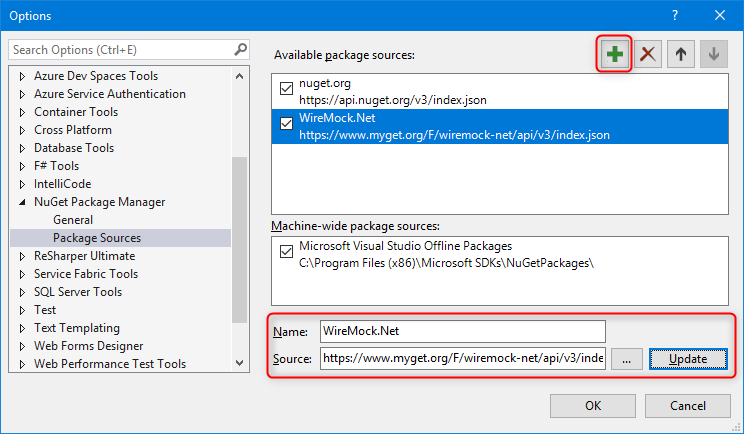
1. Click the wheel
2. Add a new feed
3. Give it a name and choose the feed ()
4. Click update
### Use Feed to select NuGet
[Section titled “Use Feed to select NuGet”](#use-feed-to-select-nuget)
Now you can use the preview NuGet in your application
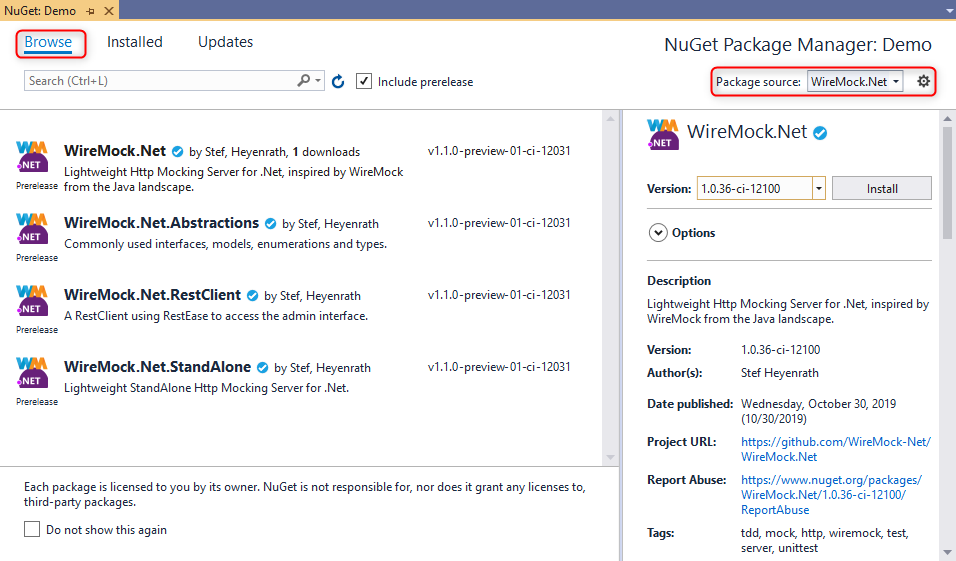
5. Switch the feed
6. Tick `Include prerelease` checkbox
7. Select the version you want to use
# OpenTelemetry Tracing
WireMock.Net supports distributed tracing via `System.Diagnostics.Activity` and can export traces using OpenTelemetry.
## Activity Tracing
[Section titled “Activity Tracing”](#activity-tracing)
WireMock.Net creates `System.Diagnostics.Activity` objects for request tracing when `ActivityTracingOptions` is configured. This uses the built-in .NET distributed tracing infrastructure.
### Basic Configuration
[Section titled “Basic Configuration”](#basic-configuration)
```c#
var settings = new WireMockServerSettings
{
ActivityTracingOptions = new ActivityTracingOptions
{
ExcludeAdminRequests = true,
RecordRequestBody = false,
RecordResponseBody = false,
RecordMatchDetails = true
}
};
var server = WireMockServer.Start(settings);
```
### ActivityTracingOptions Properties
[Section titled “ActivityTracingOptions Properties”](#activitytracingoptions-properties)
| Property | Description | Default |
| ---------------------- | ------------------------------------------------- | ------- |
| `ExcludeAdminRequests` | Exclude `/__admin/*` from tracing | `true` |
| `RecordRequestBody` | Include request body in trace attributes | `false` |
| `RecordResponseBody` | Include response body in trace attributes | `false` |
| `RecordMatchDetails` | Include mapping match details in trace attributes | `true` |
## OpenTelemetry Export
[Section titled “OpenTelemetry Export”](#opentelemetry-export)
To export traces to an OpenTelemetry collector, install the `WireMock.Net.OpenTelemetry` package:
```bash
dotnet add package WireMock.Net.OpenTelemetry
```
### Using AdditionalServiceRegistration
[Section titled “Using AdditionalServiceRegistration”](#using-additionalserviceregistration)
```c#
using WireMock.OpenTelemetry;
using WireMock.Server;
using WireMock.Settings;
var settings = new WireMockServerSettings
{
ActivityTracingOptions = new ActivityTracingOptions
{
ExcludeAdminRequests = true,
RecordMatchDetails = true
},
AdditionalServiceRegistration = services =>
{
services.AddWireMockOpenTelemetry(new OpenTelemetryOptions
{
ExcludeAdminRequests = true,
OtlpExporterEndpoint = "http://localhost:4317"
});
}
};
var server = WireMockServer.Start(settings);
```
### Custom TracerProvider Configuration
[Section titled “Custom TracerProvider Configuration”](#custom-tracerprovider-configuration)
```c#
using OpenTelemetry;
using OpenTelemetry.Trace;
using WireMock.OpenTelemetry;
using var tracerProvider = Sdk.CreateTracerProviderBuilder()
.AddWireMockInstrumentation(new OpenTelemetryOptions())
.AddOtlpExporter(options =>
{
options.Endpoint = new Uri("http://localhost:4317");
})
.Build();
```
### OpenTelemetryOptions Properties
[Section titled “OpenTelemetryOptions Properties”](#opentelemetryoptions-properties)
| Property | Description | Default |
| ---------------------- | ------------------------------------------------------ | ------------------------------------------ |
| `ExcludeAdminRequests` | Exclude `/__admin/*` from ASP.NET Core instrumentation | `true` |
| `OtlpExporterEndpoint` | OTLP collector endpoint URL | Uses `OTEL_EXPORTER_OTLP_ENDPOINT` env var |
## Trace Attributes
[Section titled “Trace Attributes”](#trace-attributes)
WireMock traces include standard HTTP attributes and WireMock-specific attributes:
**HTTP attributes:**
* `http.request.method`
* `url.full`
* `url.path`
* `server.address`
* `http.response.status_code`
* `client.address`
**WireMock attributes:**
* `wiremock.mapping.matched` - Whether a mapping was found
* `wiremock.mapping.guid` - GUID of the matched mapping
* `wiremock.mapping.title` - Title of the matched mapping
* `wiremock.match.score` - Match score
* `wiremock.request.guid` - GUID of the request
## CLI Arguments
[Section titled “CLI Arguments”](#cli-arguments)
When using WireMock.Net.StandAlone or Docker, configure tracing via command-line arguments:
**Activity Tracing:**
```bash
--ActivityTracingEnabled true
--ActivityTracingExcludeAdminRequests true
--ActivityTracingRecordRequestBody false
--ActivityTracingRecordResponseBody false
--ActivityTracingRecordMatchDetails true
```
**OpenTelemetry Export:**
```bash
--OpenTelemetryEnabled true
--OpenTelemetryOtlpExporterEndpoint http://localhost:4317
--OpenTelemetryExcludeAdminRequests true
```
# Pact
# Pact(flow)
[Section titled “Pact(flow)”](#pactflow)
**Pactflow.** Contract testing for teams. Make the most of your contract testing initiative. Now you can run, maintain and fix integration issues with more ease than ever before. Pactflow is compatible with the Pact consumer driven contract testing framework and now also supports you to put your favourite tools to work with our Bi-Directional Contract Testing feature.
## WireMock.Net support
[Section titled “WireMock.Net support”](#wiremocknet-support)
WireMock.Net has some support for Pact:
### Save the existing mappings to a Pact V2 json file:
[Section titled “Save the existing mappings to a Pact V2 json file:”](#save-the-existing-mappings-to-a-pact-v2-json-file)
```c#
var server = WireMockServer.Start();
server
.WithConsumer("Something API Consumer Get")
.WithProvider("Something API")
.Given(Request.Create()
.UsingGet()
.WithPath("/tester")
.WithParam("q1", "test")
.WithParam("q2", "ok")
.WithHeader("Accept", "application/json")
)
.WithTitle("A GET request to retrieve the something")
.RespondWith(
Response.Create()
.WithStatusCode(HttpStatusCode.OK)
.WithHeader("Content-Type", "application/json; charset=utf-8")
.WithBodyAsJson(new
{
Id = "tester",
FirstName = "Totally",
LastName = "Awesome"
})
);
server.SavePact(Path.Combine("../../../", "Pact", "files"), "pact-get.json");
```
Will produce this Pact Json file:
```json
{
"Consumer": {
"Name": "Something API Consumer Get"
},
"Interactions": [
{
"ProviderState": "A GET request to retrieve the something",
"Request": {
"Headers": {
"Accept": "application/json"
},
"Method": "GET",
"Path": "/tester",
"Query": "q1=test&q2=ok"
},
"Response": {
"Body": {
"Id": "tester",
"FirstName": "Totally",
"LastName": "Awesome"
},
"Headers": {
"Content-Type": "application/json; charset=utf-8"
},
"Status": 200
}
}
],
"Provider": {
"Name": "Something API"
}
}
```
## Examples
[Section titled “Examples”](#examples)
*
# Proxying
WireMock Cloud
Create stubs and scenarios with WireMock Cloud’s intuitive editor and share with your team. [**Try WireMock Cloud >**](https://www.wiremock.io?utm_source=oss-docs\&utm_medium=oss-docs\&utm_campaign=cloud-callouts-dotnet-proxying\&utm_id=cloud-callouts\&utm_term=cloud-callouts-proxying)
# Global Proxy
[Section titled “Global Proxy”](#global-proxy)
It’s possible to start the WireMockk server in Proxy mode, this means that **all** requests are proxied to the real URL. And the mappings can be recorded and saved.
### Example
[Section titled “Example”](#example)
Setup a proxy to `samples.openweathermap.org`
```c#
var settings = new WireMockServerSettings
{
Urls = new[] { "https://localhost:9095/" },
StartAdminInterface = true,
ProxyAndRecordSettings = new ProxyAndRecordSettings
{
Url = "https://samples.openweathermap.org",
SaveMapping = true,
SaveMappingToFile = true,
SaveMappingForStatusCodePattern = "2xx"
}
};
var server = WireMockServer.Start(settings);
```
You can now call (via an httpclient or just in browser) this URL: `https://localhost:9095/data/2.5/find?q=London&units=metric&appid=b6907d289e10d714a6e88b30761fae22`
See also this page for more information on the [ProxyAndRecordSettings](https://github.com/WireMock-Net/WireMock.Net/wiki/Settings#proxyandrecordsettings)
# Proxy stub mappings
[Section titled “Proxy stub mappings”](#proxy-stub-mappings)
Proxy responses are defined in exactly the same manner as stubs, meaning that the same request matching criteria can be used.
The following code will proxy all GET requests made to `http://\:\/other/service/.*` to `http://otherservice.com/approot`, e.g. when running WireMock.NET locally a request to would be forwarded to .
```c#
server
.Given(
Request.Create()
.WithPath("/google")
)
.RespondWith(
Response.Create()
.WithProxy("http://www.google.com")
);
```
The JSON equivalent would be:
```js
{
"Request": {
"Path": {
"Matchers": [
{
"Name": "WildcardMatcher",
"Pattern": "/google"
}
]
},
"Methods": [
"get"
]
},
"Response": {
"UseTransformer": false,
"ProxyUrl": "http://www.google.com"
}
}
```
## Proxy/intercept
[Section titled “Proxy/intercept”](#proxyintercept)
The proxy/intercept pattern described above is achieved by adding a low priority proxy mapping with a broad URL match and any number of higher priority stub mappings e.g.
```c#
// Low priority catch-all proxies to otherhost.com by default
server
.Given(
Request.Create()
.WithPath("/*")
)
.AtPriority(10)
.RespondWith(
Response.Create()
.WithProxy("http://otherhost.com")
);
// High priority stub will send a Service Unavailable response if the specified URL is requested:
server
.Given(
Request.Create()
.WithPath("/api/override/123")
)
.AtPriority(1)
.RespondWith(
Response.Create()
.WithStatusCode(503)
.WithBody("ERROR")
);
```
# References
# YouTube Videos
[Section titled “YouTube Videos”](#youtube-videos)
* [End-to-End Testing ASP.NET Core APIs (Part 2) by Hassan Habib](https://www.youtube.com/watch?v=ANqj9pldfso)
* [Writing robust integration tests in .NET with WireMock.NET by Nick Chapsas](https://www.youtube.com/watch?v=YU3ohofu6UU)
* [Wiremock .NET - .NET Meetup Vienna Feburary 2020 by DotNetDevs Austria](https://www.youtube.com/watch?v=IJa6DyJOxzk)
## Execute Automation
[Section titled “Execute Automation”](#execute-automation)
* [Execute Automation #1 - Introduction to WireMock.NET](https://www.youtube.com/watch?v=SQRPqBWHeJs)
* [Execute Automation #2 - Initialising WireMock.NET server with GET request Stub](https://t.co/6uwPjIr8yo)
* [Execute Automation #3 - WireMock.NET with Multiple Headers and Stubs with different Response Types](https://t.co/DDSq1SKTKm)
* [Execute Automation #4 - Understanding Request Matchers in WireMock.NET](https://www.youtube.com/watch?v=XrgS1ZsUKCY)
* [Execute Automation #5 - Mocking Bearer Token Authentication using WireMock.NET](https://www.youtube.com/watch?v=IC1lMYuPd4Y)
* [Execute Automation #6 - Get JSON body response from WireMock.NET](https://www.youtube.com/watch?v=fPAUqXo68e8)
* [Execute Automation #7 - WireMock.NET Admin Interface to debug tests efficiently !](https://www.youtube.com/watch?v=Q5sxMG84H0w)
* [Execute Automation #8 - Generating Static Mappings for Stubs in WireMock.NET](https://www.youtube.com/watch?v=xilAgj4NqhQ)
* [Execute Automation #9 - Running WireMock as a .NET Tool in CommandLine](https://www.youtube.com/watch?v=YdyR1ZWrnC4)
* [Execute Automation #10 - Understanding Proxying with WireMock.NET](https://www.youtube.com/watch?v=kRHiNlkF2po)
* [Execute Automation #11 - Excluding specific header from Proxy capture in WireMock.NET](https://www.youtube.com/watch?v=S8iYy7Yp6aU)
# Blog from Bas Dijkstra
[Section titled “Blog from Bas Dijkstra”](#blog-from-bas-dijkstra)
* [API mocking in C# with WireMock.Net](https://www.ontestautomation.com/api-mocking-in-csharp-with-wiremock-net/)
# Blogs from Peter Daugaard Rasmussen
[Section titled “Blogs from Peter Daugaard Rasmussen”](#blogs-from-peter-daugaard-rasmussen)
* [How to get started with WireMock and stub a simple request](https://peterdaugaardrasmussen.com/2022/09/22/csharp-how-to-get-started-with-wiremock/)
* [a-simple-wiremock-setup](https://peterdaugaardrasmussen.com/2021/09/02/csharp-a-simple-wiremock-setup/)
* [how-to-match-a-path-with-a-wildcard-using-wiremock/](https://peterdaugaardrasmussen.com/2021/09/05/csharp-how-to-match-a-path-with-a-wildcard-using-wiremock/)
* [how-to-match-a-specific-header-using-wiremock](https://peterdaugaardrasmussen.com/2021/09/07/csharp-how-to-match-a-specific-header-using-wiremock/)
* [how-to-set-up-scenarios-with-wiremock](https://peterdaugaardrasmussen.com/2021/09/08/csharp-how-to-set-up-scenarios-with-wiremock/)
* [How to set priority for request matching in Wiremock.Net](https://peterdaugaardrasmussen.com/2021/09/12/csharp-how-to-set-priority-in-wiremock-net/)
# Blogs
[Section titled “Blogs”](#blogs)
*
*
*
*
*
*
*
*
*
*
*
*
*
# Regexextended
# Info
[Section titled “Info”](#info)
The [RegexMatcher](https://github.com/WireMock-Net/WireMock.Net/wiki/Request-Matching#regular-expression-matching-regexmatcher) can use:
* [RegexExtended](https://github.com/WireMock-Net/WireMock.Net/blob/master/src/WireMock.Net/RegularExpressions/RegexExtended.cs) (default)
* [Regex](https://docs.microsoft.com/en-us/dotnet/api/system.text.regularexpressions.regex?view=net-6.0)
## RegexExtended
[Section titled “RegexExtended”](#regexextended)
Extension to the Regex object, adding support for GUID tokens for matching on. Example: When using this `\guidb` as regular expression, you can match on a GUID(B).
# Request Matcher Formurlencodedmatcher
## FormUrlEncodedMatcher
[Section titled “FormUrlEncodedMatcher”](#formurlencodedmatcher)
Can be used to check if a Form Url Encoded body contains the key-value pairs.
### C# option
[Section titled “C# option”](#c-option)
```csharp
var server = WireMockServer.Start();
server.Given(
Request.Create()
.UsingPost()
.WithPath("/foo")
.WithHeader("Content-Type", "application/x-www-form-urlencoded")
.WithBody(new FormUrlEncodedMatcher(["name=John Snow", "email=john_snow@example.com"]))
)
.RespondWith(
Response.Create()
);
```
### JSON Mapping option
[Section titled “JSON Mapping option”](#json-mapping-option)
```json
{
"Request": {
"Path": {
"Matchers": [
{
"Name": "WildcardMatcher",
"Pattern": "/foo"
}
]
},
"Methods": [
"POST"
],
"Headers": [
{
"Name": "Content-Type",
"Matchers": [
{
"Name": "WildcardMatcher",
"Pattern": "application/x-www-form-urlencoded",
"IgnoreCase": true
}
]
}
],
"Body": {
"Matcher": {
"Name": "FormUrlEncodedMatcher",
"Patterns": [
"name=John Snow",
"email=john_snow@example.com"
],
"IgnoreCase": true
}
}
},
"Response": {
"StatusCode": 200
}
}
```
### 📝 Notes
[Section titled “📝 Notes”](#-notes)
* You can also use `IgnoreCase`
* And you can also use wildcards like: `name=John*`
# Request Matchers
WireMock Cloud
WireMock Cloud’s web-based editor with embedded test tool makes advanced matching setups easy\
[**Learn more >**](https://www.wiremock.io?utm_source=oss-docs\&utm_medium=oss-docs\&utm_campaign=cloud-callouts-dotnet-requestmatching\&utm_id=cloud-callouts\&utm_term=cloud-callouts-requestmatching)
# Matchers
[Section titled “Matchers”](#matchers)
WireMock.Net supports matching of requests to stubs and verification queries using the following matchers:
At this moment these matchers are supported:
* [ExactMatcher](https://github.com/WireMock-Net/WireMock.Net/wiki/Request-Matchers#exact-matcher-exactmatcher)
* [LinqMatcher](https://github.com/WireMock-Net/WireMock.Net/wiki/Request-Matchers#dynamic-linq-linqmatcher)
* [CSharpCodeMatcher](https://github.com/WireMock-Net/WireMock.Net/wiki/Request-Matching-CSharpCode)
* [FormUrlEncodedMatcher](https://github.com/WireMock-Net/WireMock.Net/wiki/Request-Matcher-FormUrlEncodedMatcher)
* [GraphQLMatcher](https://github.com/WireMock-Net/WireMock.Net/wiki/Request-Matching-GraphQLMatcher)
* [JsonMatcher](https://github.com/WireMock-Net/WireMock.Net/wiki/Request-Matching-JsonMatcher)
* [JsonPartialMatcher](https://github.com/WireMock-Net/WireMock.Net/wiki/Request-Matching-JsonPartialMatcher)
* [JsonPartialWildcardMatcher](https://github.com/WireMock-Net/WireMock.Net/wiki/Request-Matching-JsonPartialWildcardMatcher)
* [JsonPathMatcher](https://github.com/WireMock-Net/WireMock.Net/wiki/Request-Matching-JsonPathMatcher)
* [JmesPathMatcher](https://github.com/WireMock-Net/WireMock.Net/wiki/Request-Matchers#jmes-path-jmespathmatcher)
* [MimePartMatcher](https://github.com/WireMock-Net/WireMock.Net/wiki/Request-Matching-MimePartMatcher)
* [XPathMatcher](https://github.com/WireMock-Net/WireMock.Net/wiki/Request-Matchers#xpathmatcher)
* [RegexMatcher](https://github.com/WireMock-Net/WireMock.Net/wiki/Request-Matchers#regular-expression-matching-regexmatcher)
* [SimMetricsMatcher](https://github.com/WireMock-Net/WireMock.Net/wiki/Request-Matchers#similarity-metric-matching-simmetricsmatcher)
* [WildcardMatcher](https://github.com/WireMock-Net/WireMock.Net/wiki/Request-Matchers#wildcardmatching-wildcardmatcher)
* ContentTypeMatcher(🚧)
* [NotNullOrEmptyMatcher](https://github.com/WireMock-Net/WireMock.Net/wiki/Request-Matchers#notnulloremptymatcher)
* [CustomMatcher](https://github.com/WireMock-Net/WireMock.Net/wiki/Request-Matchers#custommatcher)
* [ProtoBufMatcher](https://github.com/WireMock-Net/WireMock.Net/wiki/Request-Matching-ProtoBuf)
## Exact matcher (ExactMatcher)
[Section titled “Exact matcher (ExactMatcher)”](#exact-matcher-exactmatcher)
Can be used to exactly match a string or object.
#### C# option
[Section titled “C# option”](#c-option)
```csharp
var server = WireMockServer.Start();
server
.Given(Request.Create().WithPath("/exact")
.WithParam("from", new ExactMatcher("abc")))
.RespondWith(Response.Create()
.WithBody("Exact match")
);
```
#### JSON Mapping option
[Section titled “JSON Mapping option”](#json-mapping-option)
```js
{
"Guid": "67ae335b-5d79-42dc-8ca7-236280ab9111",
"Request": {
"Path": {
"Matchers": [
{
"Name": "WildcardMatcher",
"Pattern": "/exact"
}
]
},
"Params": [
{
"Name": "from",
"Matchers": [
{
"Name": "ExactMatcher",
"Pattern": "abc"
}
]
}
]
},
"Response": {
"Body": "Exact match"
}
}
```
## Dynamic Linq (LinqMatcher)
[Section titled “Dynamic Linq (LinqMatcher)”](#dynamic-linq-linqmatcher)
Can be used to match an object using Dynamic Linq ()
#### C# option
[Section titled “C# option”](#c-option-1)
```csharp
var server = WireMockServer.Start();
server
.Given(Request.Create().WithPath("/linq")
.WithParam("from", new LinqMatcher("DateTime.Parse(it) > \"2018-03-01 00:00:00\"")))
.RespondWith(Response.Create()
.WithBody("linq match !!!")
);
```
#### JSON Mapping option
[Section titled “JSON Mapping option”](#json-mapping-option-1)
```js
{
"Guid": "67ae335b-5d79-42dc-8ca7-236280ab91ec",
"Priority": 0,
"Request": {
"Path": {
"Matchers": [
{
"Name": "WildcardMatcher",
"Pattern": "/linq"
}
]
},
"Params": [
{
"Name": "from",
"Matchers": [
{
"Name": "LinqMatcher",
"Pattern": "DateTime.Parse(it) > \"2018-03-01 00:00:00\""
}
]
}
],
"Body": {}
},
"Response": {
"Body": "linq match !!!"
}
}
```
#### JSON Mapping
[Section titled “JSON Mapping”](#json-mapping)
```js
{
"Guid": "55a600b8-9d6f-453f-90c6-3db2b0885ddb",
"Request": {
"Path": {
"Matchers": [
{
"Name": "WildcardMatcher",
"Pattern": "/jmespath_example",
"IgnoreCase": false
}
]
},
"Methods": [
"put"
],
"Body": {
"Matcher": {
"Name": "JmesPathMatcher",
"Pattern": "things.name == 'RequiredThing'"
}
}
},
"Response": {
"StatusCode": 200,
"Body": "{ \"result\": \"JmesPathMatcher !!!\"}",
"UseTransformer": false
}
}
```
```plaintext
// matching
{ "things": { "name": "RequiredThing" } }
{ "things": [ { "name": "RequiredThing" }, { "name": "Wiremock" } ] }
// not matching
{ "price": 15 }
{ "things": { "name": "Wiremock" } }
```
### Jmes Path (JmesPathMatcher)
[Section titled “Jmes Path (JmesPathMatcher)”](#jmes-path-jmespathmatcher)
The JMESPath language is described in an ABNF grammar with a complete specification. A JSON body will be considered to match a path expression if the expression returns either a non-null single value (string, integer etc.), or a non-empty object or array.
#### C\#
[Section titled “C#”](#c)
```csharp
var server = WireMockServer.Start();
server
.Given(
Request.Create().WithPath("/jmespath_example").UsingGet()
.WithBody(new JmesPathMatcher("things.name == 'RequiredThing"));
)
.RespondWith(Response.Create().WithBody("Hello"));
```
### XPathMatcher
[Section titled “XPathMatcher”](#xpathmatcher)
Deems a match if the attribute value is valid XML and matches the XPath expression supplied. An XML document will be considered to match if any elements are returned by the XPath evaluation. WireMock delegates to [XPath2.Net](https://github.com/StefH/XPath2.Net), therefore it support up to XPath version 2.0.
#### C\#
[Section titled “C#”](#c-1)
```csharp
var server = WireMockServer.Start();
server
.Given(Request.Create()
.WithPath("/xpath").UsingPost()
.WithBody(new XPathMatcher("/todo-list[count(todo-item) = 3]"))
)
.RespondWith(Response.Create().WithBody("XPathMatcher!"));
```
#### JSON Mapping
[Section titled “JSON Mapping”](#json-mapping-1)
```js
{
"Guid": "abc5848e-cedd-42ad-8f58-4ba6df01180f",
"Priority": 0,
"Request": {
"Path": {
"Matchers": [
{
"Name": "WildcardMatcher",
"Pattern": "/xpath",
"IgnoreCase": false
}
]
},
"Methods": [
"post"
],
"Body": {
"Matcher": {
"Name": "XPathMatcher",
"Pattern": "/todo-list[count(todo-item) = 3]"
}
}
},
"Response": {
"StatusCode": 200,
"BodyDestination": "SameAsSource",
"Body": "XPathMatcher!",
"UseTransformer": false
}
}
```
Will match xml below:
```xml
abc
def
xyz
```
### Regular Expression Matching (RegexMatcher)
[Section titled “Regular Expression Matching (RegexMatcher)”](#regular-expression-matching-regexmatcher)
The RegexMatcher can be used to match using a regular expression.
```csharp
var server = WireMockServer.Start();
server
.Given(
Request.Create().WithPath("/reg").UsingPost()
.WithBody(new RegexMatcher("H.*o"));
)
.RespondWith(Response.Create().WithBody("Hello matched with RegexMatcher"));
```
```plaintext
// matching
Hello World
// not matching
Hi WM
```
### Similarity Metric Matching (SimMetricsMatcher)
[Section titled “Similarity Metric Matching (SimMetricsMatcher)”](#similarity-metric-matching-simmetricsmatcher)
[SimMetrics.Net](https://github.com/StefH/SimMetrics.Net) is used as a Similarity Metric Library, e.g. from edit distance’s (Levenshtein, Gotoh, Jaro etc) to other metrics, (e.g Soundex, Chapman).
```csharp
var server = WireMockServer.Start();
server
.Given(
Request.Create().WithPath("/reg").UsingGet()
.WithBody(new SimMetricsMatcher("The cat walks in the street."));
)
.RespondWith(Response.Create().WithBody("Matched with SimMetricsMatcher"));
```
```plaintext
// matching with distance 0.793
The car drives in the street.
// matching with distance 0.071
Hello
```
### WildcardMatching (WildcardMatcher)
[Section titled “WildcardMatching (WildcardMatcher)”](#wildcardmatching-wildcardmatcher)
WildcardMatching is mostly used for Path and Url matching. This matcher allows a ? for a single character and \* for any characters.
#### Option 1
[Section titled “Option 1”](#option-1)
```csharp
var server = WireMockServer.Start();
server
.Given(Request.Create().WithPath("/some*").UsingGet())
.RespondWith(Response.Create().WithBody("Hello"));
```
#### Option 2
[Section titled “Option 2”](#option-2)
```csharp
var server = FluentMockServer.Start();
server
.Given(
Request.Create().WithPath("/wc").UsingGet()
.WithBody(new WildcardMatcher("x."));
)
.RespondWith(Response.Create().WithBody("Matched with *"));
```
### NotNullOrEmptyMatcher
[Section titled “NotNullOrEmptyMatcher”](#notnulloremptymatcher)
NotNullOrEmptyMatcher is used for Body matching. This matcher will return a match of the body is not null (BodyAsBytes, BodyAsJson, BodyAsString) or empty (BodyAsBytes, BodyAsString).
### CustomMatcher
[Section titled “CustomMatcher”](#custommatcher)
It’s also possible to use a custom mapper with your own name.
#### JSON Mapping Option
[Section titled “JSON Mapping Option”](#json-mapping-option-2)
```js
{
"Guid": "67ae335b-5d79-42dc-8ca7-236280ab9211",
"Priority": 0,
"Request": {
"Path": {
"Matchers": [
{
"Name": "MyCustomMatcher",
"Pattern": "abc"
}
]
}
"Body": {}
},
"Response": {
"Body": "custom match"
}
}
```
### Reversing the match behaviour with `MatchBehaviour.RejectOnMatch`
[Section titled “Reversing the match behaviour with MatchBehaviour.RejectOnMatch”](#reversing-the-match-behaviour-with-matchbehaviourrejectonmatch)
The default behaviour for Matchers is MatchBehaviour.AcceptOnMatch so that when the matcher processes a request that corresponds with the matcher, the stubbed response is returned. In some scenarios you might want to reverse this behaviour so that the stubbed response is returned with the absence of a match.
e.g. You want to return `401 Unauthorised` if the caller does not provide a header containing the API Key:
```csharp
server
.Given(Request.Create()
.WithPath("/needs-a-key")
.UsingGet()
.WithHeader("api-key", "*", MatchBehaviour.RejectOnMatch)
.UsingAnyMethod())
.RespondWith(Response.Create()
.WithStatusCode(HttpStatusCode.Unauthorized)
.WithBody(@"{ ""result"": ""api-key missing""}"));
```
A JSON Mapping example looks like:
```json
{
"Guid": "29971ff8-4adb-4ec7-8b7d-a2ce6e5ca630",
"Request": {
"Path": {
"Matchers": [
{
"Name": "WildcardMatcher",
"Pattern": "/needs-a-key"
}
]
},
"Headers": [
{
"Name": "api-key",
"Matchers": [
{
"Name": "WildcardMatcher",
"Pattern": "*",
"IgnoreCase": true,
"RejectOnMatch": true
}
]
}
]
},
"Response": {
"StatusCode": 401,
"BodyDestination": "SameAsSource",
"Body": "{ \"result\": \"api-key missing\"}",
"Headers": {}
}
}
```
# Request Matching
WireMock Cloud
WireMock Cloud’s web-based editor with embedded test tool makes advanced matching setups easy\
[**Learn more >**](https://www.wiremock.io?utm_source=oss-docs\&utm_medium=oss-docs\&utm_campaign=cloud-callouts-dotnet-requestmatching\&utm_id=cloud-callouts\&utm_term=cloud-callouts-requestmatching)
# 1️⃣ Request Matching
[Section titled “1️⃣ Request Matching”](#1️⃣-request-matching)
WireMock.Net supports matching of requests to stubs and verification queries using the following parts:
* [Path](#path)
* [URL](#url)
* HTTP Method
* [Query parameters](#query-parameters)
* [Headers](#headers)
* Cookies
* Request Body
## Generic information on matchers:
[Section titled “Generic information on matchers:”](#generic-information-on-matchers)
Most matchers have 2 extra properties:
* IgnoreCase = define that the matcher should match ignoring the case
* RejectOnMatch = define that when the matcher does match successfully, this should be counted as a invalid (non-matching) match
## Example Matchings
[Section titled “Example Matchings”](#example-matchings)
### Path
[Section titled “Path”](#path)
#### C# example
[Section titled “C# example”](#c-example)
```c#
server
.Given(Request
.Create()
.WithPath("/test")
```
#### JSON example
[Section titled “JSON example”](#json-example)
```json
{
"Request": {
"Path": {
"Matchers": [
{
"Name": "WildcardMatcher",
"Pattern": "/path",
"IgnoreCase": true
}
]
}
}
}
```
### Url
[Section titled “Url”](#url)
#### C# example
[Section titled “C# example”](#c-example-1)
```c#
server
.Given(Request
.Create()
.WithUrl("https://localhost/test")
```
#### JSON example
[Section titled “JSON example”](#json-example-1)
```json
{
"Request": {
"Url": {
"Matchers": [
{
"Name": "RegexMatcher",
"Pattern": "/clients[?]",
"IgnoreCase": true
}
]
}
}
}
```
### Query Parameters
[Section titled “Query Parameters”](#query-parameters)
#### C# example
[Section titled “C# example”](#c-example-2)
```c#
server
.Given(Request
.Create()
.WithParam("search", "abc")
```
#### JSON example
[Section titled “JSON example”](#json-example-2)
```json
{
"Request": {
"Params": [
{
"Name": "search",
"Matchers": [
{
"Name": "ExactMatcher",
"Pattern": "abc"
}
]
}
]
}
}
```
### Headers
[Section titled “Headers”](#headers)
#### C\#
[Section titled “C#”](#c)
```c#
// todo
```
#### JSON
[Section titled “JSON”](#json)
```json
{
"Request": {
"Headers": [
{
"Name": "api-key",
"Matchers": [
{
"Name": "WildcardMatcher",
"Pattern": "abc*"
"IgnoreCase": true
}
]
}
]
}
}
```
Note that when you want to match on a missing header, you need to use this mapping:
```json
{
"Request": {
"Headers": [
{
"Name": "api-key",
"IgnoreCase": true,
"RejectOnMatch": true
}
]
}
```
This means that when the header-key `api-key` (ignoring the casing) is missing the header mapping will match because `RejectOnMatch` is `true`.
# 2️⃣ Matchers
[Section titled “2️⃣ Matchers”](#2️⃣-matchers)
Content moved to [Request Matchers](https://github.com/WireMock-Net/WireMock.Net/wiki/Request-Matchers).
# Request Matching Csharpcode
## CSharp Code (CSharpCodeMatcher)
[Section titled “CSharp Code (CSharpCodeMatcher)”](#csharp-code-csharpcodematcher)
*Advanced!* With this matcher you can use complex C# code to match an JObject or string value.
* You need to include the NuGet package [WireMock.Net.Matchers.CSharpCode](https://www.nuget.org/packages/WireMock.Net.Matchers.CSharpCode/)
* Note that this functionality will only work if enabled in the settings (`AllowCSharpCodeMatcher = true`).
* The argument-name from the string or JObject to match will be `it`.
#### C# option
[Section titled “C# option”](#c-option)
```csharp
var server = WireMockServer.Start();
server
.Given(Request.Create().WithPath("/cs")
.WithParam("from", new CSharpCodeMatcher("return it == \"x\";")))
.RespondWith(Response.Create()
.WithBody("cs match")
);
```
#### JSON Mapping option
[Section titled “JSON Mapping option”](#json-mapping-option)
```js
{
"Guid": "67ae335b-5d79-42dc-8ca7-236280ab9211",
"Priority": 0,
"Request": {
"Path": {
"Matchers": [
{
"Name": "WildcardMatcher",
"Pattern": "/cs"
}
]
},
"Params": [
{
"Name": "from",
"Matchers": [
{
"Name": "CSharpCodeMatcher",
"Pattern": "return it == \"x\";"
}
]
}
],
"Body": {}
},
"Response": {
"Body": "cs match"
}
}
```
# Request Matching Graphqlmatcher
# GraphQL Schema (GraphQLMatcher)
[Section titled “GraphQL Schema (GraphQLMatcher)”](#graphql-schema-graphqlmatcher)
Can be used to match a GraphQL `Query` using GraphQL Schema (`Mutation` is not yet supported I think…)
## Define a mappings which include a GraphQL Schema which should be used for matching that body:
[Section titled “Define a mappings which include a GraphQL Schema which should be used for matching that body:”](#define-a-mappings-which-include-a-graphql-schema-which-should-be-used-for-matching-that-body)
### C\#
[Section titled “C#”](#c)
```csharp
private const string TestSchemaQueryStudents =
"""
type Query {
students:[Student]
}
type Student {
id:ID!
firstName:String
lastName:String
fullName:String
}
""";
private const string TestSchemaQueryStudentById =
"""
type Query {
studentById(id:ID!):Student
}
type Student {
id:ID!
firstName:String
lastName:String
fullName:String
}
""";
var server = WireMockServer.Start();
server
.Given(Request.Create()
.WithPath("/graphql")
.UsingPost()
.WithGraphQLSchema(TestSchemaQueryStudents)
)
.RespondWith(Response.Create()
.WithHeader("Content-Type", "application/json")
.WithBody(
"""
{
"data": {
"students": [
{
"id": "1",
"firstName": "Alice",
"lastName": "Johnson",
"fullName": "Alice Johnson"
},
{
"id": "2",
"firstName": "Bob",
"lastName": "Smith",
"fullName": "Bob Smith"
}
]
}
}
""")
);
server
.Given(Request.Create()
.WithPath("/graphql")
.UsingPost()
.WithGraphQLSchema(TestSchemaQueryStudentById)
.WithBody(new JsonPartialWildcardMatcher("{ \"variables\": { \"sid\": \"1\" } }"))
)
.WithTitle("Student found")
.RespondWith(Response.Create()
.WithHeader("Content-Type", "application/json")
.WithBody(
"""
{
"data": {
"studentById": {
"id": "123",
"firstName": "John",
"lastName": "Doe",
"fullName": "John Doe"
}
}
}
""")
);
server
.Given(Request.Create()
.WithPath("/graphql")
.UsingPost()
.WithGraphQLSchema(TestSchemaQueryStudentById)
)
.WithTitle("Student not found")
.RespondWith(Response.Create()
.WithHeader("Content-Type", "application/json")
.WithBody(
"""
{
"data": null
}
""")
);
```
## Use / Test
[Section titled “Use / Test”](#use--test)
When WireMock.Net is started (see above) with that GraphQL Schema, a client can send GraphQL:
### Query Students
[Section titled “Query Students”](#query-students)
#### Request
[Section titled “Request”](#request)
```cmd
curl --location 'http://localhost:9091/graphql' \
--header 'Content-Type: application/json' \
--data '{"query":"{\r\n students {\r\n fullName\r\n id\r\n }\r\n}","variables":{}}'
```
#### Response
[Section titled “Response”](#response)
```json
{
"data": {
"students": [
{
"id": "1",
"firstName": "Alice",
"lastName": "Johnson",
"fullName": "Alice Johnson"
},
{
"id": "2",
"firstName": "Bob",
"lastName": "Smith",
"fullName": "Bob Smith"
}
]
}
}
```
### Query Student by Id
[Section titled “Query Student by Id”](#query-student-by-id)
#### Request
[Section titled “Request”](#request-1)
```cmd
curl --location 'http://localhost:9091/graphql' \
--header 'Content-Type: application/json' \
--data '{"query":"query ($sid: ID!)\r\n{\r\n studentById(id: $sid) {\r\n fullName\r\n id\r\n }\r\n}","variables":{"sid":"1"}}'
```
#### Response
[Section titled “Response”](#response-1)
```json
{
"data": {
"studentById": {
"id": "123",
"firstName": "John",
"lastName": "Doe",
"fullName": "John Doe"
}
}
}
```
# Request Matching Jsonmatcher
## JSON (JsonMatcher)
[Section titled “JSON (JsonMatcher)”](#json-jsonmatcher)
Checks if a JSON object (or JSON as string) is DeepEqual.
#### C# option 1
[Section titled “C# option 1”](#c-option-1)
```csharp
var server = WireMockServer.Start();
server
.Given(Request
.Create()
.WithPath("/jsonmatcher1")
.WithBody(new JsonMatcher("{ \"x\": 42, \"s\": \"s\" }"))
.UsingPost())
.WithGuid("debaf408-3b23-4c04-9d18-ef1c020e79f2")
.RespondWith(Response.Create().WithBody(@"{ ""result"": ""jsonbodytest1"" }"));
```
#### JSON Mapping option 1
[Section titled “JSON Mapping option 1”](#json-mapping-option-1)
```js
{
"Guid": "debaf408-3b23-4c04-9d18-ef1c020e79f2",
"Request": {
"Path": {
"Matchers": [
{
"Name": "JsonMatcher",
"Pattern": "/jsonmatcher1"
}
]
},
"Methods": [
"post"
],
"Body": {
"Matcher": {
"Name": "JsonMatcher",
"Pattern": "{ \"x\": 42, \"s\": \"s\" }"
}
}
},
"Response": {
"StatusCode": 200,
"Body": "{ \"result\": \"jsonbodytest\" }",
"UseTransformer": false
}
}
```
#### C# option 2
[Section titled “C# option 2”](#c-option-2)
```csharp
var server = WireMockServer.Start();
server
.Given(Request
.Create()
.WithPath("/jsonmatcher2")
.WithBody(new JsonMatcher(new { x = 42, s = "s" }))
.UsingPost())
.WithGuid("debaf408-3b23-4c04-9d18-ef1c020e79f2")
.RespondWith(Response.Create().WithBody(@"{ ""result"": ""jsonbodytest2"" }"));
```
#### JSON Mapping option 2
[Section titled “JSON Mapping option 2”](#json-mapping-option-2)
```js
{
"Guid": "debaf408-3b23-4c04-9d18-ef1c020e79f2",
"Request": {
"Path": {
"Matchers": [
{
"Name": "JsonMatcher",
"Pattern": "/jsonmatcher2"
}
]
},
"Methods": [
"post"
],
"Body": {
"Matcher": {
"Name": "JsonMatcher",
"Pattern": { "x": 42, "s": "s" }
}
}
},
"Response": {
"StatusCode": 200,
"Body": "{ \"result\": \"jsonbodytest2\" }",
"UseTransformer": false
}
}
```
```plaintext
// matching
{ "x": 42, "s": "s" }
// not matching
{ "x": 42, "s": "?" }
```
#### C# option 3
[Section titled “C# option 3”](#c-option-3)
It’s also possible to use set `IgnoreCase` to true, this means that the PropertNames and PropertyValues will be matced regarding any case.
```csharp
var server = WireMockServer.Start();
server
.Given(Request
.Create()
.WithPath("/jsonmatcher3")
.WithBody(new JsonMatcher("{ \"x\": 42, \"s\": \"s\" }"), true)
.UsingPost())
.WithGuid("debaf408-3b23-4c04-9d18-ef1c020e79f2")
.RespondWith(Response.Create().WithBody(@"{ ""result"": ""jsonmatcher3 ok"" }"));
```
#### JSON Mapping option 3
[Section titled “JSON Mapping option 3”](#json-mapping-option-3)
```js
{
"Guid": "debaf408-3b23-4c04-9d18-ef1c020e79f2",
"Request": {
"Path": {
"Matchers": [
{
"Name": "WildcardMatcher",
"Pattern": "/jsonmatcher1"
}
]
},
"Methods": [
"post"
],
"Body": {
"Matcher": {
"Name": "JsonMatcher",
"IgnoreCase": true,
"Pattern": "{ \"x\": 42, \"s\": \"s\" }"
}
}
},
"Response": {
"StatusCode": 200,
"Body": "{ \"result\": \"jsonmatcher3 ok\" }",
"UseTransformer": false
}
}
```
```plaintext
// matching
{ "X": 42, "s": "S" }
```
# Request Matching Jsonpartialmatcher
## JSON (JsonPartialMatcher)
[Section titled “JSON (JsonPartialMatcher)”](#json-jsonpartialmatcher)
Checks if a JSON object has a partial match. Example: Matcher value `{"test":"abc"}` against input `{"test":"abc","other":"xyz"}` is matched by this JsonPartialMatcher.
#### C# option 1
[Section titled “C# option 1”](#c-option-1)
```csharp
var server = WireMockServer.Start();
server
.Given(Request
.Create()
.WithPath("/jsonpartialmatcher1")
.WithBody(new JsonPartialMatcher("{ \"test\": \"abc\" }"))
.UsingPost())
.WithGuid("debaf408-3b23-4c04-9d18-ef1c020e79f2")
.RespondWith(Response.Create().WithBody(@"{ ""result"": ""jsonpartialbodytest1"" }"));
```
#### JSON Mapping option 1
[Section titled “JSON Mapping option 1”](#json-mapping-option-1)
```json
{
"Guid": "debaf408-3b23-4c04-9d18-ef1c020e79f2",
"Request": {
"Path": {
"Matchers": [
{
"Name": "WildcardMatcher",
"Pattern": "/jsonpartialmatcher1"
}
]
},
"Methods": [
"post"
],
"Body": {
"Matcher": {
"Name": "JsonPartialMatcher",
"Pattern": "{ \"test\": \"abc\" }"
}
}
},
"Response": {
"StatusCode": 200,
"Body": "{ \"result\": \"jsonpartialbodytest1\" }",
"UseTransformer": false
}
}
```
```js
// matching
{ "test": "abc" }
// also matching
{ "test": "abc", "extra": "?" }
```
#### IgnoreCase
[Section titled “IgnoreCase”](#ignorecase)
It’s also possible to use set `IgnoreCase` to true, this means that the PropertNames and PropertyValues will be matched regarding any case. Same logic as the normal JsonMatcher.
#### Use Regex
[Section titled “Use Regex”](#use-regex)
It’s possible to add a property `Regex` with the value `true`, with this option set, PropertyValues are matched using a specified regular expression.
Example for C# when you want to match the `id` for any number.
```csharp
var server = WireMockServer.Start();
server
.Given(Request
.Create()
.WithPath("/jsonpartialmatcher1")
.WithBody(new JsonPartialMatcher("{ \"id\": \"^\\d+$\" }", false, false, true))
.UsingPost())
.WithGuid("debaf408-3b23-4c04-9d18-ef1c020e79f2")
.RespondWith(Response.Create().WithBody(@"{ ""result"": ""jsonpartialbodytest1"" }"));
```
Or in JSON mapping:
```json
{
"Guid": "debaf408-3b23-4c04-9d18-ef1c020e79f2",
"Request": {
"Methods": [
"post"
],
"Body": {
"Matcher": {
"Name": "JsonPartialWildcardMatcher",
"Regex": true, // <--- add this property
"Pattern": {
"applicationId": "*",
"currency": "EUR",
"price": "^\\d*$", // <--- use regex
"externalId": "*",
"transactionDescription": "*",
},
"IgnoreCase": false
}
}
},
"Response": {
"StatusCode": 200,
"Body": "{ \"result\": \"jsonpartialbodytest1-with-regex\" }",
"UseTransformer": false
}
}
```
# Request Matching Jsonpartialwildcardmatcher
## JSON (JsonPartialWildcardMatcher)
[Section titled “JSON (JsonPartialWildcardMatcher)”](#json-jsonpartialwildcardmatcher)
Based on JsonPartialMatcher but with wildcard (`*`) support.
Example: Matcher value `{"test":"*"}` matches input `{"test":"abc" }`, but also input `{"test":"test" }` is matched.
#### C# option 1
[Section titled “C# option 1”](#c-option-1)
```csharp
var server = WireMockServer.Start();
server
.Given(Request
.Create()
.WithPath("/jsonpartialmatcher1")
.WithBody(new JsonPartialWildcardMatcher("{ \"test\": \"*\" }"))
.UsingPost())
.WithGuid("debaf408-3b23-4c04-9d18-ef1c020e79f2")
.RespondWith(Response.Create().WithBody(@"{ ""result"": ""jsonpartialbodytest1"" }"));
```
#### JSON Mapping option 1
[Section titled “JSON Mapping option 1”](#json-mapping-option-1)
```js
{
"Guid": "debaf408-3b23-4c04-9d18-ef1c020e79f2",
"Request": {
"Path": {
"Matchers": [
{
"Name": "WilcardMatcher",
"Pattern": "/jsonpartialmatcher1"
}
]
},
"Methods": [
"post"
],
"Body": {
"Matcher": {
"Name": "JsonPartialWildcardMatcher",
"Pattern": "{ \"test\": \"*\" }"
}
}
},
"Response": {
"StatusCode": 200,
"Body": "{ \"result\": \"jsonpartialbodytest1\" }",
"UseTransformer": false
}
}
```
```js
// matching
{ "test": "abc" }
// also matching
{ "test": "test" }
// and also matching
{ "test": "abc", "extra": "?" }
```
#### IgnoreCase
[Section titled “IgnoreCase”](#ignorecase)
It’s also possible to use set `IgnoreCase` to true, this means that the PropertNames and PropertyValues will be matched regarding any case. Same logic as the normal JsonMatcher.
### Notes
[Section titled “Notes”](#notes)
* For now it’s only possible to use this matcher to match on string-values.
# Request Matching Jsonpathmatcher
### JSON Path (JsonPathMatcher)
[Section titled “JSON Path (JsonPathMatcher)”](#json-path-jsonpathmatcher)
Deems a match if the attribute value is valid JSON and matches the JSON Path expression supplied. A JSON body will be considered to match a path expression if the expression returns either a non-null single value (string, integer etc.), or a non-empty object or array.
#### C\#
[Section titled “C#”](#c)
```csharp
var server = WireMockServer.Start();
server
.Given(
Request.Create().WithPath("/some/thing").UsingGet()
.WithBody(new JsonPathMatcher("$.things[?(@.name == 'RequiredThing')]"));
)
.RespondWith(Response.Create().WithBody("Hello"));
```
#### JSON Mapping
[Section titled “JSON Mapping”](#json-mapping)
```js
{
"Guid": "e4a600b8-9d6f-453f-90c6-3db2b0885ddb",
"Request": {
"Path": {
"Matchers": [
{
"Name": "WildcardMatcher",
"Pattern": "/jsonpath",
"IgnoreCase": false
}
]
},
"Methods": [
"put"
],
"Body": {
"Matcher": {
"Name": "JsonPathMatcher",
"Pattern": "$.things[?(@.name == 'RequiredThing')]"
}
}
},
"Response": {
"StatusCode": 200,
"BodyDestination": "SameAsSource",
"Body": "{ \"result\": \"JsonPathMatcher !!!\"}",
"UseTransformer": false
}
}
```
```js
// matching
{ "things": { "name": "RequiredThing" } }
{ "things": [ { "name": "RequiredThing" }, { "name": "Wiremock" } ] }
// not matching
{ "price": 15 }
{ "things": { "name": "Wiremock" } }
```
# Request Matching Mimepartmatcher
Use this to match a MultiPart Mime Request.
### C# code
[Section titled “C# code”](#c-code)
```c#
var textPlainContentTypeMatcher = new ContentTypeMatcher("text/plain");
var textPlainContentMatcher = new ExactMatcher("This is some plain text");
var textPlainMatcher = new MimePartMatcher(MatchBehaviour.AcceptOnMatch, textPlainContentTypeMatcher, null, null, textPlainContentMatcher);
var partTextJsonContentTypeMatcher = new ContentTypeMatcher("text/json");
var partTextJsonContentMatcher = new JsonMatcher(new { Key = "Value" }, true);
var partTextMatcher = new MimePartMatcher(MatchBehaviour.AcceptOnMatch, partTextJsonContentTypeMatcher, null, null, partTextJsonContentMatcher);
var imagePngContentTypeMatcher = new ContentTypeMatcher("image/png");
var imagePngContentDispositionMatcher = new ExactMatcher("attachment; filename=\"image.png\"");
var imagePngContentTransferEncodingMatcher = new ExactMatcher("base64");
var imagePngContentMatcher = new ExactObjectMatcher(Convert.FromBase64String("iVBORw0KGgoAAAANSUhEUgAAAAIAAAACAgMAAAAP2OW3AAAADFBMVEX/tID/vpH/pWX/sHidUyjlAAAADElEQVR4XmMQYNgAAADkAMHebX3mAAAAAElFTkSuQmCC"));
var imagePngMatcher = new MimePartMatcher(MatchBehaviour.AcceptOnMatch, imagePngContentTypeMatcher, imagePngContentDispositionMatcher, imagePngContentTransferEncodingMatcher, imagePngContentMatcher);
var matchers = new IMatcher[]
{
textPlainMatcher,
partTextMatcher,
imagePngMatcher
};
server
.Given(Request.Create()
.WithPath("/multipart")
.UsingPost()
.WithMultiPart(matchers)
)
.WithGuid("b9c82182-e469-41da-bcaf-b6e3157fefdb")
.RespondWith(Response.Create()
.WithBody("MultiPart is ok")
);
```
### JSON:
[Section titled “JSON:”](#json)
```json
{
"Guid": "b9c82182-e469-41da-bcaf-b6e3157fefdb",
"UpdatedAt": "2023-07-24T18:12:55.564978Z",
"Request": {
"Path": {
"Matchers": [
{
"Name": "WildcardMatcher",
"Pattern": "/multipart",
"IgnoreCase": false
}
]
},
"Methods": [
"POST"
],
"Body": {
"Matchers": [
{
"ContentTypeMatcher": {
"Name": "ContentTypeMatcher",
"Pattern": "text/plain",
"IgnoreCase": false
},
"ContentMatcher": {
"Name": "ExactMatcher",
"Pattern": "This is some plain text",
"IgnoreCase": false
},
"Name": "MimePartMatcher"
},
{
"ContentTypeMatcher": {
"Name": "ContentTypeMatcher",
"Pattern": "text/json",
"IgnoreCase": false
},
"ContentMatcher": {
"Name": "JsonMatcher",
"Pattern": {
"Key": "Value"
},
"IgnoreCase": true
},
"Name": "MimePartMatcher"
},
{
"ContentTypeMatcher": {
"Name": "ContentTypeMatcher",
"Pattern": "image/png",
"IgnoreCase": true
},
"ContentDispositionMatcher": {
"Name": "ExactMatcher",
"Pattern": "attachment; filename=\"image.png\"",
"IgnoreCase": true
},
"ContentTransferEncodingMatcher": {
"Name": "ExactMatcher",
"Pattern": "base64",
"IgnoreCase": true
},
"ContentMatcher": {
"Name": "ExactObjectMatcher",
"Pattern": "iVBORw0KGgoAAAANSUhEUgAAAAIAAAACAgMAAAAP2OW3AAAADFBMVEX/tID/vpH/pWX/sHidUyjlAAAADElEQVR4XmMQYNgAAADkAMHebX3mAAAAAElFTkSuQmCC"
},
"Name": "MimePartMatcher"
}
],
"MatchOperator": "Or"
}
},
"Response": {
"BodyDestination": "SameAsSource",
"Body": "MultiPart is ok"
}
}
```
# Request Matching Protobuf
## ProtoBufMatcher (ProtoBufMatcher)
[Section titled “ProtoBufMatcher (ProtoBufMatcher)”](#protobufmatcher-protobufmatcher)
Can be used to match a gRPC ProtoBuf message.
See also [mstack.nl blog: gRPC / ProtoBuf Support](https://mstack.nl/blogs/wiremock-net-grpc/).
### Proto Definition
[Section titled “Proto Definition”](#proto-definition)
Define a Proto Definition file (greet.proto)
```proto
syntax = "proto3";
package greet;
// The greeting service definition.
service Greeter {
// Sends a greeting
rpc SayHello (HelloRequest) returns (HelloReply);
}
// The request message containing the user's name.
message HelloRequest {
string name = 1;
}
// The response message containing the greetings
message HelloReply {
string message = 1;
}
```
#### C# option
[Section titled “C# option”](#c-option)
Start the WireMock.Net server and define the mapping for the Grpc call:
```csharp
// Read the 'greet.proto' ProtoDefinition file as text and store it in a variable
var protoDefinitionText = File.ReadAllText(@"c:\grpc\greet.proto");
// Define an unique identifier for that ProtoDefinition to make it possible to refer
// to that ProtoDefinition in the different mappings
var protoDefinitionId = "GrpcGreet";
// Start the WireMockServer and enable HTTP/2 support
var server = WireMockServer.Start(useHttp2: true);
server
// Now call the new AddProtoDefinition method to register this identifier
// and ProtoDefinition in WireMock.Net
.AddProtoDefinition(protoDefinitionId, protoDefinitionText)
// Define the Request matching logic which means in this case:
// - Match on HTTP POST
// - Match when the client calls the SayHello method on the Greeter-service
// - Use a JsonMatcher so that this request is only mapped when the name
// equals "stef".
.Given(Request.Create()
.UsingPost()
.WithPath("/grpc/greet.Greeter/SayHello")
.WithBodyAsProtoBuf("greet.HelloRequest", new JsonMatcher(new { name = "stef" }))
)
// Define that this mapping should use the specified protoDefinitionId for both
// the Request and the Response
.WithProtoDefinition(protoDefinitionId)
// Build a response which will:
// - Return the correct Content-Type header and Grpc Trailing header
// - Define the response as an anonymous object and use the Handlebars
// Transformer to return a personalized message
// - Return a ProtoBuf byte-array response using the HelloReply method
.RespondWith(Response.Create()
.WithHeader("Content-Type", "application/grpc")
.WithTrailingHeader("grpc-status", "0")
.WithBodyAsProtoBuf("greet.HelloReply",
new
{
message = "hello {{request.BodyAsJson.name}} {{request.method}}"
})
.WithTransformer()
);
```
### Multiple Proto Definition files
[Section titled “Multiple Proto Definition files”](#multiple-proto-definition-files)
If you have multiple proto files, you have to follow these 2 rules:
1. The first file provided in the array should be the main proto file.
2. A comment is needed for each referenced (imported) proto file, so that WireMock.Net knows how to resolve.
#### Main proto
[Section titled “Main proto”](#main-proto)
```proto
syntax = "proto3";
import "request.proto";
package greet;
service Greeter {
rpc SayHello (HelloRequest) returns (HelloReply);
}
message HelloReply {
string message = 1;
}
```
#### other proto file
[Section titled “other proto file”](#other-proto-file)
request.proto
```proto
syntax = "proto3";
package greet;
message HelloRequest {
string name = 1;
}
```
#### C# code
[Section titled “C# code”](#c-code)
```c#
var greet = File.ReadAllText(@"c:\grpc\greet.proto");
var request = File.ReadAllText(@"c:\grpc\request.proto");
. . .
server
// Now call the new AddProtoDefinition method to register this identifier and the 2 ProtoDefinitions in WireMock.Net
.AddProtoDefinition(protoDefinitionId, greet, request)
```
#### JSON Mapping option
[Section titled “JSON Mapping option”](#json-mapping-option)
todo
# Request Matching Tips
# Request is not matched
[Section titled “Request is not matched”](#request-is-not-matched)
In case you get a `404` back, but you expect a valid match-response on your request, use the the following tips.
## Get the request via the admin interface
[Section titled “Get the request via the admin interface”](#get-the-request-via-the-admin-interface)
Do a GET call to [http://{{wm\_hostname}}/\_\_admin/requests](https://github.com/WireMock-Net/WireMock.Net/wiki/Admin-API-Reference#__adminrequests) to get information about the request you just sent.
The example below shows:
* The request is not matched and a `404` with “No matching mapping found” is returned
* The `PartialMappingGuid`, `PartialMappingTitle` show information about the best mapping found
* The `PartialRequestMatchResult` shows some details about all matching element. In this case the **PathMatcher** returns `0.0`, so this means that something is wrong with the matching on the Path.
```js
"Response": {
"StatusCode": 404,
"Headers": {
"Content-Type": [
"application/json"
]
},
"BodyAsJson": {
"Status": "No matching mapping found"
},
"DetectedBodyType": 2,
"DetectedBodyTypeFromContentType": 0
},
"PartialMappingGuid": "bb4c0d1d-ef2e-4cd2-966a-850b8f1a2829",
"PartialMappingTitle": "Fetch_User_By_Id_66",
"PartialRequestMatchResult": {
"TotalScore": 2.0,
"TotalNumber": 3,
"IsPerfectMatch": false,
"AverageTotalScore": 0.66666666666666663,
"MatchDetails": [
{
"Name": "PathMatcher",
"Score": 0.0
},
{
"Name": "MethodMatcher",
"Score": 1.0
},
{
"Name": "BodyMatcher",
"Score": 1.0
}
]
}
```
## Get information via the logging
[Section titled “Get information via the logging”](#get-information-via-the-logging)
When you run WireMock.Net as standalone console application and logging is enabled, you see the same logging in the console.
## Get information via C# code
[Section titled “Get information via C# code”](#get-information-via-c-code)
```c#
var server = WireMockServer.Start();
var logEntries = server.LogEntries;
```
# Response Templating
WireMock Cloud
WireMock Cloud’s web-based editor with embedded test tool makes response template development easy\
[**Learn more >**](https://www.wiremock.io?utm_source=oss-docs\&utm_medium=oss-docs\&utm_campaign=cloud-callouts-dotnet-response-templating\&utm_id=cloud-callouts\&utm_term=cloud-callouts-response-templating)
Response headers and bodies can optionally be rendered (templated) with:
* [Handlebars.Net](https://github.com/rexm/Handlebars.Net)
* [Scriban/Scriban DotLiquid](https://github.com/scriban/scriban)
This enables attributes of the request to be used in generating the response e.g. to pass the value of a request ID header as a response header or render an identifier from part of the URL in the response body. To use this functionality, add `.WithTransformer()` to the response builder.
## Way-Of-Working
[Section titled “Way-Of-Working”](#way-of-working)
## 1. Define “Handlebars template”
[Section titled “1. Define “Handlebars template””](#1-define-handlebars-template)
```handlebars
Hello {{firstname}}
```
## 2. Data
[Section titled “2. Data”](#2-data)
```c#
var user = new
{
firstname = "Stef"
}
```
## 3. Result
[Section titled “3. Result”](#3-result)
```c#
Hello Stef
```
### C# Example for using Handlebars.Net :
[Section titled “C# Example for using Handlebars.Net :”](#c-example-for-using-handlebarsnet)
```csharp
var server = WireMockServer.Start();
server
.Given(
Request.Create().WithPath("/some/thing").UsingGet()
)
.RespondWith(
Response.Create()
.WithBody("Hello world! Your path is {{request.path}}.")
.WithTransformer()
);
```
### Mapping Json Example using Handlebars.Net:
[Section titled “Mapping Json Example using Handlebars.Net:”](#mapping-json-example-using-handlebarsnet)
```js
{
"Guid": "fd8ca21b-db82-48bc-ae5a-fc2153c2b0db",
"Request": {
"Path": {
"Matchers": [
{
"Name": "WildcardMatcher",
"Pattern": "/bodyasfile_transform123"
}
]
},
"Methods": [
"get"
]
},
"Response": {
"Headers": { "Content-Type": "application/xml" },
"BodyAsFile": "c:\\temp-wiremock\\__admin\\mappings\\_{{request.query.MyUniqueNumber}}_\\MyXmlResponse.xml",
"UseTransformer": true,
"UseTransformerForBodyAsFile": true // ⭐
}
}
```
### Scriban
[Section titled “Scriban”](#scriban)
For using Scriban as templating engine, just provide the type:
#### C\#
[Section titled “C#”](#c)
```c#
// . . .
.WithTransformer(TransformerType.Scriban) // or TransformerType.ScribanDotLiquid
// . . .
```
#### JSON
[Section titled “JSON”](#json)
```js
{
. . .
"Response": {
. . .
"UseTransformer": true,
"TransformerType": "Scriban"
}
}
```
# Note
[Section titled “Note”](#note)
Scriban and Handlebars.Net are supported, however some functionality from Scriban cannot not (yet) be used in WireMock.Net, these topics are:
* DOT notation for accessing this `\{\{request.PathSegments.[0]\}\}` does not work
* WireMockList is not supported by Scriban
So the examples and explication below is mostly targeted to Handlebars.Net
# The request model
[Section titled “The request model”](#the-request-model)
The model of the request is supplied to the header and body templates. The following request attributes are available:
* `request.url` - URL path and query
* `request.method` - The HTTP method such as GET or POST.
* `request.protocol` - The scheme such as http or https.
* `request.host` - The name of the host in the URL.
* `request.origin` - The base URL of the request which is equivalent to `{Protocol}://{Host}:{Port}`.
* `request.absoluteurl` - URL path and query (absolute)
* `request.path` - URL path
* `request.absolutepath` - URL path (absolute)
* `request.PathSegments.[]` - URL path segment (zero indexed) e.g. request.PathSegments.\[2]
* `request.AbsolutePathSegments.[]` - URL absolute path segments (zero indexed) e.g. request.AbsolutePathSegments.\[2]
* `request.query.`- First value of a query parameter e.g. request.query.search
* `request.query..[]`- nth value of a query parameter (zero indexed) e.g. request.query.search.\[5]
* `request.headers.` - First value of a request header e.g. request.headers.X-Request-Id
* `request.headers.[]` - Header with awkward characters e.g. request.headers.\[$?blah]
* `request.headers..[]` - nth value of a header (zero indexed) e.g. request.headers.ManyThings.\[1]
* `request.cookies.` - Value of a request cookie e.g. request.cookies.JSESSIONID
* `request.body` - Request body text as string
* `request.bodyAsJson` - Request body as dynamic Json Object. Note that the request **must** contain the header `Content-Type` with value `application/json`!
## Transform the content from a referenced file
[Section titled “Transform the content from a referenced file”](#transform-the-content-from-a-referenced-file)
📝 By default, only the response (headers, statuscode, body) are transformed when the `.WithTransformer()` or `UseTransformer` are defined.
⭐ In case you also want to transform the contents from a referenced file (via `BodyAsFile`), an additional parameter need to added. Like `.WithTransformer(bool)` or `UseTransformerForBodyAsFile = true`. ([#386](https://github.com/WireMock-Net/WireMock.Net/issues/386) and [#1106](https://github.com/WireMock-Net/WireMock.Net/issues/1106))
# Standard Handlebars helpers
[Section titled “Standard Handlebars helpers”](#standard-handlebars-helpers)
All of the standard helpers (template functions) provided by the [C# Handlebars implementation](https://github.com/rexm/Handlebars.Net) are available.
# Additional Handlebars helpers
[Section titled “Additional Handlebars helpers”](#additional-handlebars-helpers)
In addition to the standard helpers, also the helpers from [Handlebars.Net.Helpers](https://github.com/StefH/Handlebars.Net.Helpers/wiki) are supported. The following extra helpers are included in WireMock.Net:
* [Humanizer](https://github.com/Handlebars-Net/Handlebars.Net.Helpers/wiki/Humanizer)
* [JsonPath.SelectToken & JsonPath.SelectTokens](#jsonpath)
* [Linq](https://github.com/Handlebars-Net/Handlebars.Net.Helpers/wiki/DynamicLinq)
* [Random](#random)
* [Regex](https://github.com/Handlebars-Net/Handlebars.Net.Helpers/wiki/Regex)
* [XPath.SelectSingleNode & XPath.SelectNodes & XPath.Evaluate](#xpath) and [XPath](https://github.com/Handlebars-Net/Handlebars.Net.Helpers/wiki/XPath)
* Xeger
* [Xslt](https://github.com/Handlebars-Net/Handlebars.Net.Helpers/wiki/Xslt)
## JsonPath
[Section titled “JsonPath”](#jsonpath)
JsonPath support is also present (internal logic is based on Newtonsoft.Json).
Two functions are present:
1. JsonPath.SelectToken
2. JsonPath.SelectTokens
### JsonPath.SelectToken
[Section titled “JsonPath.SelectToken”](#jsonpathselecttoken)
#### This can be used in C# like:
[Section titled “This can be used in C# like:”](#this-can-be-used-in-c-like)
```csharp
var server = WireMockServer.Start();
server
.Given(Request.Create().WithPath("/jsonpathtestToken").UsingPost())
.RespondWith(Response.Create()
.WithHeader("Content-Type", "application/json")
.WithBody("{{JsonPath.SelectToken request.body \"$.Manufacturers[?(@.Name == 'Acme Co')]\"}}")
.WithTransformer()
);
```
⚠️ When returning a more complex Json Body like this:
```json
{
"market": "{{JsonPath.SelectToken request.bodyAsJson '$.pricingContext.market'}}",
"languages": "en"
}
```
You need to to use single quote (`'`) instead of escaped double quotes (`\"`) because of some parsing error @ Handlebars.Net (see also #1108).
#### Or using the admin mapping file:
[Section titled “Or using the admin mapping file:”](#or-using-the-admin-mapping-file)
```js
{
"Request": {
"Path": {
"Matchers": [
{
"Name": "WildcardMatcher",
"Pattern": "/jsonpathtestToken"
}
]
},
"Methods": [
"post"
]
},
"Response": {
"Body": "{{JsonPath.SelectToken request.body \"$.Manufacturers[?(@.Name == 'Acme Co')]\"}}",
"UseTransformer": true,
"Headers": {
"Content-Type": "application/json"
}
}
}
```
Note that also replacing values in a Json Object and returning a the body as Json is supported, to use this, use a mapping file like this:
```js
{
"Request": {
"Path": {
"Matchers": [
{
"Name": "WildcardMatcher",
"Pattern": "/test"
}
]
},
"Methods": [
"post"
]
},
"Response": {
"BodyAsJson": {
"path": "{{request.path}}",
"result": "{{JsonPath.SelectToken request.bodyAsJson \"username\"}}"
},
"UseTransformer": true,
"Headers": {
"Content-Type": "application/json"
}
}
}
```
***
## Random
[Section titled “Random”](#random)
It’s possible to return random data using the `Random` Handlebars function.
### Random Text
[Section titled “Random Text”](#random-text)
**Example**: to generate a random string between 8 and 20 characters, use this code in C#:
```csharp
var server = WireMockServer.Start();
server
.Given(Request.Create().WithPath("/random").UsingGet())
.RespondWith(Response.Create()
.WithHeader("Content-Type", "application/json")
.WithBodyAsJson(
Text = "{{Random Type=\"Text\" Min=8 Max=20}}",
)
.WithTransformer()
);
```
**Example**: to generate a random string using a Regex pattern, use this code in C#:
```csharp
var server = FluentMockServer.Start();
server
.Given(Request.Create().WithPath("/random-regex").UsingGet())
.RespondWith(Response.Create()
.WithHeader("Content-Type", "application/json")
.WithBodyAsJson(
Text = "{{Xeger \"[1-9][0-9]{3}[A-Z]{2}\"}",
)
.WithTransformer()
);
```
### Random (all supported randomizers)
[Section titled “Random (all supported randomizers)”](#random-all-supported-randomizers)
You can use the powerful Regular Expression string generator based on [Fare - Finite Automata and Regular Expressions](https://github.com/moodmosaic/Fare).
* Text Regex Pattern: `"{{Xeger Pattern=\"[1-9][0-9]{3}[A-Z]{2}"}}"`
Besides a random text string, it’s also possible to generate this random data:
* Integer: `"{{Random Type=\"Integer\" Min=100 Max=999}}"`
* Guid: `"{{Random Type=\"Guid\"}}"`
* City: `"{{Random Type=\"City\"}}"`
* Country: `"{{Random Type=\"Country\"}}"`
* First Name: `"{{Random Type=\"FirstName\" Male=false Female=true}}"`
* Email Address: `"{{Random Type=\"EmailAddress\"}}"`
* Text Words: `"{{Random Type=\"TextWords\" Min=10 Max=20}}"`
* Text Regex Pattern: `"{{Random Type=\"TextRegex\" Pattern=\"[1-9][0-9]{3}[A-Z]{2}"}}"`
* Text Lorum Ipsum: `"{{Random Type=\"TextIpsum\" Paragraphs=2}}"`
* String List: `"{{Random Type=\"StringList\" Values=[\"a\", \"b\", \"c\"]}}"`
* IPv4 Address: `"{{Random Type=\"IPv4Address\"}}"`
* IPv6 Address: `"{{Random Type=\"IPv6Address\" Min = "0000:0001:0000:0000:0020:ff00:0042:8000", Max = "2001:0db8:0120:0000:0030:ff00:aa42:8329"}}"`
* MAC Address: `"{{Random Type=\"MACAddress\"}}"`
* For more details on the supported random data types, see [RandomDataGenerator.Net](https://github.com/StefH/RandomDataGenerator);
Note: instead of using `\"` in above examples, you can also use `'`.
***
## XPath
[Section titled “XPath”](#xpath)
XPath support is also present
Three functions are present:
1. XPath.SelectSingleNode
2. XPath.SelectNodes
3. XPath.Evaluate
### XPath.SelectSingleNode
[Section titled “XPath.SelectSingleNode”](#xpathselectsinglenode)
This can be used in C# like:
```csharp
var server = WireMockServer.Start();
server
.Given(Request.Create().WithPath("/xpath1").UsingPost())
.RespondWith(Response.Create()
.WithHeader("Content-Type", "application/xml")
.WithBody("{{XPath.SelectSingleNode request.body \"/todo-list/todo-item[1]\"}}")
.WithTransformer()
);
```
Or using the admin mapping file:
```js
{
"Request": {
"Path": {
"Matchers": [
{
"Name": "WildcardMatcher",
"Pattern": "/xpath1"
}
]
},
"Methods": [
"post"
]
},
"Response": {
"Body": "{{XPath.SelectSingleNode request.body \"/todo-list/todo-item[1]\"}}",
"UseTransformer": true,
"Headers": {
"Content-Type": "application/xml"
}
}
}
```
For examples on `XPath.SelectNodes` and `XPath.Evaluate`, see
# Scenarios And States
WireMock Cloud
Build fully stateful mock API behaviour using templates in WireMock Cloud\
[**Read the docs >**](https://docs.wiremock.io/dynamic-state/overview?utm_source=oss-docs\&utm_medium=oss-docs\&utm_campaign=cloud-callouts-dotnet-stateful\&utm_id=cloud-callouts\&utm_term=cloud-callouts-stateful)
# Using Scenarios
[Section titled “Using Scenarios”](#using-scenarios)
WireMock.Net supports *State* via the notion of *scenarios*. A scenario is essentially a state machine whose states can be arbitrarily assigned. Stub mappings can be configured to match on scenario state, such that stub A can be returned initially, then stub B once the next scenario state has been triggered.
For example, suppose we’re writing a to-do list application consisting of a rich client of some kind talking to a REST service. We want to test that our UI can read the to-do list, add an item and refresh itself, showing the updated list.
Example test code:
```csharp
// Assign
_server = WireMockServer.Start();
_server
.Given(Request.Create()
.WithPath("/todo/items")
.UsingGet())
.InScenario("To do list")
.WillSetStateTo("TodoList State Started")
.RespondWith(Response.Create()
.WithBody("Buy milk"));
_server
.Given(Request.Create()
.WithPath("/todo/items")
.UsingPost())
.InScenario("To do list")
.WhenStateIs("TodoList State Started")
.WillSetStateTo("Cancel newspaper item added")
.RespondWith(Response.Create()
.WithStatusCode(201));
_server
.Given(Request.Create()
.WithPath("/todo/items")
.UsingGet())
.InScenario("To do list")
.WhenStateIs("Cancel newspaper item added")
.RespondWith(Response.Create()
.WithBody("Buy milk;Cancel newspaper subscription"));
// Act and Assert
string url = "http://localhost:" + _server.Ports[0];
string getResponse1 = await new HttpClient().GetStringAsync(url + "/todo/items");
Check.That(getResponse1).Equals("Buy milk");
var postResponse = await new HttpClient().PostAsync(url + "/todo/items", new StringContent("Cancel newspaper subscription"));
Check.That(postResponse.StatusCode).Equals(HttpStatusCode.Created);
string getResponse2 = await new HttpClient().GetStringAsync(url + "/todo/items");
Check.That(getResponse2).Equals("Buy milk;Cancel newspaper subscription");
```
The first Scenario and State definition can also be used in the JSON Admin interface like:
```json
[
{
"Guid": "60d65393-1556-46ad-9206-8a0ab725b099",
"UpdatedAt": "2023-05-12T20:03:46.693747Z",
"Scenario": "To do list",
"SetStateTo": "TodoList State Started",
"Request": {
"Path": {
"Matchers": [
{
"Name": "WildcardMatcher",
"Pattern": "/todo/items",
"IgnoreCase": false
}
]
},
"Methods": [
"GET"
]
},
"Response": {
"BodyDestination": "SameAsSource",
"Body": "Buy milk"
}
},
{
"Guid": "8bd98789-4b55-4084-bb5b-fba85176f3a6",
"UpdatedAt": "2023-05-12T20:03:46.6937938Z",
"Scenario": "To do list",
"WhenStateIs": "TodoList State Started",
"SetStateTo": "Cancel newspaper item added",
"Request": {
"Path": {
"Matchers": [
{
"Name": "WildcardMatcher",
"Pattern": "/todo/items",
"IgnoreCase": false
}
]
},
"Methods": [
"POST"
]
},
"Response": {
"StatusCode": 201
}
},
{
"Guid": "0b818c7c-3778-4504-9baf-229aa57bf1e1",
"UpdatedAt": "2023-05-12T20:03:46.6938425Z",
"Scenario": "To do list",
"WhenStateIs": "Cancel newspaper item added",
"Request": {
"Path": {
"Matchers": [
{
"Name": "WildcardMatcher",
"Pattern": "/todo/items",
"IgnoreCase": false
}
]
},
"Methods": [
"GET"
]
},
"Response": {
"BodyDestination": "SameAsSource",
"Body": "Buy milk;Cancel newspaper subscription"
}
}
]
```
# Stay in the same State for a number of requests
[Section titled “Stay in the same State for a number of requests”](#stay-in-the-same-state-for-a-number-of-requests)
In case you want to match a request for a certain state multiple times before moving to the next state, you can specify this. Example code:
In the above scenario, if you want to add more items to the ToDo list, like
* Fixing the car
* Cancel newspaper
And you want to move to the next state when these two requests are matched, set the `times` variable to `2` like this:
```c#
_server
.Given(Request.Create()
.WithPath("/todo/items")
.UsingPost())
.InScenario("To do list")
.WhenStateIs("TodoList State Started")
.WillSetStateTo("Cancel newspaper item added", 2) // <-- The number of times this match should be matched before the state will be changed to the specified one.
.RespondWith(Response.Create()
.WithStatusCode(201));
```
# Settings
# WireMockServerSettings
[Section titled “WireMockServerSettings”](#wiremockserversettings)
The interface [WireMockServerSettings.cs](https://github.com/WireMock-Net/WireMock.Net/blob/master/src/WireMock.Net/Settings/WireMockServerSettings.cs) defines the configuration from the WireMock.Net server.
### Port
[Section titled “Port”](#port)
The port to listen on.
### UseSSL
[Section titled “UseSSL”](#usessl)
Use SSL.
### StartAdminInterface
[Section titled “StartAdminInterface”](#startadmininterface)
Defines to if the admin interface should be started.
### ReadStaticMappings
[Section titled “ReadStaticMappings”](#readstaticmappings)
Defines if the static mappings should be read at startup.
### WatchStaticMappings
[Section titled “WatchStaticMappings”](#watchstaticmappings)
Watch the static mapping files + folder for changes when running.
### AllowCSharpCodeMatcher
[Section titled “AllowCSharpCodeMatcher”](#allowcsharpcodematcher)
Allow the usage of CSharpCodeMatcher, default is not allowed because it can be dangerous to execute all C# code.
### CertificateSettings
[Section titled “CertificateSettings”](#certificatesettings)
By default, the .NETStandard version from WireMock.Net can use the default .NET self-signed development certificate. See [HTTPS-SSL](https://github.com/WireMock-Net/WireMock.Net/wiki/Using-HTTPS-%28SSL%29#net-standard--net-core) for more info.
However, it’s also possible to use your own certificate by configuring appropriate values for the `CertificateSettings`. The following methods are supported:
* Using the Certificate Store
* Loading a PFX certificate from the file system
* Utilizing an in-memory `X509Certificate2` instance
Note that:
* X509StoreName and X509StoreLocation should be defined
* OR
* X509CertificateFilePath and X509CertificatePassword should be defined
* OR
* X509Certificate should be defined
#### SSL Certficate from Certificate Store
[Section titled “SSL Certficate from Certificate Store”](#ssl-certficate-from-certificate-store)
```c#
var server = WireMockServer.Start(new WireMockServerSettings
{
Urls = new[] { "https://localhost:8443" },
CertificateSettings = new WireMockCertificateSettings
{
X509StoreName = "My",
X509StoreLocation = "CurrentUser",
// X509StoreThumbprintOrSubjectName can be a Thumbprint, SubjectName or null
X509StoreThumbprintOrSubjectName = "FE16586076A8B3F3E2F1466803A6C4C7CA35455B"
}
});
```
Where
* `X509StoreName` = The Certificate StoreName. One of: AddressBook, AuthRoot, CertificateAuthority, My, Root, TrustedPeople, TrustedPublisher.
* `X509StoreLocation` = The Certificate StoreLocation. Can be CurrentUser or LocalMachine.
* `X509StoreThumbprintOrSubjectName` = This can be the Certifcate Thumbprint, Certifcate SubjectName or null. If it’s null, the first match on the hostname Certicate is used.
#### SSL Certficate from the file system
[Section titled “SSL Certficate from the file system”](#ssl-certficate-from-the-file-system)
```c#
var server = WireMockServer.Start(new WireMockServerSettings
{
Urls = new[] { "https://localhost:8443" },
CertificateSettings = new WireMockCertificateSettings
{
X509CertificateFilePath = "example.pfx",
X509CertificatePassword = "wiremock"
}
});
```
Where
* `X509CertificateFilePath` = The full path to the X509Certificate2 `.pfx` or `.pem` file
* `X509CertificatePassword` = The password or key for the X509Certificate2 file. This can be null if the certificate does not require a password.
#### SSL Certificate from in-memory X509Certificate2
[Section titled “SSL Certificate from in-memory X509Certificate2”](#ssl-certificate-from-in-memory-x509certificate2)
```c#
// GetSSLCertificate is used to represent any way to load a certificate, for example from Azure KeyVault.
X509Certificate2 sslCertificate = GetSSLCertificate();
var server = WireMockServer.Start(new WireMockServerSettings
{
Urls = new[] { "https://localhost:8443" },
CertificateSettings = new WireMockCertificateSettings
{
X509Certificate = sslCertificate
}
});
```
#### Additional SSL Certificate Resources
[Section titled “Additional SSL Certificate Resources”](#additional-ssl-certificate-resources)
📝 See also these links on how to generate a EC or RSA
*
*
*
### ProxyAndRecordSettings
[Section titled “ProxyAndRecordSettings”](#proxyandrecordsettings)
You can enable ProxyAndRecord functionality by defining the *ProxyAndRecordSettings* and by specifying an Url. See code example below.
```c#
var server = WireMockServer.Start(new FluentMockServerSettings
{
Urls = new[] { "http://localhost:9095/" },
StartAdminInterface = true,
ProxyAndRecordSettings = new ProxyAndRecordSettings
{
Url = "http://www.bbc.com",
SaveMapping = true,
SaveMappingToFile = true,
BlackListedHeaders = new [] { "dnt", "Content-Length" },
BlackListedCookies = new [] { "c1", "c2" },
SaveMappingForStatusCodePattern = "2xx",
AllowAutoRedirect = true,
WebProxySettings = new WebProxySettings
{
UserName = "test",
Password = "pwd",
Address = "http://company.proxy"
},
UseDefinedRequestMatchers = false,
AppendGuidToSavedMappingFile = true,
ReplaceSettings = new ProxyUrlReplaceSettings
{
"OldValue" = "old",
"NewValue" = "new"
}
}
});
```
Where
* `Url` = The url to proxy to
* `SaveMapping` = Save the mapping for each request/response to the internal Mappings
* `SaveMappingToFile` = Save the mapping for each request/response to also file.
* `SaveMappingForStatusCodePattern` = Only save request/response to the internal Mappings if the status code is included in this pattern. (Note that SaveMapping must also be set to true.) The pattern can contain a single value like “200”, but also ranges like “2xx”, “100,300,600” or “100-299,6xx” are supported.
* `BlackListedHeaders` = Defines a list from headers which will excluded from the saved mappings.
* `ClientX509Certificate2ThumbprintOrSubjectName` = The clientCertificate thumbprint or subject name fragment to use.
* `WebProxySettings` = Defines the WebProxySettings.
* `AllowAutoRedirect` = Proxy requests should follow redirection (30x). Default null / false.
* `UseDefinedRequestMatchers` = When SaveMapping is set to true, this setting can be used to control the behavior of the generated request matchers for the new mapping.
* `AppendGuidToSavedMappingFile` = Append an unique GUID to the filename from the saved mapping file.
* `ReplaceSettings` = Defines the ProxyUrlReplaceSettings.
#### WebProxySettings
[Section titled “WebProxySettings”](#webproxysettings)
* `Address` = Contains the address of the proxy server.
* `UserName` = The user name associated with the credentials.
* `Password` = The password for the user name associated with the credentials.
#### ProxyUrlReplaceSettings
[Section titled “ProxyUrlReplaceSettings”](#proxyurlreplacesettings)
This setting defines an old path param and a new path param to be replaced in the Url when proxying.
* `OldValue` = The old path value to be replaced.
* `NewValue` = The new path value to use.
* `IgnoreCase` = Defines if the case should be ignore when replacing.
### Example:
[Section titled “Example:”](#example)
When you a request like `localhost:9095/earth/story/20170510-terrifying-20m-tall-rogue-waves-are-actually-real`, this request is proxied to the `bbc.com` and the mapping definition is saved to `__admin\mappings\ab38efae-4e4d-4f20-8afe-635533ec2535.json`.
### Urls
[Section titled “Urls”](#urls)
The URLs to listen on, if this is defined the port setting is not used.
### StartTimeout
[Section titled “StartTimeout”](#starttimeout)
The StartTimeout from WireMock.Net, default 10 seconds.
### AllowPartialMapping
[Section titled “AllowPartialMapping”](#allowpartialmapping)
Defines if the matching should be done with exact matching or partial matching. **Partial matching** means that the best matching mapping is used for a input request. In case this setting is set to null or false, only **Exact matching** is done. This means that only when an exact 100% match is found for an input request, the response is handled. Else you get a error (404). This setting is default set to false.
### AllowCSharpCodeMatcher
[Section titled “AllowCSharpCodeMatcher”](#allowcsharpcodematcher-1)
Allow the usage of CSharpCodeMatcher (default is not allowed).
### AllowBodyForAllHttpMethods
[Section titled “AllowBodyForAllHttpMethods”](#allowbodyforallhttpmethods)
Allow a Body for all HTTP Methods. (default set to false).
### AllowAnyHttpStatusCodeInResponse
[Section titled “AllowAnyHttpStatusCodeInResponse”](#allowanyhttpstatuscodeinresponse)
Allow any HttpStatusCode in the response. Also null, 0, empty or invalid. (default set to false). *Note : this will not work when hosting a Docker container in Azure*
### AllowedCustomHandlebarHelpers
[Section titled “AllowedCustomHandlebarHelpers”](#allowedcustomhandlebarhelpers)
Defines the allowed custom HandlebarHelpers which can be used. Possible values are `None`, `File` and `All`. By default it’s `None`.
### AdminUsername
[Section titled “AdminUsername”](#adminusername)
The username needed for \_\_admin access.
### AdminPassword
[Section titled “AdminPassword”](#adminpassword)
The password needed for \_\_admin access.
### AdminAzureADTenant
[Section titled “AdminAzureADTenant”](#adminazureadtenant)
The AzureAD Tenant needed for \_\_admin access.
### AdminAzureADTenant
[Section titled “AdminAzureADTenant”](#adminazureadtenant-1)
The AzureAD Audience / Resource for \_\_admin access.
### RequestLogExpirationDuration
[Section titled “RequestLogExpirationDuration”](#requestlogexpirationduration)
The RequestLog expiration in hours (optional).
### MaxRequestLogCount
[Section titled “MaxRequestLogCount”](#maxrequestlogcount)
The MaxRequestLog count (optional).
### DisableJsonBodyParsing
[Section titled “DisableJsonBodyParsing”](#disablejsonbodyparsing)
Set to true to disable Json deserialization when processing requests. (default set to false).
### DisableRequestBodyDecompressing
[Section titled “DisableRequestBodyDecompressing”](#disablerequestbodydecompressing)
Disable support for GZip and Deflate request body decompression. (default set to false).
### HandleRequestsSynchronously
[Section titled “HandleRequestsSynchronously”](#handlerequestssynchronously)
Handle all requests synchronously. This could solve some issues when running multiple unit tests using 1 WireMock.Net instance. (default set to false).
### ThrowExceptionWhenMatcherFails
[Section titled “ThrowExceptionWhenMatcherFails”](#throwexceptionwhenmatcherfails)
Throw an exception when a [Matcher](https://github.com/WireMock-Net/WireMock.Net/wiki/Request-Matching#matchers) fails because of invalid input. (default set to false).
### PreWireMockMiddlewareInit
[Section titled “PreWireMockMiddlewareInit”](#prewiremockmiddlewareinit)
Action which is called (with the IAppBuilder or IApplicationBuilder) before the internal WireMockMiddleware is initialized. \[Optional]
### PostWireMockMiddlewareInit
[Section titled “PostWireMockMiddlewareInit”](#postwiremockmiddlewareinit)
Action which is called (with the IAppBuilder or IApplicationBuilder) after the internal WireMockMiddleware is initialized. \[Optional]
### AdditionalServiceRegistration
[Section titled “AdditionalServiceRegistration”](#additionalserviceregistration)
Action which is called with IServiceCollection when ASP.NET Core DI is being configured. \[Optional]
### UseRegexExtended
[Section titled “UseRegexExtended”](#useregexextended)
Use the [RegexExtended]() instead of the default Regex.
### Logger
[Section titled “Logger”](#logger)
The [IWireMockLogger](https://github.com/WireMock-Net/WireMock.Net/blob/master/src/WireMock.Net.Abstractions/Logging/IWireMockLogger.cs) interface which logs Debug, Info, Warning or Error.
By default this is implemented by a default console logger [WireMockConsoleLogger.cs](https://github.com/WireMock-Net/WireMock.Net/blob/master/src/WireMock.Net/Logging/WireMockConsoleLogger.cs).
But also a Null logger is available [WireMockNullLogger.cs](https://github.com/WireMock-Net/WireMock.Net/blob/master/src/WireMock.Net/Logging/WireMockNullLogger.cs).
And you can implement your own logger, like [WireMockLog4NetLogger.cs](https://github.com/WireMock-Net/WireMock.Net/blob/master/examples/WireMock.Net.Service/WireMockLog4NetLogger.cs).
### FileSystemHandler
[Section titled “FileSystemHandler”](#filesystemhandler)
Handler to interact with the file system to read and write static mapping files.
By default this is implemented by the [LocalFileSystemHandler.cs](https://github.com/WireMock-Net/WireMock.Net/blob/master/src/WireMock.Net/Handlers/LocalFileSystemHandler.cs), however you can implement your own version as defined here as an example [CustomFileSystemFileHandler.cs](https://github.com/WireMock-Net/WireMock.Net/blob/master/examples/WireMock.Net.Console.Net452.Classic/CustomFileSystemFileHandler.cs).
Implementing your own version from this FileSystemHandler can be useful when running in Azure or Docker Containers.
### CorsPolicyOptions
[Section titled “CorsPolicyOptions”](#corspolicyoptions)
Policies to use when using CORS. By default CORS is disabled. \[Optional] This is a Enum Flag with these values:
* None
* AllowAnyHeader
* AllowAnyMethod
* AllowAnyOrigin
* AllowAll
### ActivityTracingOptions
[Section titled “ActivityTracingOptions”](#activitytracingoptions)
Configure distributed tracing via `System.Diagnostics.Activity`. When set to a non-null value, WireMock.Net creates activity spans for each request.
```c#
var server = WireMockServer.Start(new WireMockServerSettings
{
ActivityTracingOptions = new ActivityTracingOptions
{
ExcludeAdminRequests = true,
RecordRequestBody = false,
RecordResponseBody = false,
RecordMatchDetails = true
}
});
```
Where
* `ExcludeAdminRequests` = Exclude `/__admin/*` requests from tracing (default: true).
* `RecordRequestBody` = Include request body in trace attributes (default: false).
* `RecordResponseBody` = Include response body in trace attributes (default: false).
* `RecordMatchDetails` = Include mapping match details in trace attributes (default: true).
To export traces via OpenTelemetry, see [OpenTelemetry Tracing](../opentelemetry-tracing/).
# Stubbing
WireMock Cloud
Create stubs and scenarios with WireMock Cloud’s intuitive editor and share with your team. [**Try WireMock Cloud >**](https://www.wiremock.io?utm_source=oss-docs\&utm_medium=oss-docs\&utm_campaign=cloud-callouts-dotnet-stubbing\&utm_id=cloud-callouts\&utm_term=cloud-callouts-stubbing)
# Stubbing
[Section titled “Stubbing”](#stubbing)
The core feature of WireMock is the ability to return predefined HTTP responses for requests matching criteria.
## Start a server
[Section titled “Start a server”](#start-a-server)
First thing first, to start a server it is as easy as calling a static method, and your done!
```csharp
var server = WireMockServer.Start();
```
You can pass as an argument a port number but if you do not an available port will be chosen for you. Hence the above line of code start a server bounded to localhost a random port. To know on which port your server is listening, just use server property *Port*.
## Basic stubbing
[Section titled “Basic stubbing”](#basic-stubbing)
The following code will configure a response with a status of 200 to be returned when the relative URL exactly matches /some/thing (including query parameters). The body of the response will be “Hello world!” and a Content-Type header will be sent with a value of text-plain.
### C# example
[Section titled “C# example”](#c-example)
```csharp
var server = WireMockServer.Start();
server
.Given(
Request.Create().WithPath("/some/thing").UsingGet()
)
.RespondWith(
Response.Create()
.WithStatusCode(200)
.WithHeader("Content-Type", "text/plain")
.WithBody("Hello world!")
);
```
HTTP methods currently supported are: GET, POST, PUT, DELETE, HEAD. You can specify ANY (`.UsingAny`) if you want the stub mapping to match on any request method.
### Json Mapping example
[Section titled “Json Mapping example”](#json-mapping-example)
The same mapping as above, expressed in a json mapping:
```json
{
"Request": {
"Path": {
"Matchers": [
{
"Name": "WildcardMatcher",
"Pattern": "/some/thing"
}
]
},
"Methods": [
"get"
]
},
"Response": {
"StatusCode": 200,
"Body": "Hello world!",
"Headers": {
"Content-Type": "text/plain"
}
}
}
```
More details on the json mapping API can be found here : [Admin-API-Reference](https://github.com/WireMock-Net/WireMock.Net/wiki/Admin-API-Reference).
### C# Example for a body with bytes
[Section titled “C# Example for a body with bytes”](#c-example-for-a-body-with-bytes)
A response body in binary format can also be specified as a `byte[]` via an overloaded `WithBody()`:
```csharp
var server = WireMockServer.Start();
server
.Given(
Request.Create().WithPath("/some/thing").UsingGet()
)
.RespondWith(
Response.Create()
.WithBody(new byte[] { 48, 65, 6c, 6c, 6f })
);
```
***
## Stub priority
[Section titled “Stub priority”](#stub-priority)
It is sometimes the case that you’ll want to declare two or more stub mappings that “overlap”, in that a given request would be a match for more than one of them.
One example of this might be where you want to define a catch-all stub for any URL that doesn’t match any more specific cases. Adding a priority to a stub mapping facilitates this:
```csharp
var server = WireMockServer.Start();
// Catch-all case
server
.Given(Request.Create().WithPath("/api/*"))
.AtPriority(100)
.RespondWith(Responses.Create().WithStatusCode(401));
// Specific case
server
.Given(Request.Create().WithPath("/api/specific-resource"))
.AtPriority(1)
.RespondWith(Responses.Create().WithStatusCode(200));
```
🎶
* A lower value for the priority means a higher priority.
***
## Verify interactions
[Section titled “Verify interactions”](#verify-interactions)
The server keeps a log of the received requests. You can use this log to verify the interactions that have been done with the server during a test.\
To get all the request received by the server, you just need to read property *LogEntries*:
```csharp
var logEntries = server.LogEntries;
```
If you need to be more specific on the requests that have been send to the server, you can use the very same fluent API that allows to define routes:
```csharp
var customerReadRequests = server.FindLogEntries(
Request.Create().WithPath("/api/customer*").UsingGet()
);
```
***
## Simulating delays
[Section titled “Simulating delays”](#simulating-delays)
A server can be configured with a global delay that will be applied to all requests. To do so you need to call method WireMockServer.AddRequestProcessingDelay() as below:
```csharp
var server = WireMockServer.Start();
// add a delay of 30 seconds for all requests
server.AddRequestProcessingDelay(TimeSpan.FromSeconds(30));
```
Delays can also be configured at route level:
```csharp
var server = WireMockServer.Start();
server
.Given(Request.Create().WithPath("/slow"))
.RespondWith(
Responses.Create()
.WithStatusCode(200)
.WithBody(@"{ ""msg"": ""Hello I'm a little bit slow!"" }")
.WithDelay(TimeSpan.FromSeconds(10)
)
);
```
***
## Reset
[Section titled “Reset”](#reset)
The WireMock server can be reset at any time, removing all stub mappings and deleting the request log. If you’re using either of the UnitTest rules this will happen automatically at the start of every test case. However you can do it yourself via a call to `server.Reset()`.
## Getting all currently registered stub mappings
[Section titled “Getting all currently registered stub mappings”](#getting-all-currently-registered-stub-mappings)
All stub mappings can be fetched in C# by calling `server.Mappings` or `server.MappingModels`.
# Using Https Ssl
# HTTP (SSL)
[Section titled “HTTP (SSL)”](#http-ssl)
You can start a standalone mock server listening for HTTPS requests. To do so, there is just a flag to set when creating the server:
```csharp
var server1 = WireMockServer.Start(port: 8443, ssl: true);
// or like this
var server2 = WireMockServer.Start(new WireMockServerSettings
{
Urls = new[] { "http://localhost:9091", "https://localhost:9443" }
});
```
## HTTPS and certificates
[Section titled “HTTPS and certificates”](#https-and-certificates)
WireMock.NET provides flexible support for SSL certificates through the following methods:
* Using the Certificate Store
* Loading a PFX certificate from the file system
* Utilizing an in-memory `X509Certificate2` instance
See [WIKI : Settings - Certificate Settings](https://github.com/WireMock-Net/WireMock.Net/wiki/Settings#certificatesettings) for details.
## Windows
[Section titled “Windows”](#windows)
### .NET Standard / .NET Core
[Section titled “.NET Standard / .NET Core”](#net-standard--net-core)
In case you don’t have a self-signed certificate yet, run the following command:
```cmd
dotnet dev-certs https --trust
```
WireMock.Net will now use this self signed certificate [which can be overridden if you like](https://github.com/WireMock-Net/WireMock.Net/wiki/Settings#certificatesettings) to host https urls.
### .NET 4.5.2 / .NET 4.6
[Section titled “.NET 4.5.2 / .NET 4.6”](#net-452--net-46)
In case when using .NET 4.5.2 or .NET 4.6, you need a certificate registered on your box, properly associated with your application and the port number that will be used. This is not really specific to WireMock.Net, not very straightforward and hence the following StackOverflow thread might come handy: [Httplistener with https support](http://stackoverflow.com/questions/11403333/httplistener-with-https-support).
## Linux
[Section titled “Linux”](#linux)
In case of Linux or running WireMock.Net inside a Linux Docker container, apply the next steps:
1. Make the `localhost.conf` file of content:
```ini
[req]
default_bits = 2048
default_keyfile = localhost.key
distinguished_name = req_distinguished_name
req_extensions = req_ext
x509_extensions = v3_ca
[req_distinguished_name]
commonName = Common Name (e.g. server FQDN or YOUR name)
[req_ext]
subjectAltName = @alt_names
[v3_ca]
subjectAltName = @alt_names
basicConstraints = critical, CA:false
keyUsage = keyCertSign, cRLSign, digitalSignature,keyEncipherment
extendedKeyUsage = 1.3.6.1.5.5.7.3.1
1.3.6.1.4.1.311.84.1.1 = DER:01
[alt_names]
DNS.1 = localhost
DNS.2 = 127.0.0.1
```
Note the `1.3.6.1.4.1.311.84.1.1 = DER:01` it is critical for aspnet for [recognizing](https://github.com/dotnet/aspnetcore/blob/c75b3f7a2fb9fe21fd96c93c070fdfa88a2fbe97/src/Shared/CertificateGeneration/CertificateManager.cs#L81) the cert.
2. Generate the cert:
```sh
openssl req -x509 -nodes -days 365 -newkey rsa:2048 -keyout localhost.key -out localhost.crt -config localhost.conf -subj /CN=localhost
openssl pkcs12 -export -out localhost.pfx -inkey localhost.key -in localhost.crt -passout pass:
```
3. Grab the `localhost.pfx` and `localhost.crt` and copy these files into the target system. In case of `Docker` that would look:
```dockerfile
COPY localhost.crt /usr/local/share/ca-certificates/
RUN dotnet dev-certs https --clean \
&& update-ca-certificates
COPY localhost.pfx /root/.dotnet/corefx/cryptography/x509stores/my/
```
4. Profit. The system has the aspnetcore dev cert trusted.
See also this [wiremock.net-https-demo-project](https://github.com/winseros/wiremock.net-https-demo-project).
# Using Wiremock In Unittests
# WireMock with your favorite UnitTest framework
[Section titled “WireMock with your favorite UnitTest framework”](#wiremock-with-your-favorite-unittest-framework)
Obviously you can use your favorite test framework and use WireMock.Net within your tests. In order to avoid flaky tests you should:
* let WireMock.Net choose ports dynamically. Avoid hard coded ports in your tests. This can cause issues when running these unit-tests on a build-server, there is not 100% guarantee that this port will be free on the OS.
* clean up the request log or shutdown the server at the end of each test
Below a simple example using Nunit and NFluent test assertion library:
```cs
[SetUp]
public void StartMockServer()
{
_server = WireMockServer.Start();
}
[Test]
public async Task Should_respond_to_request()
{
// Arrange (start WireMock.Net server)
_server
.Given(Request.Create().WithPath("/foo").UsingGet())
.RespondWith(
Response.Create()
.WithStatusCode(200)
.WithBody(@"{ ""msg"": ""Hello world!"" }")
);
// Act (use a HttpClient which connects to the URL where WireMock.Net is running)
var response = await new HttpClient().GetAsync($"{_server.Urls[0]}/foo");
// Assert
Check.That(response).IsEqualTo(EXPECTED_RESULT);
}
[TearDown]
public void ShutdownServer()
{
_server.Stop();
}
```
For some more examples: see
# Using Wiremock Net Aspire
*More details to follow…*
For example code see:
For some more info, see:
# Using Wiremock Net Testcontainers
# WireMock.Net.Testcontainers
[Section titled “WireMock.Net.Testcontainers”](#wiremocknettestcontainers)
WireMock.Net.Testcontainers uses [Testcontainers for .NET](https://dotnet.testcontainers.org/) to spinup a docker container directly from the C# (unittest) code.
This options requires docker service running locally.
Both the [Linux](https://hub.docker.com/repository/docker/sheyenrath/wiremock.net) and the [Windows](https://hub.docker.com/repository/docker/sheyenrath/wiremock.net-windows/general) version from WireMock.Net are supported 📝.
📝 It’s not needed to specify the version, this is determined automatically. (So if you are running Docker on a Windows Host, the Windows Docker image is used, else the Linux Docker image is used.
## Usage
[Section titled “Usage”](#usage)
### Build and Start
[Section titled “Build and Start”](#build-and-start)
To build a container and startup this container, use this code:
```C#
var container = new WireMockContainerBuilder()
.WithAutoRemove(true)
.WithCleanUp(true)
.Build();
await container.StartAsync().ConfigureAwait(false);
```
#### Methods
[Section titled “Methods”](#methods)
The following builder methods are available for the `WireMockContainerBuilder`:
| Method | Example | What |
| ------------------------------ | ---------------------------------------------------- | ------------------------------------------------------------------------------ |
| `WithMappings` | `.WithMappings(@"C:\example\\mappings")` | Specifies the path for the (static) mapping json files. |
| `WithWatchStaticMappings` | `.WithWatchStaticMappings(true)` | Watch the static mapping files + folder for changes when running. |
| `WithAdminUserNameAndPassword` | `.WithAdminUserNameAndPassword("x", "y")` | Set the admin username. and password for the container (basic authentication). |
| `WithImage` | `.WithImage("sheyenrath/wiremock.net-alpine:1.6.4")` | You can provide a specific image + tag. |
### Create a Admin Client
[Section titled “Create a Admin Client”](#create-a-admin-client)
Use the following code to get a [RestEase Admin Client](https://github.com/WireMock-Net/WireMock.Net/wiki/Admin-API-Reference#client-api) for this running container instance.
```c#
var restEaseApiClient = container.CreateWireMockAdminClient();
```
### Create a HTTP Client
[Section titled “Create a HTTP Client”](#create-a-http-client)
Use the following code to get a HTTP Client for this running container instance to call WireMock.Net
```c#
var client = container.CreateClient();
var result = await client.GetStringAsync("/test123");
```
## Usage in Unit Test
[Section titled “Usage in Unit Test”](#usage-in-unit-test)
Follow the tutorial [here](https://github.com/testcontainers/testcontainers-dotnet/blob/develop/examples/WeatherForecast/tests/WeatherForecast.Tests/WeatherForecastTest.cs) and make sure to use WireMock.Net container instead of the container used in that example.
# Webhook
It’s also possible to define a Webhook (or multiple Webhooks) for a mapping.
With this you can send request to a specific URL after serving mocked response to a request.
Note that [transformations/templating](https://github.com/WireMock-Net/WireMock.Net/wiki/Response-Templating) is also supported for the `request` and `response` objects.
# Examples
[Section titled “Examples”](#examples)
### C\#
[Section titled “C#”](#c)
This is configurable in code:
```c#
// Option 1
var server = WireMockServer.Start();
server.Given(Request.Create().UsingPost())
.WithWebhook(new Webhook
{
Request = new WebhookRequest
{
Url = "https://any-endpoint.com",
Method = "post",
BodyData = new BodyData
{
BodyAsString = "OK !",
DetectedBodyType = BodyType.String
}
}
})
.RespondWith(Response.Create().WithBody("a-response"));
// Option 2
var server2 = WireMockServer.Start();
server2.Given(Request.Create().UsingPost())
.WithWebhook("https://any-endpoint.com", "post", null, "OK !", true, TransformerType.Handlebars)
.RespondWith(Response.Create().WithBody("a-response"));
```
### JSON
[Section titled “JSON”](#json)
Or via posting this mapping:
```json
{
"Guid": "755384f9-2252-433d-ae8b-445b9f1cc729",
"Priority": 0,
"Request": {
"Path": {
"Matchers": [
{
"Name": "WildcardMatcher",
"Pattern": "/wh"
}
]
},
"Methods": [
"POST"
]
},
"Response": {
"Body": "ok",
"StatusCode": 201,
"Headers": {
"Content-Type": "application/xml"
}
},
"Webhook": {
"Request": {
"Url": "https://any-endpoint.com",
"Method": "POST",
"Headers": {
"x": "x-value"
},
"Body": "ok - RequestPath used = {{request.path}}, RESP = {{response.StatusCode}}",
"UseTransformer": true
}
}
}
```
# What Is Wiremock Net
# What Is WireMock.Net?
[Section titled “What Is WireMock.Net?”](#what-is-wiremocknet)
WireMock.Net is a tool which mimics the behaviour of an HTTP API, it captures the HTTP requests and sends it to WireMock.Net HTTP server, which is started and as a result, we can setup expectations, call the service and then verify its behaviour.
# When Should We Use WireMock.Net?
[Section titled “When Should We Use WireMock.Net?”](#when-should-we-use-wiremocknet)
Below are three situations when we should use WireMock.Net:
#### 1. `HTTP Dependencies Not Ready`
[Section titled “1. HTTP Dependencies Not Ready”](#1http-dependencies-not-ready)
An engineering team needs to implement a feature which uses an HTTP API that is not ready, this occurs often in an microservice based architecture.
To avoid engineering waste, you can mimic the behaviour of the HTTP API using WireMock.Net and then replace the call to WireMock.Net API to the actual API.
#### 2. `Unit Test classes which use HTTP APIs`
[Section titled “2. Unit Test classes which use HTTP APIs”](#2unit-test-classes-which-use-http-apis)
Scenario: `Class A -> depends on -> Class B -> depends on -> HTTP API`
We want to unit test for Class A.
Option1: Replace depend Class B with a MockObject when unit testing Class A.
However, if the API client is written by you, using a mock object is not a good choice because it does not allow us to verify that our code can communicate with the HTTP API.
`Sociable Tests`
Therefore, Class A & Class B should be tested as one unit and as a result we can verify that the correct information is send to the HTTP API and ensure that all legal responses can be processed by both Class A & Class B.
#### 3. `Integration or End-to-end tests using external HTTP APIs`
[Section titled “3. Integration or End-to-end tests using external HTTP APIs”](#3integration-or-end-to-end-tests-using-external-http-apis)
`Dependency Down`
External HTTP API cannot initialise into a known state before the tests are run. Therefore, we cannot write tests which use the data returned by the external HTTP API, as it can differ.
`Slow tests`
External HTTP API takes longer than getting the same response from WireMock.Net and we cannot use a short timeout because the test will fail, when the call is timed out.
`API Requests Blocked`
Wrong network connection, the API request which does not come from a known IP address is blocked.
##### To write fast and consistent tests for HTTP APIs we should be using WireMock.Net.
[Section titled “To write fast and consistent tests for HTTP APIs we should be using WireMock.Net.”](#to-write-fast-and-consistent-tests-for-http-apis-we-should-be-using-wiremocknet)
##### However, WireMock.Net cannot guarantee that our application is compatible with the consumed HTTP API.
[Section titled “However, WireMock.Net cannot guarantee that our application is compatible with the consumed HTTP API.”](#however-wiremocknet-cannot-guarantee-that-our-application-is-compatible-with-the-consumed-http-api)
The WireMock.Net tests will ensure
1. Our application sends the expected requests to the used HTTP API.
2. Our application is working as expected when it receives an expected response from the HTTP API. It is important that our expectations are correct otherwise those tests can be false positive.
# Summary of what WireMock.Net Offers
[Section titled “Summary of what WireMock.Net Offers”](#summary-of-what-wiremocknet-offers)
1. Configure the response returned by the HTTP API when it receives a specific request.
2. Capture the incoming HTTP requests and write assertions for that requests
3. Identify the stubbed or captured HTTP requests by using request matching
4. Configure request matchers by comparing the request
5. URL, path, request method, request headers, cookies and request body
6. Run it as a standalone process. (flexible deployments)
7. Or integrate it in your unit-tests
8. Redirect HTTP Requests to another location, record and playbacks
9. Support edge case failures
**Note**: this page is based on
# Wiremock As A Azure Web App
It’s also possible to run WireMock as a Web-Application on Azure or IIS.
# References
[Section titled “References”](#references)
*
*
*
*
# WireMockService
[Section titled “WireMockService”](#wiremockservice)
### Code
[Section titled “Code”](#code)
See this code example how a App-Service could look:
```csharp
public class WireMockService : IWireMockService
{
private static int sleepTime = 30000;
private readonly ILogger _logger;
private readonly IWireMockServerSettings _settings;
private class Logger : IWireMockLogger
{
// Implement all methods from the IWireMockLogger here ...
}
public WireMockService(ILogger logger, IWireMockServerSettings settings)
{
_logger = logger;
_settings = settings;
_settings.Logger = new Logger(logger);
}
public void Run()
{
_logger.LogInformation("WireMock.Net server starting");
StandAloneApp.Start(_settings);
_logger.LogInformation($"WireMock.Net server settings {JsonConvert.SerializeObject(_settings)}");
while (true)
{
_logger.LogInformation("WireMock.Net server running");
Thread.Sleep(sleepTime);
}
}
}
```
### Web.Config
[Section titled “Web.Config”](#webconfig)
```xml
```
# Example on Windows
[Section titled “Example on Windows”](#example-on-windows)
For a full working example, see [examples\WireMock.Net.WebApplication.NETCore3](https://github.com/WireMock-Net/WireMock.Net/tree/master/examples/WireMock.Net.WebApplication.NETCore3)
## Publish Settings
[Section titled “Publish Settings”](#publish-settings)

# Example on Linux
[Section titled “Example on Linux”](#example-on-linux)
For a full working example, see [examples\WireMock.Net.WebApplication.NET6](https://github.com/WireMock-Net/WireMock.Net/tree/master/examples/WireMock.Net.WebApplication.NET6)
## Publish settings:
[Section titled “Publish settings:”](#publish-settings-1)


# Wiremock As A Standalone Process
# WireMock as a standalone process
[Section titled “WireMock as a standalone process”](#wiremock-as-a-standalone-process)
This is quite straight forward to launch a mock server within a console application.
### Option 1 : using the WireMock.Net.StandAlone library.
[Section titled “Option 1 : using the WireMock.Net.StandAlone library.”](#option-1--using-the-wiremocknetstandalone-library)
()
```c#
class Program
{
static void Main(string[] args)
{
StandAloneApp.Start(args);
Console.WriteLine("Press any key to stop the server");
Console.ReadKey();
}
}
```
See \[\[WireMock commandline parameters]] for all supported commandline arguments.
### Option 2 : using the WireMock.Net.StandAlone library using the settings object
[Section titled “Option 2 : using the WireMock.Net.StandAlone library using the settings object”](#option-2--using-the-wiremocknetstandalone-library-using-the-settings-object)
```c#
class Program
{
static void Main(string[] args)
{
// see source code for all the possible properties
var settings = new WireMockServerSettings
{
AllowPartialMapping=true,
StartAdminInterface=true
};
StandAloneApp.Start(settings);
Console.WriteLine("Press any key to stop the server");
Console.ReadKey();
}
}
```
### Option 3 : coding yourself
[Section titled “Option 3 : coding yourself”](#option-3--coding-yourself)
```c#
static void Main(string[] args)
{
int port;
if (args.Length == 0 || !int.TryParse(args[0], out port))
port = 8080;
var server = WireMockServer.Start(port);
Console.WriteLine("WireMockServer running at {0}", string.Join(",", server.Ports));
// Order of rules matters. First matching is taken.
server
.Given(Request.Create().WithPath(u => u.Contains("x")).UsingGet())
.RespondWith(Response.Create()
.WithStatusCode(200)
.WithHeader("Content-Type", "application/json")
.WithBody(@"{ ""result"": ""/x with FUNC 200""}"));
server
.Given(Request.Create().WithPath("/*").UsingGet())
.RespondWith(Response.Create()
.WithStatusCode(200)
.WithHeader("Content-Type", "application/json")
.WithBody(@"{ ""msg"": ""Hello world!""}")
);
server
.Given(Request.Create().WithPath("/data").UsingPost().WithBody(b => b.Contains("e")))
.RespondWith(Response.Create()
.WithStatusCode(201)
.WithHeader("Content-Type", "application/json")
.WithBody(@"{ ""result"": ""data posted with FUNC 201""}"));
server
.Given(Request.Create().WithPath("/data").UsingPost())
.RespondWith(Response.Create()
.WithStatusCode(201)
.WithHeader("Content-Type", "application/json")
.WithBody(@"{ ""result"": ""data posted with 201""}"));
server
.Given(Request.Create().WithPath("/data").UsingDelete())
.RespondWith(Response.Create()
.WithStatusCode(200)
.WithHeader("Content-Type", "application/json")
.WithBody(@"{ ""result"": ""data deleted with 200""}"));
Console.WriteLine("Press any key to stop the server");
Console.ReadKey();
Console.WriteLine("Displaying all requests");
var allRequests = server.LogEntries;
Console.WriteLine(JsonConvert.SerializeObject(allRequests, Formatting.Indented));
Console.WriteLine("Press any key to quit");
Console.ReadKey();
}
```
## Workaround for Microsoft.Owin.Host.HttpListener exception
[Section titled “Workaround for Microsoft.Owin.Host.HttpListener exception”](#workaround-for-microsoftowinhosthttplistener-exception)
Note that when using WireMock in a **NET 4.5x**, **NET 4.6.x** project, you can get this exception when running your console application:
> Unhandled Exception: System.Exception: Service start failed with error: The server factory could not be located for > the given input: Microsoft.Owin.Host.HttpListener ---> System.MissingMemberException: The server factory could not be located for the given input: Microsoft.Owin.Host.HttpListener
The solution is to add the `Microsoft.Owin.Host.HttpListener` (version **4.0.0**) NuGet package to your hosting console application.
# Wiremock As A Windows Service
It’s also possible to wrap WireMock in a Windows Service.
# Program.cs
[Section titled “Program.cs”](#programcs)
Create a **Program.cs** with the following content:
```csharp
public static class Program
{
#region Nested classes to support running as service
public const string ServiceName = "Wiremock.Net.Service";
public class Service : ServiceBase
{
public Service()
{
ServiceName = Program.ServiceName;
}
protected override void OnStart(string[] args)
{
Start();
}
protected override void OnStop()
{
Program.Stop();
}
}
#endregion
private static WireMockServer _server;
static void Main(string[] args)
{
// running as service
if (!Environment.UserInteractive)
{
using (var service = new Service())
{
ServiceBase.Run(service);
}
}
else
{
// running as console app
Start();
Console.WriteLine("Press any key to stop...");
Console.ReadKey(true);
Stop();
}
}
private static void Start()
{
_server = StandAloneApp.Start(new FluentMockServerSettings
{
Urls = new[] { "http://*:9091/" },
StartAdminInterface = true,
ReadStaticMappings = true,
Logger = new WireMockConsoleLogger()
});
}
private static void Stop()
{
_server.Stop();
}
}
```
When you start the exe file in Visual Studio or from the commandline, the application will behave same like [WireMock-as a standalone process](https://github.com/WireMock-Net/WireMock.Net/wiki/WireMock-as-a-standalone-process).
# Example
[Section titled “Example”](#example)
For a full working example which also provides an **Installer** and batch-files to
* Install
* Start
* Stop
* Uninstall
the service, see [examples/WireMock.Net.Service](https://github.com/WireMock-Net/WireMock.Net/tree/master/examples/WireMock.Net.Service).
# Wiremock As Dotnet Tool
# WireMock as dotnet tool
[Section titled “WireMock as dotnet tool”](#wiremock-as-dotnet-tool)
[](https://www.nuget.org/packages/dotnet-wiremock)
## Installation
[Section titled “Installation”](#installation)
Install locally:
```cmd
dotnet tool install --global dotnet-wiremock
```
In case you also use private NuGet endpoints, follow this [link](https://github.com/dotnet/sdk/issues/9555#issuecomment-484585146) to solve authentication errors.
## Usage
[Section titled “Usage”](#usage)
Start the WireMock.Net server:
```cmd
dotnet-wiremock
```
See \[\[WireMock commandline parameters]] for all supported commandline arguments.
# Wiremock Commandline Parameters
The following commandline arguments can be defined for:
* \[\[WireMock as dotnet tool]]
* \[\[WireMock as a standalone process]]
* [WireMock.Net running as Docker](https://github.com/WireMock-Net/WireMock.Net-docker)
### Settings
[Section titled “Settings”](#settings)
| Argument Name | Value Type | Default | Description |
| ------------------------------------------------------------------------------------------------------------------------------------ | ---------------------------------- | ----------------------------------------------------------------------------------------------------------------------------- | -------------------------------------------------------------------------------------------------------------------------------------------------------------------------------------------------------------------- |
| `--Help` | | | Show a link to this wiki-page |
| `--Port` | integer | | [wiki-port](https://github.com/WireMock-Net/WireMock.Net/wiki/Settings#port) |
| `--Urls` | string | | [wiki-urls](https://github.com/WireMock-Net/WireMock.Net/wiki/Settings#urls) |
| `--StartAdminInterface` | boolean | true | Defines whether to start admin interface. |
| `--AllowPartialMapping` | boolean | false | [wiki-allowpartialmapping](https://github.com/WireMock-Net/WireMock.Net/wiki/Settings#allowpartialmapping) |
| `--ReadStaticMappings` | boolean | false | Defines if the static mappings should be read at startup. |
| `--AdminUsername` | string | | [wiki-adminusername](https://github.com/WireMock-Net/WireMock.Net/wiki/Settings#adminusername) |
| `--AdminPassword` | string | | [wiki-adminpassword](https://github.com/WireMock-Net/WireMock.Net/wiki/Settings#adminpassword) |
| `--MaxRequestLogCount` | integer | | [wiki-maxrequestlogcount](https://github.com/WireMock-Net/WireMock.Net/wiki/Settings#maxrequestlogcount) |
| `--RequestLogExpirationDuration` | integer | | [wiki-requestlogexpirationduration](https://github.com/WireMock-Net/WireMock.Net/wiki/Settings#requestlogexpirationduration) |
| `--WireMockLogger` | string | [WireMockNullLogger](https://github.com/WireMock-Net/WireMock.Net/blob/master/src/WireMock.Net/Logging/WireMockNullLogger.cs) | You can also define the value `WireMockConsoleLogger`. In that case the [WireMockConsoleLogger](https://github.com/WireMock-Net/WireMock.Net/blob/master/src/WireMock.Net/Logging/WireMockConsoleLogger.cs) is used. |
| `--ProxyURL` | string | | [wiki-proxyandrecordsettings](https://github.com/WireMock-Net/WireMock.Net/wiki/Settings#proxyandrecordsettings) |
| `--X509StoreName` `--X509StoreLocation` `--X509StoreThumbprintOrSubjectName` `--X509CertificateFilePath` `--X509CertificatePassword` | string string string string string | | [wiki-certificatesettings](https://github.com/WireMock-Net/WireMock.Net/wiki/Settings#certificatesettings) |
### Proxy Settings \[Optional]
[Section titled “Proxy Settings \[Optional\]”](#proxy-settings-optional)
See also [Proxy and Record Settings](https://github.com/WireMock-Net/WireMock.Net/wiki/Settings#proxyandrecordsettings) for a complete list.
| Argument Name | Value Type | Default | Description |
| --------------- | ---------- | ------- | --------------------------------------------------------------------- |
| `--ProxyUrl` | string | | The URL to use for proxying. |
| `--SaveMapping` | boolean | | Save the mapping for each request/response to the internal Mappings.. |
### Activity Tracing Settings \[Optional]
[Section titled “Activity Tracing Settings \[Optional\]”](#activity-tracing-settings-optional)
| Argument Name | Value Type | Default | Description |
| --------------------------------------- | ---------- | ------- | -------------------------------------------------- |
| `--ActivityTracingEnabled` | boolean | false | Enable activity tracing for requests. |
| `--ActivityTracingExcludeAdminRequests` | boolean | true | Exclude `/__admin/*` requests from tracing. |
| `--ActivityTracingRecordRequestBody` | boolean | false | Include request body in trace attributes. |
| `--ActivityTracingRecordResponseBody` | boolean | false | Include response body in trace attributes. |
| `--ActivityTracingRecordMatchDetails` | boolean | true | Include mapping match details in trace attributes. |
### OpenTelemetry Settings \[Optional]
[Section titled “OpenTelemetry Settings \[Optional\]”](#opentelemetry-settings-optional)
| Argument Name | Value Type | Default | Description |
| ------------------------------------- | ---------- | ------- | ----------------------------------------------------------------------------------- |
| `--OpenTelemetryEnabled` | boolean | false | Enable OpenTelemetry export. |
| `--OpenTelemetryOtlpExporterEndpoint` | string | | OTLP collector endpoint URL. Uses `OTEL_EXPORTER_OTLP_ENDPOINT` env var if not set. |
| `--OpenTelemetryExcludeAdminRequests` | boolean | true | Exclude `/__admin/*` from ASP.NET Core instrumentation. |
# Wiremock Java Compatibility
# Info
[Section titled “Info”](#info)
This project mimics the functionality from the original [WireMock Java](/docs/) project.
# Support
[Section titled “Support”](#support)
Note that there is *some* support for mappings generated by WireMock Java.
## Examples
[Section titled “Examples”](#examples)
### Get
[Section titled “Get”](#get)
```json
{
"id" : "ef53ea56-f118-4b3a-8c69-a9484851d99a",
"name" : "weatherforecast",
"request" : {
"url" : "/WeatherForecast",
"method" : "GET"
},
"response" : {
"status" : 200,
"body" : "[{\"date\":\"2021-09-09T20:44:48.0992639-03:00\",\"temperatureC\":51,\"temperatureF\":123,\"summary\":\"Hot\"},{\"date\":\"2021-09-10T20:44:48.0992692-03:00\",\"temperatureC\":34,\"temperatureF\":93,\"summary\":\"Mild\"},{\"date\":\"2021-09-11T20:44:48.0992696-03:00\",\"temperatureC\":43,\"temperatureF\":109,\"summary\":\"Sweltering\"},{\"date\":\"2021-09-12T20:44:48.0992698-03:00\",\"temperatureC\":46,\"temperatureF\":114,\"summary\":\"Cool\"},{\"date\":\"2021-09-13T20:44:48.0992701-03:00\",\"temperatureC\":3,\"temperatureF\":37,\"summary\":\"Freezing\"}]",
"headers" : {
"Date" : "Wed, 08 Sep 2021 23:44:47 GMT",
"Content-Type" : "application/json; charset=utf-8",
"Server" : "Kestrel"
}
},
"uuid" : "ef53ea56-f118-4b3a-8c69-a9484851d99a",
"persistent" : true,
"insertionIndex" : 1
}
```
### Post
[Section titled “Post”](#post)
```json
{
"id" : "365dd908-dc67-4f27-9e41-15d908206d81",
"name" : "weatherforecast_register-city",
"request" : {
"url" : "/WeatherForecast/register-city",
"method" : "POST",
"bodyPatterns" : [ {
"equalToJson" : "{ \"cityName\": \"São Paulo\", \"cityCode\": 5001 }",
"ignoreArrayOrder" : true,
"ignoreExtraElements" : true
} ]
},
"response" : {
"status" : 200,
"headers" : {
"Date" : "Wed, 08 Sep 2021 23:48:33 GMT",
"Server" : "Kestrel"
}
},
"uuid" : "365dd908-dc67-4f27-9e41-15d908206d81",
"persistent" : true,
"insertionIndex" : 4
}
```
# Xamarin Could Not Load File Or Assembly
When using WireMock.Net in a Xamarin test project, you can encounter these errors:
## Could not load file or assembly ‘System.Memory, Version=4.0.1.0
[Section titled “Could not load file or assembly ‘System.Memory, Version=4.0.1.0”](#could-not-load-file-or-assembly-systemmemory-version4010)
```plaintext
WireMock.Exceptions.WireMockException : Service start failed with error: One or more errors occurred. (Could not load type of field 'Microsoft.AspNetCore.Server.Kestrel.Transport.Sockets.SocketTransportOptions:k__BackingField' (1) due to: Could not load file or assembly 'System.Memory, Version=4.0.1.0, Culture=neutral, PublicKeyToken=cc7b13ffcd2ddd51' or one of its dependencies.)
----> System.AggregateException : One or more errors occurred. (Could not load type of field 'Microsoft.AspNetCore.Server.Kestrel.Transport.Sockets.SocketTransportOptions:k__BackingField' (1) due to: Could not load file or assembly 'System.Memory, Version=4.0.1.0, Culture=neutral, PublicKeyToken=cc7b13ffcd2ddd51' or one of its dependencies.)
----> System.TypeLoadException : Could not load type of field 'Microsoft.AspNetCore.Server.Kestrel.Transport.Sockets.SocketTransportOptions:k__BackingField' (1) due to: Could not load file or assembly 'System.Memory, Version=4.0.1.0, Culture=neutral, PublicKeyToken=cc7b13ffcd2ddd51' or one of its dependencies.
TearDown : System.NullReferenceException : Object reference not set to an instance of an object
```
or
```plaintext
The operation failed.
Bind result: hr = 0x80070002. The system cannot find the file specified.
Assembly manager loaded from: C:\Windows\Microsoft.NET\Framework\v4.0.30319\clr.dll
Running under executable C:\git\WireMock.Net\examples\WireMock.Net.Console.Net461.Classic\bin\Debug\WireMock.Net.Console.Net461.Classic.exe
```
### Solutions:
[Section titled “Solutions:”](#solutions)
#### 1. Adding System.Memory and System.Threading.Tasks.Extensions as NuGet references.
[Section titled “1. Adding System.Memory and System.Threading.Tasks.Extensions as NuGet references.”](#1-adding-systemmemory-and-systemthreadingtasksextensions-as-nuget-references)
#### 2. Assembly binding redirects
[Section titled “2. Assembly binding redirects”](#2-assembly-binding-redirects)
Adding assembly binding redirects to the app.config for the assemblies which have an error. Like:
```xml
```